Wispr Flow Review 2026: Dictation and Notetaker, Tested Against the Fine Print
Typing is the bottleneck most of us stopped noticing. You think faster than you type, and you speak faster still — but built-in dictation has always produced the same disappointing result: a raw transcript full of “um”, missing punctuation and words you have to fix by hand.
Wispr Flow is built around fixing exactly that. It is now two products under one subscription:
- Flow Dictation — speak in any app on Mac, Windows, iPhone or Android, and Flow types clean, edited text wherever your cursor is.
- Flow Notetaker — launched in August 2026, it records your meetings from your computer, without a bot joining the call, and turns them into transcripts, summaries and action items.
This review covers both, separately and in detail. It also covers what you should know before you start: Flow works only online, two data settings are switched on by default, and Notetaker leaves telling other participants up to you.
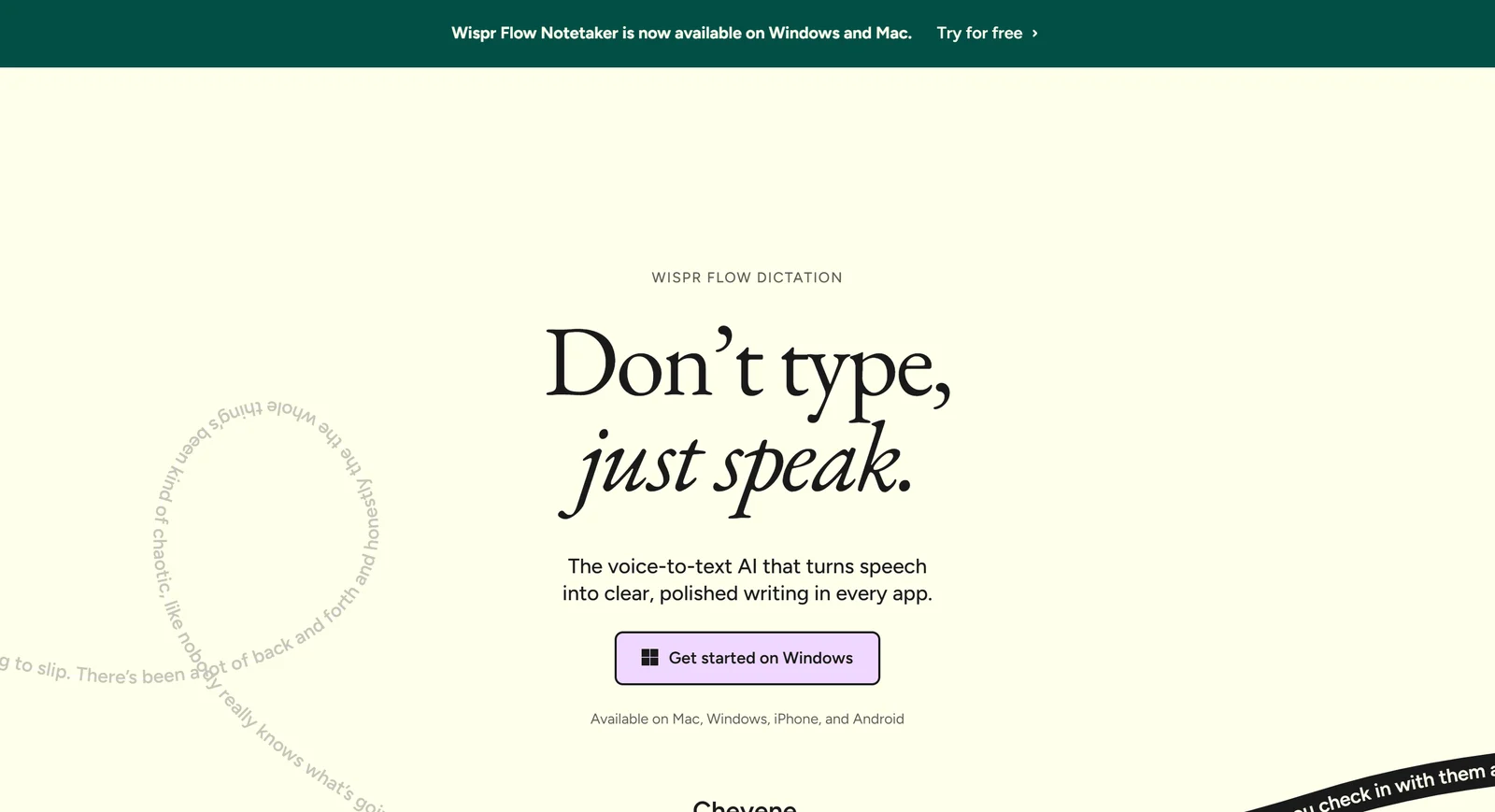
Wispr Flow’s homepage, captured 1 October 2026. The banner announces Notetaker on Windows and Mac.
1. What Wispr Flow Is, and Who Is Behind It
Wispr Flow is made by Wispr AI, Inc., a San Francisco company co-founded by Tanay Kothari (CEO) and Sahaj Garg (CTO), who met as roommates at Stanford. The company originally set out to build a wearable that would let people type by silently mouthing words — work backed by a $4.6M seed round from NEA and 8VC in 2021 — before shifting its focus to Flow software in 2024.
That pivot has been well funded. Wispr raised $30M led by Menlo Ventures in June 2025 and $25M led by Notable Capital in November 2025, then, according to Reuters, a $280M Series B led by Menlo Ventures at a $2 billion valuation in August 2026, bringing the total raised to $361M. Wispr says people have written more than 60 billion words with Flow.
In September 2026 Wispr replaced the third-party models behind dictation with Canto, its own speech model, rolled out to every user automatically.
2. Part One: Flow Dictation
How it works
Flow is deliberately simple. You hold a hotkey — Fn on Mac, Ctrl+Win on Windows — speak, and release. Flow transcribes your speech, edits it and pastes the result wherever your cursor is, in any app, with no integrations to set up. Double-tapping the hotkey (or pressing Fn+Space / Ctrl+Win+Space) switches to hands-free mode for longer passages.
A few mechanics are worth knowing up front:
- Text appears after you stop speaking, not word by word, because Flow cleans it up first.
- It pastes through your clipboard and restores whatever was there about half a second later.
- Sessions run up to 20 minutes on desktop (with a warning at 19) and 5 minutes on iPhone and Android.
- On iPhone, Flow is a keyboard you switch to with the globe key; it needs Full Access and microphone permission. On Android, it is a floating bubble that appears in text fields and hides itself in banking apps.
What the AI does to your words
This is where Flow earns its price over free built-in dictation.
- Auto Cleanup removes filler words and adds punctuation. You can choose None, Light (the default) or Medium, and Cmd/Ctrl+Z right after pasting brings back the raw version.
- Backtrack drops your self-corrections. Say “let’s meet Tuesday — actually, Wednesday” and you get only the Wednesday version. It also responds to “scratch that” and “never mind”.
- Smart Formatting turns “one… two… three…” into a list, and understands spoken punctuation such as “period”, “comma” and “new paragraph”. It does not fix words Flow misheard.
- Styles adjust tone by context — Formal for email, Casual for chat, and so on. Styles work in English only.
- Personal dictionary learns names and jargon when you correct them, and you can add words yourself.
- Snippets expand a spoken trigger into saved text — an address, a calendar link, a standard reply — on every plan, including Free.
- Command Mode (paid plans, Mac and Windows) lets you select text and speak an instruction such as “make this more concise”. Its triggers are English only, and it does not edit in place on iPhone.
How fast and how accurate?
Wispr says Flow is “4x faster than typing”, illustrated on its homepage as 220 words per minute against 45 for a keyboard. It publishes no method for that figure, and its coding page uses “3x” instead. Wispr also reports a 90% “zero-edit rate” against 71% for OpenAI and 52% for Siri, from its own benchmark. Treat all three as Wispr’s claims, not independent measurements.
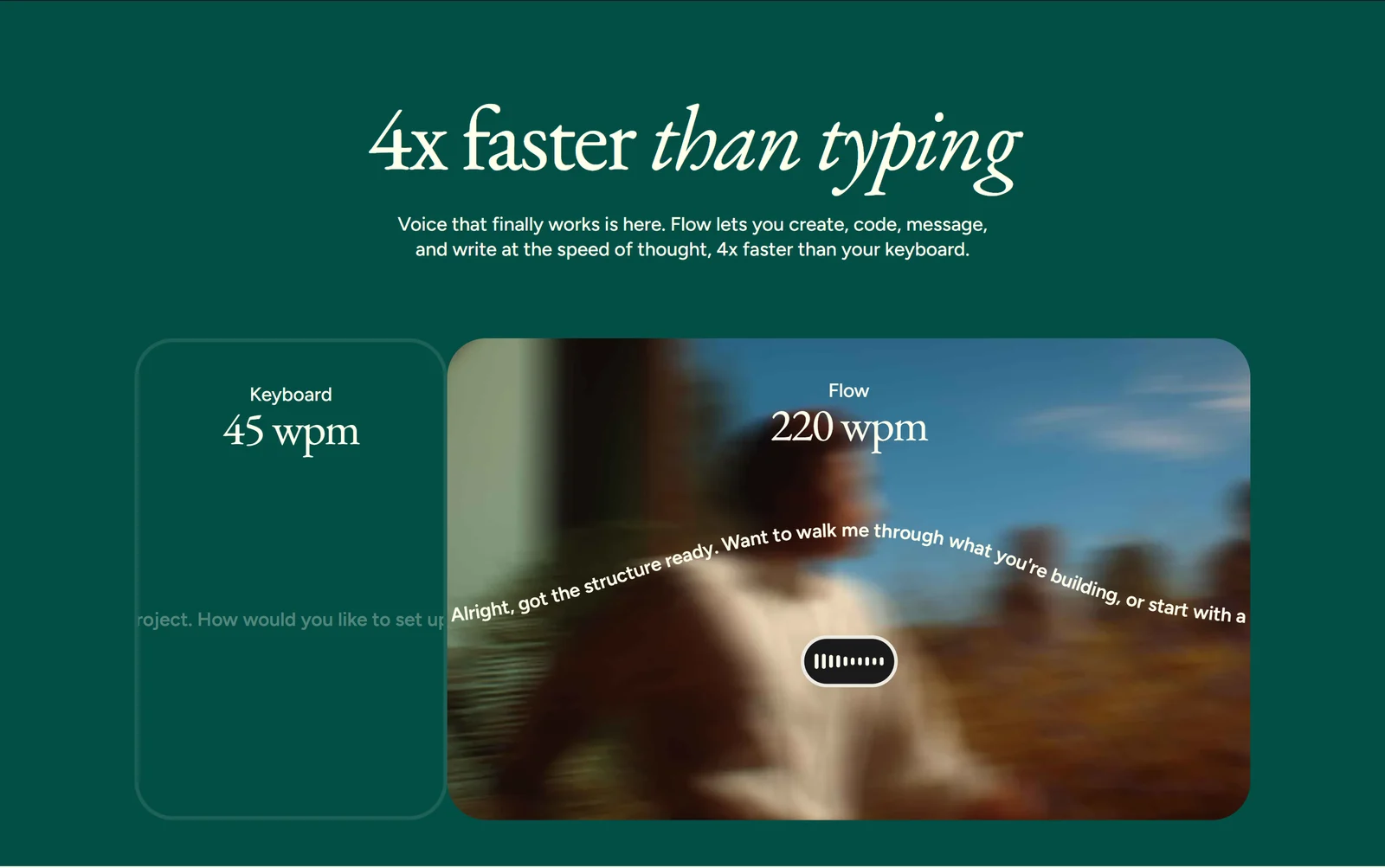
Wispr’s “4x faster” claim. The 220 wpm and 45 wpm figures come with no published method.
The realistic picture: speaking is faster than typing for almost everyone, and Flow’s cleanup removes most of the editing that made dictation slower than it looked. How much faster depends on how fluently you speak, how much technical vocabulary you use, and your microphone — Wispr itself advises against Bluetooth earbuds for dictation.
Languages: check yours before you commit
Flow supports 100+ languages with automatic detection. Accuracy is not equal across them. Wispr names the languages it has tuned to English-level accuracy; Vietnamese is supported, but it is not in that tier. Flow also detects one language per dictation, so mixing two languages in a single sentence is less reliable. Wispr’s advice is to select only the languages you actually speak, and it acknowledges that very strong accents can reduce accuracy. The free plan is the right place to test your own voice and language before paying.
For developers
Flow recognises variable names in Cursor, Windsurf and VS Code (VS Code needs Screen Reader Optimized mode), can tag files in Cursor and Windsurf AI chats, and handles camelCase, snake_case and CLI commands. Two cautions: its formatting can alter shell commands, and in WSL, Linux VMs and SSH sessions you need to use “Paste last transcript” instead of direct insertion.
Platforms and limits
Flow runs on macOS 12+, Windows 10/11 (x64), iPhone with iOS 18.3+ and Android 13+. It does not support iPad, Linux, Chromebooks, Windows on ARM/Snapdragon, or use inside virtual machines and remote desktops. It is cloud-only: there is no offline mode, and it cannot transcribe uploaded audio files — only live microphone input.
Part one · Flow Dictation
Speak in any app, get clean text at your cursor
Free to start with 2,000 words a week on desktop and no credit card. Test it with your own voice, language and vocabulary before you upgrade.
Try Flow Dictation
3. Part Two: Flow Notetaker
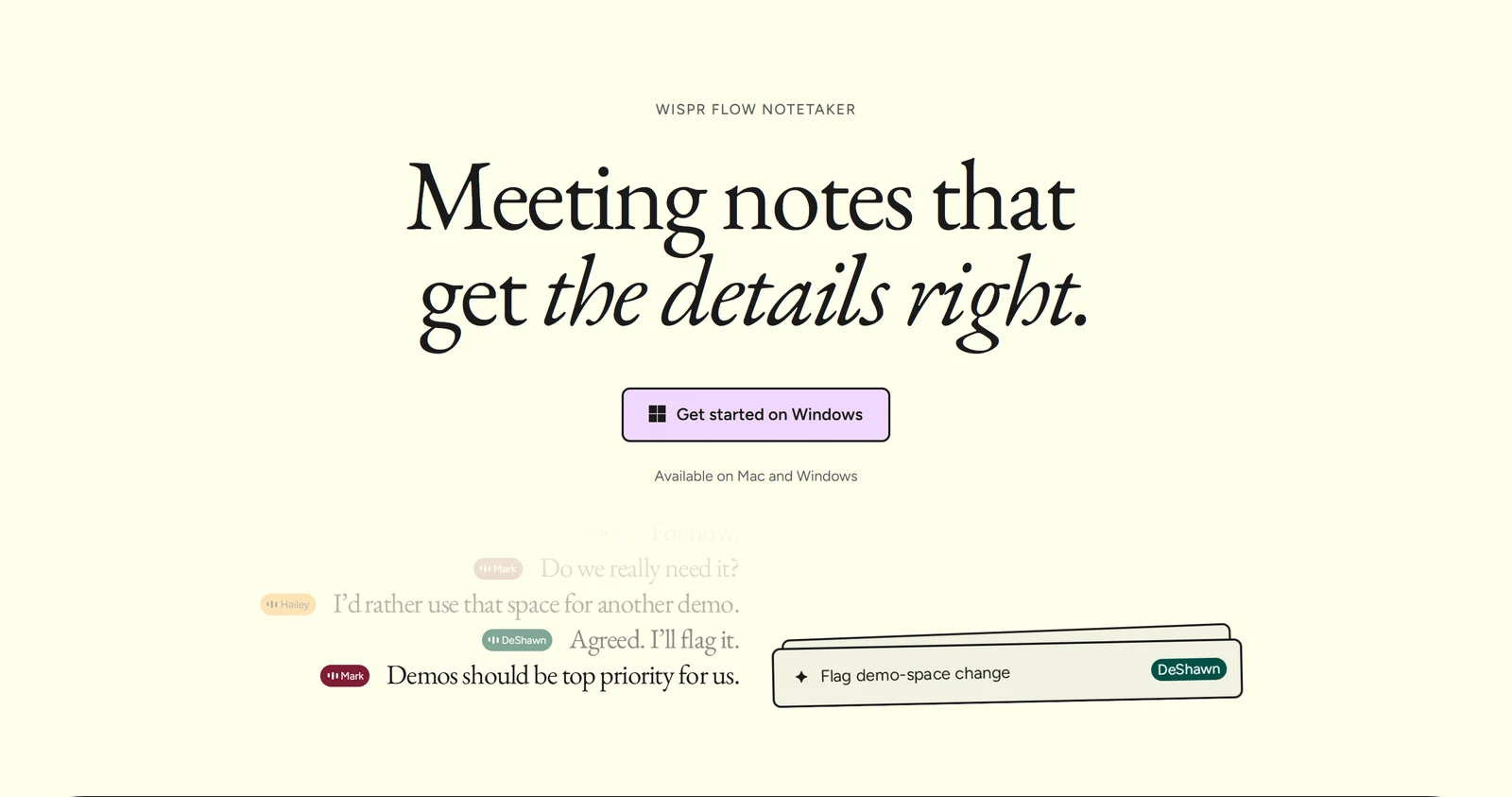
Flow Notetaker, Wispr’s first product beyond dictation, now available on Mac and Windows.
Flow Notetaker is Wispr’s meeting product, launched on Mac on 5 August 2026 and on Windows on 15 September 2026. Its headline is “Meeting notes that get the details right.” It is sold with Dictation as one subscription rather than as a separate product.
No bot in the call
The defining design choice: no bot joins your meeting. Notetaker captures your microphone and your computer’s system audio, then sends it to Wispr’s cloud for transcription. That means it works with anything your computer can play — Zoom, Google Meet, Microsoft Teams, Slack huddles, Discord, browser calls — and with in-person conversations through your computer’s microphone, with no integrations to set up.
If a call is not on your calendar, Notetaker can detect it and ask whether to take notes. Automatic start is off by default, and recordings stop at a maximum length you choose (two hours by default).
One Windows caveat: Notetaker captures only the default output device. If you pick a headset inside Teams but not in Windows, the other participants will not be recorded.
What you get
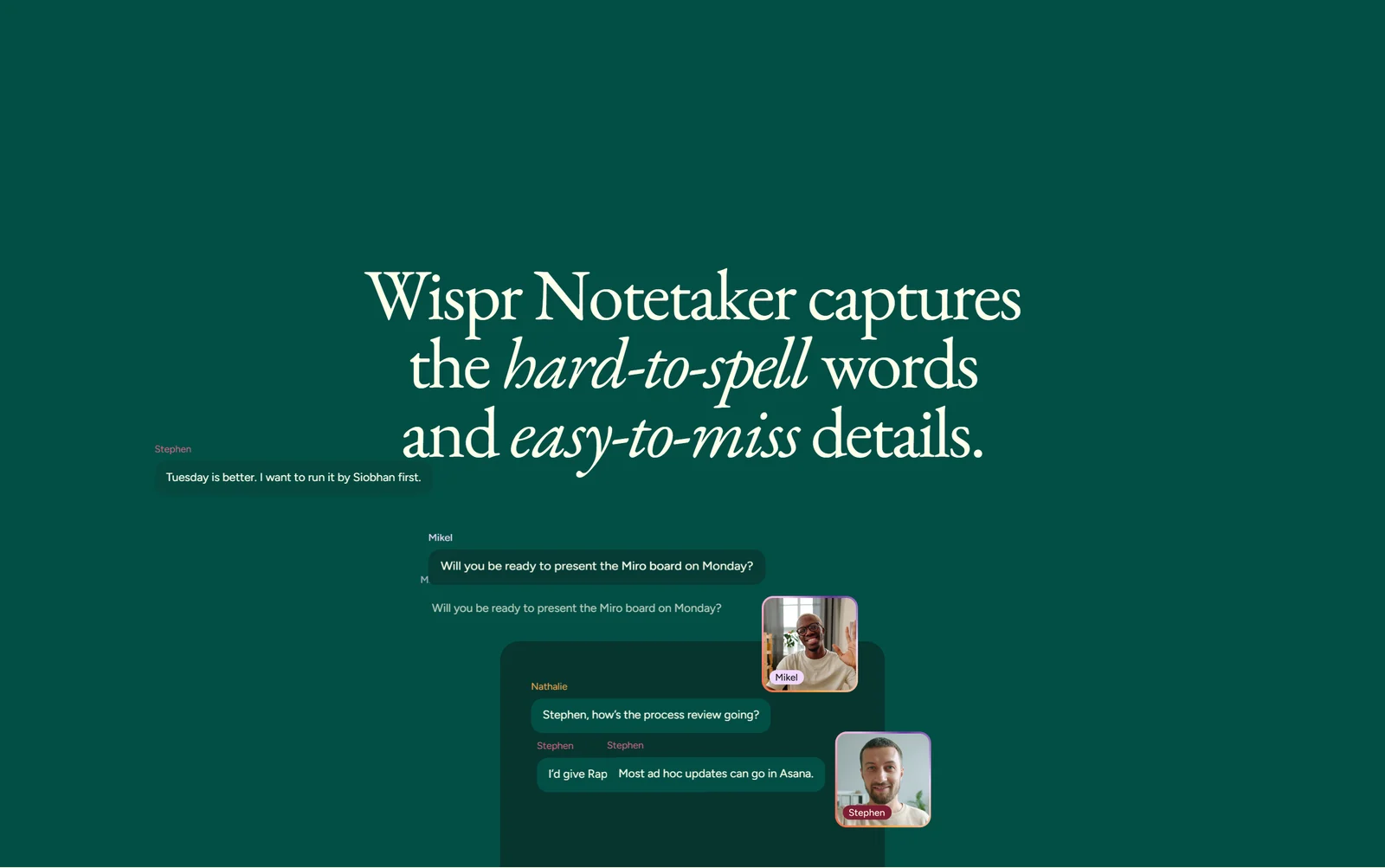
Speaker-labelled transcripts. Names and jargon draw on your dictionary, calendar and connected tools.
- A live transcript during the meeting, then a second pass with a stronger model afterwards to catch mistakes.
- Summaries organised by topic, with Next Steps, Decisions and “My todos” sections, and an owner on every action item.
- “What did I miss?” — a catch-up of the last few minutes while the meeting is still running.
- Pre-meeting briefs built from your Gmail, Slack, past notes and web research, with each line linked to its source.
- Better spelling of names and jargon, drawing on your personal dictionary, your calendar invite and connected tools.
- Speaker names taken from the calendar invite and context. Labels are most accurate on video calls; Webex and Discord get numbered speakers instead of names.
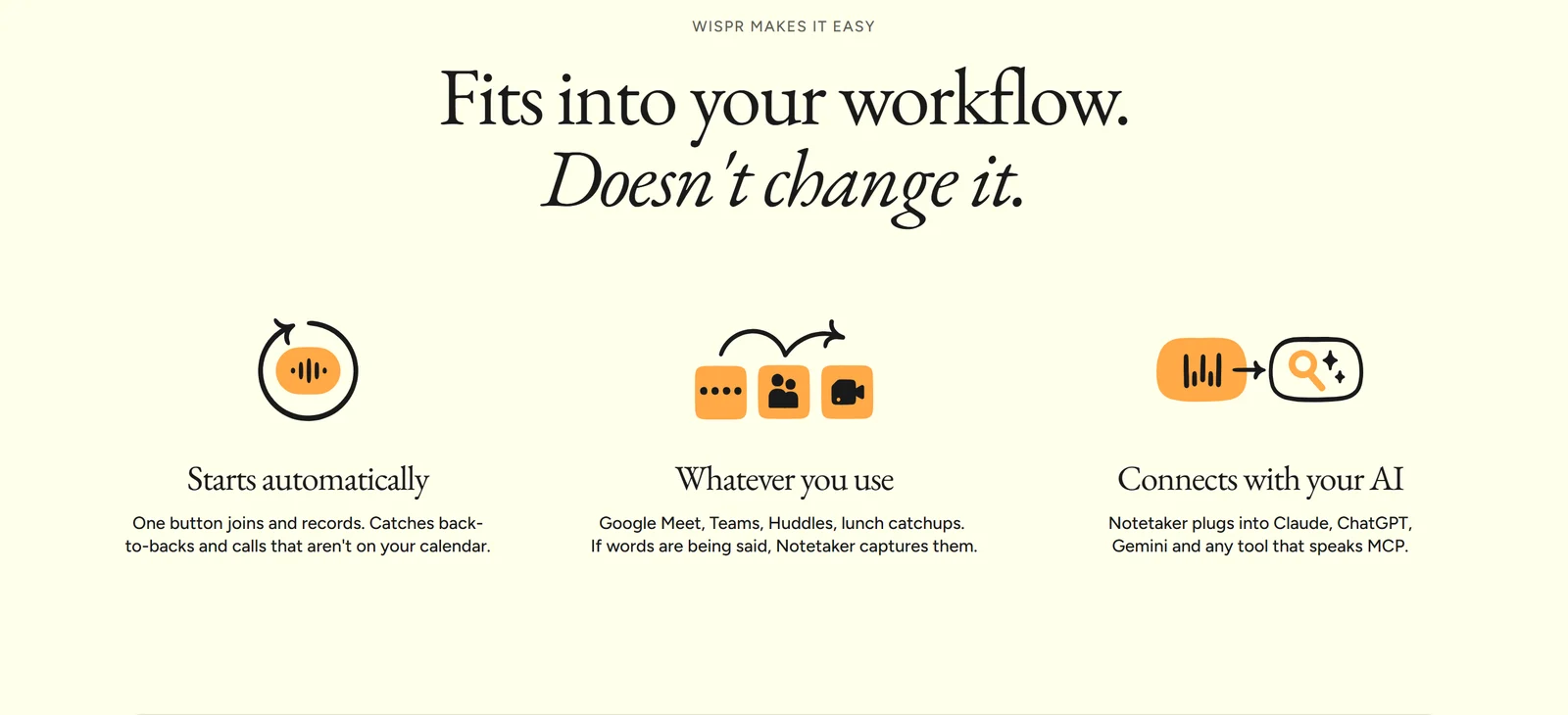
Notetaker connects to Claude, ChatGPT, Gemini and any MCP tool, and reaches meeting notes only — never your dictation history.
Notes your AI can read. Through MCP, Notetaker connects in one click to Claude, ChatGPT and Gemini, and to Cursor, VS Code and other MCP tools. The connector reaches meeting notes, summaries and briefs — never your dictation history.
Easy to switch. You can import past meetings from Granola (CSV) and Otter (TXT/SRT). Imports are text only: no audio, attendees or reprocessing.
Languages: 21, and Vietnamese is not one of them
Notetaker officially transcribes 21 languages: English, Spanish, French, German, Portuguese, Italian, Dutch, Russian, Polish, Swedish, Danish, Czech, Chinese, Japanese, Korean, Hindi, Marathi, Bengali, Urdu, Arabic and Turkish. Meetings in other languages, including Vietnamese, still produce a transcript, but Wispr warns they may contain more errors. If your meetings are mostly in Vietnamese, test Notetaker on the free plan before relying on it.
Consent is your responsibility
Because no bot appears in the call, other participants are not notified automatically. Wispr’s own help centre says bot-free recording “does not notify everyone or obtain consent”, and its Terms make you responsible for giving notice and getting consent where the law requires it. Recording laws differ by country and state.
Wispr offers tools to help: an optional notice posted in the meeting chat on Zoom, Teams, Slack huddles and Google Meet (in Chrome), whose text you can edit, and an optional calendar notice on events you organise. Enterprise admins can enforce the chat notice and require a consent confirmation before every meeting. If a participant later withdraws consent, you have to delete the whole meeting — Notetaker cannot delete individual segments.
The practical rule: say you are taking notes at the start of every call, and turn on the chat notice.
Where your meeting data goes
Meeting audio is processed in Wispr’s cloud. Uploaded audio is deleted after 7 days, but transcripts and summaries are kept indefinitely by default and always stored in the cloud — there is no local-only option. Wispr offers retention windows from 1 to 365 days, and you can delete transcripts yourself. Wispr states that Notetaker does not create voiceprints. Notetaker runs on Mac (macOS 13+) and Windows only; the iPhone app shows meetings synced from your computer, and mobile recording is on Wispr’s roadmap.
Part two · Flow Notetaker
Meeting notes without a bot in the call
Works in Zoom, Meet, Teams, Slack huddles and in person, on Mac and Windows. Included with Flow, with limited use on the free plan.
Try Flow Notetaker
4. Pricing: One Subscription for Both
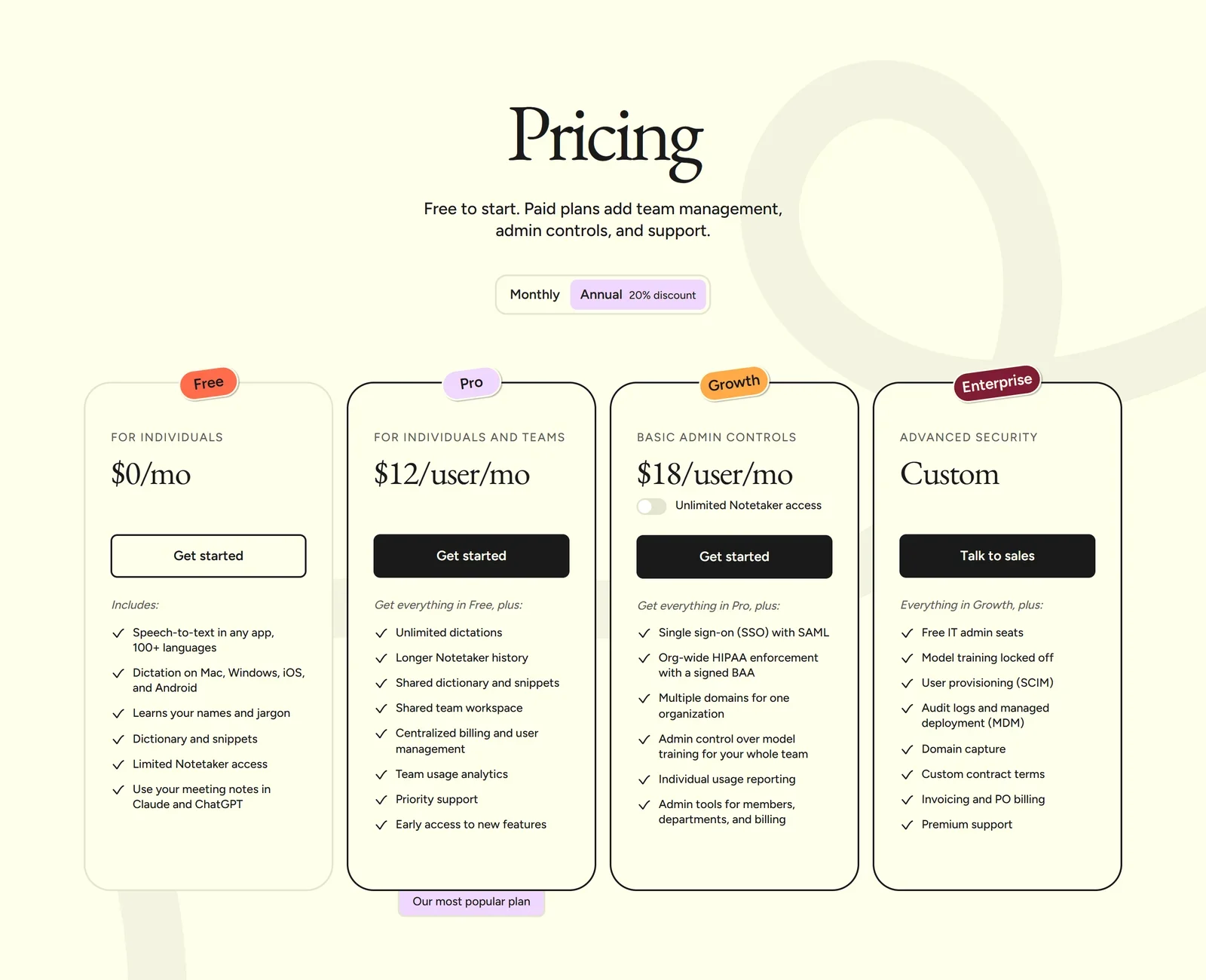
Wispr’s pricing page with annual billing selected (20% discount). Monthly prices are higher.
| Plan | Monthly | Annual (per month) | Dictation | Notetaker |
|---|---|---|---|---|
| Free | $0 | $0 | 2,000 words/week desktop, 1,000 mobile | Limited (weekly meeting cap) |
| Pro | $15/user | $12/user | Unlimited | Higher limits, longer history |
| Growth | $23/user (or $33) | $18/user (or $26) | Unlimited, plus SSO, org-wide HIPAA, admin | Unlimited on the $33/$26 tier |
| Enterprise | Custom | Custom | Adds SCIM, audit logs, training locked off | Available as an option |
The free plan is real. It needs no credit card and includes dictation in any app, the dictionary, snippets and limited Notetaker access. The weekly word count resets Sunday at midnight Pacific time and does not carry over. On mobile, dictation slows at 1,000 words and stops at 1,500. Wispr does not publish the exact free Notetaker meeting cap; recordings under five minutes do not count toward it.
Notetaker on Pro. Notetaker is included in Pro at no extra cost with higher limits than Free, but Pro is not unlimited — unlimited Notetaker is reserved for the Growth tier at $33 a month ($26 annual) and for Enterprise. Wispr says it is still rolling Notetaker out to Pro users gradually.
Discounts. Students and educators with an education email get 50% off Pro. Nonprofits can request discounted Pro, and support reviews requests for educators, military, seniors and accessibility needs.
Trials. Not every new account gets a Pro trial — eligibility is decided at your first desktop login. Creating or joining a team can grant 14 days of Pro without a card, and friends you refer get a 30-day Pro trial.
Buy where you plan to manage it. App Store prices match the web for Pro ($15 monthly, $143.99 a year), and iOS also offers a $4.49 weekly plan. Deleting your Wispr account does not cancel an App Store or Google Play subscription — cancel those with Apple or Google.
Refunds. Subscriptions renew automatically. Cancelling keeps paid access to the end of the period and then drops you to Free with your data kept. There is no refund window: Wispr’s Terms say refunds are issued only where the law requires. Use the free plan to decide, not the first paid month.
5. Privacy and Security: Two Settings to Check on Day One
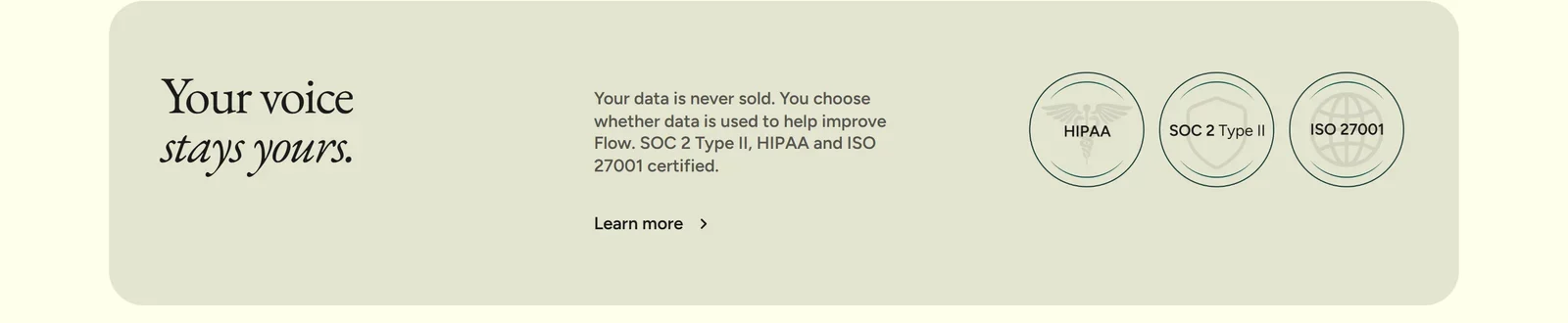
“You choose whether data is used to help improve Flow” — on Free and Pro, that choice starts switched on.
Flow listens to everything you dictate and, with Notetaker, to your meetings. Here is what happens to that data, and the settings worth changing.
1. Model training is on by default. The setting “Improve the model for everyone” is on by default on Free and Pro and covers both dictation and Notetaker content, so your data can be used to train Wispr’s models until you switch it off. It is locked off on Enterprise and by a signed HIPAA BAA, and Growth admins control it for their team. For zero retention of your dictations, turn off both “Improve the model for everyone” and “Dictation Cloud Storage” — and check again after signing back in, because signing out resets Dictation Cloud Storage to on. Even with training off, any dictation you report or rate with thumbs up/down can still be used for training.
2. Context Awareness is on by default. To format text correctly, Flow can send the contents of the text box, on-screen text, app information and, on Mac, conversation history along with each dictation. Wispr’s help centre says it works from text and takes no screenshots, and it skips banking apps, URL bars and standard password fields — but custom or web-based password fields may be read. You can turn it off in Settings → Data and Privacy. Even then, Flow still uses the app name and the surrounding text-box content for formatting. Wispr’s own documentation is not fully consistent here: a data inventory in its Trust Center still lists “screenshot” as optional context.
Where your data is processed. Everything runs in the cloud, in the US on AWS; there is no on-device option and no data residency outside the US. Wispr’s Trust Center says dictation runs on its own models hosted on Baseten and Modal, with OpenAI for formatting and as a fallback, and that Notetaker uses Soniox for transcription and Anthropic and Google models (via OpenRouter) for recaps. Wispr says all third-party models used for dictation are under zero-data-retention agreements; some Notetaker features, such as briefs, use providers that are not, though those providers may not train on your data.
Certifications. Wispr’s Trust Center lists a SOC 2 Type II report and an ISO/IEC 27001 certificate from A-LIGN, available on request and partly under NDA. Their scope covers Flow Dictation only — Notetaker was not audited. This follows a change of compliance providers: in March 2026 Wispr’s CTO disclosed that the company had used Delve, a compliance-automation platform later accused of “fake compliance” in TechCrunch’s reporting (which did not name Wispr), said remediation was under way, and Wispr moved to Drata and engaged A-LIGN. For healthcare, Wispr offers a HIPAA BAA on any plan covering dictation only — signing one disables Notetaker.
Terms. The consumer Terms are governed by California law, with individual arbitration and a class-action waiver for US users. You can opt out of arbitration by emailing support@wisprflow.ai within 30 days of registering. Account deletion is completed within 90 days.
6. What Users Say
| Source | Rating | Volume |
|---|---|---|
| iOS App Store (1 Oct 2026) | 4.8 | 16,425 ratings |
| Google Play (US) | ~4.3 | ~9,750 ratings, 1M+ installs |
| Product Hunt | 4.7 | 80 reviews |
Ratings vary by country — on the Vietnamese Google Play storefront, Flow sits at about 3.9.
Praise on Product Hunt centres on speed, accuracy with technical terms and mixed-language dictation. Criticism focuses on privacy, CPU and memory use (especially on Windows), the permissions setup and Windows stability. Wispr itself acknowledged in June 2026 that rapid growth caused slower dictation, lower accuracy and sign-in problems for some users, attributed outages to “vendor failures and our own scaling issues”, and later reported 99.9% uptime and 30% lower latency since January.
One thing to read with care: several testimonials on Wispr’s own site come from its investors and backers, including partners at Menlo Ventures, Notable Capital and Goodwater Capital.
7. Alternatives Worth Knowing
Prices are from each vendor’s own site as of October 2026.
For dictation
| Tool | Price | Runs | Platforms |
|---|---|---|---|
| Wispr Flow | Free; Pro $12–15/mo | Cloud only | Mac, Windows, iPhone, Android |
| Apple Dictation | Free, built in | Largely on device | iPhone, iPad, Mac |
| Windows voice typing | Free, built in (Win+H) | Online | Windows |
| Superwhisper | Free local; Pro $8.49/mo or $249.99 lifetime | Local or cloud | Mac, Windows, iOS, Android |
| VoiceInk | From $25 one-time, open source | Local | Apple Silicon Mac, iOS |
| Aqua Voice | Free 1,000 words; Pro $8–10/mo | Cloud | Mac, Windows, iOS |
| Willow | Free tier; Pro $12–15/mo | Cloud | Mac, Windows, iPhone |
The honest comparison is with the free tools already on your devices. Apple Dictation and Windows voice typing transcribe well, and Apple’s newest dictation on recent hardware adds better punctuation and formatting — but neither matches Flow’s cleanup, self-correction handling, dictionary and snippets across every app on four platforms. If offline use or keeping audio on your machine matters more than polish, Superwhisper and VoiceInk run locally.
For meeting notes
| Tool | Free plan | Paid from | Capture |
|---|---|---|---|
| Flow Notetaker | Limited weekly meetings | Included with Pro ($12–15/mo) | No bot (device audio) |
| Granola | Last 30 days of notes | $14/user/mo | No bot (device audio) |
| Fathom | Unlimited recordings and transcripts | $16–20/mo | Bot, or bot-free in beta |
| Otter | 300 minutes/month | $8.33–16.99/mo | Bot, or desktop app |
| Fireflies.ai | Unlimited transcription, limited summaries | $10–18/seat/mo | Mainly bot |
Notetaker’s advantage is that it comes with a dictation tool you may already pay for. Established notetakers have longer track records, broader integrations and, in Fathom’s case, a more generous free plan. Our Top 5 AI Meeting Notetakers comparison covers Fathom, Fireflies, Otter, Granola and tl;dv in depth.
8. Pros and Cons
Where Wispr Flow is genuinely strong
- Dictation that works everywhere — any app, four platforms, one account
- Editing that removes the busywork — filler words, self-corrections, lists and tone
- A usable free plan with no credit card
- Bot-free meeting notes included in the same subscription
- Excellent independent ratings — 4.8 from 16,425 App Store ratings
- Reasonable price at $12 a month on annual billing, with 50% off for education
- SOC 2 Type II and ISO 27001 reports for Dictation, plus a HIPAA BAA option
Where Wispr Flow falls short
- Cloud-only, with no offline mode and US-only data processing
- Model training on by default on Free and Pro
- Context Awareness on by default, reading on-screen and surrounding text
- Notetaker consent is on you — participants are not notified automatically
- Vietnamese not supported by Notetaker and not in Dictation’s best-tuned tier
- No refund window beyond what the law requires
- Notetaker is outside the audited scope and disabled under a HIPAA BAA
- Mid-2026 reliability issues, acknowledged by Wispr
9. Frequently Asked Questions
Is Wispr Flow free?
Yes, there is a free plan with no credit card required. It includes dictation in any app on Mac, Windows, iPhone and Android with up to 2,000 words a week on desktop and 1,000 on mobile, plus the personal dictionary, snippets and limited Notetaker access. The word allowance resets every Sunday at midnight Pacific time and does not carry over. Pro removes the dictation limit for $15 a month, or $12 a month billed annually.
What is the difference between Flow Dictation and Flow Notetaker?
Flow Dictation turns your speech into clean, edited text in whatever app you are typing in, on Mac, Windows, iPhone and Android. Flow Notetaker records meetings from your computer's microphone and system audio, without a bot joining the call, and produces a transcript, a topic-based summary and action items. Both come with the same Wispr Flow account and subscription. Notetaker runs on Mac and Windows only.
Does Wispr Flow work offline?
No. All transcription happens in Wispr's cloud, so Flow needs an internet connection for every dictation and every meeting. There is no on-device or offline mode, and data is processed and stored in the US on AWS. If you need offline dictation, local tools such as Superwhisper or VoiceInk run on your own machine.
Does Wispr Flow use my voice data to train AI?
It can, unless you change a setting. 'Improve the model for everyone' is on by default on the Free and Pro plans and covers both dictation and Notetaker content. You can switch it off at any time. For zero retention of dictations, turn off both 'Improve the model for everyone' and 'Dictation Cloud Storage', and check again after signing back in, because signing out resets cloud storage to on. Training is locked off on Enterprise and with a signed HIPAA BAA.
Does Wispr Flow work well in Vietnamese?
Flow Dictation supports Vietnamese, but Vietnamese is not among the languages Wispr says it has tuned to English-level accuracy, so test it on the free plan before paying. Flow Notetaker officially supports 21 languages and Vietnamese is not one of them; Vietnamese meetings still produce a transcript, but Wispr warns it may contain more errors. Flow also detects one language per dictation, so mixing Vietnamese and English in one sentence is less reliable.
Do other people in the meeting know Notetaker is recording?
Not automatically. Because no bot joins the call, participants are not notified unless you tell them. Wispr's Terms make you responsible for giving notice and obtaining consent where the law requires it. You can turn on an optional notice posted in the meeting chat on Zoom, Teams, Slack huddles and Google Meet in Chrome, and Enterprise admins can enforce it. The safest habit is to announce that you are taking notes at the start of every call.
Is Notetaker included in the Pro plan?
Yes, Notetaker is included in Pro at no extra cost, with higher meeting limits and longer history than the free plan. It is not unlimited on Pro: unlimited Notetaker is available on the Growth plan at $33 per user per month ($26 billed annually) and on Enterprise. Wispr says it is still rolling Notetaker out to Pro users gradually.
Can I get a refund?
Wispr does not offer a refund window. Its Terms say refunds are issued only where the law requires. Subscriptions renew automatically; when you cancel, paid access continues to the end of the billing period and the account then moves to the free plan with your data kept. Because the free plan is generous, use it to evaluate Flow before buying, and cancel App Store or Google Play subscriptions through Apple or Google.
10. Final Verdict: Is Wispr Flow Worth It in 2026?
For dictation, Wispr Flow is the most complete option we know of that works across Mac, Windows, iPhone and Android. The reason is not raw transcription — free built-in tools are good at that now — but what happens afterwards. Flow removes filler words, honours your self-corrections, formats lists and adapts tone, so what you say becomes text you can actually send. A free plan with 2,000 words a week lets you prove that with your own voice before paying, and $12 a month on annual billing is fair for a tool you would use all day.
Notetaker is a strong addition rather than a reason to buy on its own. Bot-free capture, topic-based summaries and an MCP connector to Claude and ChatGPT are genuinely useful, and getting them inside a subscription you may already have is the real value. It is also two months old, outside the audited scope, and leaves consent entirely to you.
Before you rely on it, take ten minutes on the settings: decide whether “Improve the model for everyone” and Context Awareness should stay on, decide how long meeting transcripts should be kept, and switch on the meeting-chat notice. If you write or meet mainly in Vietnamese, test both products on the free plan first.
Skip it if you need offline dictation or must keep audio on your own machine — local tools like Superwhisper or VoiceInk fit that requirement better.
Disclosure: This review contains affiliate links for both Flow Dictation and Flow Notetaker. If you sign up through our links, we may earn a commission at no additional cost to you; Wispr’s affiliate programme pays a recurring commission for a customer’s first year. All factual claims were verified against Wispr’s own website, help centre, release notes, Trust Center, Terms of Service, Privacy Policy and Data Controls page, app-store listings, Product Hunt, Reuters and TechCrunch, as of 1 October 2026. Wispr’s speed and accuracy figures, usage numbers and customer results are attributed to Wispr throughout; we could not verify them independently.