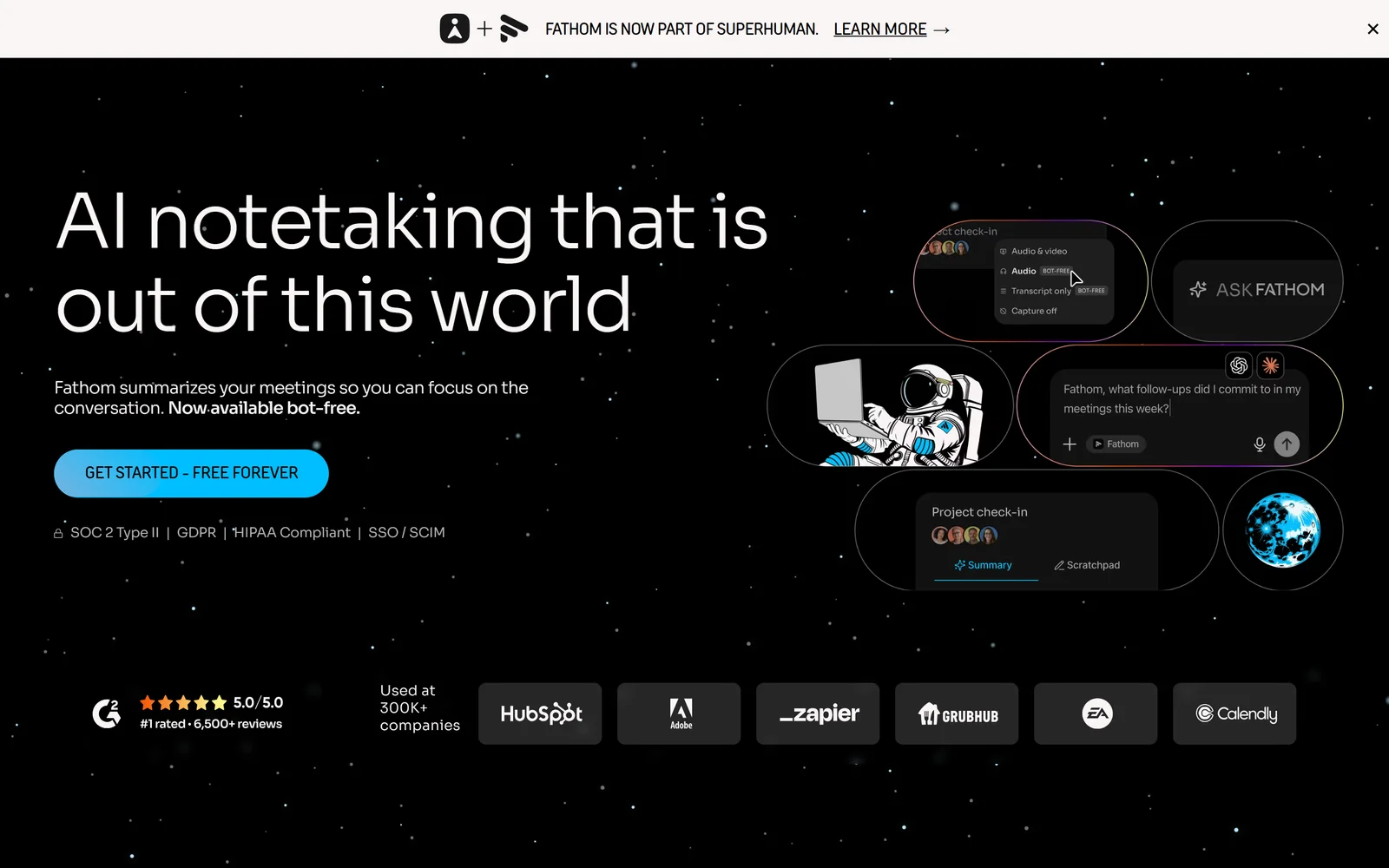
Fathom’s homepage, captured 17 September 2026. Its free tier is the most generous in this comparison by a wide margin.
The 8-Hour Calendar Problem
You take nine calls a day. By Thursday you cannot remember which prospect asked about SOC 2 and which one asked about seat pricing, and the only record is a notetaker you set up in four minutes and have never audited since. That is fine right up until the moment it isn’t. One Otter.ai user described exactly what “isn’t fine” looks like on Trustpilot on 4 June 2026: the bot she invited to a pitch call stayed behind after she hung up. A Fireflies user who signed in once, to read a transcript of a meeting she had missed, reported that the tool then attached itself to her calendar and began mailing transcripts to attendees of meetings she was not in.
The failure mode that costs you money is quieter than that, though. It is the meeting that simply is not there. One Fireflies reviewer reported six 90-minute calls captured as roughly two minutes each, with the vendor confirming the missing audio was never uploaded and could not be recovered. Another reported that not one of his first four meetings recorded at all. If you are a recruiter reconstructing an interview panel, or a consultant billing against a scope conversation, a missing transcript is not an inconvenience, it is a dispute you will lose.
Then there is the bill. Across four of the five products reviewed here, the written terms say fees are non-refundable, and only one of the five publishes a money-back promise at all — which its own Terms of Service contradict. Credits get switched on you did not ask for. Cancellation flows stall. Support turns out to be a chatbot that promises to connect you with a human and then, in one reviewer’s words, does nothing.
This comparison ranks five AI meeting notetakers — Fathom, Fireflies.ai, Otter.ai, Granola and tl;dv — on the things that actually bite: what the free tier really gives you, what the contract says when it goes wrong, and where your recordings physically live. Every price, limit and rating below was re-verified on 17 September 2026.
1. Why AI Notetaker Buyers Get Burned (In Their Own Words)
Before the quotes, the denominators, all read on 17 September 2026: Otter.ai holds 3.8/5 from 650 Trustpilot reviews (54% five-star, 32% one-star); Fireflies.ai 4.5/5 from 786 (80% five-star, 14% one-star); Fathom 4.8/5 from 281; tl;dv 2.2/5 from only 9 reviews. Fireflies’ iOS app holds 4.8/5 from around 5,000 ratings. Every complaint below comes from a one- or two-star filtered view and is not representative of the average user’s experience. It is, however, exactly the experience you are buying insurance against.
The bot outlives your presence in the meeting. Otter’s notetaker has been reported staying in a call after the host left it.
“I was on a Zoom call pitching a workshop to board members. Otter’s AI Notetaker joined my meeting to transcribe. When I left the call, the Notetaker stayed in the meeting and kept recording.” — Alex Guillen, Trustpilot 1-star, 4 June 2026
“Default setting sent out meeting notes to every attendee of meeting that I didn’t consent to. Stay away from Otter AI.” — Luke R, Trustpilot 1-star, 18 March 2026
You lose control over which meetings get recorded at all. This is not confined to angry reviewers — it shows up in favourable reviews too.
“Little did I know that Fireflies.ai had infiltrated my Google calendar and was recording meetings and sending out transcripts to all those in attendance—even if I was not in attendance. I did not sign-up for that—I only wanted to read a transcript from a meeting I couldn’t attend.” — Deena Marie, Trustpilot 1-star, 16 January 2026
“I also have found it difficult to control which meetings it adds itself to - it shows up for meetings I don’t want it in, and doesn’t show up when I do.” — TimSWMo, Apple App Store 4-star review of Fireflies.ai Notetaker titled “The safest option I’ve found”, posted 5 September
The recording you needed most is the one that vanished.
“Fireflies failed to record six important meetings. meetings lasted approximately 90 minutes, but only around two minutes were recorded… They also confirmed that the missing sections were never captured or uploaded and therefore cannot be recovered.” — gertjan, Trustpilot 1-star, 2 September 2026. The same reviewer’s advice is worth taking whichever tool you pick: “I strongly recommend making a separate backup recording of every important meeting.”
“in the first 4 meetings that I attended after setting up Fireflies, not a single one recorded properly (or at all, actually).” — Andrew OKane, Trustpilot 1-star, 2 June 2026
Accuracy degrades exactly where your calls are hardest: overlapping speech and multiple voices. One academic user ran his own count across ten interviews. Treat the figure as his self-reported experience, not a benchmark.
“Otter has consistently failed to capture or transcribe 32% of the material… But Otter.ai had one job, and in my world 68% is not passing.” — Dan Winemiller, Trustpilot 2-star, 20 June 2026
“Otter can’t even differentiate a two person conversation where one person is a male and the other is a female. It jumbles it all together as one speaker.” — Mark Thomas, Trustpilot 1-star, 6 December 2025
The bill grows features you did not switch on, and receipts do not arrive.
“by going on the pro plan, they activated AI ad credits. I would have to pay up to 50 euro a month extra for. They had auto enabled the ad credits.” — Asger Pedersen, Trustpilot 1-star on Fireflies, 24 February 2026, in a review titled “Great support, but this felt like being scammed.”
“Otter.ai has been charging my account $30/month for seven months ($210 total) without sending a single receipt or billing notification” — Matt, Trustpilot 1-star, 17 February 2026. He reports Otter support told him monthly receipts are opt-in only; that is his account of the exchange.
When it breaks, there is frequently no human on the other end. This applies even to the winner of this comparison.
“There is no customer support. Only a chatbot. Whether you reach out by email or via the support chat, it’s the same bot. It says it will connect you with support and then… nothing.” — David Daniel, Trustpilot 1-star on Fireflies, 27 April 2026
“There’s no live support. There’s not even a good AI support.” — Rob B, Trustpilot 2-star on Fathom, 14 August 2026. To his credit he supplied the context himself: “I’ve had three meetings today that fathom did not record. That’s a first for us. So I have to give them credit, out of five hundred plus meetings. This is the first time this has happened.”
2. How We Ranked Them
Seven criteria, weighted: capability depth (×2), value for money (×1.5), billing fairness (×1.5), trust and security (×1), ease of getting started (×1), free tier (×0.75), and support and docs (×0.75). Capability carries double weight because a notetaker that misses the meeting is worthless at any price. Billing fairness carries the same weight as value because, on the evidence above, the contract is where buyers actually get hurt — non-refundable clauses, credits you did not authorise, and cancellation routes that run through an email address.
That weighting produces the order used here: Fathom 7.12, Fireflies.ai 6.41, Otter.ai 6.15, Granola 6.12, tl;dv 4.76. Where a capable product lands low, the section says which criterion dragged it and cites the evidence. Every price, plan limit, contractual quote and review score in this article was re-read at source on 17 September 2026.
3. Fathom: The Free Tier Nobody Else Will Match, On Two Operating Systems Only
Fathom advertises unlimited recording, storage and transcription on its free plan, with API keys and webhooks included on every tier.
Fathom wins on a single structural fact: its free plan is not a demo. Per its pricing feature matrix, recordings and call storage are “unlimited” and transcription is “unlimited” — not metered by minutes, calls or seats — across what the help centre describes verbatim as “We currently support transcripts in 38 languages! 🌎”. There is no seat minimum on Free. More unusually, the developer FAQ states that “API access—keys and webhooks— are included on all plans.” No other product here gives a non-paying user production API keys and webhooks.
The paid ladder, verified on fathom.ai/pricing: Premium $20/user/month monthly or $16 annually; Team $19 or $15 annually with a 2-user minimum; Business $34 or $25 annually, also 2-user minimum; Enterprise by quote. The annual toggle is badged “(save 25%+)”, which is only true of one plan — Premium saves 20%, Team about 21%, and only Business reaches 26%. The Free tier’s real ceiling is AI, not capture: the help centre limits “Advanced summaries for your first 5 calls each month (after that, only the General/Enhanced template will be available)”, with AI action items, follow-up emails and Ask Fathom sitting on Premium. CRM sync is metered by email domain rather than seat — “Max 3 users/ domain” on Free, Premium and Team — and full CRM field sync is Business-only.
The weaknesses are real and they are about reach. Fathom records on Mac and Windows computers only; its help centre explicitly lists Chromebooks, Linux machines, mobile devices and tablets including iPads as unsupported, and it cannot record phone calls, webinars, breakout rooms or any call without a meeting link. There is no shipped iOS app — Fathom’s own page says “Coming soon!” behind a waitlist, and warns “We’ve spotted apps in the App Store pretending to be Fathom that aren’t affiliated with us.” The headline bot-free capture is flagged on the pricing matrix as a beta feature for Mac. All data is stored in the United States, with no EU region; Fathom is not ISO 27001 certified and says so plainly: “We don’t have ISO27001, but we do have SOC2, which is similar!” It also uses de-identified customer data to improve its own AI, with an opt-out in settings, so “Fathom never trains on your data” is simply wrong.
Two more things to price in. The pricing page badges paid plans with a “90 day guarantee” while the binding Terms of Service state “All fees are non-refundable exclusive of any applicable taxes” — and no written terms for that guarantee are published anywhere. Get it in writing before paying annually. And as of 14 September 2026 Fathom is owned by Superhuman; neither Superhuman’s announcement nor TechCrunch’s coverage says anything about whether the free tier survives. Ratings remain strong: Capterra 5.0 from 809 reviews (Ease of Use 5.0, Customer Service 5.0), Trustpilot 4.8 from 281, and the Google Meet extension at 4.9 from 1.7K ratings, updated 16 September 2026.
The Good (Pros)
The Bad (Cons)
#1 · Best free tier
Unlimited recording and transcription at $0
38 languages, unlimited storage, API and webhooks on the free plan. Mac and Windows only, and now owned by Superhuman.
Visit Fathom
4. Fireflies.ai: Most Capability Per Dollar, Worst Credits Economy
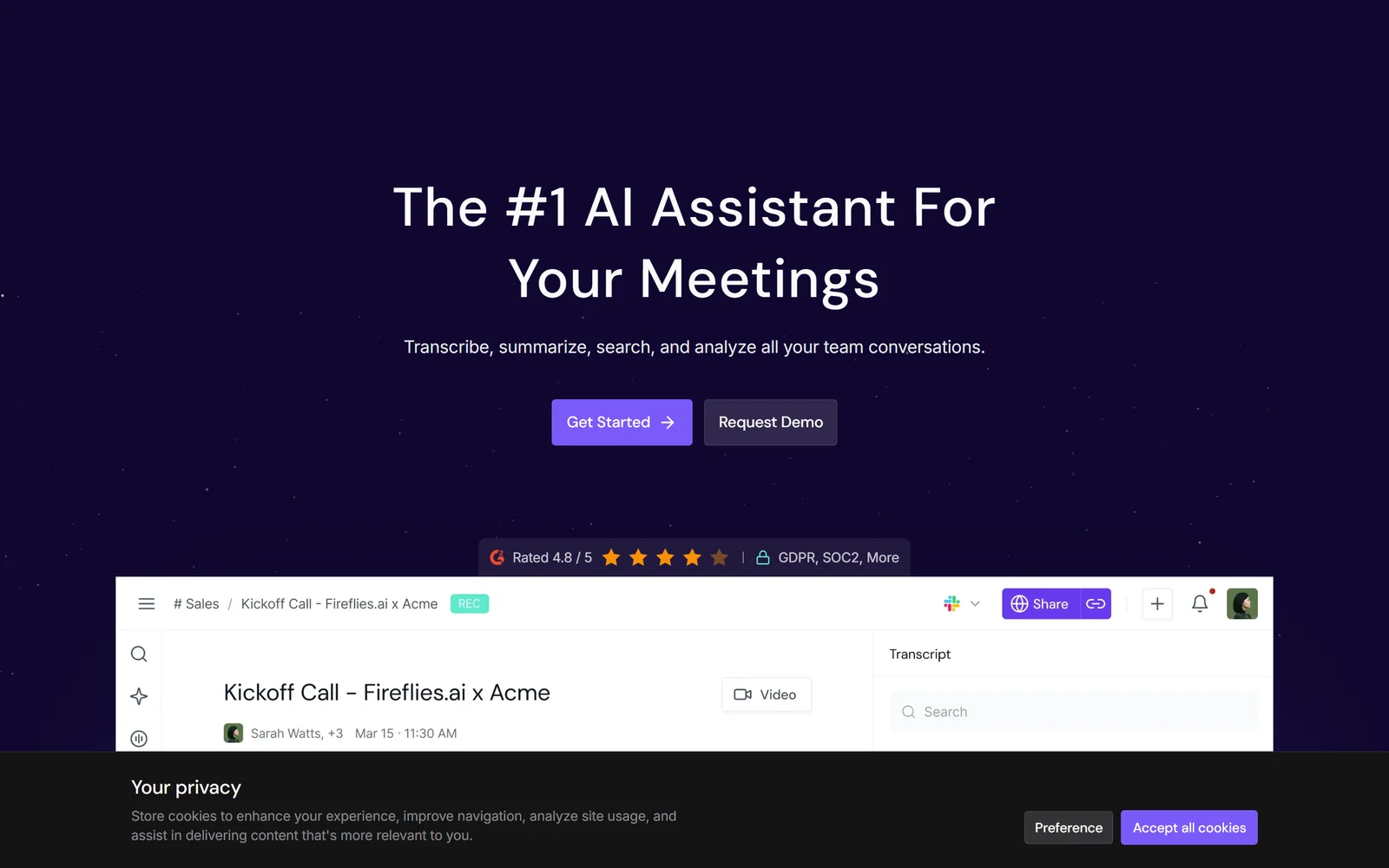
Fireflies has the widest feature surface per dollar here, and the most buyer-hostile credit economy.
On raw feature surface per pound, Fireflies is the value pick. Pro is $18/seat/month monthly or $10 annually, and includes unlimited transcription and AI summaries, 8,000 minutes of storage per seat, video recording, downloads and all integrations. Business is $29 or $19 annually and adds conversation intelligence, multi-language mode, team analytics and user groups. Enterprise is $39/seat, annual only. The API is GraphQL and available on every tier including Free, which gets a working quota of 50 requests per day (Pro 500/day, Business and Enterprise 60/minute). Install base is the largest verified in this group: 500,000+ organisations and 20 million people per its own June 2025 valuation announcement, 4.9 from 7.12K Google Play reviews, 4.9 from 735 Capterra reviews.
The AI credits system is what pushed Fireflies out of the top slot on billing fairness. Credits are a one-time grant at sign-up, not a monthly allowance: Free and Pro both get 20, Business 30, Enterprise 50. Upgrading from Free to Pro brings no credit increase at all. They are “pooled at the team level — everyone in your workspace draws from the same balance, regardless of seat count”, and they are spent on dynamic pricing: “you’re charged per query, and the number of credits used depends on sources referenced, meetings analyzed, or the complexity of the query.” No consumption table is published, which means nobody can calculate the real monthly cost of a defined usage profile. Top-ups run from $5 for 50 credits to $600 for 10,000. Credits are explicitly non-refundable, the Terms contain no refund clause at all, and Auto-Upgrade escalates you to the next paid credit tier when you run out.
That design maps directly onto the negative review cluster. Fireflies’ Trustpilot distribution is 80% five-star but 14% one-star across 786 reviews, and the one-star band is dominated by billing: Alex Wilson (18 August 2026) reporting charges after cancelling a trial, Andrea (updated 14 June 2026) reporting repeated charge attempts — a complaint she later updated to confirm Fireflies resolved it — and MBTH (12 May 2026) reporting AI add-ons charged without consent. Present these as user accounts, which is what they are. Cancellation also demands foresight: “You must cancel your Recurring Subscription at least 24 hours before the end of the current Subscription Period.”
Two other things buyers should check. The Free tier’s “Unlimited transcription*” is contradicted by Fireflies’ own comparison table, which lists Free’s Transcript row as “Limited”; the knowledge base explains Free gets 3, 5 or 10 transcription credits depending on whether you signed up via web, Chrome extension or mobile, and only becomes unlimited once you enable auto-join. And the “Transcription in 100+ languages” claim is qualified on its own pricing FAQ: *“Currently English is the primarily language that is supported. We also support Spanish, French, Portuguese, Italian, and 100+ other languages in beta.”_ On the plus side, the no-training commitment is contractual, not marketing — the Terms state Fireflies _“will not use your User Content to train, retrain, fine-tune or otherwise improve any generative artificial intelligence models”* — and it holds a SOC 2 Type II attestation dated 13 December 2021, maintained through annual audits. It does not claim ISO 27001.
The Good (Pros)
The Bad (Cons)
#2 · Widest feature set
Most capability per dollar, if you avoid the credits
$10/seat/mo annually for unlimited transcription and all integrations. AI credits are a one-time grant, pooled team-wide and non-refundable.
Visit Fireflies
5. Otter.ai: Enterprise Search Over a Billion Meetings, With the Messiest Contract
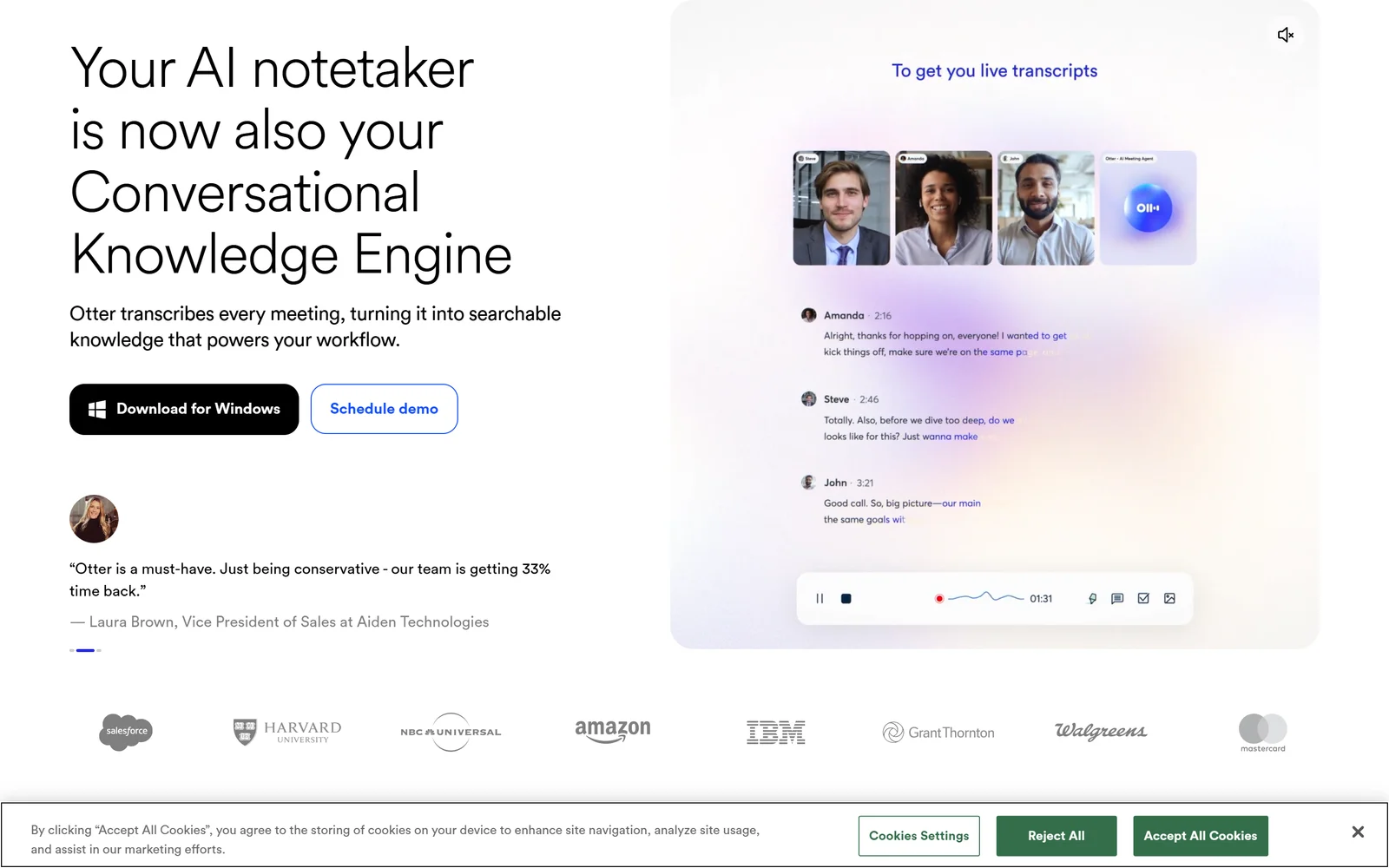
Otter pairs a permanent 300-minute free tier with search over an archive it says spans a billion meetings.
Otter has the widest range in the group. The free Basic plan gives 300 transcription minutes per user per month with Zoom, Teams and Meet coverage and — unusually — an MCP server exposed to non-paying users. At the other end, Otter is repositioning as a “Conversational Knowledge Engine” over an archive it claims spans over one billion meetings and 35 million users. Those are vendor figures and should be read as such. Pro is $8.33/user/month annually or $16.99 monthly; Business is $19.99 annually or $30 monthly; Enterprise is quote-only.
The limits matter more than the prices. Basic caps a single conversation at 30 minutes, allows 3 lifetime file imports and keeps only your 25 most recent conversations. Pro allows 1,200 minutes and 90 minutes per conversation, and cannot scale past 5 billed seats. Business caps at 25 billed users. Concurrent meeting joins are 1, 2, 3 and 3 across the tiers. AI Chat is metered at 20, 50, 200 and 200 queries per user per month — Enterprise buyers get no more than Business. SSO and SCIM both carry a “minimum 100-user license required” annotation, so a 40-person company simply cannot buy SSO. The public REST API is Enterprise-only.
Otter’s own pricing page contradicts itself on its headline enterprise benefit. The Business and Enterprise cards advertise “Unlimited audio/video file imports*”, while the comparison table on the same page caps imported-file transcription at 6,000 minutes per user per month on both tiers. The precise position: the number of files is unlimited, the minutes are not. Sitting on top of that are Terms stating *“All fees are in U.S. Dollars and are non-refundable”*, no documented free trial of any paid tier, no rollover of monthly minutes, and no customer-selectable regional data residency documented anywhere on the site.
Trust and security is the criterion that pushed Otter below its capability score. Its privacy policy lists among its processing purposes “training our proprietary AI technology on de-identified audio recordings and on transcriptions (which may contain Personal Information)” — the widely-cited “no training” promise applies only to Otter’s third-party AI vendors. Retention is open-ended rather than a fixed window. And Otter faces a consolidated federal class action, In re Otter.AI Privacy Litigation, No. 5:25-cv-06911-EKL, before Judge Eumi K. Lee in the Northern District of California, still active as of 17 September 2026. On 13 August 2026 the court allowed the federal Wiretap Act claim, a CIPA section 631 claim, two Illinois BIPA voiceprint claims, unjust enrichment and UCL claims to proceed, while dismissing both CFAA counts, the CDAFA claim, the Washington Privacy Act claim and most intrusion claims with leave to amend. That is a ruling on the sufficiency of pleadings. No class has been certified, there is no settlement, and no court has found Otter did anything wrong. Trustpilot sits at 3.8 from 650 reviews with 32% one-star; the iOS app is 4.8 from 79K ratings and carries Apple’s Editors’ Choice badge.
The Good (Pros)
The Bad (Cons)
#3 · Best search and scale
300 free minutes a month, permanently
Zoom, Teams and Meet coverage plus an MCP server on the free tier. Read the section on the live US wiretap class action before you buy.
Visit Otter
6. Granola: The Best No-Bot Experience, Bought on the Harshest Terms
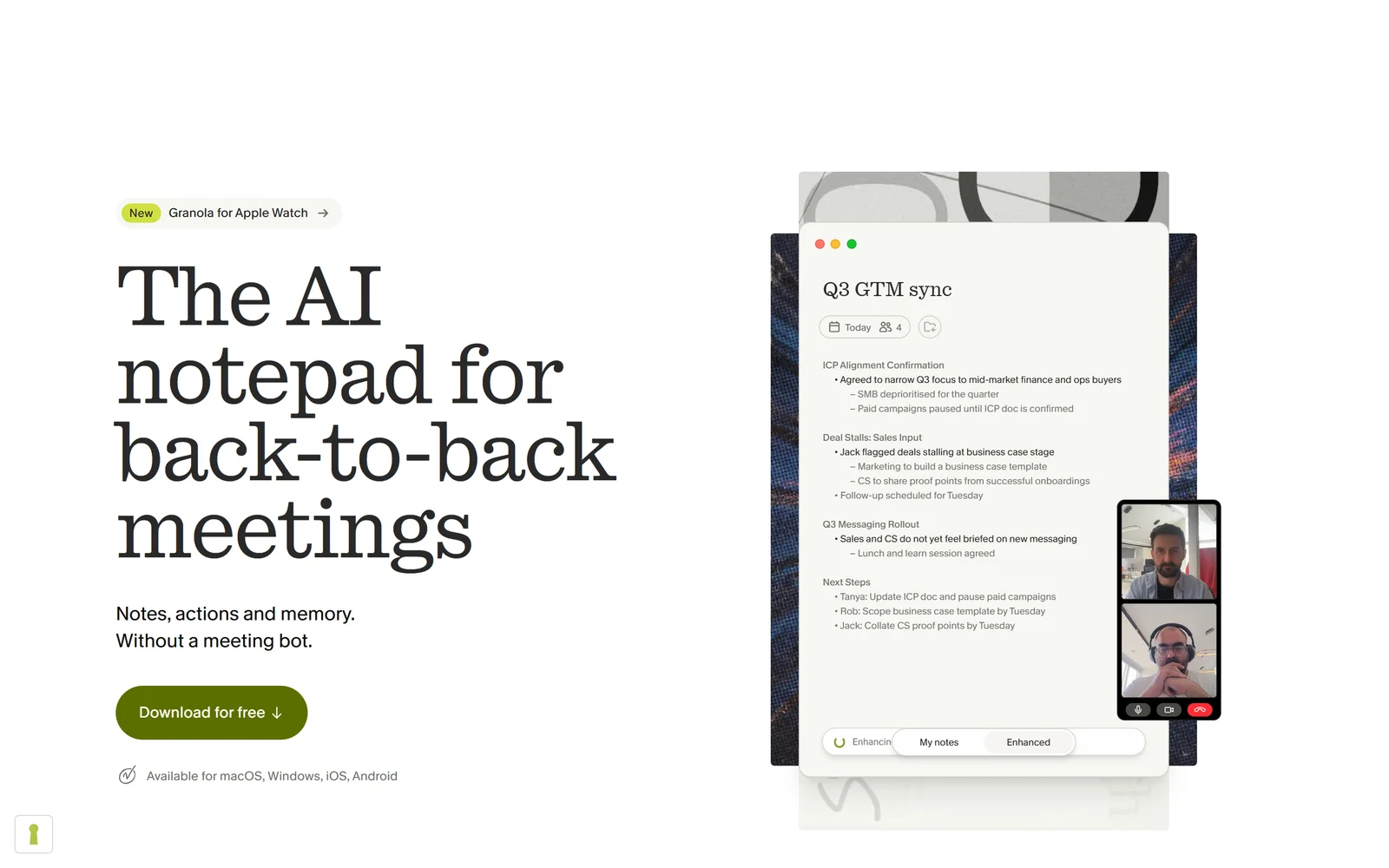
Granola enhances notes you type yourself instead of sending a bot into the call, which sidesteps the consent problem entirely.
Granola is the only product here whose free tier imposes no cap on meetings or transcription minutes at all. Its plan table lists transcriptions per day as “No daily limit” on every tier including Basic, whose sole restriction is that in-app note history shows the last 30 days — and those older notes are “stored (not deleted)”, retrievable via a CSV export from Settings. Pricing is three-tier and refreshingly short: Basic $0, Business $14/user/month, Enterprise $35/user/month. There is no monthly/annual toggle, because “Annual billing is available on Enterprise contracts only.” No credits, tokens, runs or minutes are metered anywhere.
It also solves the single loudest pain point in section 1. Granola is not a bot: “Granola doesn’t join your meeting. Instead, it transcribes in the background while you stay present”, using system audio, and you must manually start it for each meeting. Nothing joins your calendar, nothing emails your attendees, nothing lingers after you leave. For anyone whose clients flinch at a third participant appearing in the call, that is decisive. Granola also offers two opt-in transparency features — an automated chat message when transcription starts, and a visible watermark on your video — and its MCP server is available on every plan including free.
The trade-offs are structural. Granola stores no audio or video, only the transcript and your notes, so there is no recording library and no way to re-listen to a call. Anything you forget to open is simply not captured. Transcription requires the desktop or mobile app; the web interface can view and edit but not record. Speaker attribution has documented limits with shared meeting-room devices and overlapping speech, and a Product Hunt reviewer put it bluntly on 3 September 2026: “Speaker attribution on a four person call is still a coin flip, and who committed to something is half of why I’m reading the notes.” The free plan’s integrations are Slack only, the public API is Business-and-above, and SSO requires 50+ seats on Enterprise. All data sits on AWS in the US, with the security FAQ stating: “We do not offer EU, UK, or other regional data residency at this time.”
Billing fairness is what kept Granola behind Otter by 0.03 despite a better free tier and a cleaner product. Its Platform Terms state payment obligations are “non-cancelable and Fees are due and payable upfront and payments are non-refundable”, that seat quantities “cannot be decreased during the relevant Subscription Period”, and that “each partial month of a Services subscription shall count as a whole month.” Contracted subscriptions auto-renew for one-year terms at then-current rates unless you give 30 days’ written notice. Granola’s own docs also flag a trap worth reading twice: “Removing a member does not remove their payment method from the subscription. If the removed person’s card is on file, it will continue to be charged” — and that removed member “lose[s] access to all their personal notes stored in the workspace.” On the credit side, the free tier’s arbitration clause carries a documented opt-out, and startups and students can apply for 12 months free of Business. The App Store rating is the highest in this comparison: 4.96 from 13,148 ratings.
The Good (Pros)
The Bad (Cons)
#4 · No bot in the room
Unlimited transcription with no meeting cap
Enhances your own notes rather than joining as a visible bot. Fees are non-cancelable and non-refundable, and seats cannot be reduced mid-term.
Visit Granola
7. tl;dv: European Hosting and Contractual Concurrency, Undermined by Custody
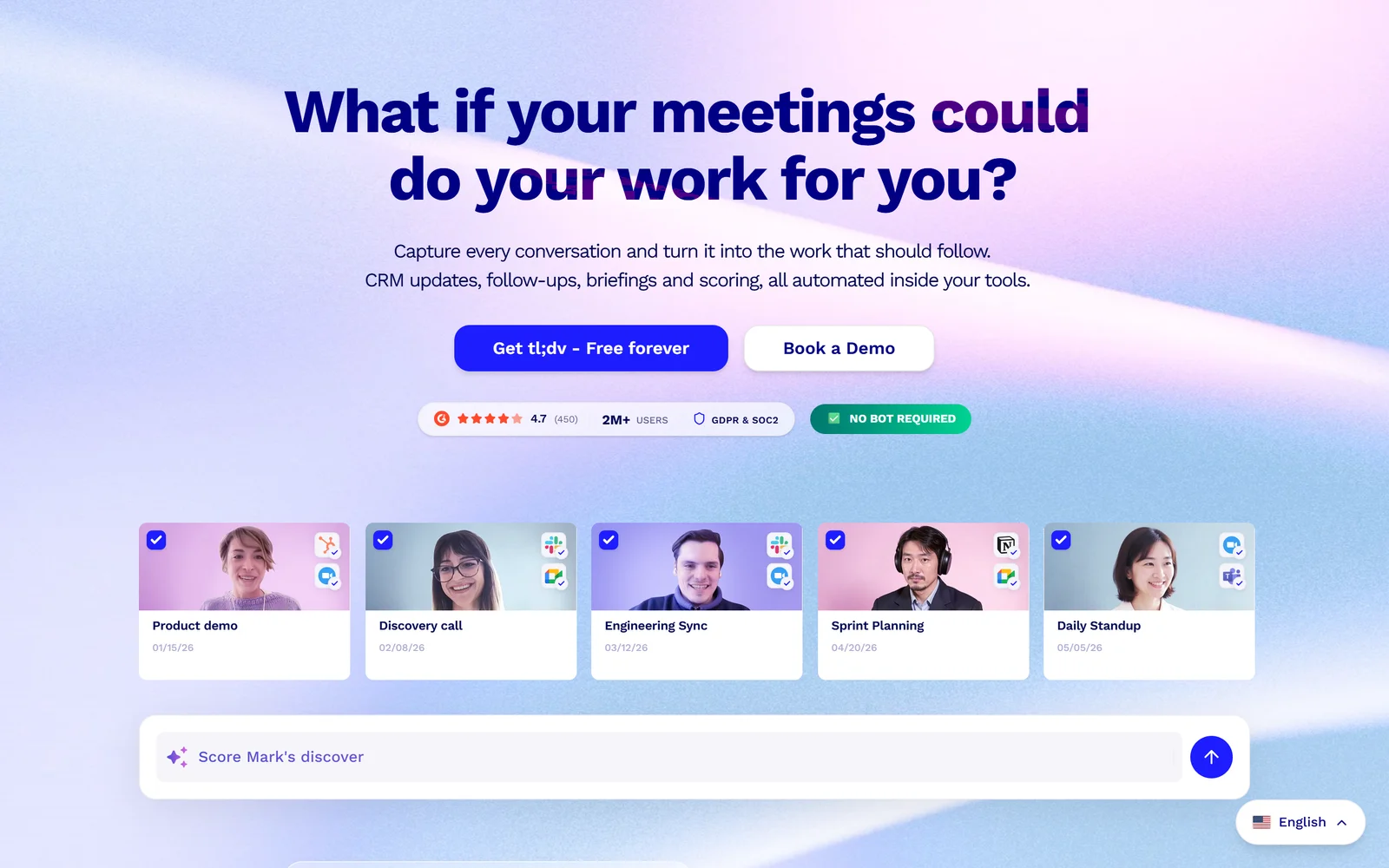
tl;dv is the only one here contractually committing to concurrent recordings, with European data centres and no model training on customer data.
tl;dv has two things nobody else offers. First, concurrent recording is written into the contract rather than the marketing: the Terms of Service commit to ”– Business – 3 simultaneous recordings – Pro – 2 simultaneous recordings – Free – No simultaneous recordings”. If you are double-booked twice a week, that is a genuine differentiator. Second, the privacy posture is the strongest here: the security page states verbatim “No customer data is used to train the AI”, names Anthropic as its LLM partner, confirms “All our data centers are located in Europe”, uses AES-256 at rest, and lets customers choose whether their AI is hosted in Europe or the US. German law governs, with Aachen as the venue.
Pricing read from the pricing page’s own structured data, which served EUR to our request (the page renders in local currency): Free €0; Pro €29 per seat/month monthly or €216 per seat/year, stated as €18/month; Business €39 monthly or €348 per year, stated as €29/month; Enterprise undisclosed with a “Talk to an expert” button. The free plan’s AI limits are the important caveat and they are lifetime, not monthly: “Your first 10 meetings will have automatic AI notes summarizing the entire meeting - After this, only the first 10 minutes of each meeting will have automatic AI notes”, with the help centre adding “These limits are for the lifetime of the account, they do not renew monthly.” “Unlimited video recordings” on the Free card also sits against a contractually enforceable weekly cap of 40 recordings (80 on Pro, 120 on Business, 500 on Enterprise). Recording length is capped at 3 hours on every tier, and the key upsell lever is stark: multi-meeting Ask AI is limited to 5 queries on Free and Pro, so cross-meeting reporting effectively requires Business.
Trust and security is what dropped tl;dv to 4.76. In August 2026 security researcher Bob Dahacker published findings that tl;dv’s Firestore meetings collection had no tenant isolation — in his words, “Any authenticated tl;dv user can query every meeting across every account on the platform” — reporting 181,874 meeting records, 84,312 unique users and 35,003 email domains reachable, with the issue first disclosed to tl;dv’s CEO and CTO on 28 January 2026 and still unfixed at publication by his account. tl;dv disputes the framing in a 5 August 2026 response: it describes two distinct vectors, the first “fully closed and validated months ago” and the second fixed “within 24 hours of discovery”, and states the exposed data was “strictly limited to metadata” with no recordings, transcripts or billing data accessible. CTO Allan Bettarel writes: “I recognize that I should have kept the researcher updated after his initial outreach earlier this year, and I take full responsibility for that communication gap.” We found no independent confirmation of the current state; both accounts stand. The Hacker News thread reached 633 points and 208 comments, with the top comment focused on scepticism about the SOC 2 badge.
Commercially, the terms compound the risk. Fees are non-refundable — “Unless otherwise agreed, all fees paid to tldx are non-refundable” — the liability cap explicitly excludes “damages resulting from loss of data or loss of access to the Service”, and the documented way to stop using the service is to email support@tldv.io. Trustpilot is 2.2 from exactly 9 reviews, which is arithmetically real and statistically meaningless; one paying US customer wrote on 3 June 2026: “as a customer who paid annually, upfront, for two seats, I’ve been unable to access work-critical recordings I already paid for, with no ETA and no real communication.” Product Hunt is the counterweight at 4.1 from 34 reviews. tl;dv raised a €4.3 million seed in June 2022 and no later round was found — it is the smallest company here by some distance.
The Good (Pros)
The Bad (Cons)
#5 · EU data, concurrent calls
2 to 3 simultaneous recordings, guaranteed in the terms
European data centres and a written no-training commitment. Weigh that against a documented tenant-isolation flaw and a 2.2/5 Trustpilot score.
Visit tl;dv
Scored Comparison Chart
The chart below shows why the order is what it is, and why the middle of the table is so tightly packed. Fathom’s 7.12 is not built on capability — Fireflies has more features and Otter has a deeper enterprise layer. It is built on the free tier and value bars being near-maximal while nothing else collapses. Unlimited recording and transcription at $0 with API keys included is a combination nobody else offers, and the criteria weighting rewards a product that is generous where buyers actually start.
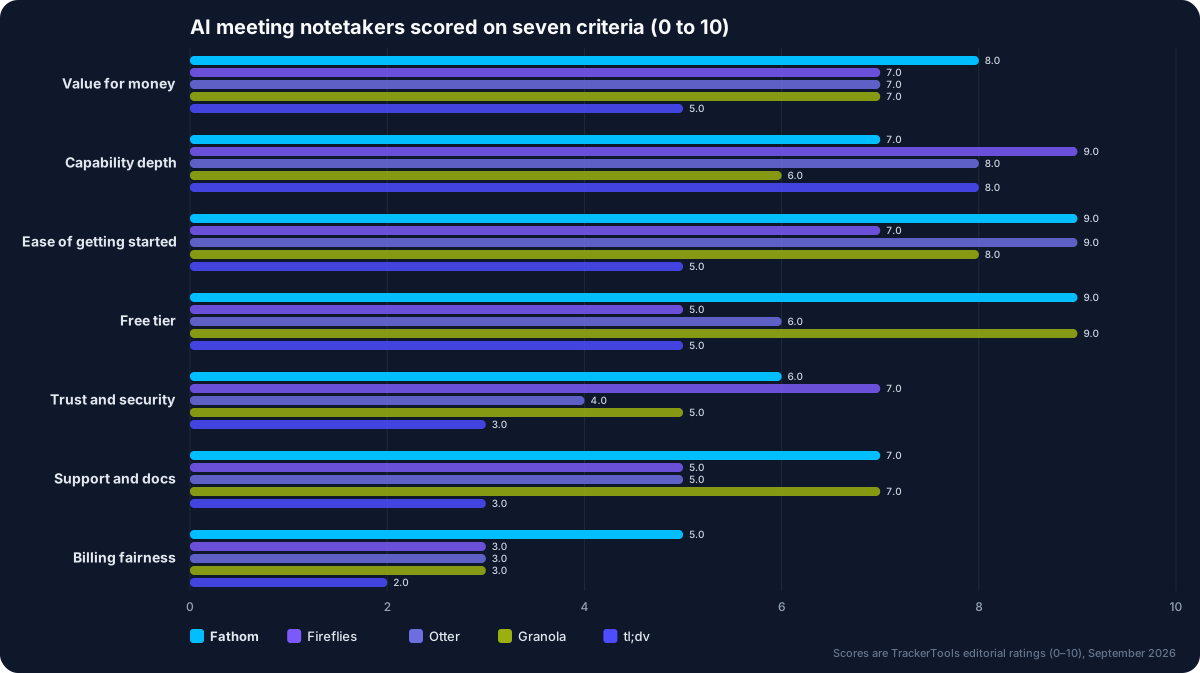
Seven criteria, five notetakers. Fathom leads on free tier and ease of start; Fireflies on depth; nobody scores above 5 on billing fairness.
Look at the gap between capability and billing fairness for the middle three and the story resolves. Fireflies scores at or near the top on capability depth for $10/seat annually, then gives most of that back on billing fairness: one-time credits that do not increase when you upgrade from Free to Pro, dynamic per-query pricing with no published consumption table, non-refundable credits, and an Auto-Upgrade mechanism that escalates you a tier when the balance hits zero. Otter’s capability is high and its free tier is usable, but its trust and security bar is dragged by self-training on transcripts, no documented regional residency and an active federal class action, while billing fairness suffers from non-refundable fees with no trial and a pricing page that contradicts itself on imported-file limits. Granola scores the best free tier of the five and the cleanest daily experience, then loses on billing fairness: non-cancelable, non-refundable, seats that cannot be reduced mid-term, and partial months counted whole.
tl;dv’s 4.76 is a long way back and the reason is concentrated. Its capability and privacy posture are respectable — European data centres, a written no-training commitment, contractual concurrency — but trust and security, support and docs, and billing fairness all score low simultaneously. A disputed tenant-isolation incident with no independent resolution, a liability cap that specifically excludes loss of data, cancellation by email only, and a 2.2/5 Trustpilot score from nine reviews is a stack of small negatives that compounds rather than averages out.
Pros and Cons Matrix: Who Solves Which Pain Point
| Pain point | Fathom | Fireflies.ai | Otter.ai | Granola | tl;dv |
|---|---|---|---|---|---|
| Bot joining or lingering uninvited | ⚠ Bot-free Mac beta | ✗ Multiple reports | ✗ Multiple reports | ✓ No bot at all | ⚠ Bot-free desktop app |
| Missed or lost recordings | ⚠ Rare, reviewer-reported | ✗ Dated, repeated reports | ⚠ Upload-failure reports | ⚠ Manual start required | ⚠ Mobile upload complaints |
| Overlapping-speaker accuracy | ⚠ Named as weak spot | ⚠ Not independently tested | ✗ Repeated complaints | ⚠ Documented limits | ⚠ Note quality criticised |
| Surprise or add-on charges | ✓ No usage metering | ✗ Credits auto-upgrade | ⚠ Receipt complaints | ✓ No metering at all | ⚠ Nine-review sample |
| Refunds and cancellation | ⚠ Guarantee contradicted | ✗ No refund clause | ✗ Non-refundable, no trial | ✗ Non-cancelable terms | ✗ Email-only cancellation |
| Human support when it breaks | ✗ No live support | ✗ Chatbot loop reported | ⚠ Complaints, no SLA | ⚠ No public SLA | ✗ Unanswered reviews |
| EU or UK data residency | ✗ US only | ⚠ Enterprise storage only | ✗ None documented | ✗ US AWS only | ✓ EU data centres |
| API access on the free plan | ✓ Keys and webhooks | ✓ 50 requests/day | ✗ Enterprise only | ✗ Business and up | ✗ Pro and up |
Pricing at a Glance
| Platform | Free tier | Cheapest paid | Top published tier | Trial | Refunds | Rating (reviews) |
|---|---|---|---|---|---|---|
| Fathom | Unlimited recording, storage, transcription; 5 advanced summaries/month | Team $15/user/mo annual (2-seat min); Premium $16 | Business $25/user/mo annual; Enterprise on quote | None published | Terms say fees non-refundable; “90 day guarantee” badged but unwritten | Trustpilot 4.8 (281); Capterra 5.0 (809) |
| Fireflies.ai | $0 “Free forever”; 20 AI credits; 400 storage mins/team | Pro $10/seat/mo annual | Enterprise $39/seat/mo, annual only | 7-day AI credits trial converting at $5/mo | No refund clause; AI credits non-refundable | Trustpilot 4.5 (786); Capterra 4.9 (735) |
| Otter.ai | 300 mins/user/mo; 30 mins per conversation; 3 lifetime imports | Pro $8.33/user/mo annual | Business $19.99/user/mo annual; Enterprise on quote | None documented | ”All fees are in U.S. Dollars and are non-refundable” | Trustpilot 3.8 (650); App Store 4.8 (79K) |
| Granola | No daily transcription limit; 30-day in-app note history | Business $14/user/mo, monthly only | Enterprise $35/user/mo | Exists, duration not published | Non-cancelable and non-refundable per Platform Terms | App Store 4.96 (13,148); Product Hunt 4.8 (56) |
| tl;dv | €0; 10 AI-noted meetings lifetime; 40 recordings/week | Pro €18/seat/mo billed annually (€216/year) | Business €29/seat/mo annual; Enterprise undisclosed | Offered, terms unpublished | ”all fees paid to tldx are non-refundable” | Trustpilot 2.2 (9); Product Hunt 4.1 (34) |
Which One Should You Actually Pick?
Pick Fathom if you are a solo consultant, recruiter or sales lead on a Mac or Windows machine who wants the most capability for nothing. Unlimited recording, storage and transcription at $0 with API keys included is not matched anywhere else in this comparison. The caveat: it records on desktop only, there is no iOS app yet, all data lives in the US, and the Superhuman acquisition of 14 September 2026 has said nothing about whether that free tier survives.
Pick Fireflies.ai if you are equipping a team and want the deepest feature set per seat. At $10/seat/month annually you get unlimited transcription, 8,000 storage minutes per seat, video, downloads and all integrations, plus a GraphQL API. The caveat: budget for the credits economy, because AskFred, AI Skills and Voice Agents run on 20 pooled one-time credits priced per query with no published consumption table, and there is no refund clause to fall back on.
Pick Otter.ai if you need searchable knowledge across a large archive and your procurement team can live with the contract. It is the only product here selling enterprise search over its transcript corpus, with an MCP server even on the free plan and Pro at $8.33/user/month annually. The caveat: fees are non-refundable with no trial, Otter trains its own models on de-identified transcripts, and the privacy class action is live.
Pick Granola if your clients dislike bots and you want zero usage anxiety. Nothing joins your call, nothing emails your attendees, and no tier has a meeting or minute cap. The caveat: read Section 7.1 of the Platform Terms before you add seats, because fees are non-cancelable, seats cannot be reduced mid-term, and removing a member neither stops their card being charged nor preserves their notes.
Pick tl;dv if EU data residency and guaranteed concurrent recording are hard requirements. It is the only option with European data centres, a written no-training statement and contractual limits of 2 or 3 simultaneous recordings. The caveat: the 2026 Firestore exposure is still contested, the liability cap excludes loss of data, and its Trustpilot base is nine reviews, which tells you almost nothing either way.
Final Verdict
Fathom takes this on 7.12 because it is the only product that gives away the core job for free without metering it. Unlimited recording, storage and transcription across 38 languages at $0, with API keys and webhooks on the same free plan, is a structurally better deal than anything else here. That verdict comes with an explicit warning: it records on Mac and Windows only, it has no shipped iOS app, all data sits in the US, and its new owner has published nothing about the free plan’s future. Rob B’s 14 August 2026 review is the fair summary — a tool that works reliably until it doesn’t, with no live support behind it.
The middle three are separated by less than 0.3 points and each is defeated by a different clause rather than a different feature. Fireflies has the most capability per pound and the worst credits economics. Otter has the best search story and the loosest contract. Granola has the best free tier and the cleanest daily experience, and the harshest billing terms in the group. If you evaluate these three on features alone you will pick the wrong one; evaluate them on what happens when you need to reduce seats, get a refund, or explain to a client where their recording lives.
tl;dv’s 4.76 is the clearest signal in the dataset. The product is competent, the privacy posture is the best here, and the concurrency guarantee is genuinely unique. It loses because custody of your recordings is the one thing a notetaker cannot afford to get wrong, and the 2026 Firestore disclosure ended with two irreconcilable accounts, no independent verification, and a liability cap that specifically rules out damages from loss of data. Whichever tool you choose, take gertjan’s advice from 2 September 2026 and keep a separate backup of every meeting that matters.
Pick Fathom if: you work on a Mac or Windows laptop, you want unlimited recording and transcription at $0, and you can accept US-only storage plus a support model with no live channel.
Think twice if: you need to record from a phone, tablet, Chromebook or Linux machine, you require EU data residency, or you were planning to pay annually on the strength of a “90 day guarantee” whose terms are published nowhere and whose Terms of Service say all fees are non-refundable.
Disclosure: TrackerTools has no affiliate relationship with any product in this comparison, and the links above are plain nofollow links. Every price, rating, review count and quotation was verified against the vendors’ own pricing pages, terms of service, app-store listings, G2, Capterra, Trustpilot and the original user reviews on 17 September 2026. Claims we could not independently verify are attributed to the vendor, and allegations we could not confirm have been deliberately excluded.

