
Fillout Review 2026: The Free Plan That Does More Than Most Paid Ones
Form builders tend to follow the same script. The free plan gives you just enough to build a demo, the first useful feature sits behind a paywall, and every extra teammate costs another monthly fee. If you have ever moved from Google Forms to a “real” form tool, you know the moment the bill starts climbing.
Fillout breaks that script in two ways that matter. Its free plan includes unlimited forms, unlimited team members, 1,000 responses a month, Stripe payments, conditional logic, PDF generation, scheduling and workflows. And no plan charges per seat — the whole organisation shares one flat fee.
Add the deepest Airtable and Notion integration we have seen in a form builder, and Fillout is easy to recommend. This review also covers what is less obvious: which features wait for the $75-a-month Business plan, two legal documents that disagree about refunds, a security claim without a public report, and Fillout’s move under its parent brand, Zite.
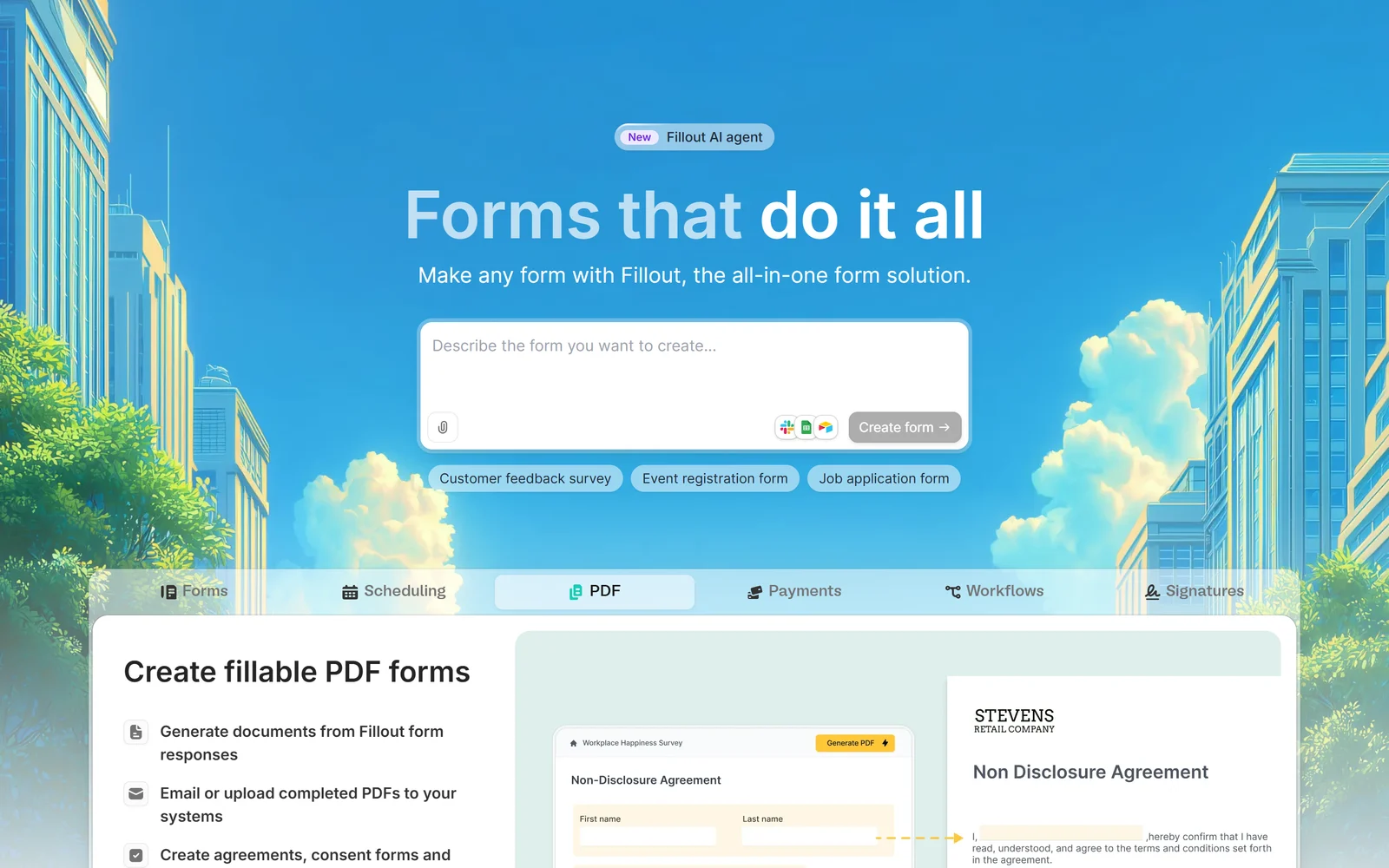
Fillout’s homepage, captured 2 October 2026. Describe a form in plain words and the AI agent drafts it.
1. What Fillout Is — and How It Relates to Zite
Fillout is an online builder for forms, surveys and quizzes. Its homepage headline is “Forms that do it all”, and it describes itself as “the all-in-one form solution.” It launched in 2022 and is published by Restly, Inc., a Delaware company.
You will see the name Zite a lot around Fillout, so it is worth understanding. Zite started in April 2025 as Fillout’s AI builder for business apps, workflows and databases. On 9 March 2026 the parent company renamed itself Zite, and Fillout now “remains its own product under the Zite umbrella.” In practice:
- Fillout and Zite share one account and one sign-up — creating an account on either site gives you access to both.
- They are billed separately. A paid Zite plan does not unlock paid Fillout features, and Zite’s own FAQ says forms need a Fillout subscription. Every Fillout account also gets a free Zite plan.
- Zite’s site lists forms as “Fillout by Zite”, and Fillout’s help centre and status page now carry the Zite name.
Who is behind it. Fillout was co-founded by Dominic Whyte and Antony Toron. According to Whyte’s author bio on Fillout’s blog, he previously worked in engineering and product at Retool, after founding Cheer, which the bio says Retool acquired in 2020. Fillout announced a seed round in October 2024 without disclosing the amount, naming backers including Elad Gil, Nat Friedman, Lachy Groom and Dylan Field, and said at the time that it had been profitable for the previous year. In March 2026 Fillout said it had just crossed 10,000 paying customers — the company’s own figure.
2. Who Fillout Is For — and Who It Is Not For
It fits you if:
- Your operations run on Airtable or Notion and you need forms that create and update records
- You need payment, booking or application forms without paying for every teammate
- You have outgrown Google Forms and need logic, calculations, file uploads and branding control
- You want to build a production form on a free plan before deciding to pay
Look elsewhere if:
- You collect health information — Fillout’s pages make no mention of HIPAA or a BAA
- You need form analytics or a custom domain on a small budget — both start on the $75/month Business plan
- You need large file uploads below Business — files are capped at 20 MB each
- You require a published SOC 2 report or a third-party trust centre before buying
3. Building Forms
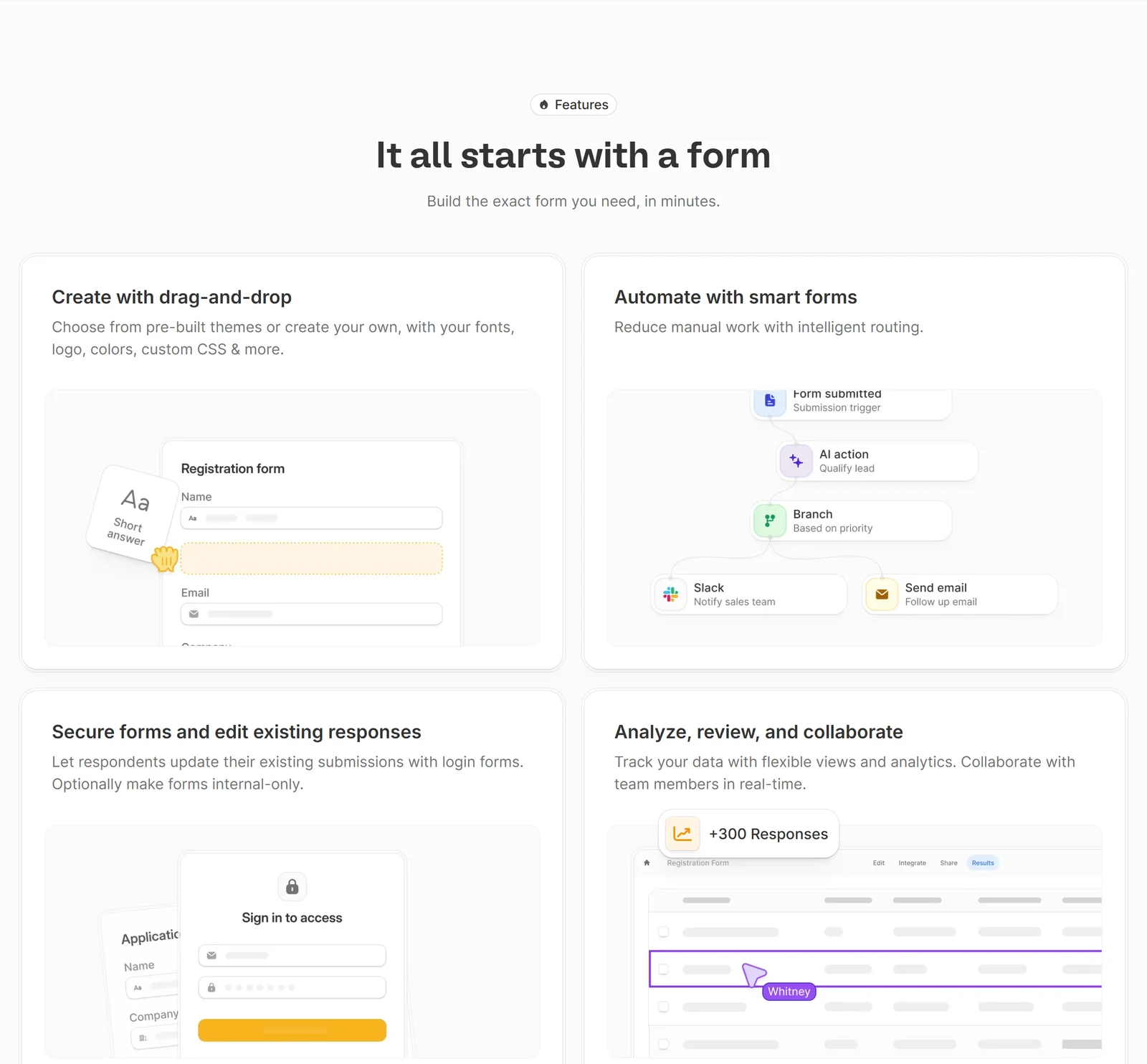
Drag-and-drop building, automated routing, login-protected forms and shared results views.
Fields and pages. Fillout offers 51 field types. Six are premium — Signature, Currency, CAPTCHA, Location coordinates, HTML and PDF Viewer. Forms are built from seven page types: Form, Cover, Ending, Review, Payment, Login and Scheduling, so a single form can welcome, collect, take payment, book a meeting and let people review their answers before submitting.
Logic and calculations. Fields and pages can be shown or hidden based on previous answers, URL parameters, data from your integrations or dates, with nested condition groups and page logic that routes to different endings. Calculations are built as step-by-step rules and can drive payment amounts, pre-filled values and quiz scores — with a limit worth knowing: they display at most two decimal places and cannot round directly to whole numbers.
Respondent features. Partial progress is saved automatically, but it resumes only on the same browser and device. Respondents can edit their submissions later without a Fillout account, and those edits update connected tools such as Airtable. Subforms collect repeated data, such as several attendees or products, inside one form. Table fields support only five column types and cannot be mapped to integrations. Voice-recording fields have no fixed time limit, with AI transcription on Business and Enterprise.
AI. The AI Form Builder is free: describe a form or import one from Google Forms, Typeform, Jotform, SurveyMonkey, Tally, Paperform or a PDF. The newer Form Agent cannot yet set up payments, calendars, integrations or form-level settings, and it spends Zite credits. We found no aggregate AI dashboard for analysing responses; AI runs per submission inside workflows.
4. Payments, Scheduling, PDFs and Workflows
These are the features that usually push people onto paid plans elsewhere, and Fillout includes most of them for free.
- Payments. A Stripe-powered payment page handles one-time, subscription and pay-what-you-want payments by card, Link, US bank account or Affirm. It is available on every plan, and Fillout adds 0% on top of Stripe’s own fees. Two caveats: VAT is not added automatically, and PayPal is only available through Zapier.
- Scheduling. Fillout’s own scheduler is free for 1,000 meetings a month and supports round-robin, collective and group meetings. Calendly and Cal.com work too, from Starter.
- PDFs. Generate fillable PDFs from responses and email or upload them to your systems.
- Signatures. Drawn, typed or uploaded signatures, from Starter.
- Workflows. Route submissions with triggers and actions, including AI actions that summarise, classify or extract data from each response. Workflows are limited to 5 per form for unverified organisations and 20 for verified ones.
5. Integrations: Where Fillout Is Strongest
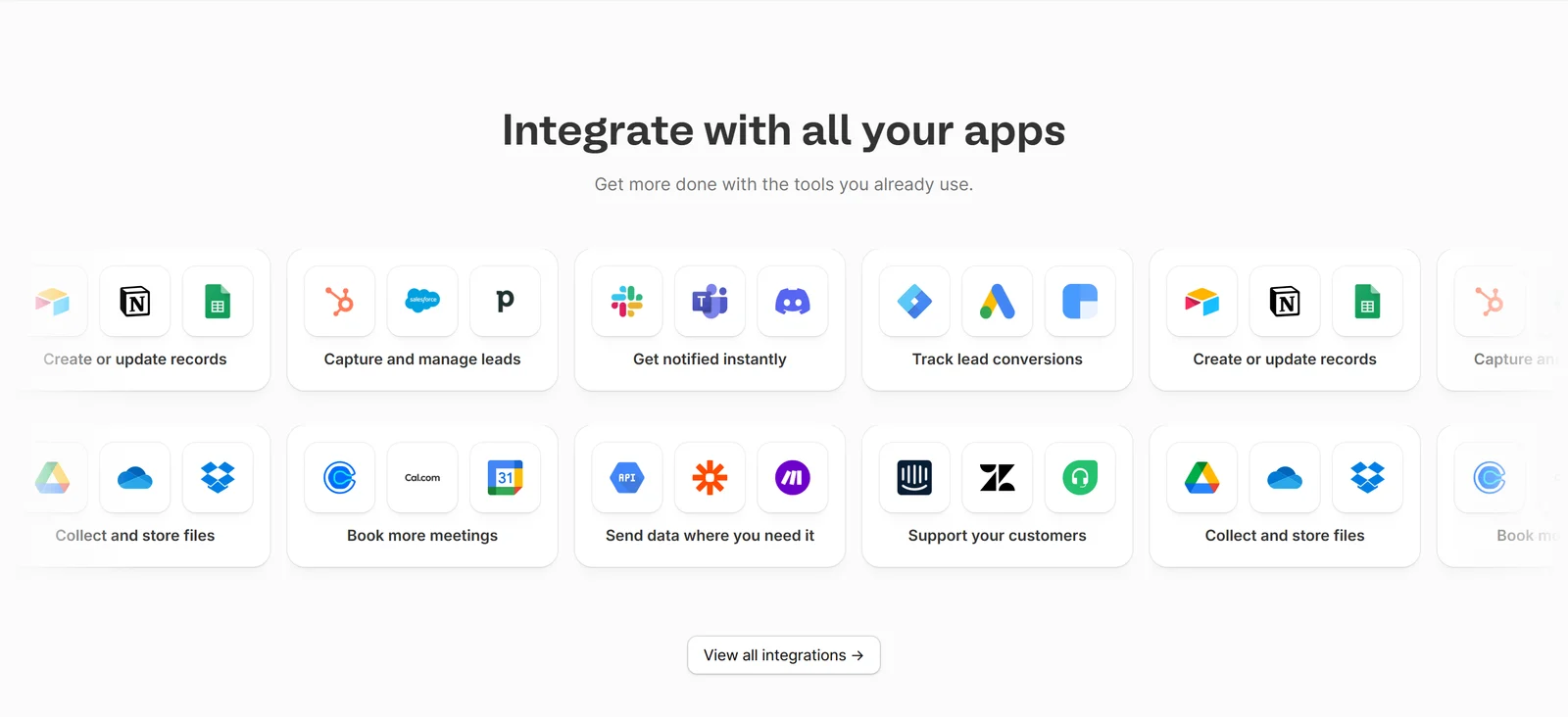
Fillout claims 50+ native integrations; the strongest are its database connections.
Fillout’s tagline promises to “store responses directly where you need them”, and for Airtable and Notion it delivers more than most rivals. Its help centre documents creating and updating records, pre-filled update forms, Airtable linked-record pickers with filters, creating linked records from a child form, writing to multiple tables, and pre-fetching data before a form loads (Business plan).
A few limits to plan around:
- One database and one table per form, with Google Sheets as the exception.
- Google Sheets writes only to a newly created sheet, and reconnecting creates another new one.
- HubSpot updates contacts by email match; Salesforce is Team and Enterprise only; Monday update forms do not sync attachments.
- The REST API is available on Free, limited to 5 calls per second per key.
Protect your update links. Fillout warns that an update-form link acts as a key to the entire record. Unless you turn on “Restrict prefilled data”, anyone with the link can see the whole row — and one 2026 reviewer reported that changing the record ID in the URL exposed other records. If your table holds personal data, turn that setting on, or use a separate table for anything you pre-fill.
Fillout says it has 50+ native integrations; that is the company’s figure, and we counted slightly fewer native tiles on its integrations page.
6. Design and Branding
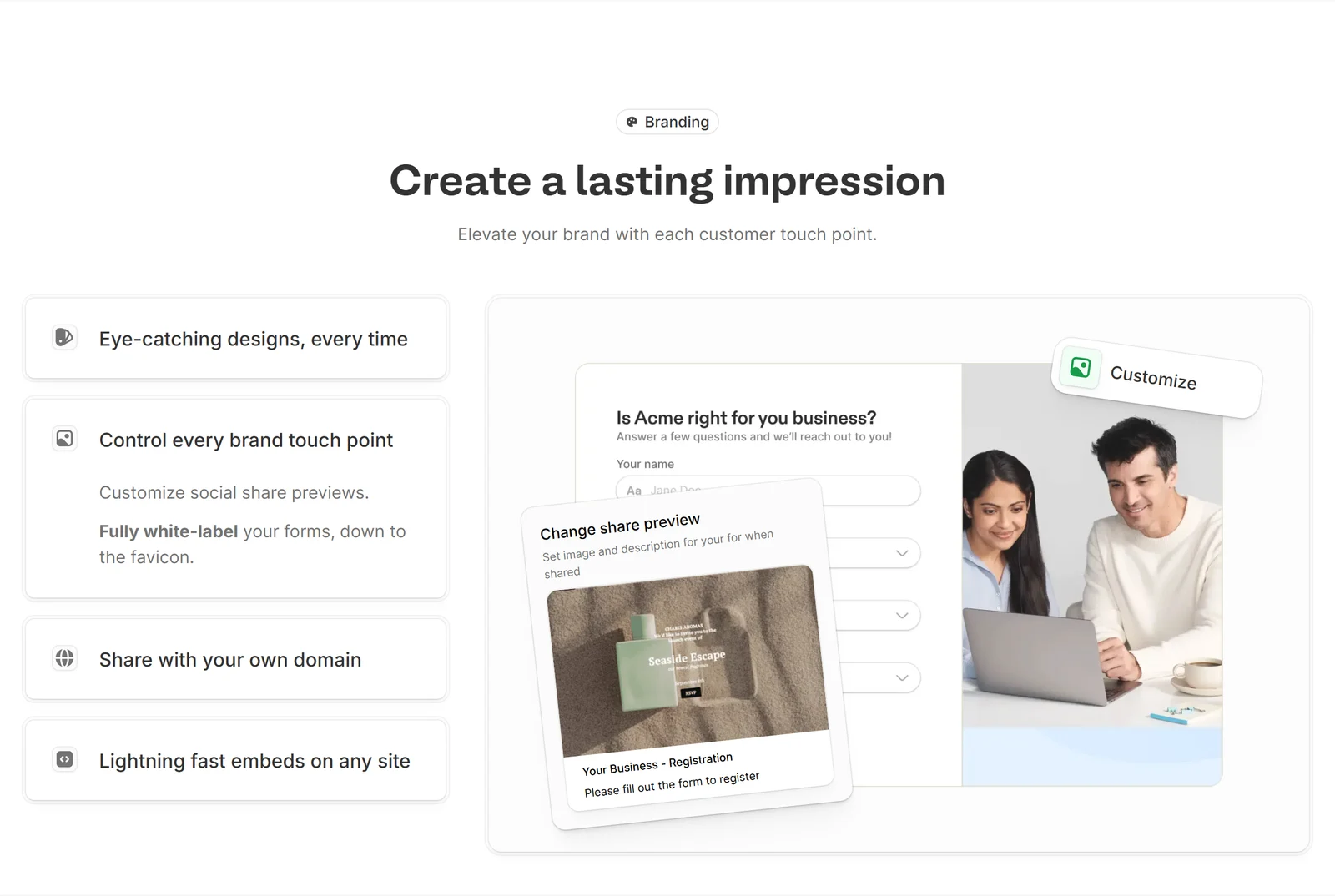
Full white-labelling is available — but the plan you need depends on how much branding you want removed.
Branding is where the paid tiers separate:
- Free forms show a “Made with Fillout” badge.
- Starter keeps light branding.
- Pro removes all Fillout branding, including from email notifications, and adds custom fonts, favicons, share previews and custom CSS.
- Business adds custom domains and custom code (which itself needs a custom domain to run).
Fillout states support for keyboard navigation and automatic ARIA labels, and AAA contrast on its Plain theme. We found no formal WCAG conformance statement or VPAT.
7. Pricing
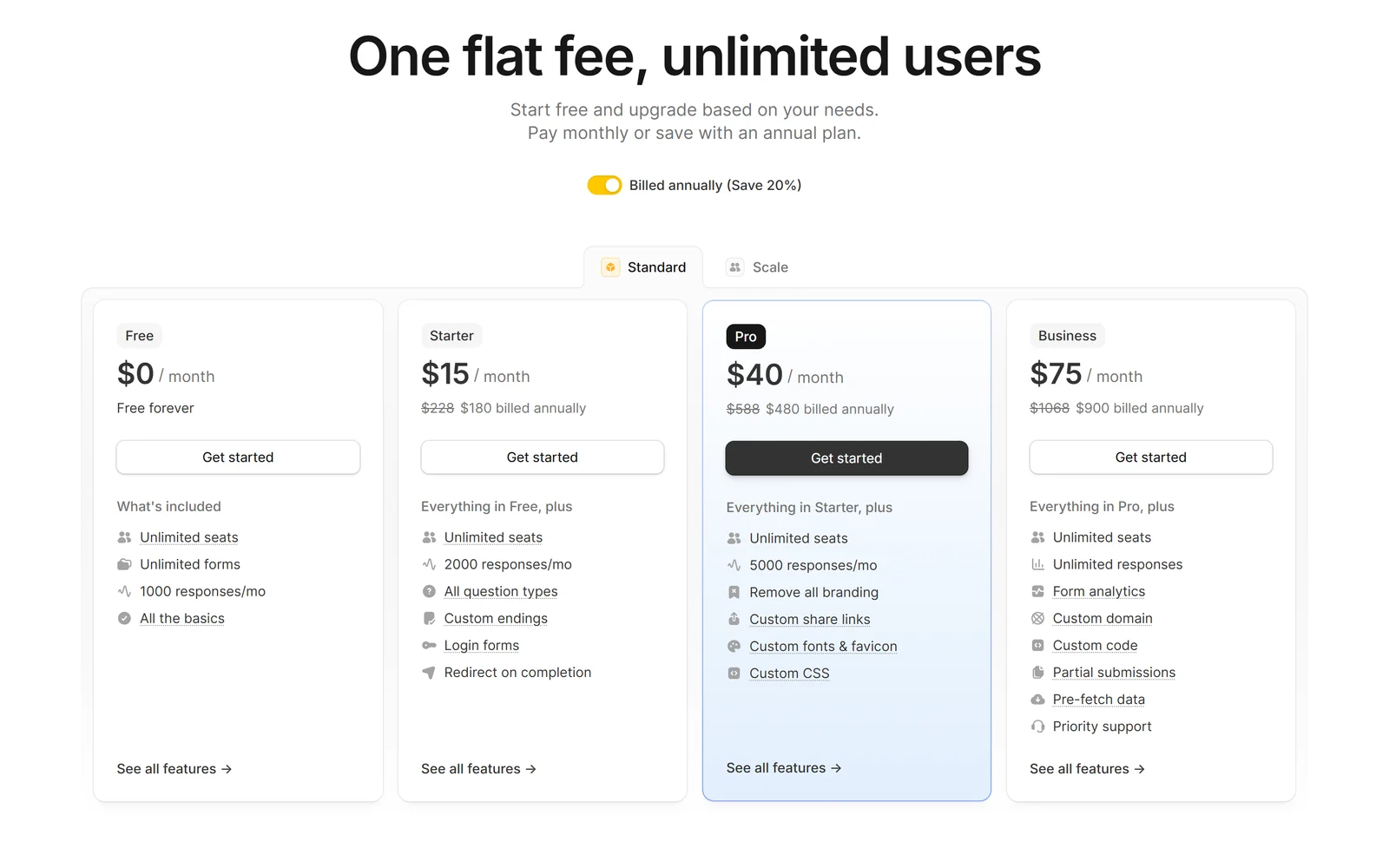
Fillout’s plans with annual billing selected. Every plan includes unlimited seats.
| Plan | Monthly billing | Annual billing | Responses / month | Highlights |
|---|---|---|---|---|
| Free | $0 | $0 | 1,000 | Unlimited forms and seats, payments, logic, PDFs, workflows |
| Starter | $19 | $15/mo ($180/yr) | 2,000 | Premium fields, login forms, signatures, light branding |
| Pro | $49 | $40/mo ($480/yr) | 5,000 | Removes all branding, custom CSS and fonts |
| Business | $89 | $75/mo ($900/yr) | Unlimited | Custom domain, analytics, partial submissions, 1 GB files |
| Team | $300 | $3,000/yr | Unlimited | Fillout and Zite Business, Salesforce, enforced 2FA |
| Enterprise | Custom | Custom | Unlimited | SSO, audit logs, EU hosting, custom terms |
Fillout labels annual billing “Save 20%”; the real saving works out to about 21% on Starter, 18% on Pro and 16% on Business.
What the limits mean in practice. Monthly response counts reset each calendar month, and test responses do not count. If you go over, Fillout says your forms keep collecting responses — you can upgrade, buy extra submissions or wait for the reset. That is far friendlier than tools that switch forms off. “Unlimited” plans are subject to a fair-use policy, whose examples of excessive use include more than 30,000 submissions a month or 500 forms. Files are capped at 20 MB each on Free, Starter and Pro; Business raises this substantially (Fillout’s help centre says up to 1 GB).
The jump to Business. Form analytics, drop-off rates, custom domains, partial submissions, pre-fetching data and duplicate prevention all sit on Business. If you need any of these, budget $75–89 a month, not $15.
Add-ons and discounts. The Conversion Kit (form-abandonment recovery, lead enrichment, email validation, address autocomplete) is a $100/month add-on. Fillout offers discounts to nonprofits, students, startups and schools; only the startup offer is published — 50% off any paid plan for a year for startups under five years old with fewer than 10 employees.
Read both refund documents
Fillout’s help centre says new customers can get a full refund if they cancel within the first month with minimal usage, and existing customers within 14 days of a charge; after that, refunds come as account credit. Its Terms of Service (effective 2 July 2022) are stricter: “All payments are final and non-refundable”, and cancellation requires written notice at least 30 days before renewal. The two conflict, and Fillout does not say which wins.
Two more billing details: if you add a card during a trial, the account upgrades automatically when the trial ends unless you downgrade first; and cancelling keeps your plan until the end of the term, then drops you to Free with your forms and past responses intact.
Free forever · Unlimited seats
Build a real form on the free plan first
Unlimited forms, 1,000 responses a month, payments, logic and PDFs at $0. Our link opens zite.com, Fillout’s parent site — the two share one account, and Fillout is under Forms.
Try Fillout free
8. Security, Privacy and Legal Terms
Certifications. Fillout’s security page states that Fillout is SOC 2 Type 2 compliant, and Zite’s enterprise page describes this as independently verified. We found no public report, auditor name or third-party trust centre, so treat it as the company’s statement and ask for the report if you need it. Fillout does not claim ISO 27001.
Health data. Fillout’s pricing, security and help pages make no mention of HIPAA or a BAA. If you need to collect health information, confirm with Fillout before you start, or choose a tool that explicitly offers a BAA (see the alternatives below).
Where data lives. Fillout is hosted on AWS via Render, in the US by default. EU hosting is available on Team and Enterprise only, on request; existing submissions are not migrated, and Zite Databases and Apps are not available on EU servers. Data is encrypted in transit (TLS 1.2) and at rest. Fillout says it is GDPR-ready and names an EU privacy representative.
AI and your responses. Fillout’s sub-processor list names OpenAI (and Microsoft Azure for EU-hosted customers) for AI and transcription, processing submission data only when an AI feature is turned on. Neither its Terms nor its Privacy Policy explicitly promises that form responses won’t be used to train AI. An organisation-wide AI off-switch is Enterprise-only.
Deletion. Fillout says deleted forms, responses and user data are purged from its servers and backups within 45 days. Deleting a submission removes its files from Fillout, but copies already sent to tools such as Airtable stay there. Submissions never expire automatically.
Account security. Two-factor authentication is available on every plan, including Free; enforcing it organisation-wide needs Team. SSO and audit logs are Enterprise-only. Anyone can report phishing or spam forms through Fillout’s abuse page, and Zite’s acceptable-use policy bans phishing and credential harvesting across both products.
Contract terms. The Terms set Illinois law, binding AAA arbitration in Chicago and a class-action waiver; you can opt out of arbitration by emailing privacy@fillout.com within 30 days of first use. Liability is capped at the greater of US$100 or the fees you paid in the previous 12 months, and Fillout may suspend or cancel accounts “for any reason at all.” Fillout also notes it is not a data repository, so keeping backups is your responsibility.
Reliability. Fillout’s status page lists 50 self-reported incidents from April 2024 to September 2026. Most were minor and short, the longest lasted about nine hours, and the most common themes were custom-domain problems and Airtable connection issues.
9. What Users Say
| Source | Rating | Reviews | Note |
|---|---|---|---|
| G2 (2 Oct 2026) | 4.6 | 30 | 4 of the first 10 carry G2’s “Incentivized” label |
| Product Hunt | 5.0 | 13 | Six launches between 2022 and 2024 |
| Trustpilot | 3.5 | 48 | 5 of 6 reviews since March 2026 are 1–2 stars |
| Capterra | 4.0 | 4 | The only 2026 review is 1 star |
Fillout’s homepage cites “an average rating of 4.8 out of 5 from hundreds of reviews across G2 Business Reviews and Product Hunt.” On 2 October 2026 those two sites showed 43 reviews between them — a strong average, but not hundreds.
What people praise: the generous free plan, ease of use, and the Airtable, Notion and Monday integrations. Older reviews regularly compare Fillout favourably with Typeform and Jotform, and Zapier’s 2026 roundup names it the best form builder for building a form with AI.
What people criticise: customer service. Several 2026 reviews on G2, Capterra and Trustpilot praise the product but report slow support with no phone option, features removed without notice, and accounts blocked by automated abuse flagging. G2’s summary also notes that pricing can be “on the higher side” for certain features — consistent with how much sits on Business.
10. Alternatives Worth Knowing
Prices are from each vendor’s own site as of October 2026.
| Tool | Free plan | Paid from (annual) | Worth knowing |
|---|---|---|---|
| Fillout | Unlimited forms and seats, 1,000 responses/mo | $15/mo | No per-seat fees; deep Airtable and Notion sync |
| Tally | Unlimited forms and submissions (fair use) | $24/mo | Generous free plan; data stored in Europe |
| Typeform | 10 responses/month | $28/mo | Polished one-question-at-a-time forms; HIPAA on Enterprise |
| Jotform | 5 forms, 100 submissions/month | $34/mo | HIPAA features with a BAA on Gold |
| Paperform | 30 submissions/month | $49/mo | Document-style forms; no HIPAA today |
| Zoho Forms | 3 forms, 500 submissions/month | $10/mo | High submission limits; HIPAA on Premium |
| Google Forms | With a Google account | Workspace from $7/user | Simple; HIPAA under Google Workspace’s BAA |
The closest rival is Tally, whose free plan is also generous and stores data in Europe; Fillout pulls ahead on Airtable and Notion record updates, payments and scheduling built into the free plan. Typeform remains the most polished for conversational forms, but its free plan allows only 10 responses a month. For health data, Jotform (Gold plan), Zoho Forms (Premium) and Google Forms under a Workspace BAA all document HIPAA options that Fillout does not.
11. Pros and Cons
Where Fillout is genuinely strong
- One of the most capable free plans among the major form builders we compared
- No per-seat pricing, on any plan
- Deep Airtable and Notion integration, including update forms and linked records
- Stripe payments with 0% added fees, even on Free
- Forms keep running when you exceed your response limit
- 51 field types and 7 page types covering payments, scheduling, login and review
Where Fillout falls short
- Analytics, custom domains and partial submissions require Business at $75–89/month
- 20 MB file cap until Business
- SOC 2 stated but not published, and no HIPAA or BAA mentioned
- Terms and help centre disagree on refunds; the Terms require 30 days’ notice to cancel
- Update links expose whole records unless you restrict prefilled data
- Customer service complaints dominate recent reviews
- Brand transition to Zite, and our referral link lands on zite.com
12. Frequently Asked Questions
Is Fillout really free?
Yes. The free plan costs $0 forever and includes unlimited forms, unlimited team members and 1,000 responses a month, along with payments, conditional logic, PDF generation, scheduling forms, workflows, the REST API and most integrations, including Airtable, Google Sheets, Notion, HubSpot and webhooks. Free forms show a 'Made with Fillout' badge, files are limited to 20 MB each, and premium fields such as signatures and CAPTCHA need Starter.
How much does Fillout cost?
Starter is $19 a month, or $15 a month billed annually ($180 a year). Pro is $49, or $40 annually ($480). Business is $89, or $75 annually ($900). The Team bundle with Zite is $300 a month or $3,000 a year, and Enterprise is custom. Every plan includes unlimited seats, so you do not pay per team member. Fillout labels annual billing 'Save 20%', though the actual saving is about 16% to 21% depending on the plan.
What happens if I go over my monthly response limit?
Fillout says your forms keep collecting responses. You can then upgrade, buy extra submissions or wait for the limit to reset at the start of the next calendar month. Test responses from preview do not count. Business and higher plans have unlimited responses, subject to a fair-use policy whose examples of excessive use include more than 30,000 submissions a month.
What is the difference between Fillout and Zite?
Zite is the new name of Fillout's parent company and also its AI builder for business apps, workflows and databases. Fillout remains its own form product under the Zite brand. The two share one account and sign-up, but they are billed separately: a paid Zite plan does not unlock paid Fillout features. Every Fillout account also gets a free Zite plan, and the Team plan bundles both.
Is Fillout HIPAA compliant?
Fillout's pricing, security and help pages make no mention of HIPAA or a Business Associate Agreement, so you should not collect protected health information with it without confirming directly with Fillout. Fillout does state that it is SOC 2 Type 2 compliant, although we found no public report. If you need HIPAA today, Jotform's Gold plan, Zoho Forms Premium and Google Forms under a Google Workspace BAA document HIPAA options.
Can I get a refund from Fillout?
It depends which document you read. Fillout's help centre says new customers can get a full refund within the first month if usage was minimal, and existing customers within 14 days of a charge, with account credit after that. Its Terms of Service say all payments are final and non-refundable and require written notice at least 30 days before renewal to cancel. Because the two conflict, test thoroughly on the free plan and ask support to confirm the refund terms before buying an annual plan.
Does Fillout work with Airtable and Notion?
Yes, and this is one of its biggest strengths. Fillout can create and update records in Airtable and Notion, pre-fill update forms from existing rows, offer Airtable linked-record pickers with filters, and write to multiple tables. Each form connects to one database and one table. Be careful with update links: they expose the entire record unless you turn on 'Restrict prefilled data'.
Why does the link in this review open zite.com?
Our referral link is issued by Fillout's affiliate programme, which covers both Fillout and Zite, and it currently opens zite.com — the parent company's site. Fillout and Zite share one account, so you can sign up there and open Forms, or go directly to fillout.com. Either way, the free plan is the same.
13. Final Verdict: Is Fillout Worth It in 2026?
Fillout is the form builder we would start with for most small teams. Its free plan is not a demo — unlimited forms and seats, 1,000 responses a month, Stripe payments with no added fee, logic, PDFs, scheduling and workflows are enough to run real forms in production. No per-seat pricing means a growing team never pays more just for adding people, and if your data lives in Airtable or Notion, few form builders integrate as deeply.
The caveats are about the edges, not the core. The features many businesses eventually want — analytics, a custom domain, partial submissions, larger uploads — all sit on the $75–89 Business plan, so the realistic upgrade is a bigger step than Starter suggests. Fillout’s SOC 2 claim has no public report and its pages say nothing about HIPAA, which rules it out for health data. Its refund terms are contradictory, and recent reviewers are frustrated with support.
Start on the free plan. Build your actual form, connect your actual database and collect real responses. Turn on “Restrict prefilled data” if you use update forms. Upgrade only when you hit a specific limit — and if that limit is analytics or a custom domain, compare Business against Tally Business before you commit.
Choose something else if you collect health information or need a published security report before purchase.
Disclosure: This review contains an affiliate link. If you sign up through our link, we may earn a commission at no additional cost to you; Fillout’s affiliate programme pays 30% recurring commission for up to 12 months on new paid Fillout or Zite plans. Our link currently opens zite.com, the parent company’s site. All factual claims were verified against Fillout’s and Zite’s own websites, pricing page, help centre, Terms of Service, Privacy Policy, sub-processor list and status page, plus G2, Capterra, Trustpilot and Product Hunt, as of 2 October 2026. Customer counts, ratings shown on Fillout’s homepage and its SOC 2 statement are attributed to Fillout; we could not verify them independently.