
Magnific Review 2026 (Formerly Freepik): Every AI Model in One Subscription — If You Understand the Credits
Impact-Site-Verification: 51d2eac9-873b-4e6c-95e8-ebaf8fd6d9e7
If you used Freepik for stock photos and vectors, or Magnific AI for its famous upscaler, you are now looking at the same product. On 28 April 2026 Freepik renamed itself Magnific and moved to magnific.com, bringing its stock library, its AI tools and the upscaler it bought in 2024 under one brand.
The result is one of the broadest creative subscriptions available: more than 30 image models and 30 video models — Google’s Nano Banana and Veo, Kling, Seedance, Flux, OpenAI’s GPT Image and many more, voice and music tools, a node-based canvas, plugins for Photoshop and Figma — and a stock library of more than 200 million assets.
Breadth comes with complexity. Every plan runs on credits that cost very different amounts per model, “Unlimited” has real limits, and the refund rule is strict. This review explains what each plan really includes, how to estimate your credit needs, who owns what you make, and the extra 20% off our readers get on annual Premium and Premium+.
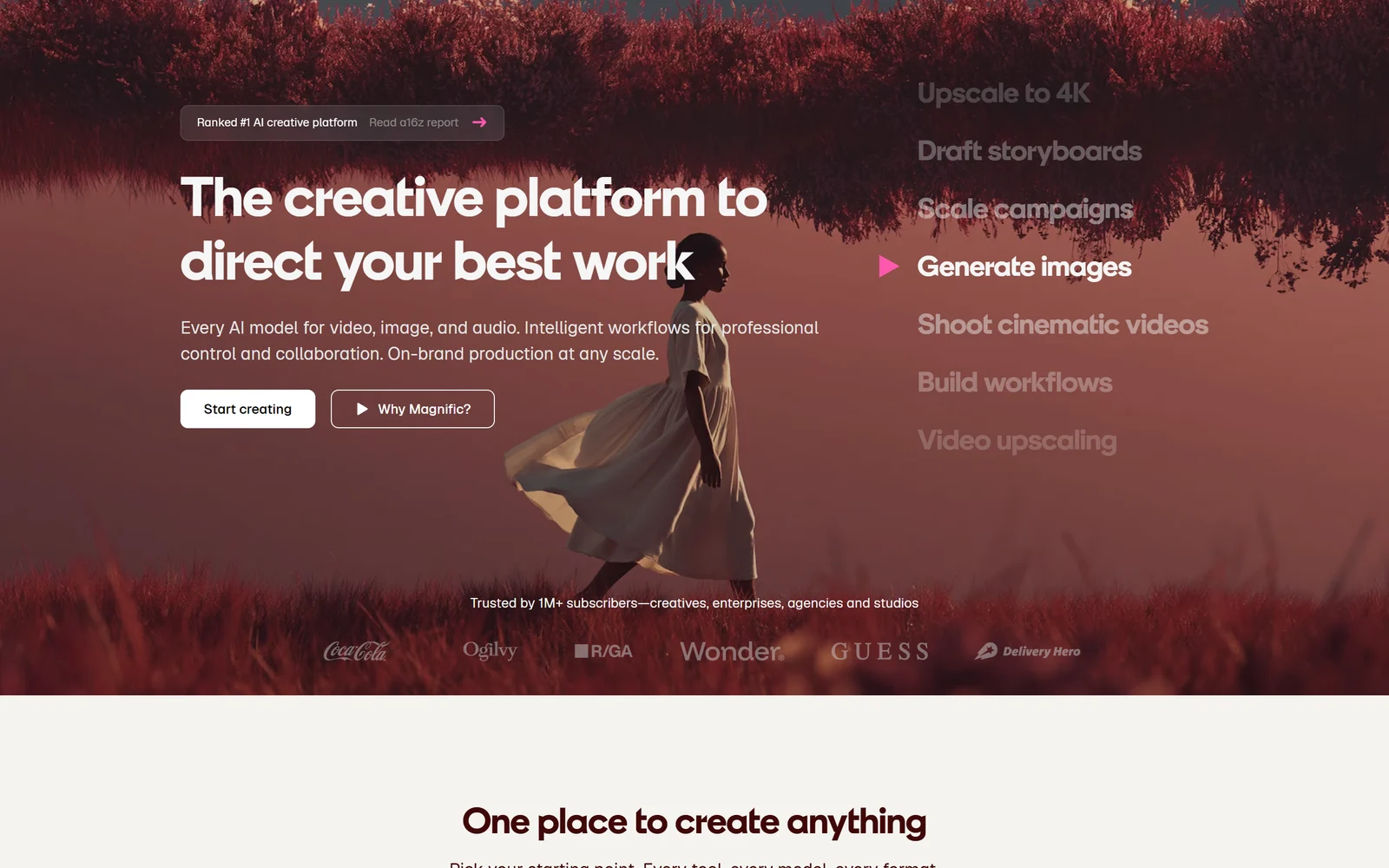
Magnific’s homepage, captured 6 October 2026. The “#1” badge and the 1M+ subscriber figure are Magnific’s own claims.
1. What Magnific Is — and What Happened to Freepik
Magnific describes itself as “the creative platform to direct your best work”, offering “every AI model for video, image, and audio.” In practice it is three things in one account:
- An AI studio with image, video, audio, 3D and design tools, running both third-party models and Magnific’s own.
- The Magnific upscaler, the AI upscaling tool that Freepik bought in May 2024.
- The former Freepik stock library of photos, vectors, PSDs, icons, video and audio — more than 200 million assets according to Magnific’s About page, 250 million+ according to its pricing page.
Why the name changed. The company explains that “the tools and the library evolved faster than the brand.” Its CEO, Joaquín Cuenca, told Tech.eu that people saw only fragments — “Freepik as stock, Magnific as an upscaler.” Magnific’s rebrand page calls it the “same company, same team”, and freepik.com now redirects to magnific.com. Existing Freepik users keep the same login, plan, price, billing cycle and payment method, and licences for content already downloaded remain valid.
What about magnific.ai? The original upscaler site no longer accepts new sign-ups. Existing magnific.ai subscribers keep their gallery, tokens and plan until it expires, can export their creations as ZIP files, and cancel through a Stripe billing portal. Magnific recommends moving to magnific.com at renewal. Note that magnific.ai has its own terms, run by a separate company in Murcia.
The company behind it. Freepik was founded in Málaga in 2010 by Alejandro Sánchez, Pablo Blanes and Joaquín Cuenca, who is still CEO. Magnific says it was built “with no venture capital”, but its own About page also notes that private-equity firm EQT took a majority stake in 2020. At the rebrand the company reported $230 million in annual recurring revenue and more than 1 million paying subscribers — its own figures; Fortune reported the same revenue figure and said the company is profitable with about 400 employees.
2. Who Magnific Is For — and Who It Is Not For
It fits you if:
- You use several AI models for different jobs and want them on one bill
- You need the Magnific upscaler for print, product or high-detail work
- You regularly use stock assets alongside AI generation
- You want commercial rights to what you generate and a clear no-training promise
- You want repeatable workflows your team can run in one click
Look elsewhere if:
- You want simple, predictable pricing — credit costs vary by model, resolution and length
- You only need one model, such as Midjourney or Firefly, where a single-vendor plan can be cheaper
- You need legal indemnity for AI images on an individual plan — Magnific offers it only on Business and Enterprise
- You want to try a paid plan risk-free — there is no free trial, and refunds require zero usage
3. The AI Tools: Models, Spaces and Workflows
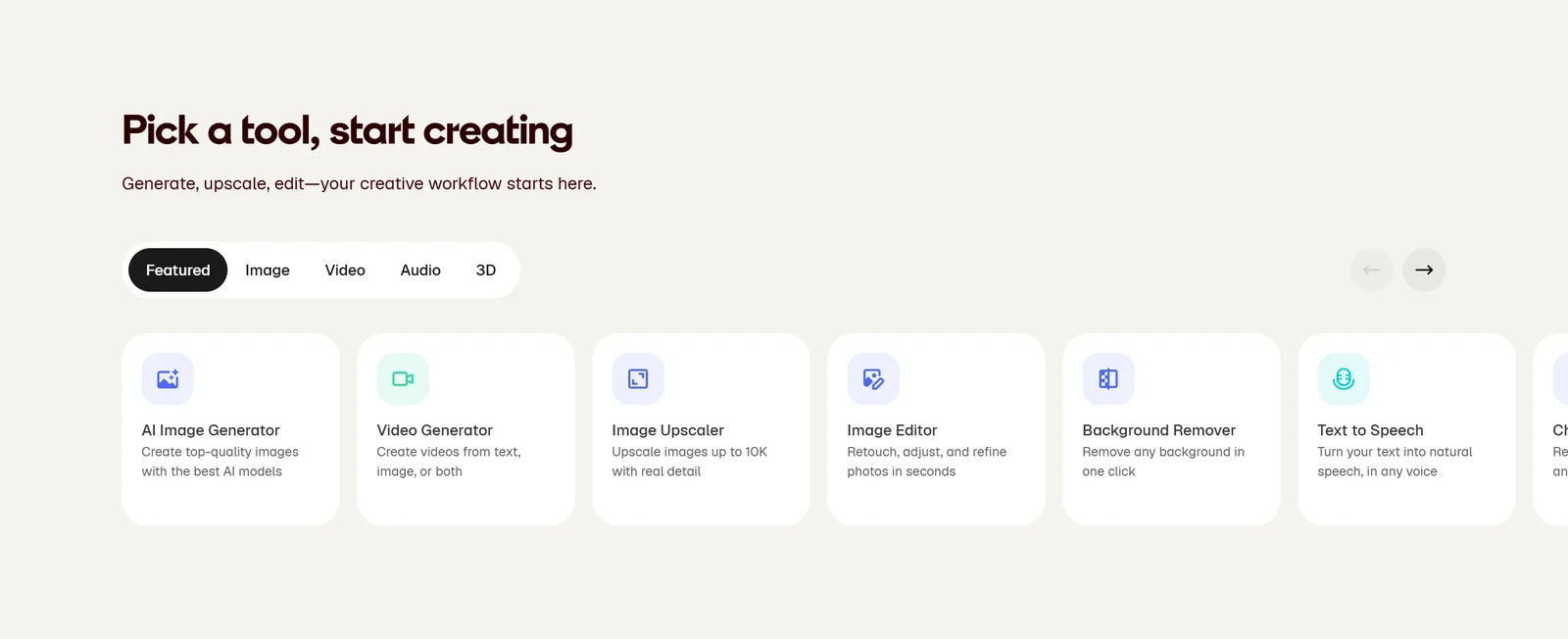
Image, video, audio and 3D tools sit side by side. Magnific says it offers about thirty tools.
Models. Magnific’s documentation lists more than 30 image models — including Google’s Nano Banana and Imagen, Flux, GPT Image, Seedream, Ideogram, Recraft, Krea, Runway and Grok, plus Magnific’s own Mystic — and more than 30 video models, including Kling 3.0, Google Veo 3.1, OpenAI Sora 2, Runway Gen-4.5, Seedance 2.0 and MiniMax Hailuo. You choose a model for each job, or let Auto pick one. Most video clips run 4–15 seconds, depending on the model.
Audio and 3D. Voice generation with ElevenLabs and Gemini, voice cloning, a voice changer, sound effects, and music with ElevenLabs Music and Google Lyria. A 3D generator turns images into GLB models using Tripo or Trellis.
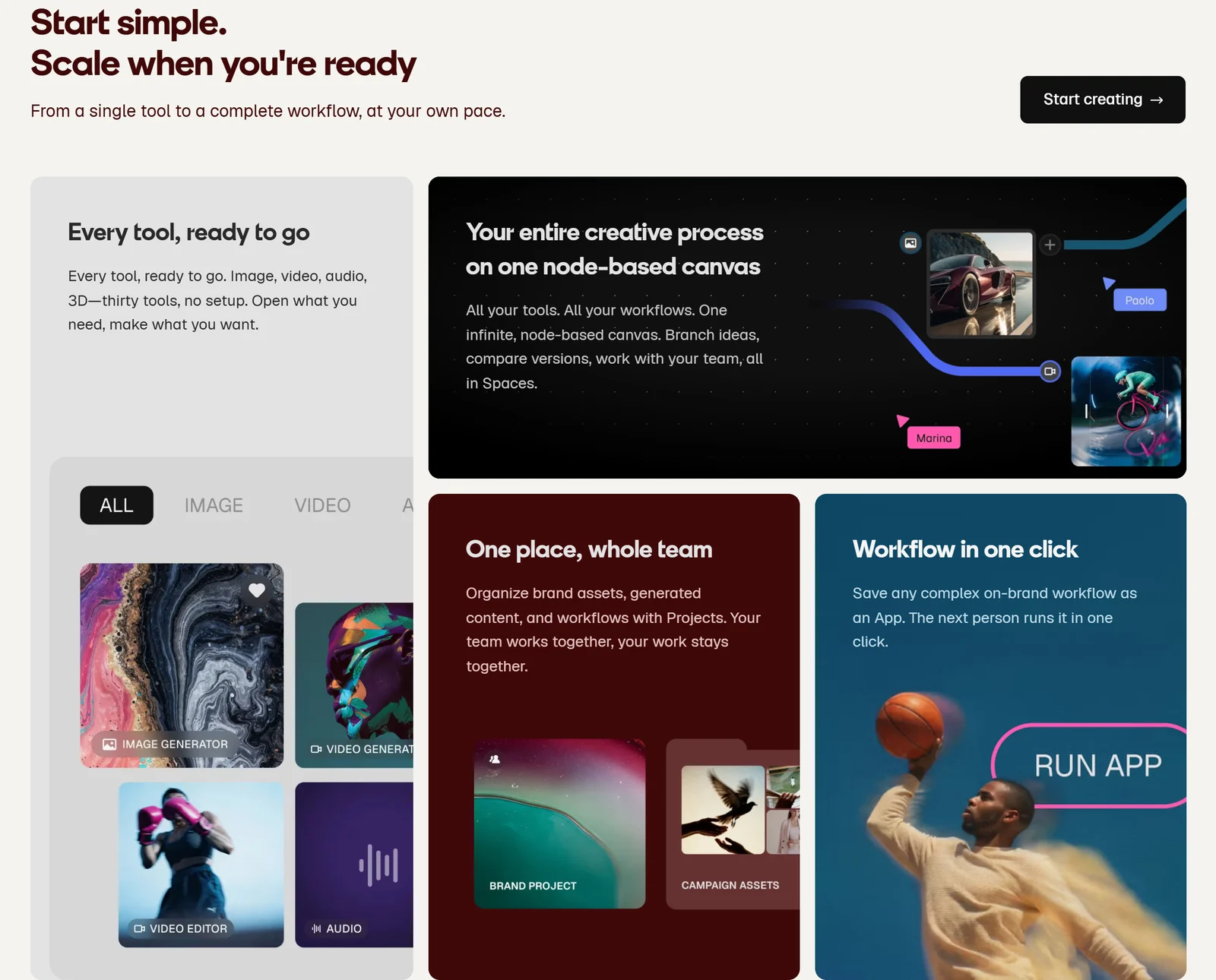
Spaces chains tools on one canvas; a saved workflow becomes a one-click app for the rest of the team.
Spaces and Flows. Spaces is an infinite, node-based canvas where you connect generators, editors and upscalers, compare versions and collaborate in real time with comments and roles. A finished workflow can be saved as a Flow that teammates run in one click — from the gallery, from Spaces, through MCP or through the API. Free users can create up to three Spaces. Every generation inside a Flow still costs credits.
Agents, plugins, MCP and API. Custom agents can combine image, video, audio and web-search tools with their own instructions and memory. Free plugins bring Magnific into Photoshop, After Effects, Premiere Pro, Final Cut Pro, DaVinci Resolve, Figma, Illustrator, InDesign, Affinity, ComfyUI and Blender. The MCP server connects Claude, ChatGPT, Cursor and other assistants, and the API serves developers. One rule to remember: plugins, MCP and the API always use credits, even for models that are Unlimited on your plan.
Apps. A desktop app for Mac and Windows (which Magnific still describes as an early test) and the renamed Freepik mobile app.
4. The Magnific Upscaler
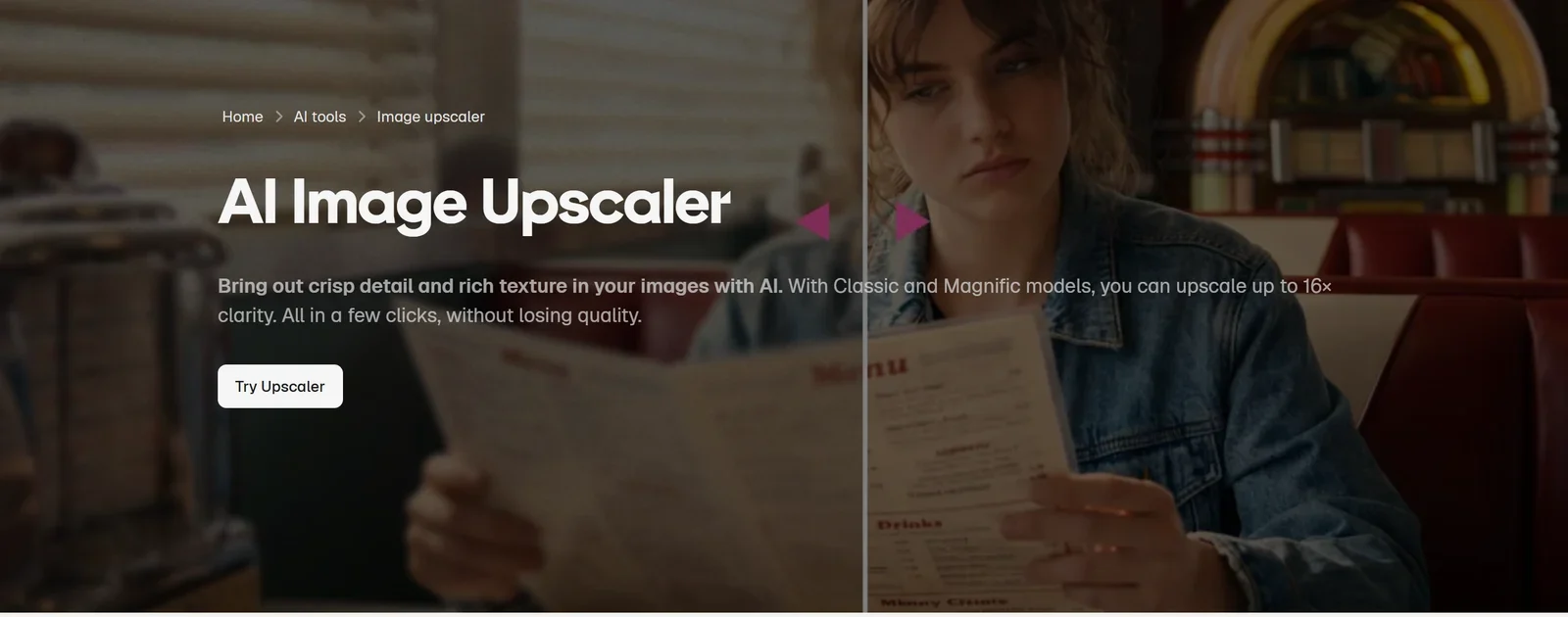
The upscaler that made Magnific’s name is now one tool inside the suite.
The upscaler has two modes:
- Creative uses the Magnific and Classic models, with an optional prompt, sliders for creativity, HDR and resemblance, and presets, and 13 “optimised for” categories. It adds detail that was never in the original — ideal for art and AI renders, risky for documentary photos.
- Precision has no prompt and focuses on sharpness and grain, for photos, products and print.
How far it goes. Magnific’s own pages disagree on the maximum: one help article caps Creative at 4x and Precision at 16x, another lists 16x for both, and the landing page advertises “up to 10K” for Premium+ users. You can upscale up to 20 images at once (2 for free users), and a separate video upscaler (Topaz, Sharper Pro and Magnific models) goes up to 4K at 60 fps.
What it costs. The Magnific upscalers always use credits, even on Unlimited plans. Magnific’s pricing table lists Precision at 90 credits per 2K image, and its docs put Creative at 90, 360 and 1,440 credits for 2K, 4K and 8K output. Classic upscaling starts at around 50 credits.
5. Pricing and Credits
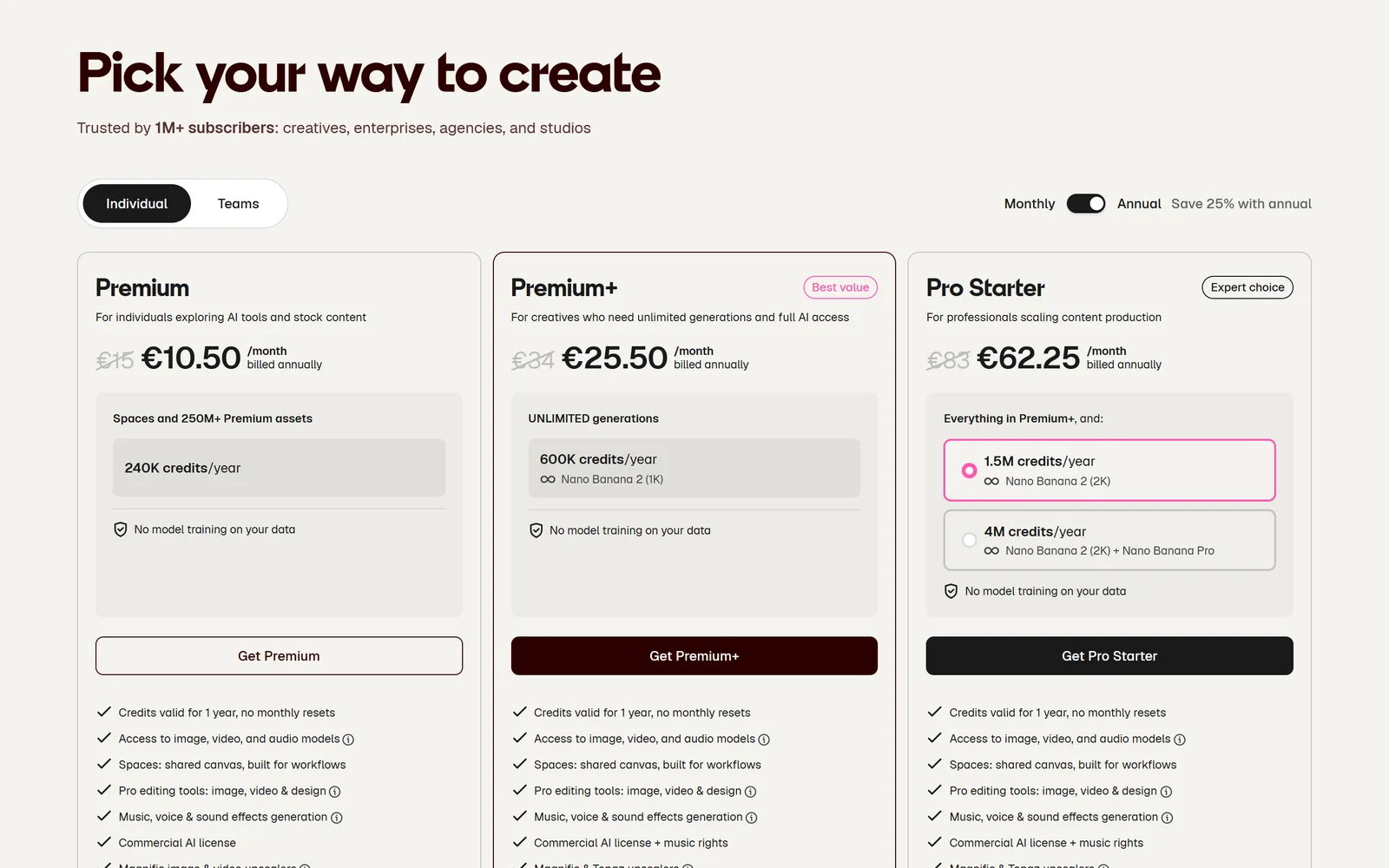
Standard annual prices as shown to us on 6 October 2026, in euros excluding VAT. Prices vary by country.
| Plan | Monthly (EUR / USD) | Annual, per month (EUR / USD) | Credits | Highlights |
|---|---|---|---|---|
| Free | €0 | — | No credit balance | 20 AI images a day with the in-house model, 10 stock downloads a day, attribution |
| Premium | €15 / $20 | €10.50 / $14.50 | 20K a month or 240K a year | All models with credits, commercial AI licence, Magnific upscalers, stock |
| Premium+ | €34 / $45 | €25.50 / $33.75 | 45K a month or 600K a year | Adds Unlimited on selected models, music rights, Topaz upscalers, credit top-ups |
| Pro Starter | €83 / $110 | €62.25 / $82.50 | 112.5K a month or 1.5M a year | Everything in Premium+, early access, metadata export |
| Pro | €215 / $280 | €161.25 / $210 | 300K a month or 4M a year | Adds unlimited Nano Banana Pro |
| Business | €59 / $69 per seat | €47 / $55 per seat | 45K per seat a month, pooled | 2–100 users, SSO, basic legal indemnification for AI content |
| Enterprise | Custom | Custom | Custom | Unlimited users, enterprise indemnification, dedicated CSM |
EUR prices are what Magnific showed us on 6 October 2026; USD prices come from Magnific’s US pricing page as archived on 4 October 2026. All exclude VAT, and Magnific’s billing help says it charges in euros, so your bank may add a conversion fee. The page says “Save 25% with annual”; the real saving is 25% on most plans and about 27–30% on Premium.
What a credit buys
Credits pay for AI tools only — stock downloads have their own daily limit. Some examples from Magnific’s pricing table:
| Task | Credits | Roughly how many on Premium (240K/yr) |
|---|---|---|
| Flux.2 Pro image, 1K | 50 | 4,800 images |
| Google Nano Banana 2 image, 1K or 2K | 75 | 3,200 images |
| Google Nano Banana 2 or Pro image, 4K | 150 | 1,600 images |
| GPT 2.5 Medium image, 2K | 180 | 1,333 images |
| Magnific Precision upscale, 2K | 90 | 2,666 upscales |
| Kling 3.0 Pro video, 1080p, 5 seconds | 450 | 533 clips |
| Google Veo 3.1 video, 4K with audio, 4 s | 2,080 | 115 clips |
| Seedance 2.5 video, 1080p, 4 seconds | 4,400 | 54 clips |
The lesson: images are cheap, video is expensive. A Premium plan that covers thousands of images covers only about a hundred short 4K video clips. Magnific also reserves the right to change credit costs without notice.
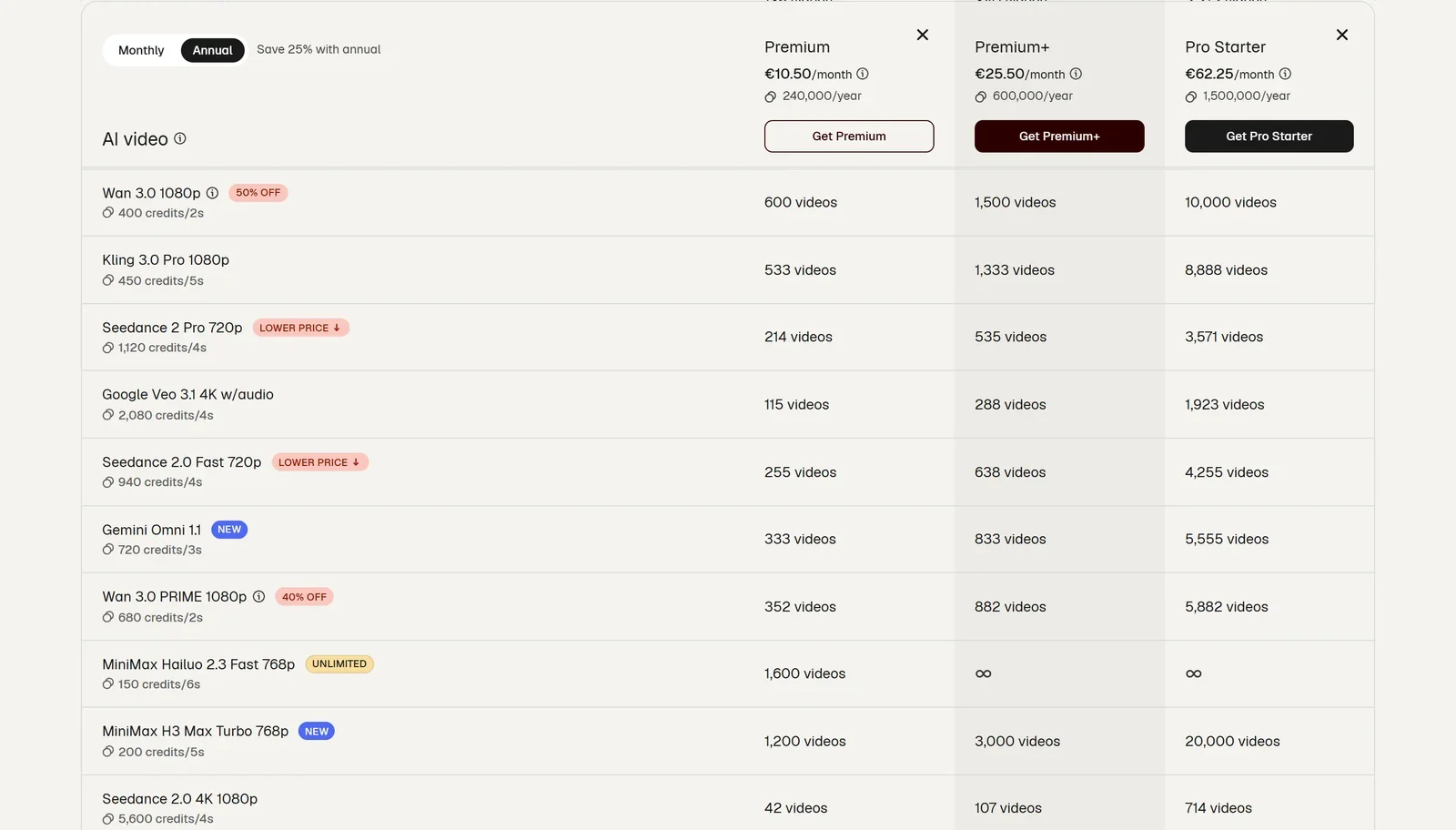
Magnific’s comparison table shows the credit cost of each model. Note that its Pro Starter column is calculated from the 4M-credit Pro tier.
Credit rules worth knowing:
- Annual plans get all credits upfront; monthly plans reset each month. Unused plan credits do not roll over.
- Extra credit packs are sold only on Premium+, Pro and Business — not Premium — and last three years while you stay subscribed. Their prices are shown only inside your account.
- If you cancel, Magnific’s help pages say extra credits go “on hold”, but its Terms of Use say they are cancelled without refund. Use them before you cancel.
What “Unlimited” really means
Premium+, Pro and Business include Unlimited generation on more than 30 selected models, which is off by default and uses no credits. Three limits matter:
- It slows down. Each billing cycle includes a “priority usage” allowance that Magnific does not quantify. After that, generations run one at a time and speed varies with demand. Magnific’s Fair Use Policy says “Your Unlimited keeps working. Generations don’t stop” — but several Trustpilot reviewers report waits of minutes per image, or Unlimited being paused.
- It covers less video than you might expect. Unlimited video covers only Kling 2.5 at 720p, MiniMax Hailuo 2.3 at 768p and Seedance 1.5 Pro in draft mode.
- Some models have moved to credits. On Premium+ and Business, Nano Banana Pro, Nano Banana 2 at 2K, Flux.2 Flex and Max, and GPT Image 1.0 and 1.5 now cost credits — from day one for plans bought from 21 April 2026, and from the next renewal for older plans. Pro keeps them unlimited. Upscalers, audio, custom training, early-access models and MCP are never unlimited.
Billing rules to read first
- No free trial. Magnific does not offer trials of paid plans; the Free plan is the way to test.
- The refund rule is strict. The pricing page advertises a “30-day refund guarantee”, but it applies only if you have not used the service at all in that period — one download or one generation makes you ineligible. There are no partial refunds on annual plans. App Store and Google Play subscriptions are refunded by Apple or Google.
- Plans renew automatically. Cancelling stops the next renewal; you keep access until the period ends, your generated content stays downloadable, and licences for files you downloaded remain valid.
- Upgrading to annual is charged immediately at the full annual price.
Our readers’ discount
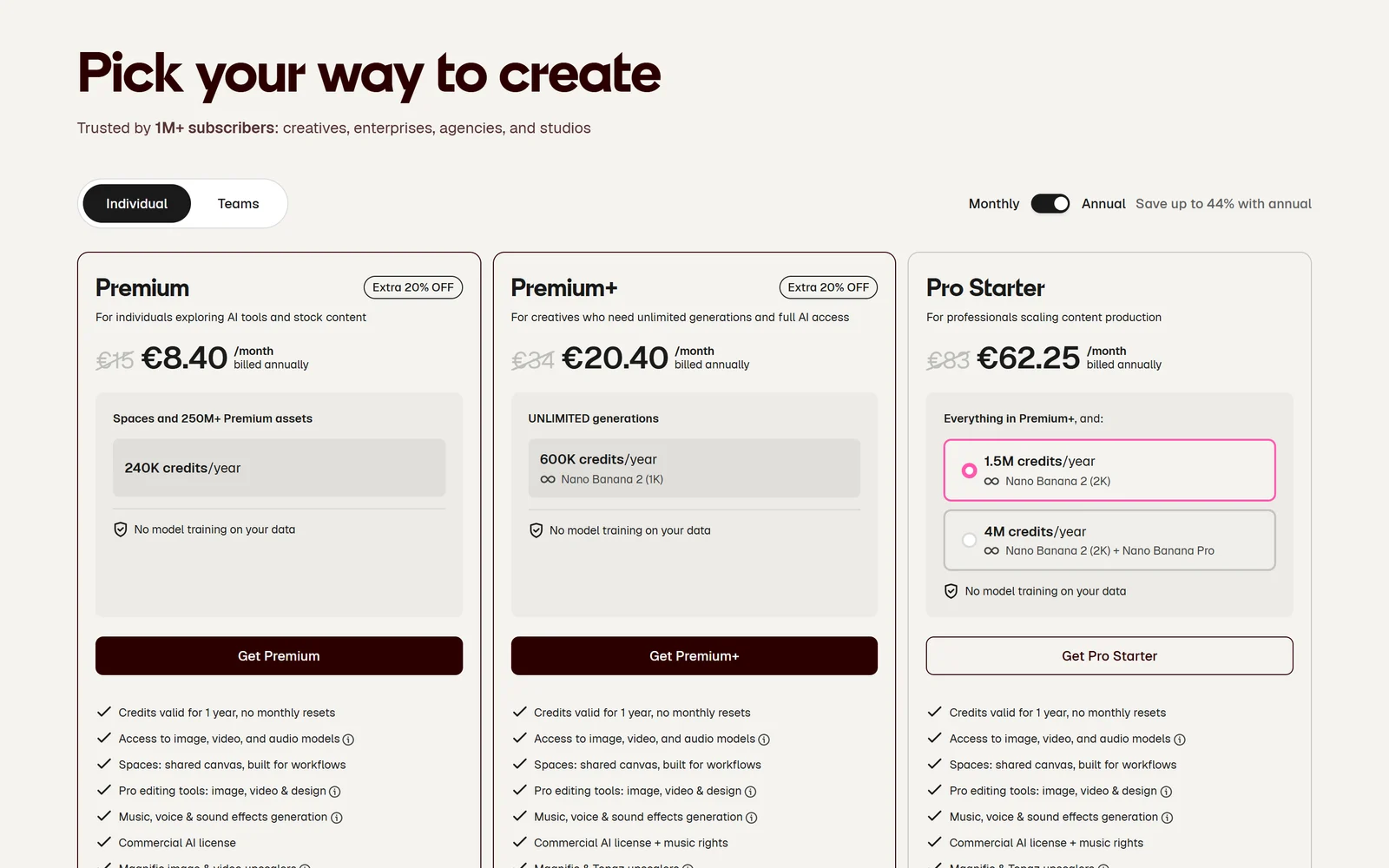
The same pricing page opened through our link on 6 October 2026: an extra 20% off annual Premium and Premium+.
Our link opens Magnific’s pricing page with a referral coupon applied. On 6 October 2026 it showed an extra 20% off annual Premium and Premium+: Premium at €8.40 a month billed annually (€100.80 a year instead of €126) and Premium+ at €20.40 a month (€244.80 instead of €306). Magnific’s billing rules say coupon discounts apply to the first payment only, so this covers your first year; renewals are at the standard price. Monthly plans, Pro and Business were not discounted, and we saw only euro prices, so the offer may look different in your country.
Reader offer · Extra 20% off annual
Save an extra 20% on your first year of Premium or Premium+
Try the Free plan first. If you subscribe annually through our link, the coupon is already applied on the pricing page.
Get the 20% discount
6. Licensing: Who Owns What You Make
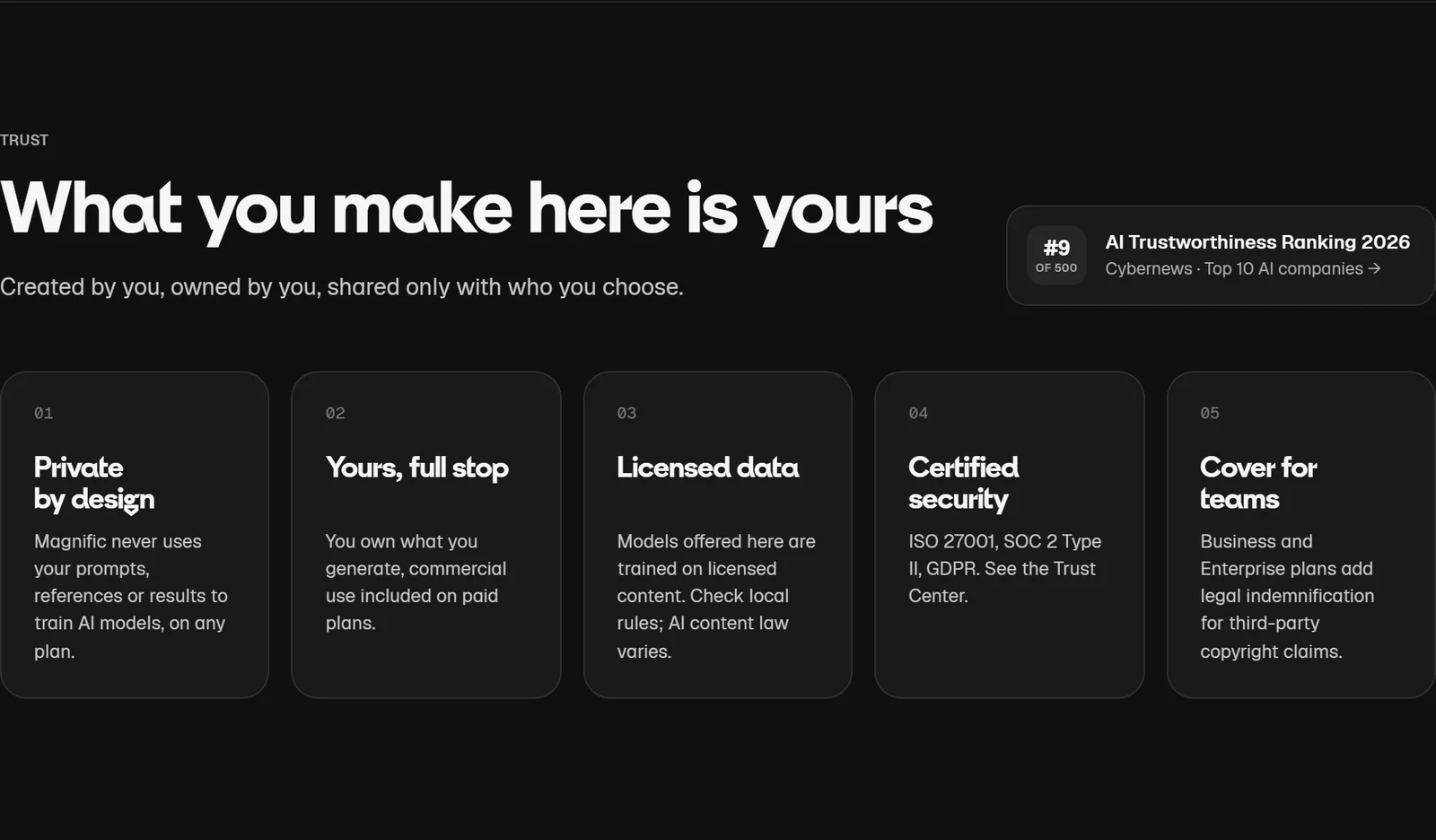
Magnific’s summary of its promises. The binding details are in its AI Products Terms and Terms of Use.
AI images and video. Under Magnific’s AI Products Terms, paid subscribers are assigned ownership of outputs created while their subscription is active. Free users get only a personal, non-commercial licence. Magnific does not guarantee that outputs are exclusive or protected by copyright in every country, and the pricing FAQ puts the legal risk of infringing images on you.
No indemnity for AI on individual plans. Magnific’s Terms say AI-generated content is excluded from its standard legal protection. Only the Business plan includes basic indemnification for AI outputs (with exclusions, inside an overall €50,000 cap), and Enterprise contracts can go further.
Stock assets. Free users can use stock with attribution (“Designed by Magnific” plus a link). Paid plans remove the attribution requirement for content downloaded while subscribed, and those licences stay valid after you cancel. Magnific’s liability for stock claims is capped at €100 on Free, €10,000 on Premium and €50,000 on Premium+ and Pro. Physical merchandise rights for non-AI stock assets (up to 100,000 units per asset) come only with Pro.
Download limits. Paid plans allow 100 stock downloads a day, according to Magnific’s plan table — even though its pricing FAQ calls them “unlimited”. Free users get 10 a day.
7. Privacy, AI Training and Security
AI training. Every paid plan carries the badge “No model training on your data”. The binding wording is in the AI Products Terms: Magnific “will not use Inputs … or Outputs to train its own AI models”, although it may use them to improve its products and services. The Privacy Policy adds that uploaded images and voices are never used to train Magnific’s or any third-party provider’s models, while text inputs, outputs and feedback may be analysed to improve the service, which you can object to.
Third-party models. When you pick a model from Google, OpenAI or another provider, your images and voices go to that provider, which can keep them for up to 30 days. Magnific says it has signed EU Standard Contractual Clauses with all its model providers. Projects are private by default.
Certifications. Magnific’s trust centre (run on Secureframe) lists GDPR, ISO 27001, ISO 22301 and SOC 2 Type 2. The two ISO certificates can be downloaded; the SOC 2 report is not attached and is available only on request.
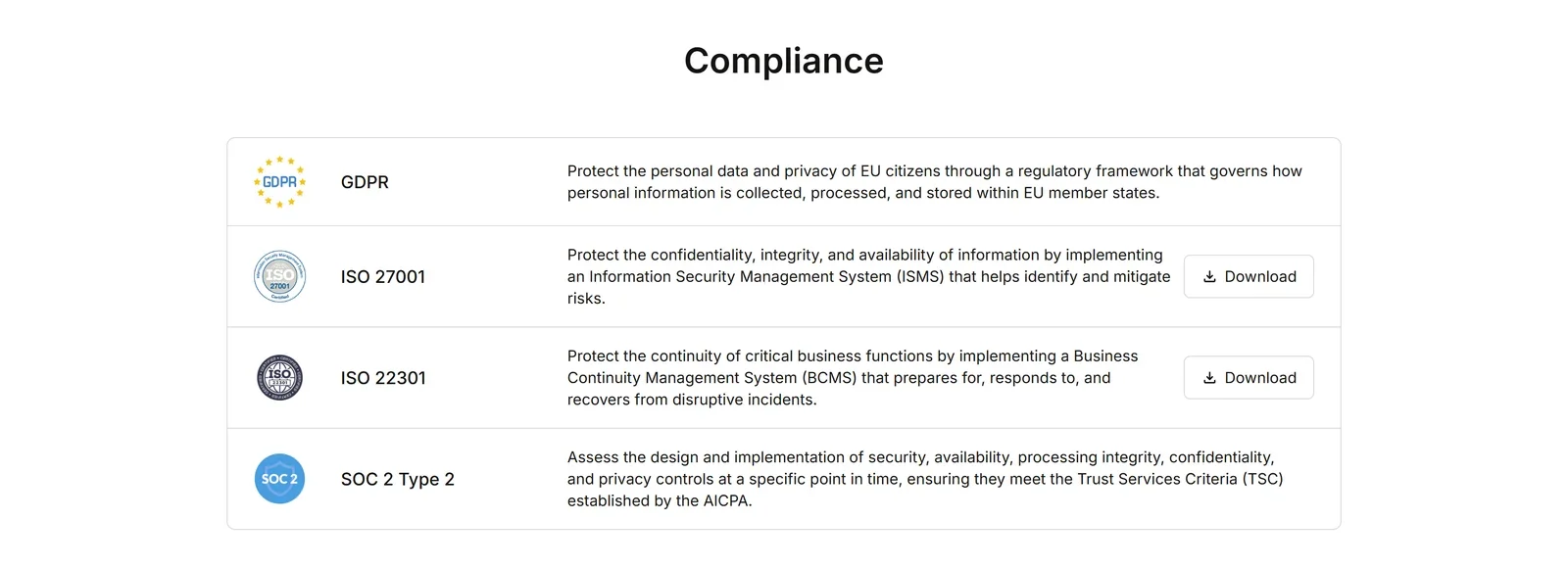
Magnific’s trust centre, captured 6 October 2026.
Legal terms. Magnific’s Terms of Use name the operator as Magnific AI, S.L.U. in Málaga (the site footer still says Freepik Company S.L.U.). They are governed by Spanish law, with disputes in Málaga’s courts unless consumer law says otherwise. Magnific may change or stop services or close accounts, refunding the unused part of a subscription if it does. Its Acceptable Use Policy bans automation, bots, account sharing and reselling, and under the EU AI Act you are responsible for labelling deepfakes you publish.
8. What Users Say
| Source | Rating | Reviews | Note |
|---|---|---|---|
| Trustpilot (6 Oct 2026) | 4.0 | 3,215 | Merged Freepik and Magnific profile; 75% 5-star, 15% 1-star |
| App Store (US) | 4.7 | 1.8K | ”Magnific – AI Video & Image”, formerly the Freepik app |
| Google Play (US) | 4.0 | 14.9K | 1M+ downloads |
| Capterra | 3.3 | 3 | Too few reviews to be meaningful |
The Trustpilot score blends years of Freepik reviews with newer Magnific ones. Before the merge, the Freepik-only profile had slipped from 3.8 in May 2025 to 3.3 in February 2026, according to archived copies. Magnific replies to 92% of negative reviews, usually within a week.
What people praise: the range of models in one place, the interface, Spaces workflows, the background remover, the stock library and — consistently — the quality of the upscaler. Creative Bloq gave the Freepik AI suite 8/10 in April 2025, and Decrypt called it a “creative Swiss Army knife” while warning it can overwhelm newcomers.
What people criticise:
- Unlimited slowing down or being paused, reported in June and July 2026 by users in several countries.
- Credits disappearing fast, especially on video upscaling and long video generation.
- Billing problems: payments taken without the plan activating, charges after cancellation, and a mandatory questionnaire before cancelling.
- Support: template replies and tickets closed without an answer, though some reviewers got help after posting publicly.
- Rebrand friction: some long-time Freepik and magnific.ai users say the experience got worse after the switch.
We also noticed that many recent 5-star Trustpilot reviews are very short and that a cluster was posted on 1–3 September 2026; Trustpilot labels them unprompted, and the cause is unknown.
9. Alternatives Worth Knowing
Prices are from each vendor’s own pricing page as of 6 October 2026.
| Tool | Free plan | Paid from | What you get | Training on your content (vendor’s wording) |
|---|---|---|---|---|
| Magnific | 20 images/day, in-house model | €10.50/mo annual ($14.50) | 60+ models, upscaler, 200M+ stock assets | Won’t train its own models on inputs or outputs |
| Krea | Daily compute allowance | $9/mo (Basic) | ~45 image and ~53 video model options | Enterprise: “we never train on your data” |
| Leonardo.ai | 150 tokens/day, public images | $10/mo annual | ~60 models, 6 of them Leonardo’s own | Private paid content not trained without consent |
| Midjourney | None on the web | $8/mo annual ($96/yr) | Midjourney’s own models, relaxed mode from Standard | User-provided data listed as a training source |
| Adobe Firefly | — | $9.99/mo (2,000 credits) | Firefly plus partner models | Says it has never trained Firefly on customer content |
| Canva | Up to 20 AI uses | Pro (local pricing) | Design suite, AI tools, 141M+ stock items | User content may train its AI; manageable in settings |
| Envato | — | $16.50/mo annual | Unlimited downloads of 29M+ stock assets, AI credits | AI outputs are licensed, not owned |
| Higgsfield | — | $15/mo | Video-focused, multiple models | Trains on inputs and outputs unless you are on Enterprise |
| Topaz Labs | — | $149/yr (Gigapixel) | Dedicated image and video upscaling | — |
Where Magnific wins: no rival in this list bundles as many third-party models with a large stock library and a top-tier upscaler. Its training terms are stricter than Higgsfield’s, Midjourney’s or Canva’s defaults, and paid subscribers own their outputs.
Where it loses: credit costs vary by model, resolution and length, which makes them harder to predict than Midjourney’s GPU hours. Adobe and Krea offer AI indemnity on enterprise plans, while Magnific’s individual plans have none. If you only need upscaling, Topaz’s dedicated Gigapixel plan starts at $149 a year; if you mostly need stock, Envato offers unlimited downloads.
10. Pros and Cons
Where Magnific is genuinely strong
- One subscription for 60+ AI models, voice, music, 3D and stock
- The Magnific upscaler on every paid plan
- Unlimited on selected models from Premium+
- You own paid-plan outputs, with a commercial licence
- No training of Magnific’s own models on your inputs or outputs
- Spaces, Flows, plugins, MCP and API for real workflows
- ISO 27001 and ISO 22301 certificates published
Where Magnific falls short
- Credit costs vary widely, and video eats them fast
- Unlimited slows down once priority usage runs out
- Refunds require zero usage
- No AI indemnity on individual plans
- Extra credits cannot be bought on Premium and may be lost on cancellation
- Contradictory help pages on limits and rules
- Billing and support complaints on Trustpilot
11. Frequently Asked Questions
Is Magnific the same as Freepik?
Yes. Freepik renamed itself Magnific on 28 April 2026 and moved to magnific.com; Magnific calls it the same company and the same team. freepik.com now redirects to magnific.com, existing logins, plans, prices and billing cycles carry over, and licences for content you downloaded from Freepik remain valid. Flaticon and Slidesgo still run as separate sites.
What happened to magnific.ai?
The original Magnific AI upscaler site no longer accepts new sign-ups; its homepage redirects to magnific.com. Existing magnific.ai subscribers keep their gallery, tokens and plan until it expires, can export their work as ZIP files and cancel through Stripe. Magnific recommends renewing on magnific.com, where the same upscaler is included in every paid plan alongside the other AI tools.
How much does Magnific cost?
In euros, excluding VAT, as shown on 6 October 2026: Premium is €15 a month or €10.50 a month billed annually; Premium+ is €34 or €25.50; Pro Starter is €83 or €62.25; Pro is €215 or €161.25; and Business is €59 or €47 per seat. In US dollars the plans start at $20 a month or $14.50 billed annually. Prices vary by country, and there is a Free plan with 20 AI images a day.
How do Magnific credits work?
Every AI generation, edit or upscale costs credits depending on the model, resolution and length — for example 75 credits for a Nano Banana 2 image, 450 for a five-second Kling 3.0 Pro clip, and 2,080 for a four-second Veo 3.1 4K clip with audio. Annual plans receive the whole year's credits upfront and monthly plans reset each month. Unused plan credits do not roll over, and stock downloads do not use credits.
Is Magnific Unlimited really unlimited?
Partly. Premium+, Pro and Business can generate on more than 30 selected models without credits, but after a 'priority usage' allowance that Magnific does not quantify, generations run one at a time and speed depends on demand. Unlimited video covers only a few low-resolution models, and upscalers, audio, custom training, new early-access models and anything run through MCP, plugins or the API always cost credits.
Can I use Magnific images commercially?
On paid plans, yes: Magnific assigns you ownership of outputs made while your subscription is active, and paid plans include a commercial AI licence. Free users get only a personal, non-commercial licence for AI outputs. Magnific does not guarantee copyright protection for AI outputs and offers no IP indemnity for them on individual plans; the Business plan includes basic AI indemnification.
Does Magnific train AI on my work?
Magnific's AI Products Terms say it will not use your inputs or outputs to train its own AI models, though it may use them to improve its products and services. Its Privacy Policy adds that images and voices you upload are never used to train its own or third-party models. When you use a third-party model, your images and voices are sent to that provider, which can keep them for up to 30 days.
Can I get a refund from Magnific?
Only in a narrow case. Magnific's 30-day refund guarantee applies if you request it within 30 days of payment and have not downloaded anything or used any AI credits in that period — even one download or generation makes you ineligible. Annual plans get no partial refunds after that. There is no free trial of paid plans, so test on the Free plan first.
What discount does the link in this review give?
On 6 October 2026 our link applied an extra 20% off annual Premium and annual Premium+ on Magnific's pricing page: Premium at €8.40 a month billed annually instead of €10.50, and Premium+ at €20.40 instead of €25.50. Magnific applies coupon discounts to the first payment only, so renewals are at the standard price. Monthly plans, Pro and Business were not discounted.
12. Final Verdict: Is Magnific Worth It in 2026?
Magnific is the most complete AI creative subscription we have reviewed. One account gives you leading image and video models, the upscaler professionals already pay for on its own, voice and music tools, a real workflow canvas and the old Freepik stock library — with a commercial licence and a contractual promise not to train Magnific’s own models on your work.
The trade-off is complexity. Credits cost very different amounts per model, so a plan that feels generous for images can run out quickly on video. “Unlimited” slows down after a priority allowance Magnific does not disclose, the refund rule effectively ends the moment you generate anything, and Magnific’s own help pages contradict each other on several details. Recent Trustpilot reviews show that billing and support are where things go wrong.
Use it the smart way. Start on the Free plan to learn the interface. Check the credit cost of the models you actually use before choosing a tier, and pick Premium+ if you want Unlimited image generation. If you commit for a year, our link takes an extra 20% off the first payment of Premium or Premium+. Use any extra credits before you cancel, and keep copies of your licences.
Choose something else if you only need one model, want flat predictable pricing, or need legal indemnity for AI images without a Business plan.
Disclosure: This review contains a referral link. If you subscribe through it, we may earn a commission from Magnific’s “Refer & earn” programme, paid through impact.com; Magnific does not publish the commission rate. On 6 October 2026 the link gave an extra 20% off the first payment of annual Premium and Premium+, at no extra cost to you. All factual claims were verified against Magnific’s website, pricing page (EUR as shown on 6 October 2026, and USD as archived on 4 October 2026), help centre, Terms of Use, AI Products Terms, Privacy Policy, Business Subscription Terms and trust centre, plus the legacy magnific.ai pages, Trustpilot, the App Store, Google Play, Capterra, Tech.eu, Fortune, EQT and each competitor’s own pricing page. Subscriber counts, revenue, the “#1” badge and the SOC 2 statement are attributed to Magnific; we could not verify them independently.