Bluedot Review 2026: The AI Note Taker That Never Joins Your Call
Most AI note takers work the same way. A bot called something like “Otter Notetaker” asks to join your meeting, sits in the participant list, and everyone on the call knows they are being recorded by software. Some clients are fine with that. Others go quiet, ask awkward questions, or simply refuse to admit it.
Bluedot takes the other approach. It records from your own device — a Chrome extension, a Mac or Windows app, an iPhone or Android app, even an Apple Watch — so no extra participant ever appears. Afterwards it writes the transcript, the summary, the action items and a follow-up email, in more than 100 languages by its own count.
That approach has real advantages, and some responsibilities that come with it. This review covers how bot-free recording actually works on each device, what each plan includes, the consent rules Bluedot leaves to you, its promise not to train AI on your meetings, and the billing details that recent reviewers warn about.
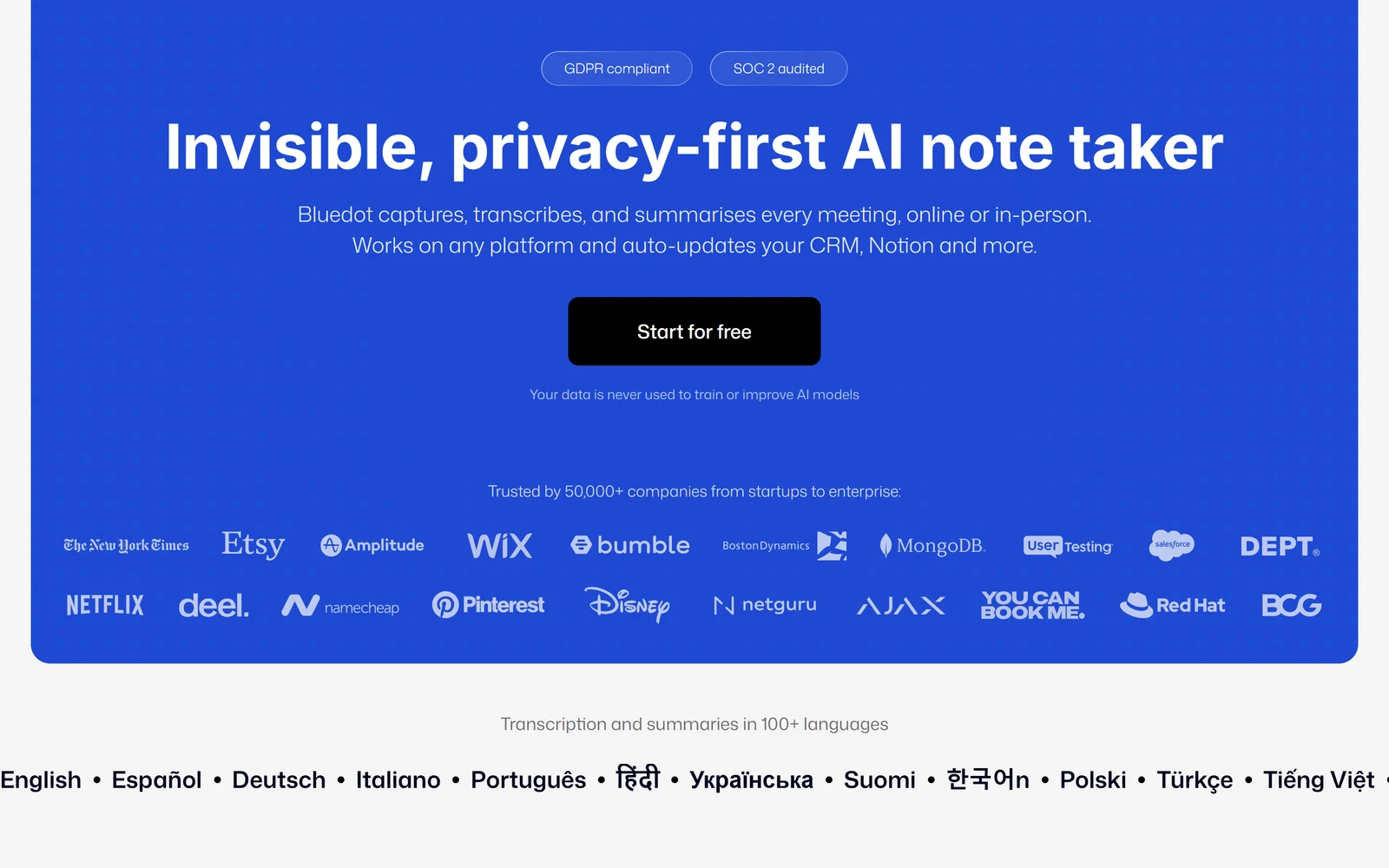
Bluedot’s homepage, captured 6 October 2026. The language list under the hero includes Vietnamese.
1. What Bluedot Is — and Who Is Behind It
Bluedot calls itself an “invisible, privacy-first AI note taker” that “captures, transcribes, and summarises every meeting, online or in-person.” It works across Zoom, Google Meet, Microsoft Teams, Webex, Slack huddles, phone calls and in-person conversations.
The company. Bluedot is operated by Twiso, Inc., which lists a San Francisco address and is the developer named on the Chrome Web Store, App Store and Google Play. According to the Ukrainian tech outlet AIN.UA, it was co-founded by Ruslan Khalilov and Dmytro (Dima) Eremin. Twiso’s earlier site, twiso.co, offered an async-video and AI meeting-notes workspace in 2022–2023; it now redirects to bluedothq.com.
Funding and size. AIN reported in May 2024 that Bluedot had closed a $600,000 pre-seed round, with investors including Daniel Gross, Google for Startups and the On Deck accelerator — which matches the “Backed by Google” badge on Bluedot’s site. At the time the company told AIN it had a team of four and more than 1,000 paying customers. Its LinkedIn page now lists 11–50 employees, with a London headquarters and a San Francisco office.
Traction. Bluedot says it is “trusted by 50,000+ companies” — its own undated figure. The independent numbers are solid for a small company: as of 6 October 2026 the Chrome extension has 80,000 users and a “Featured” badge, and Google named it among its favourite Chrome extensions of 2025, according to PCWorld.
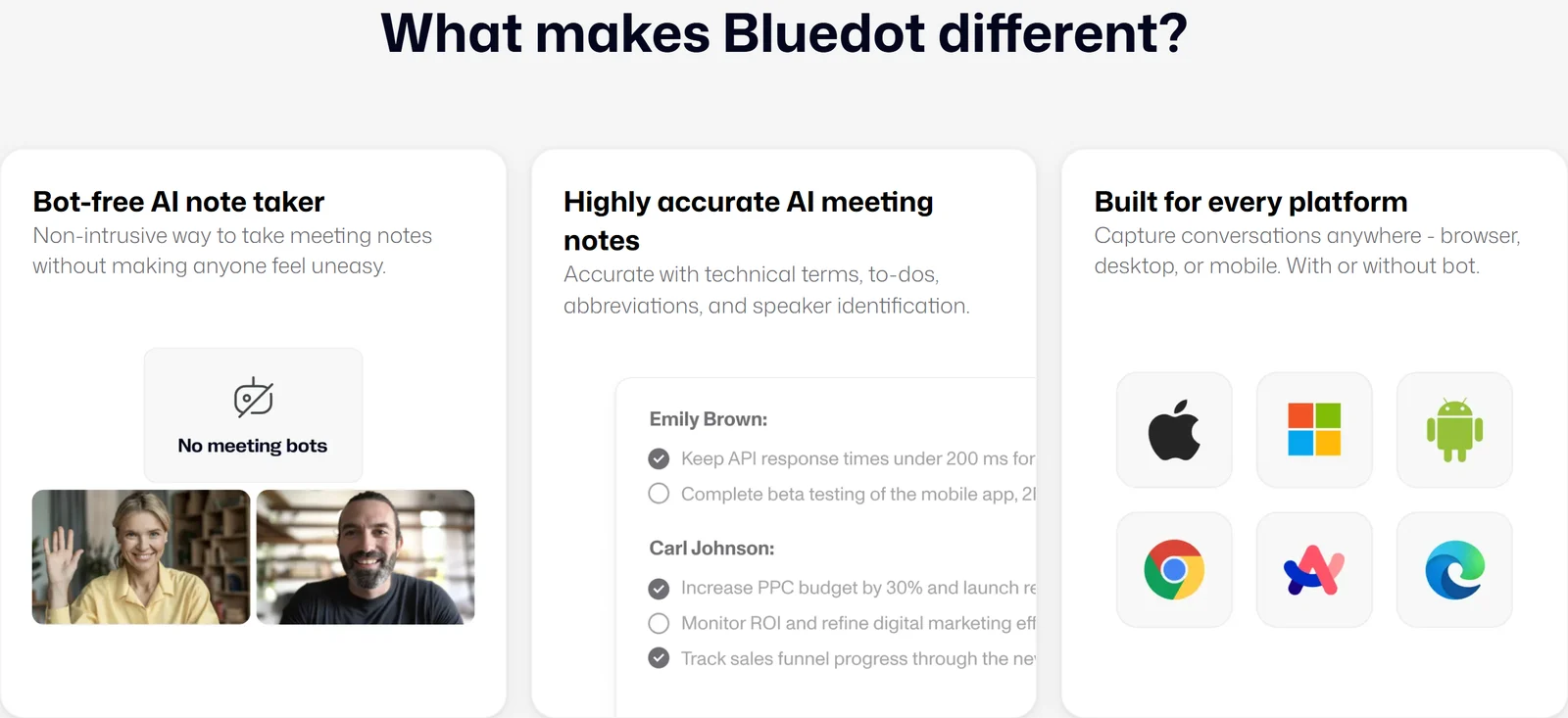
Bluedot’s pitch: no meeting bots, accurate notes, and every platform — “with or without bot.”
2. Who Bluedot Is For — and Who It Is Not For
It fits you if:
- You talk to clients, candidates or prospects and do not want a bot sitting in the call
- You need in-person meetings and interviews recorded, not just video calls
- You want video recordings, not only audio and transcripts
- Your meetings happen in languages other than English
- You want notes filed automatically into HubSpot, Salesforce, Notion or Slack
Look elsewhere if:
- You want a free plan you can use indefinitely — Bluedot’s free plan is 5 meetings, once
- You work with health information and need a HIPAA BAA, which Bluedot does not publicly offer
- You want everyone in a meeting to be told automatically that they are being recorded — with Bluedot that depends on your settings and device
- You record phone calls on an iPhone — Apple blocks every app, Bluedot included, from recording call audio
3. How Bot-Free Recording Works on Each Device
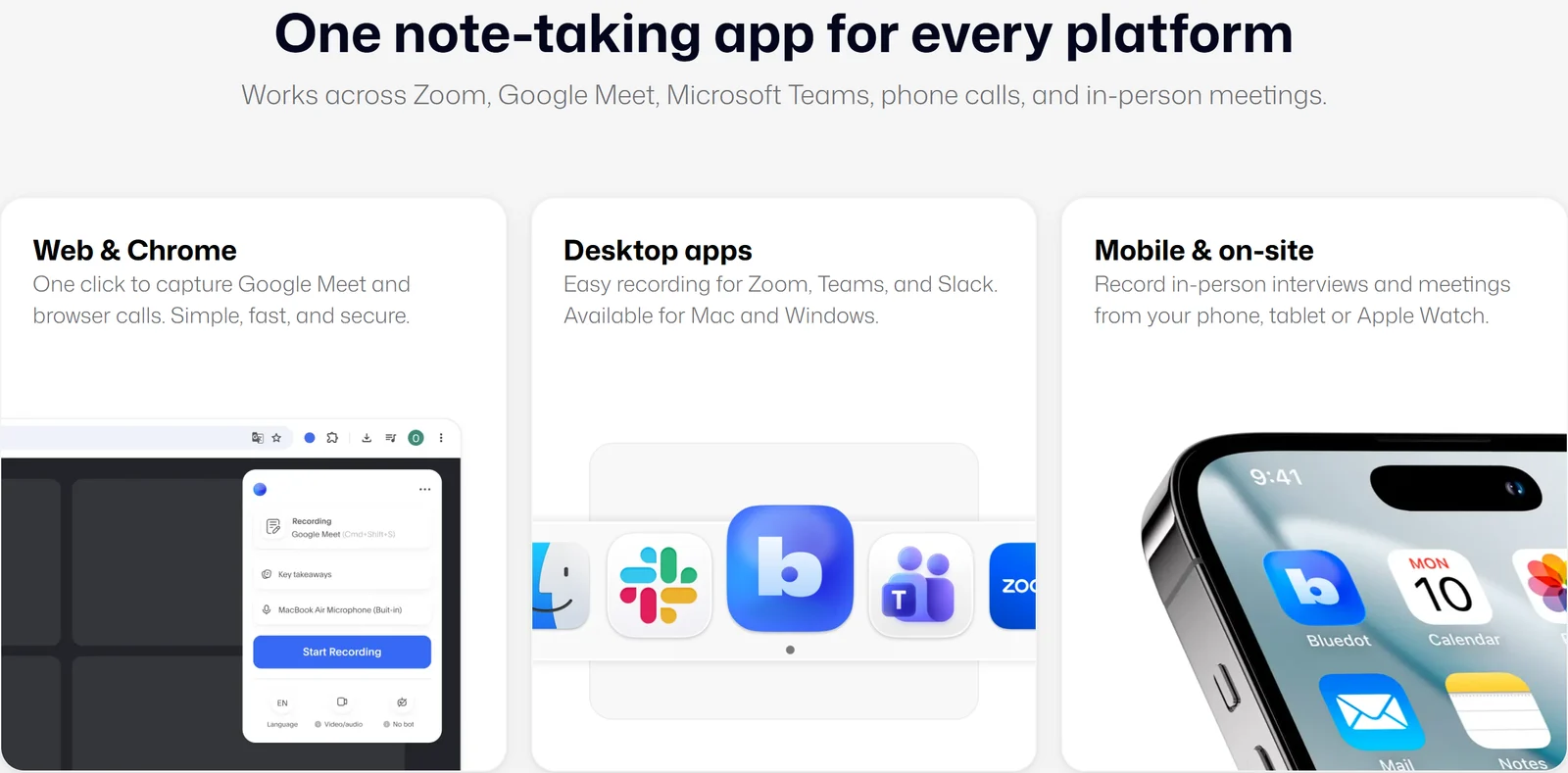
Three ways to record: the browser extension, the desktop apps and the mobile apps.
“Bot-free” works differently depending on where you record, and the differences matter.
Chrome extension (also offered for Arc, Brave and Edge). It records a browser tab — Google Meet or Teams on the web — as video and audio, audio only, or transcript only, at 720p or 1080p. Some of these options depend on your plan. For Zoom, you share your screen or window and tick “Share system audio”; on a Mac this needs Chrome 141.0.7390.55 or later. Google Meet can be recorded automatically (audio or transcript only). Speaker labels work for Google Meet and Teams in a tab, but not for Zoom in the extension.
Desktop apps (macOS 12.3+ on Apple Silicon, Windows 10+). The app detects meetings in Zoom, Teams, Google Meet and Slack huddles and offers to start capturing, or records automatically from version 1.0.33. It recognises speakers in Zoom, Teams and Meet. Bluedot’s FAQ lists some limits: Google Meet is recorded audio-only in the desktop app, screen sharing on a Mac is captured only for Zoom and only when you present, Teams must be set to US or UK English, and joining a breakout room stops the recording. A “Capture anything” mode records in-person conversations, phone calls and WhatsApp calls as audio.
Mobile and Apple Watch (iOS 15.6+, Android 8.0+, watchOS 10.6+). The apps are built for in-person meetings, can record offline and can import existing files. The Apple Watch records without your iPhone nearby and uploads once you open the iPhone app. Neither app can record phone-call audio; Bluedot suggests putting the call on speaker and recording with the desktop app.
Two practical rules. Your laptop must stay open and awake while the extension or desktop app records. And you do not need to be the meeting host — except with the optional bot on Zoom.
There is also an optional bot. Bluedot’s homepage FAQ says it “never invites a bot to your meeting or asks for calendar access”, but its help centre documents an optional bot for companies whose policies require a visible recorder. If you connect Google or Outlook Calendar, the bot joins as “[Your name]‘s AI NoteTaker” and must be admitted. It can record audio only, its name and image can be changed on paid plans, and it keeps recording if your computer sleeps. On Zoom it needs the host present with local recording allowed. In short: bot-free is the default, and the bot is your choice.
4. Consent: The Part Bluedot Leaves to You
This is the most important section for anyone recording clients or candidates. A bot announces itself; Bluedot, by design, does not. Its homepage FAQ says so directly — Bluedot “doesn’t ‘announce’ itself like a bot” — and recommends telling participants.
What Bluedot’s documents say:
- Consent is your responsibility. The Terms state that “Bluedot does not obtain consent on your behalf”, and you agree to cover Bluedot for claims arising from recordings made without the required consent.
- The desktop app records quietly. Its FAQ says it records “without a visible desktop notification” and warns that recording without consent is illegal in some places.
- Notices exist, but they are settings. The Chrome extension can post a message in the Google Meet chat telling participants they are being recorded, and you can turn it off. In the Mac app, you must switch on “Notify participants” yourself.
- Admins can enforce it. Workspace admins can turn on “Prevent recording without a consent message”, but this works only in the Chrome extension.
Our advice: say “I’m recording this so I can focus — is that OK?” at the start of every call, and switch on the chat notice. In places with all-party consent laws, recording a call without everyone’s agreement can be a criminal offence.
5. Transcripts, Notes and AI Chat
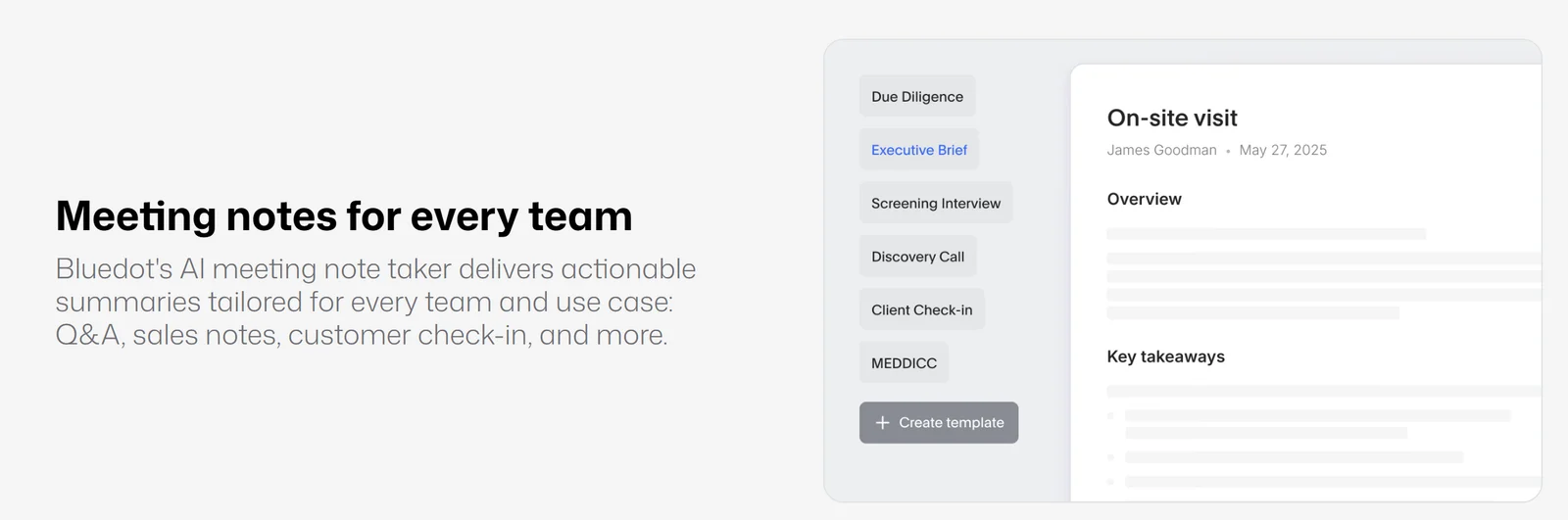
Note templates for different meeting types. Custom templates need the Pro plan.
Languages. Bluedot says it transcribes and summarises in 100+ languages, and Vietnamese (Tiếng Việt) is named on its homepage and transcription page. You can set a default language or let it auto-detect. Each transcript can contain at most two languages, and changing a recording’s language translates its transcript and notes. Custom vocabulary — for names and jargon — works only in English. Bluedot claims “up to 99% accuracy” but publishes no benchmark, so test it on your own meetings, especially in Vietnamese.
Notes and templates. Summaries come in a structured format, with ready-made templates for meeting types such as discovery calls, screening interviews and client check-ins. On Pro you can build your own, with tables or checklists, share them with your workspace and require one per collection. The template builder lets you pick the AI model; Bluedot’s help centre lists Claude 4.6 Sonnet and GPT-5 as options.
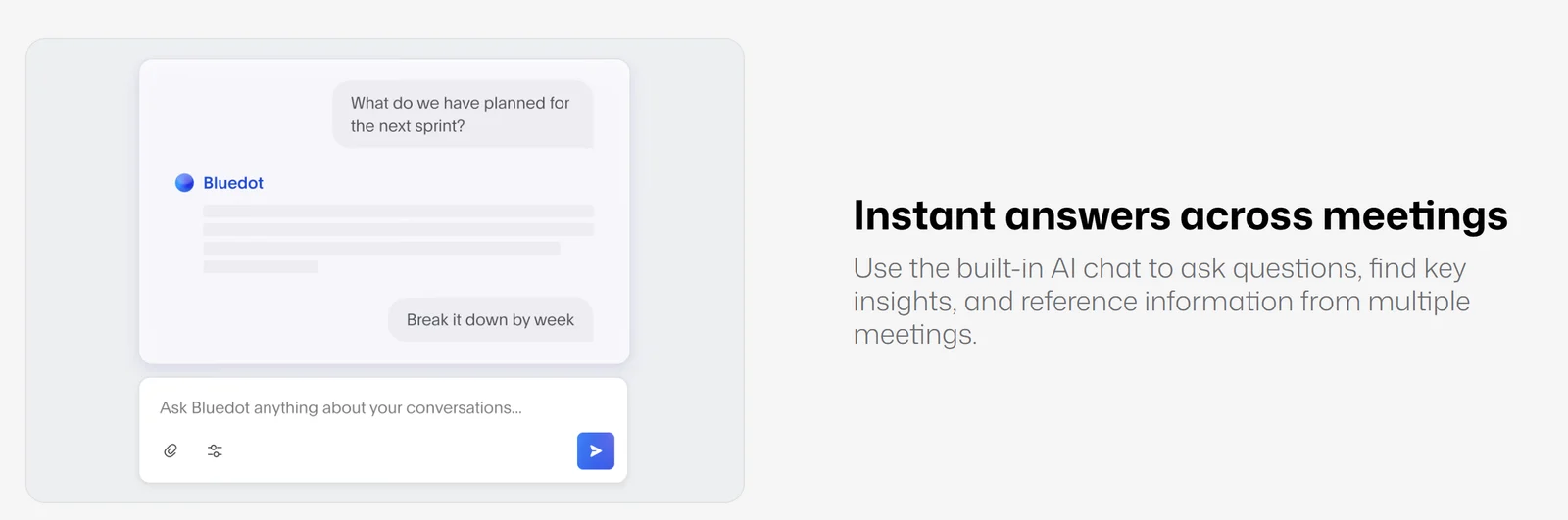
The AI chat answers questions about one recording or a whole collection of them.
AI chat and insights. You can ask questions about one meeting or across a collection of meetings, on the web and on mobile. Bluedot publishes no per-plan limit on chat. Speaker Insights show each person’s share of talk time, their longest monologue, speaking speed and the questions they asked.
Sharing and editing. Share links can be password-protected or start at a timestamp, and recordings can be shared automatically with all participants or only with people inside your company. Teammates can leave time-stamped comments with @mentions, and you can make clips by selecting transcript text. Downloads come as WebM (MP4 after an edit), and transcripts export as PDF or TXT. Private recordings are visible only to their owner — even workspace admins do not get access by default.
Follow-up emails. Bluedot drafts a follow-up email from each meeting, but the draft opens in Gmail only; Outlook is not supported.
6. Integrations and Automation
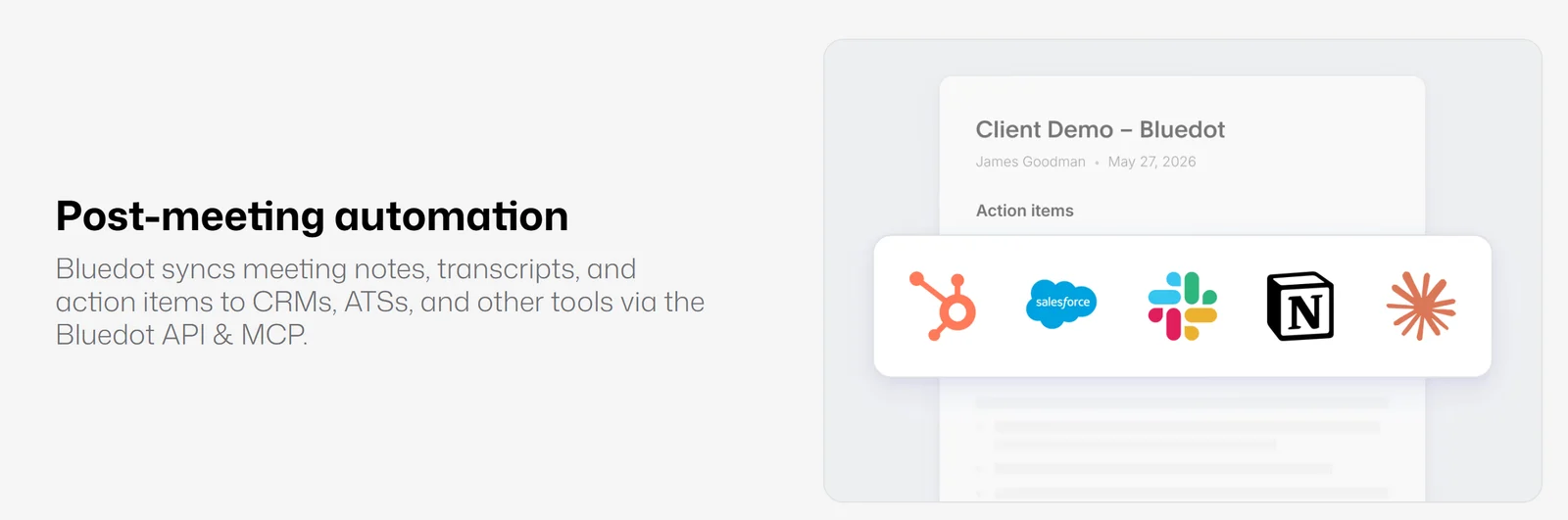
Notes can flow into your CRM, Slack, Notion or an AI assistant after every meeting.
Bluedot’s documented integrations are:
- CRM. HubSpot and Salesforce, both on the Business plan only, and both need a connected Google or Outlook calendar. Notes can fill custom CRM fields from your prompts.
- Recruiting. Ashby is documented as an ATS integration.
- Workspace tools. Notion (to pages or databases, optionally with the transcript) and Slack (per collection, limited to 3,000 characters, so long summaries may not post).
- Imports. Google Drive and Zoom cloud recordings (from Pro). A Zoom Phone integration is also documented.
- Automation. Zapier, Make and webhooks for meeting, summary and transcript events.
- MCP server. Lets Claude or ChatGPT read your Bluedot meetings. It requires a paid Claude or ChatGPT plan.
Logos for other CRMs appear in Bluedot’s marketing, but we found setup documentation only for the integrations above. The homepage mentions a “Bluedot API”, but we found no public REST API reference — only webhooks and MCP are documented.
7. Pricing
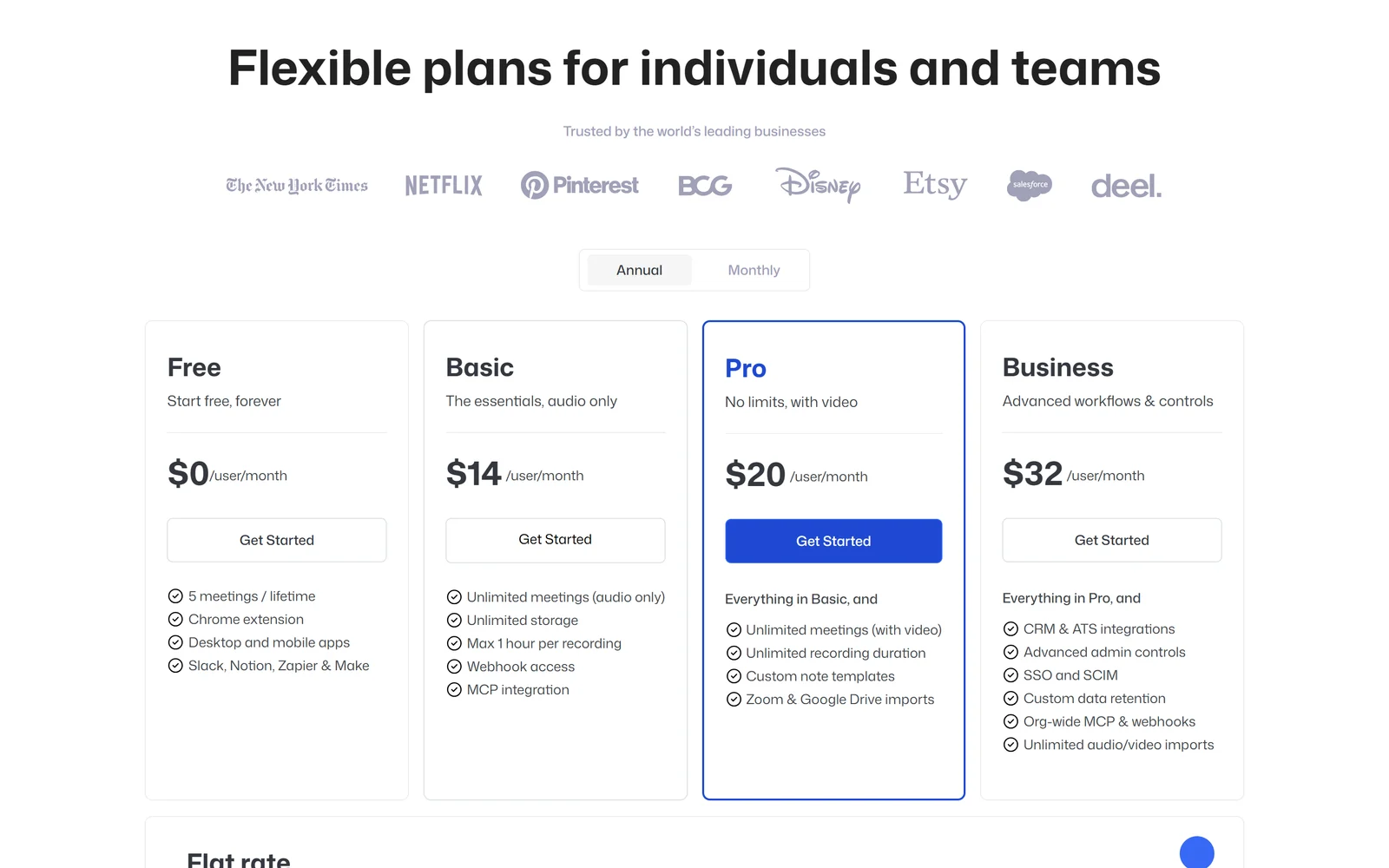
Bluedot’s pricing page opens on annual prices. Monthly billing costs more — see the table below.
| Plan | Monthly billing | Annual billing | What you get |
|---|---|---|---|
| Free | $0 | $0 | 5 meetings per account, lifetime; all apps; Slack, Notion, Zapier and Make |
| Basic | $18/user | $14/user/mo | Unlimited audio-only meetings, unlimited storage, max 1 hour per recording, webhooks, MCP |
| Pro | $25/user | $20/user/mo | Video recording, no length limit, custom note templates, Zoom and Google Drive imports |
| Business | $39/user | $32/user/mo | HubSpot, Salesforce and ATS integrations, admin controls, SSO and SCIM, custom retention, unlimited imports |
| Flat rate | On request | On request | One fixed price for the whole company, however many people use it |
Prices as shown on 6 October 2026. By our calculation, annual billing saves about 22% on Basic, 20% on Pro and 18% on Business ($168, $240 and $384 per user per year); Bluedot does not publish these totals.
What the plans mean in practice:
- The free plan is a trial, not a free tier. Bluedot’s own FAQ says it “is not a free AI meeting note taker”: the Free plan lets you try core features on your first 5 meetings, ever. After that you can still view and share your recordings, but not record more.
- Basic is a real compromise. It is audio-only and stops each recording at one hour, so long workshops or video interviews need Pro.
- You pay only for people who record. Teammates who only view, comment or share are free, and a seat added mid-cycle is prorated. All paid users in a workspace must be on the same plan.
- SSO is unclear. The pricing page puts SSO and SCIM on Business, but Bluedot’s SSO guide and iOS page say they come with Enterprise plans. If you need SSO, confirm before buying.
Billing rules to read first
- No refunds. The Terms say “Payments are non-refundable”, and plans renew automatically.
- The mobile trial converts. The iPhone and Android apps offer a 3-day Pro trial switched on with a “Free trial” toggle. If you do not cancel in time, you are charged a non-refundable fee — and reviewers on both the App Store and Google Play say they were charged for a full year. On iPhone, you cancel through Plan & Billing → Manage licenses in Bluedot, not in Apple’s subscription settings. On Android, cancel in Google Play.
- Cancelling on the web means downgrading every paid user to Free under Settings → Members.
- Export before you cancel. Bluedot’s pricing FAQ says you lose access to recordings when you cancel and have one month to restore before they are permanently deleted. Its help centre and security page say three months, and its DPA allows up to 90 days. Plan around the shortest window.
- Payment methods. Card or Cash App Pay; annual plans can also be paid by bank transfer or invoice.
About our link: opening Bluedot through our link shows exactly the same prices as going direct — there is no discount attached to it.
Free · 5 meetings · No bot
Test Bluedot on five real meetings first
Record a client call, an internal meeting and an in-person chat in the language you actually use, then decide whether Basic or Pro fits.
Try Bluedot free
8. Privacy, Security and Legal Terms
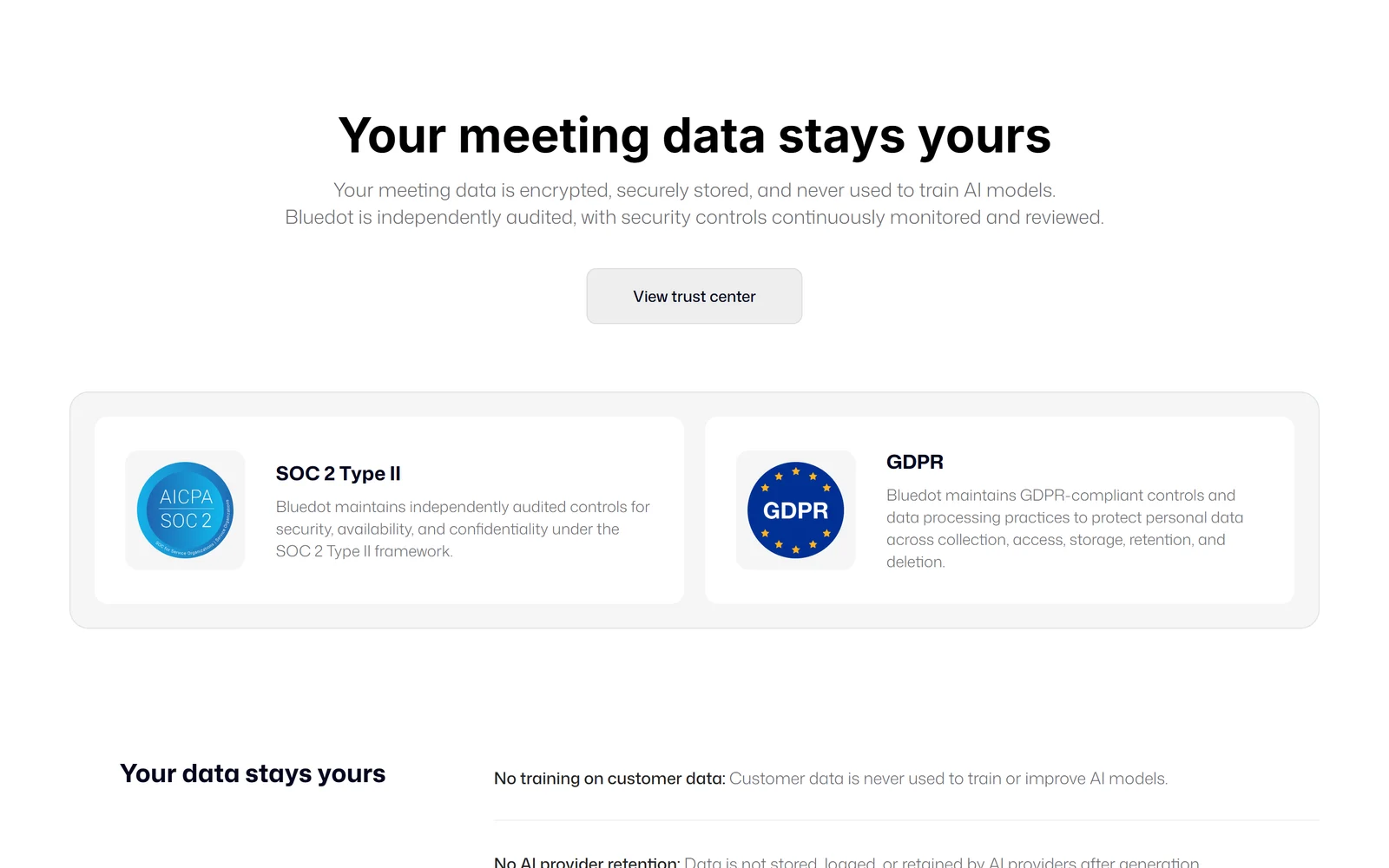
Bluedot’s security page, captured 6 October 2026.
No training on your meetings. This is Bluedot’s strongest privacy commitment, and it is in the contract, not just the marketing. Its Terms state that “Bluedot does not use Customer Content to train or improve artificial intelligence models”, and that its vendors may not use your content to train their own models either. The security page adds that data is not kept by AI providers after generation. That is stricter than several rivals: Otter’s privacy policy allows training on de-identified recordings, and Granola trains on anonymised data unless you opt out.
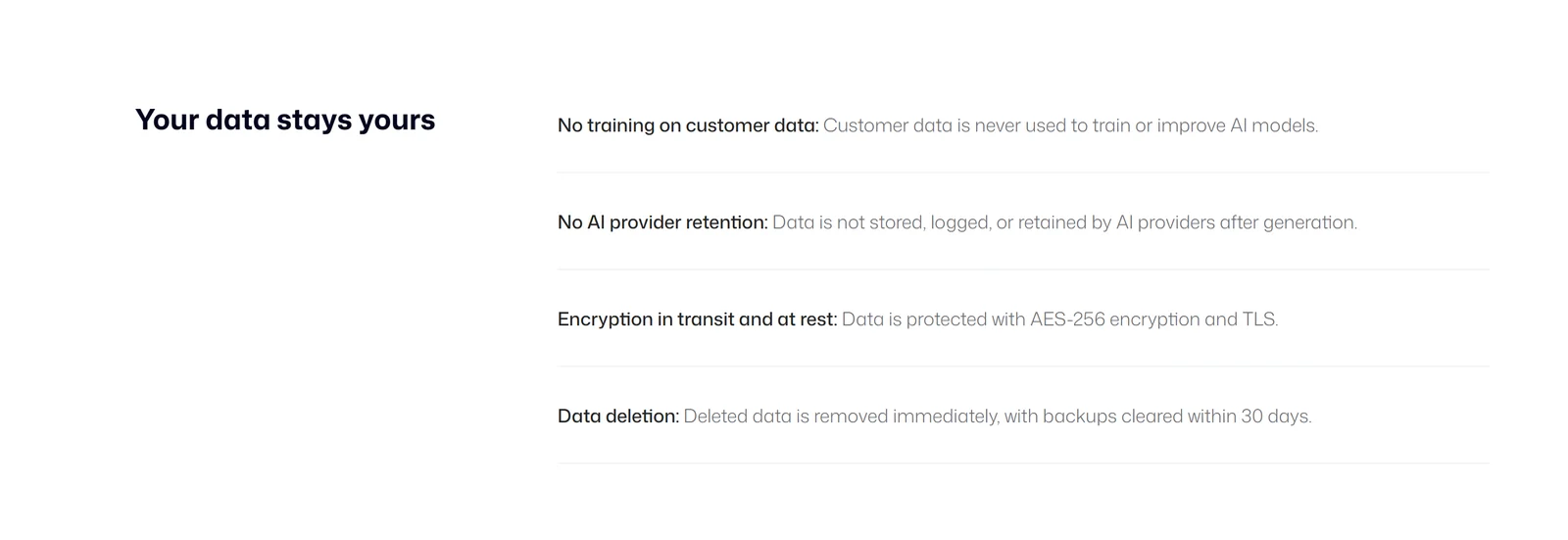
Bluedot’s four data commitments, as listed on its security page.
What is less clear:
- Who processes your audio. Bluedot does not publish a list of the AI, language-model or speech-to-text providers that handle your meetings; its Privacy Policy says a list of third parties is available on request.
- The paperwork is uneven. The Privacy Policy is dated 19 November 2023, before the current Data Processing Agreement (effective 8 January 2026). The DPA is published at bluedothq.com/dpa but is not linked from the site’s footer. It is governed by Irish law, includes the EU Standard Contractual Clauses, gives 14 days’ notice of new sub-processors and commits to breach notification within 48 hours where feasible.
- Where data lives. Bluedot hosts on AWS. Its iOS page says EU data stays in Frankfurt; the DPA says data centres in the EEA “and/or other regions as necessary”. No region is published for other customers.
Certifications. Bluedot says it is SOC 2 Type II audited, and its trust centre (run on the compliance platform Oneleet) shows SOC 2 Type 2 and GDPR as “Compliant”. The audit report is available only on request, and the auditor and audit period are not public. Bluedot makes no public HIPAA, BAA or ISO 27001 claim. Encryption is AES-256 at rest and TLS in transit, with annual third-party penetration tests, according to Bluedot.
The Chrome extension’s reach. Like most recording extensions, it asks for broad permissions: access to all websites, tabs, scripting, tab capture and desktop capture. Its Chrome Web Store disclosure says it handles personal, payment, authentication and user-activity data. Bluedot’s self-declared privacy labels also differ by store: Apple’s label lists usage data used for tracking, while Google Play’s says no data is collected.
Contract terms. The Terms are governed by California law, contain no arbitration clause or class-action waiver, and cap Bluedot’s liability at what you paid in the previous six months. Users must be 16 or older. The Chrome Web Store lists the developer as a “non-trader” and warns EU consumers that EU consumer rights do not apply to contracts with it.
9. What Users Say
| Source | Rating | Reviews | Note |
|---|---|---|---|
| Chrome Web Store (6 Oct 2026) | 4.7 | 200 ratings | 80,000 users; “Featured” badge |
| App Store (US) | 4.7 | 242 ratings | Of 69 written reviews, 56 are 5-star and 10 are 1-star |
| Google Play | 4.7 | 155 | 10K+ downloads; no developer replies on recent reviews |
| Trustpilot | 4.6 | 34 | Trustpilot says Bluedot has not replied to negative reviews |
| Product Hunt | 4.7 | 12 | #2 Product of the Day in March 2024 and May 2026 |
What people praise: well-structured summaries with clear action items, a clean interface, the AI chat, talk-time statistics, HubSpot and Notion sync, and — repeatedly — how well it handles accents and non-native English speakers. Recent Chrome Web Store reviewers also praise accuracy in other languages and how light the setup is.
What people criticise: almost every serious complaint is about billing and reliability, not the notes themselves.
- Trials and cancelling. Reviewers on both the App Store and Google Play say the 3-day mobile trial turned into a full-year charge ($240 in both cases), and that cancelling was hard to find because it is not in Apple’s subscription settings.
- Support. Reviewers report unanswered emails and chats, and a Trustpilot reviewer describes duplicate monthly charges.
- Lost recordings. Some reviewers report missing notes, a long workshop with no transcript, an Apple Watch upload that saved nothing, crashes, and the desktop app dropping after about an hour.
What Bluedot has done about it: its help centre describes an automatic recovery process that checks for unfinished uploads every two hours, a Recovery page in the extension and an Upload Center in the mobile apps, and recent iOS releases mention more reliable recording recovery.
Two disclosures worth knowing. Bridget Harris, co-founder of YouCanBookMe, appears as a customer testimonial on Bluedot’s homepage and was also reported by AIN as an angel investor in the company. And many YouTube reviews of Bluedot carry affiliate links — as does this review.
10. Alternatives Worth Knowing
Prices are from each vendor’s own pricing page as of 6 October 2026, per user per month.
| Tool | Free plan | Paid from (annual / monthly) | How it records | AI training on your data (vendor’s own wording) |
|---|---|---|---|---|
| Bluedot | 5 meetings, lifetime | $14 / $18 | Bot-free by default, optional bot | Never, per its Terms |
| Otter.ai | 300 min/month, 30 min per conversation | $8.33 / $16.99 | Bot; desktop app can record without one | Trains on de-identified data, per privacy policy |
| Fireflies | Unlimited transcription, limited summaries | $10 / $18 | Bot; Chrome extension records without one | Says data “is never used for AI training” |
| Fathom | Unlimited recordings | $16 / $20 | Bot, or bot-free on Mac (beta) | Uses de-identified data for its own models; opt-out |
| tl;dv | Unlimited recordings, AI notes for 10 | $18 / $29 | Bot; desktop records audio without one | Says it will never train AI on them |
| Granola | 30 days of history | $14 | Bot-free, device audio | Trains on anonymised data by default; opt-out |
| Jamie | 10 notes/month, 30-min cap | €21 / €25 | Bot-free, on-device | Says no model training |
| Read.ai | 5 meetings/month, 1-hour cap | $15 / $19.75 | Bot; desktop app records without one | No training by default |
| Tactiq | 10 transcripts/month | $8 / $12 | Bot-free Chrome extension | — |
Where Bluedot wins: it is bot-free across more surfaces than almost anyone — browser, Mac, Windows, iPhone, Android and Apple Watch — and it records video, while Granola works from device audio and tl;dv’s bot-free mode is audio-only. Its no-training promise is in its Terms, and it charges only for people who record.
Where it loses: the free plan is the weakest in this group — Fathom and tl;dv offer unlimited free recordings, and Fireflies unlimited free transcription. Bluedot also offers no HIPAA option, while Otter, Fireflies, Fathom, Granola and Read.ai all advertise HIPAA on higher tiers. If audio-based notes are enough, Granola is a strong bot-free alternative (it also lists Vietnamese); if you need a generous free plan with a bot, Fathom is hard to beat.
11. Pros and Cons
Where Bluedot is genuinely strong
- No bot by default, on every device including Apple Watch
- Video recording in the browser, not just audio
- No AI training on your meetings, written into its Terms
- Pay only for people who record
- 100+ languages by Bluedot’s count, with Vietnamese listed
- 4.7 stars on the Chrome Web Store, App Store and Google Play
- Rich extras: AI chat across meetings, clips, comments, webhooks and MCP
Where Bluedot falls short
- Free plan is 5 meetings, once
- Basic is audio-only with a 1-hour cap per recording
- Consent is your job, and participant notices depend on settings
- Non-refundable payments, and a mobile trial that converts to a paid plan
- Conflicting deletion periods after cancelling (1 month vs 3 months)
- No published list of AI providers, and an old Privacy Policy
- No HIPAA or BAA
12. Frequently Asked Questions
Is Bluedot free?
Only for a trial. The Free plan includes all core features for your first 5 meetings, for the lifetime of your account, along with the Chrome extension, desktop and mobile apps and the Slack, Notion, Zapier and Make integrations. After 5 meetings you can still view and share your recordings, but you need a paid plan to record more. Bluedot's own FAQ says it is not a free AI meeting note taker.
How much does Bluedot cost?
Per user per month, Basic is $18 billed monthly or $14 billed annually, Pro is $25 or $20, and Business is $39 or $32. A flat company-wide price is available on request. Basic is audio-only with a 1-hour limit per recording; Pro adds video, unlimited recording length and custom templates; Business adds HubSpot, Salesforce and ATS integrations and admin controls. You pay only for users who record meetings.
Does Bluedot join my meetings as a bot?
Not by default. Bluedot records from your own browser, computer, phone or Apple Watch, so no extra participant appears in the call. It also offers an optional bot for companies that require a visible recorder: if you connect your Google or Outlook calendar, the bot joins as '[Your name]'s AI NoteTaker' and must be admitted.
Do the other people in the meeting know they are being recorded?
Not automatically. Bluedot's Terms say it does not obtain consent on your behalf, and its desktop app records without a visible notification. The Chrome extension can post a recording notice in the Google Meet chat, the Mac app has a 'Notify participants' toggle you must turn on, and workspace admins can require a consent message in the Chrome extension. Always tell participants, and get consent where the law requires it.
Does Bluedot use my meetings to train AI?
No, according to its Terms of Service, which state that Bluedot does not use customer content to train or improve AI models and that its vendors may not use it for their own training either. Bluedot does not publish which AI or transcription providers process your meetings, but its Privacy Policy says a list of third parties is available on request.
Does Bluedot support Vietnamese?
Vietnamese is listed among the 100+ languages Bluedot says it transcribes and summarises. You can set Vietnamese as your default or let Bluedot auto-detect the language, and a transcript can contain up to two languages, which helps with mixed Vietnamese-English meetings. Custom vocabulary works only in English, and Bluedot publishes no accuracy figures by language, so test it on your own meetings using the free plan.
Can Bluedot record in-person meetings and phone calls?
In-person meetings, yes: the iPhone, Android and Apple Watch apps are built for them and can record offline, and the desktop app's 'Capture anything' mode records in-person conversations as audio. Phone calls are more limited: no app can record call audio on an iPhone, and the Android app cannot either. Bluedot's workaround is to put the call on speakerphone and record with the desktop app, which can also capture WhatsApp calls.
What happens to my recordings if I cancel?
Bluedot's pricing page says you lose access to your recordings when you cancel and have one month to restore your subscription before they are permanently deleted. Other Bluedot pages mention three months, and its DPA allows up to 90 days. Because the documents disagree, download anything you need before cancelling. Payments are non-refundable under Bluedot's Terms.
Is Bluedot HIPAA compliant?
Bluedot makes no public HIPAA claim and does not publicly offer a Business Associate Agreement. It says it is SOC 2 Type II audited and GDPR compliant, and its trust centre lists both as compliant, with the SOC 2 report available on request. If you handle health information, choose a tool that offers a BAA.
13. Final Verdict: Is Bluedot Worth It in 2026?
Bluedot is one of the best choices if you want meeting notes without a bot in the room. It records from every device you are likely to use, captures video as well as audio, handles many languages including Vietnamese, and backs its privacy pitch with a no-training clause in its Terms. Store ratings of 4.7 across Chrome, iPhone and Android suggest the core product works well for most people.
The weaknesses are about the edges. The free plan is a 5-meeting trial, so you will need to pay quickly; Basic’s one-hour, audio-only limit pushes most serious users to Pro at $20–25 a month. Consent is entirely your responsibility, and the billing details — non-refundable payments, a mobile trial that converts, conflicting deletion periods — are exactly what unhappy reviewers complain about.
Use it the smart way. Start on the website, not the mobile trial, and test your five free meetings on real calls in the language you actually use. Switch on participant notifications and tell people you are recording. If you upgrade, pick monthly billing first, and download important recordings before you ever cancel.
Choose something else if you need a free plan you can live on, HIPAA coverage, or a recorder that announces itself to everyone automatically.
Disclosure: This review contains an affiliate link. If you sign up through it and pay, Bluedot’s affiliate programme pays us a 20% commission on your payments for your first two years, at no extra cost to you; the link gives no discount and shows the same prices as going direct, and it sets a tracking cookie that lasts 60 days. All factual claims were verified against Bluedot’s website, pricing page, help centre, blog, Terms of Service, Privacy Policy, Data Processing Agreement, security page and trust centre, plus the Chrome Web Store, App Store, Google Play, Trustpilot, Product Hunt, Hacker News, AIN.UA and each competitor’s own pricing page, as of 6 October 2026. Customer counts, accuracy figures and certification statements are attributed to Bluedot; we could not verify them independently.