
Bolt.new Review 2026: The Fastest Way to a Live App — If You Manage the Tokens
Most AI coding tools stop at the code. You still have to install things, set up a database, find somewhere to host the result and wire it all together. Bolt.new puts the whole journey behind one prompt box: describe an app, watch it run in your browser, then click Publish — hosting, a database and sign-in included.
That is genuinely impressive, and it is why Bolt went from a single tweet in October 2024 to one of the best-known names in “vibe coding” within months. It is also why opinions about it are so split. On G2 and Product Hunt it scores above 4 out of 5. On Trustpilot it scores 1.6, with most complaints about tokens burned while the AI tries to fix its own mistakes.
This review explains both sides: what Bolt does well, how its token pricing really works, the new AI-training default that takes effect on 7 October 2026 and how to switch it off, and how to get the most out of the free plan before you pay.
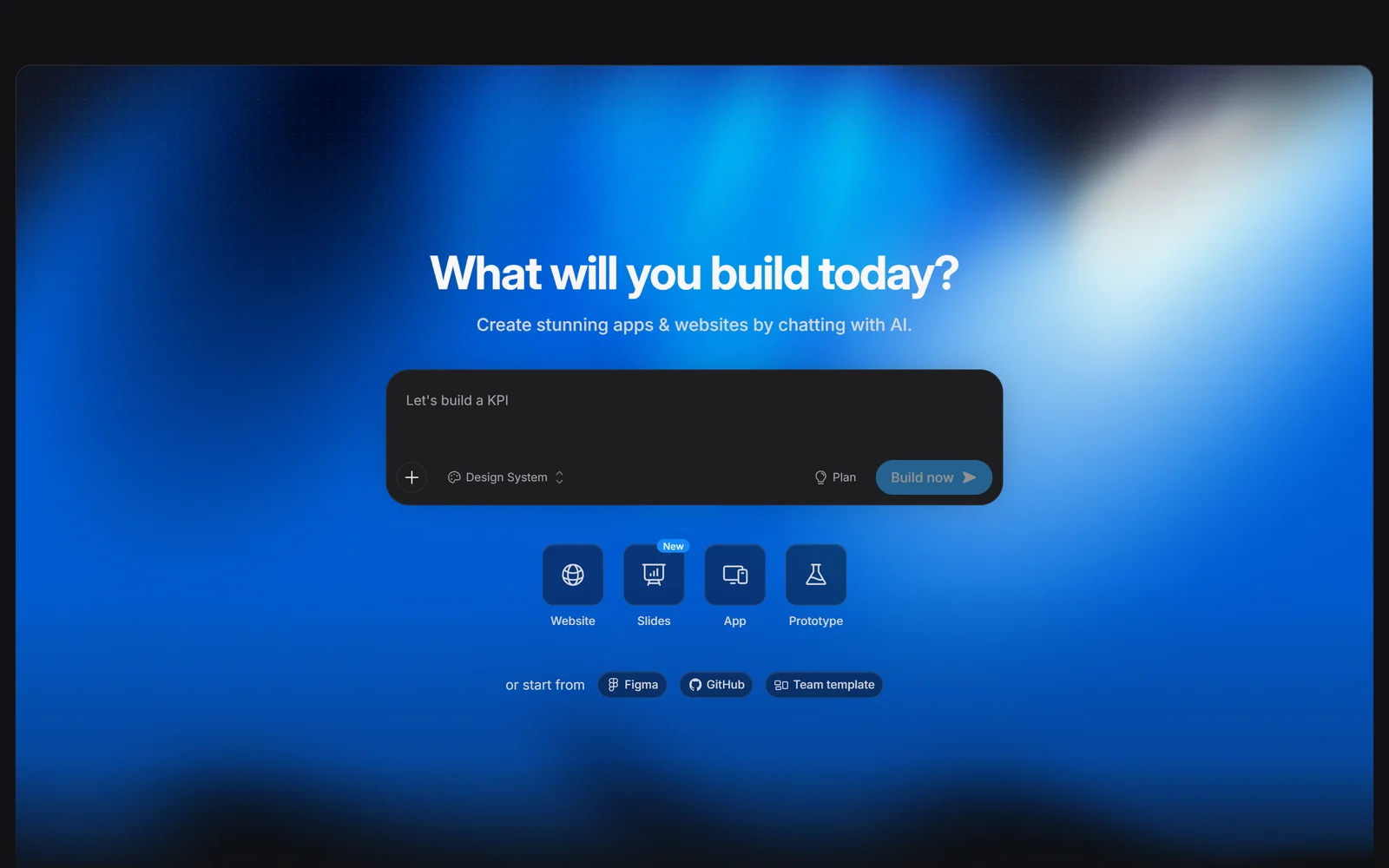
Bolt’s homepage, captured 2 October 2026. Type a prompt, or start from Figma, GitHub or a team template.
1. What Bolt.new Is — and Who Is Behind It
Bolt.new is an AI builder for websites, web apps and mobile apps. Its homepage asks “What will you build today?” and promises apps and websites created “by chatting with AI.” You describe what you want; Bolt’s agent writes the code, installs the packages and shows you a live preview.
StackBlitz, Inc., a San Francisco company founded in 2017 by Eric Simons (CEO) and Albert Pai, makes Bolt. Bolt runs on StackBlitz’s WebContainers technology, which runs a Node.js development environment inside a browser tab. That explains its biggest strength: nothing is installed on your computer.
A fast rise. Bolt launched on 3 October 2024 “with a single tweet”, according to Growth Unhinged. In January 2025 Simons told Bloomberg that only five months earlier the company had been “on the verge of spinning down.” By March 2025 he told Lenny’s Newsletter that Bolt had reached about $40M in annual recurring revenue, 3 million registered users and 1 million monthly active users. These are the company’s own figures.
Funding. StackBlitz raised a $7.9M seed round led by Greylock in 2022. In January 2025 Bloomberg reported an $83.5M Series B at a $700M valuation, led by Emergence Capital and GV, while Bolt itself announced “$105.5m in funding.” Published totals vary between sources, so we do not quote one.
Where it is heading. In a February 2026 interview with Sacra, Simons said the company was profitable and that it had refocused on product and development teams, partly because of high churn among consumers. Recent milestones include:
- Bolt Cloud (August 2025): built-in hosting, domains and later a database
- Bolt v2 (October 2025)
- A Microsoft partnership (May 2026)
- Its first acquisition, the enterprise AI-agent startup Dokai (29 September 2026)
2. Who Bolt.new Is For — and Who It Is Not For
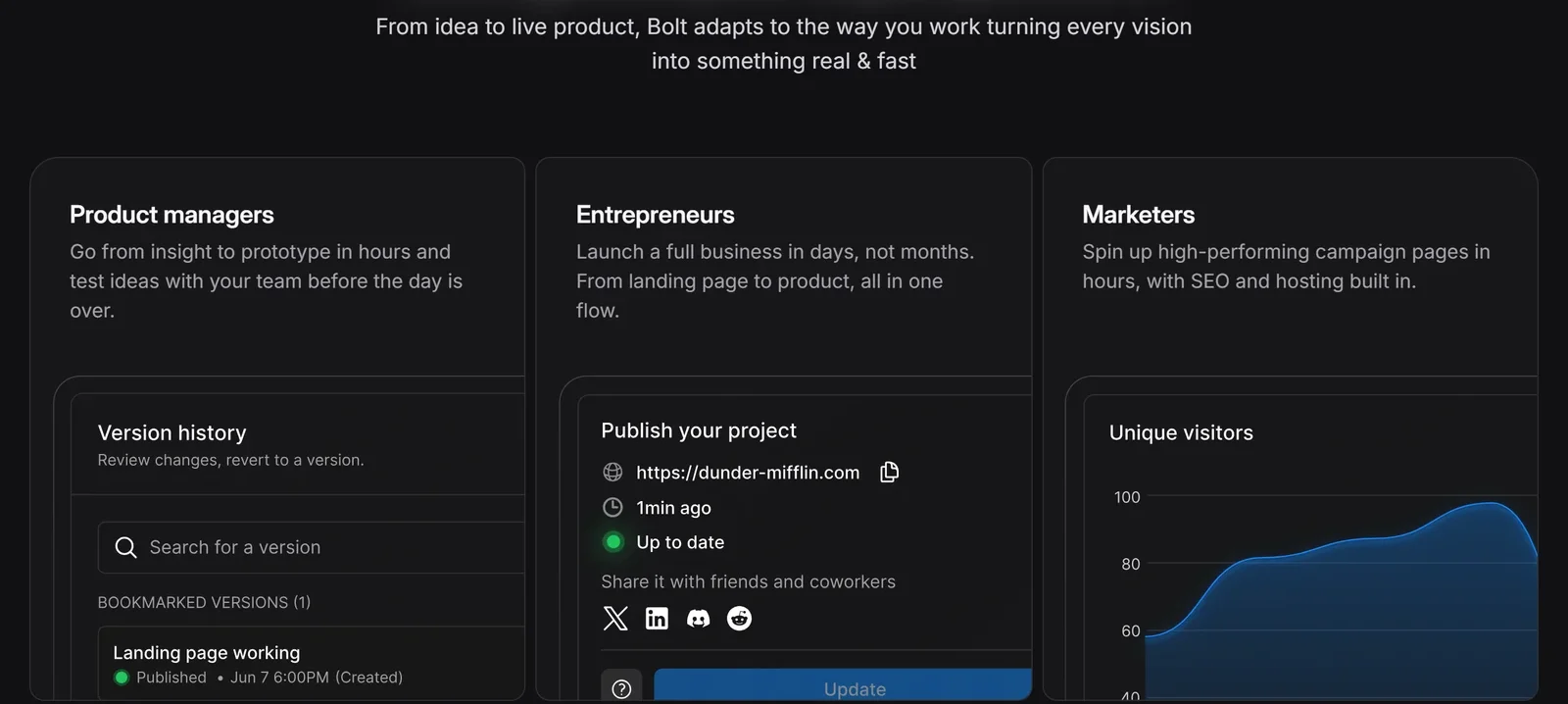
Bolt pitches itself to product managers, entrepreneurs and marketers — with version history, publishing and analytics built in.
It fits you if:
- You want to turn an idea into a clickable prototype or MVP quickly, to test with users or show investors
- You are a marketer or founder who needs landing pages and simple web apps with hosting included
- You are not a developer but want a real, standard JavaScript codebase rather than a closed no-code tool
- You are a developer who wants a fast React or Node scaffold without setting up a local environment
Look elsewhere if:
- Your backend must be Python or PHP — Bolt’s documentation says these are not supported
- You are maintaining a large, long-lived codebase — token use rises with project size, and reviewers often describe Bolt as better for prototyping than for delivery
- You need predictable costs and refunds — subscriptions are non-refundable and tokens disappear when you cancel
- You need a published SOC 2 report or HIPAA coverage before you buy
- You mainly work on a phone or in Safari, where several features are limited
3. How Building Works
Where you start. Type a prompt, attach files, or start from a single Figma frame (converted with Anima), Google Stitch designs, a GitHub repository, a Lovable project via GitHub, a marketplace template or — on Teams — a team template. Bolt recommends saying “mobile app” in your first prompt if that is what you want.
It runs in your browser. While you build, the project runs inside your own browser tab in an isolated WebContainer. This is fast and needs no setup, but it has consequences:
- Low-memory computers can hit out-of-memory errors on bigger projects.
- Chrome and other Chromium browsers are fully supported. Safari has been supported since late July 2026, but previews are hosted and Code view is read-only.
- On mobile browsers, Code view, project settings, version history, visual edits and the database are unavailable, and sites published from a phone are always public.
It is JavaScript only. Bolt builds with Node.js on the backend and JavaScript frameworks such as React and Vue on the front end. Python and PHP backends are not supported.
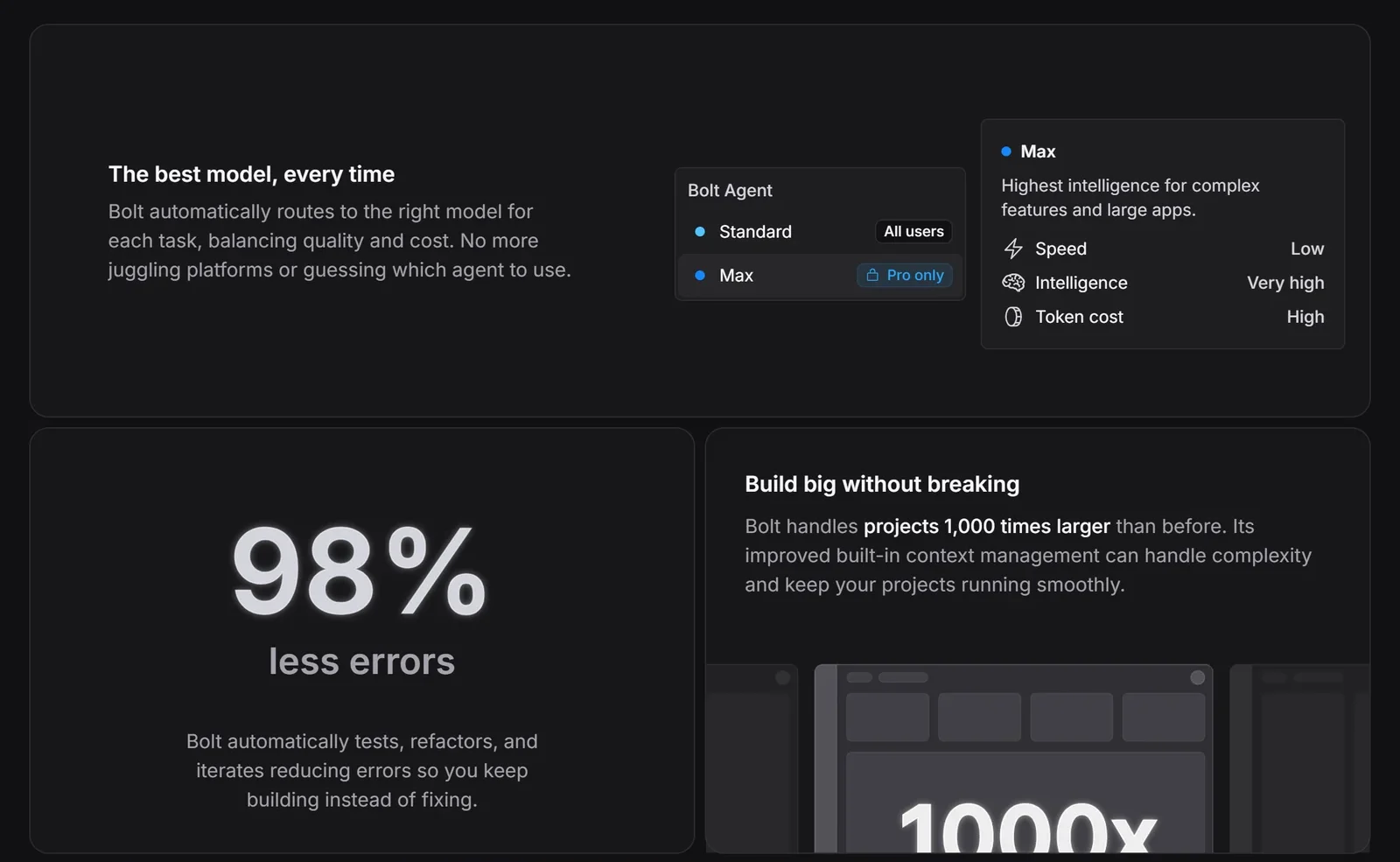
Standard is available to everyone; Max costs more tokens and needs a paid plan. The 98% and 1,000x figures are Bolt’s own claims.
Two agents, models chosen for you. Bolt offers a Standard agent on every plan and a Max agent on Pro and Teams for complex features and large apps. Max uses more tokens. Bolt says it routes each task to the right model and does not publicly name the models behind either agent; its trust centre lists Anthropic and Google Gemini as its code-generation providers. Treat the homepage’s “98% less errors” and “1,000 times larger” claims as marketing — Bolt publishes no method behind them, and 2026 user reviews still report error loops.
Tools that save tokens and frustration:
- Plan Mode lets you discuss and research an approach — with sources shown — without touching code until you click Implement this plan. It uses fewer tokens than building.
- Context controls: /clear, project and account knowledge, an agents.md file, reusable skills, @-tagging files, and locking files you do not want changed.
- Visual edits with the Select tool, voice dictation, and a queue of up to 20 prompts.
- Design systems: Chakra, Material UI and Shadcn are pre-loaded for everyone; adding your own needs Teams.
- AI images (Pro and Teams) and Bolt Slides for building slide decks.
4. Bolt Cloud: Hosting, Database and Sign-In Built In
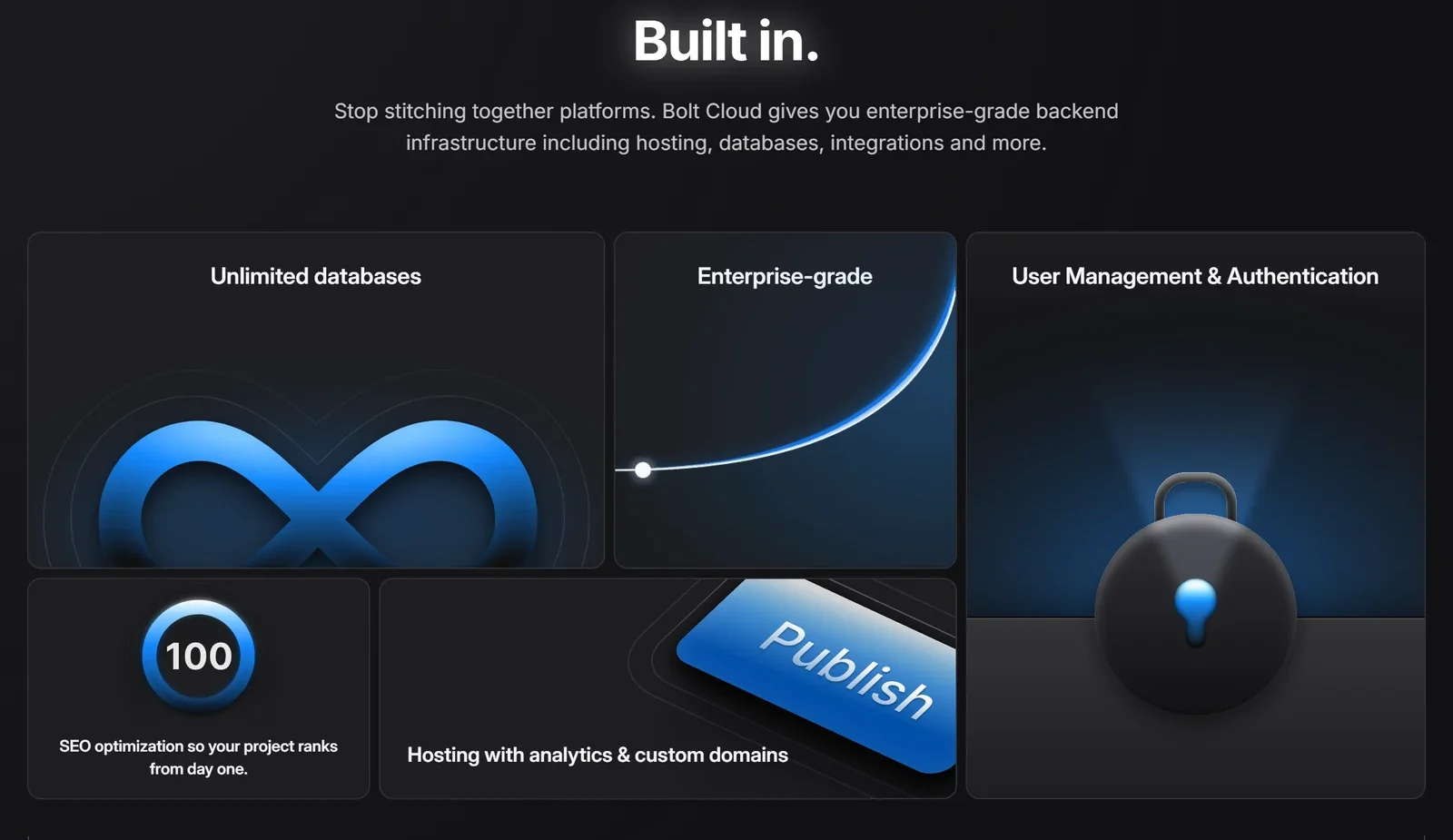
Bolt Cloud bundles the back end most AI builders make you connect separately.
This is where Bolt pulls ahead of tools that only write code. Bolt Cloud bundles hosting, domains, a database, authentication, file storage, server functions and analytics. Bolt says it is “powered by trusted platforms like Netlify and Supabase”; its trust centre lists AWS (US West) as the primary host.
- Publishing. Every plan can publish free to a bolt.host address, and clicking Publish uses no tokens. Custom domains, private sites and removing the “Made in Bolt” badge need Pro or Teams. Published projects must be under 100 MB.
- Database. Bolt Database is included on every plan, with unlimited databases created automatically. Two warnings: version history does not restore databases, and in unpublished projects a database that is quiet for six days or more may be paused.
- Authentication. Email and password sign-in, with leaked-password blocking turned on by default, plus Google sign-in using your own Google credentials.
- Email. To send emails you connect your own provider, such as Resend, Mailgun, Postmark or SendGrid, through server functions.
- Supabase. On Pro and Teams you can use Supabase instead of Bolt Database — but there is no supported way to move back.
- Payments. Stripe is a built-in integration. It needs user sign-in and a Bolt Database or Supabase back end.
Hosting limits matter on Free. Free accounts get 10 GB of bandwidth and 333,333 requests a month. That is a hard limit: go over it and your sites go offline until the next cycle. Bolt estimates the allowance at roughly 10,000–15,000 visits. Pro raises it to 30 GB and 1 million requests, with optional pay-as-you-go above that up to a spending cap you set. The limits apply to your whole account, not each project, and Bolt does not publish its overage rate.
5. Mobile Apps, GitHub and Owning Your Code
Mobile apps. Bolt builds iOS and Android apps with Expo, and you can test them on your own phone by scanning a QR code with Expo Go. Publishing to the App Store or Google Play is not one click: Bolt’s documented route is to download the code and use Expo’s EAS command-line tool on your own computer, with paid Apple and Google developer accounts.
GitHub. GitHub sync commits your changes automatically and pulls updates from GitHub every 30 seconds. You can create branches in Bolt, but you merge them on GitHub, and only the project owner manages the sync. Bolt has no public API, CLI or SDK.
Leaving Bolt. Projects can be downloaded as a zip and run locally with npm install && npm run dev. The public stackblitz/bolt.new repository on GitHub is an old open-source version that has not been updated since December 2024 — it is not the current product.
Who owns the code. Bolt’s help centre says the code you create is yours to use for any legal purpose, including commercially. StackBlitz’s Terms add two caveats worth knowing: AI-generated output may not be copyrightable, and other users may receive similar output.
Collaboration. Projects can be shared on every plan with Viewer, Editor or Co-owner roles. In real-time collaboration everyone works in one shared chat, but each person’s prompts use their own tokens.
6. Pricing — and How Tokens Really Work
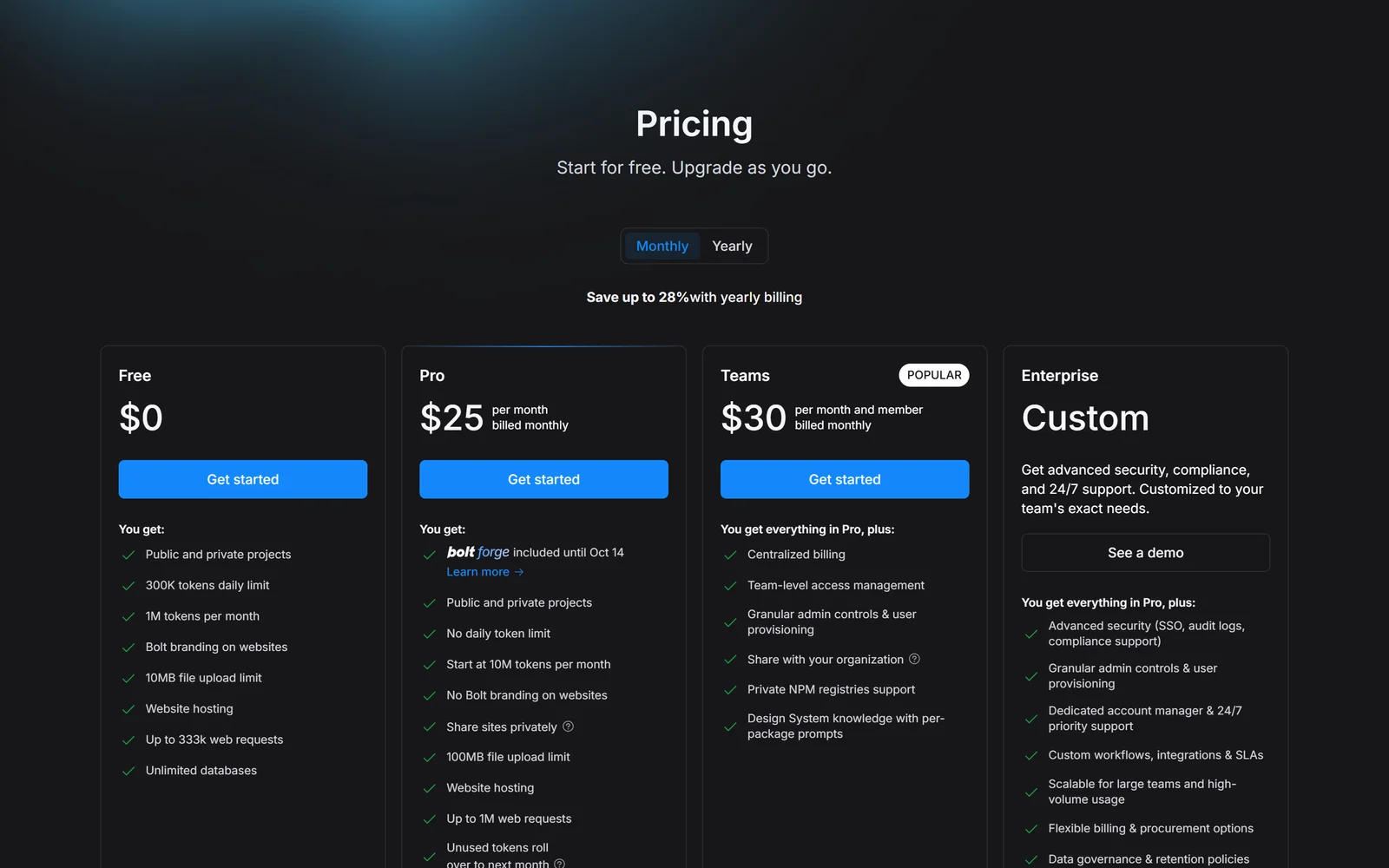
Bolt’s plans with monthly billing selected, captured 2 October 2026. Pro is sold in token tiers starting at 10M a month.
| Plan | Monthly billing | Annual billing | Tokens | Highlights |
|---|---|---|---|---|
| Free | $0 | $0 | 300K a day, 1M a month | Free hosting with Bolt branding, unlimited databases, 10 MB uploads |
| Pro | From $25 | From $18/mo ($216/yr) | From 10M a month, no daily cap | Max agent, custom domains, no badge, Supabase, AI images, 100 MB uploads, rollover |
| Teams | $30 per member | $27 per member/mo | Per member, not shared | Centralised billing, admin controls, organisation sharing, private NPM registries |
| Enterprise | Custom | Custom | Custom | SSO, audit logs, compliance support, account manager, 24/7 support, SLAs |
Pro is sold in tiers. The pricing page only says Pro starts at 10M tokens a month. Bolt’s help centre gives examples: 10M tokens for $25 and 26M tokens for $50 a month ($540 a year on annual billing).
Read the annual discount carefully. The pricing page says “Save up to 28%” with yearly billing. That is true for the entry Pro tier ($216 a year against $25 a month), but Bolt’s own help centre describes annual billing as 10% off, which matches the Teams price.
How tokens are spent
Tokens are where Bolt’s reputation is won and lost, so it is worth understanding what uses them. According to Bolt’s own documentation:
- Most tokens go on Bolt reading and syncing your project files, so the bigger the project, the more each message costs — even a small request.
- Max uses more tokens than Standard; Plan Mode uses fewer.
- Every click on “Attempt fix” uses tokens, and Bolt advises against clicking it repeatedly.
- Buttons are free, prompts are not. Clicking Publish or restoring an earlier version from history costs nothing, but asking the AI to do the same thing does.
Allowances and rollover. Free gives 300K tokens a day and 1M a month. Unused daily tokens do not carry over, and Free tokens never roll over. Paid plans have no daily limit, and since July 2025 unused paid tokens roll over for one extra month while you stay subscribed. Extra token reloads are only available on the highest monthly Pro tier or any annual Pro plan. Bolt does not publish the reload price, and says upgrading your tier is usually the cheaper way to get more tokens.
Billing rules to know before you pay:
- No refunds. Bolt’s billing page states that “Bolt subscriptions are non-refundable”, except where the law requires otherwise.
- Cancelling forfeits tokens. You keep your plan until the period ends, then lose your remaining tokens, including rolled-over ones.
- Card only. Pro and Teams are paid by credit or debit card through Stripe — no PayPal or bank transfer.
- Upgrades are charged straight away. Moving to a higher monthly tier charges the full difference immediately and keeps your unused tokens. Downgrades take effect at the next billing cycle.
- Teams seats. A seat added mid-cycle is charged in full, and free members of a team cannot send prompts.
- Domains. You can buy up to 10 domains through Bolt. They auto-renew by default, and the card is charged a month and five days before renewal. After a downgrade to Free you cannot republish to a custom domain.
Our readers’ discount
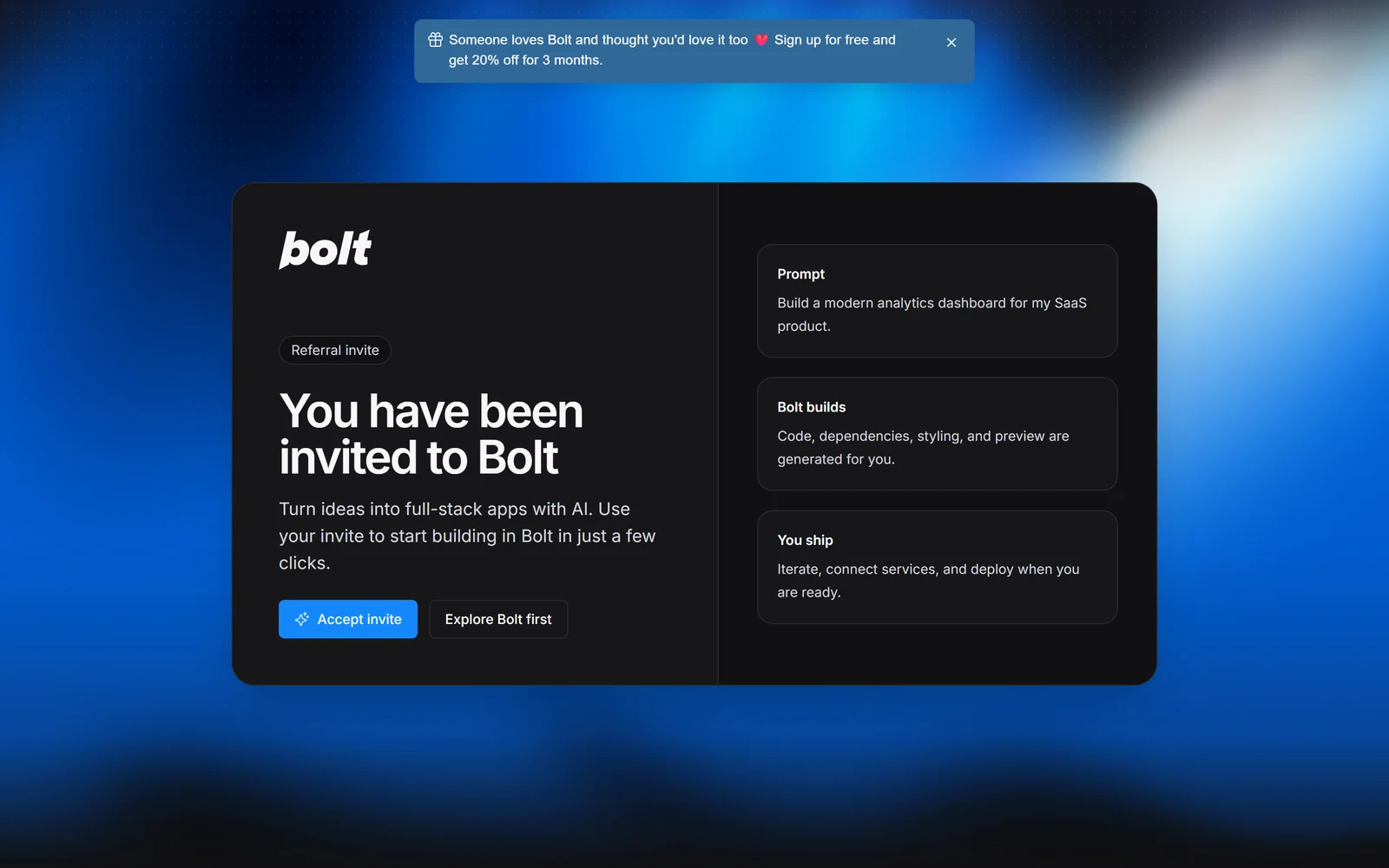
The page our link opens, captured 2 October 2026.
Our link opens Bolt’s “You have been invited to Bolt” page. Under Bolt’s referral terms, if you sign up through it and then subscribe to Pro or Teams, you get 20% off — for your first 3 months on a monthly plan, or once on an annual plan (on Teams it applies to the first invoice). The discount is applied automatically at checkout, with no code to enter. Signing up and using the Free plan costs nothing.
Reader offer · 20% off for 3 months
Start free, and save 20% if you upgrade
Build on the Free plan’s 1M tokens a month first. If you then choose Pro or Teams, the 20% discount is applied automatically at checkout.
Try Bolt.new free
7. Bolt Forge and Bolt Lite: Read the Dates
On 14 September 2026 Bolt launched Bolt Forge, a third agent that runs on open-source models (GLM 5.3 and GLM 5.3 Flash, with Kimi K3 and DeepSeek v4 Pro as experimental options). Both offers below are time-limited, and the facts here are as of 2 October 2026.
- Forge is a research preview running until 14 October 2026. During the preview it is included at no extra cost on individual Pro plans, and Bolt says it gives up to 50x more usage than Standard. It is removed from Pro after 14 October, and it is not available on Teams or Enterprise.
- The trade-off is your data. Forge asks for consent on first use. Your de-identified prompts, code, project files and edit histories are then used to train open-source models and licensed to partners — Bolt names Arcee AI as the first. Sessions from the EEA, UK and Switzerland are excluded. Stopping Forge stops new collection, but data already collected stays unless you email privacy@stackblitz.com.
- Bolt Lite is a $9-a-month plan whose only agent is Forge. It excludes Standard and Max, custom domains, badge removal and extra usage. Bolt’s pages describe sign-up through a waitlist (its Lite page is not consistent on this) and say sign-ups close on 14 October 2026.
Forge’s own FAQ says that if you decline, you stay “in Standard or Max with nothing shared.” As the next section explains, that is not the whole story from 7 October.
8. Privacy, AI Training, Security and Legal Terms
The 7 October 2026 training default
This is the most important change for anyone building with Bolt. StackBlitz updated its Terms and Privacy Policy on 22 September 2026, and for existing accounts they take effect on 7 October 2026. From then:
- Individual accounts outside the EEA, UK and Switzerland are opted in by default. A “Model training” setting is switched on, and StackBlitz may use your prompts, outputs, error messages, project files and edit histories to train, fine-tune and evaluate AI models — regardless of which agent or model you used.
- StackBlitz may license de-identified datasets built from that content to third parties, including AI developers, and may be paid for them.
- Opting out is free on every plan. Switch off Model training in your settings, or email privacy@stackblitz.com. It takes effect within 15 days, but it does not undo data already processed, models already trained or datasets already delivered.
- Excluded: accounts in the EEA, UK and Switzerland, and Teams and Enterprise workspaces (the Privacy Policy adds “except to the extent the organization’s administrator has enabled such uses”).
StackBlitz says its third-party AI providers are contractually barred from training on your inputs. The training described above is StackBlitz’s own. If your project contains client code, business data or anything confidential, switch the setting off before 7 October.
Security
- Certifications. Bolt says it is SOC 2 Type 2 compliant, and its trust centre shows a SOC 2 Type 2 badge. However, the same trust centre’s reports tile says Bolt “has completed the SOC 2 Type 1 audit”, and an update from February 2026 said the Type II report would be available at the end of Q2 2026. The report is available on request; the auditor and audit period are not public. We found no public HIPAA, FedRAMP or ISO 27001 evidence.
- Hosting. Data is hosted on AWS in US West (Oregon), with backups in another US region. Bolt’s trust centre lists five sub-processors: AWS, Cloudfront, GitHub, Anthropic and Gemini.
- Security audit. Paid plans can run a full project security audit of code and database from the Publish menu, up to 30 times a day without using tokens; a database-only check is on every plan. Simons himself cites Veracode research that roughly 45% of AI-generated code introduces vulnerabilities, and calls the audit “a first pass, not a replacement” for a real review.
- Phishing on bolt.host. Scammers have abused free bolt.host addresses: a threat-intelligence aggregator was still listing bolt.host phishing subdomains on 2 October 2026, and Zscaler documented StackBlitz-hosted phishing pages back in 2020. This does not affect your own site, but treat unfamiliar bolt.host links with caution.
- We found no public bug-bounty programme or security.txt file, and no public reports of a data breach at StackBlitz or Bolt.
Legal terms in plain English
Bolt’s legal documents live on stackblitz.com — pages like bolt.new/terms lead to user projects, not Bolt’s terms.
- Arbitration. California law, binding individual arbitration with JAMS, and a class-action waiver. You can opt out by emailing legal@stackblitz.com within 30 days of accepting the terms; existing accounts have 30 days from the 7 October effective date.
- Liability is capped at the greater of US$100 or what you paid in the previous 12 months.
- Termination. StackBlitz may close accounts for any reason. Without cause you get 30 days to export; for cause, content can be removed immediately — so keep your own backups or GitHub sync.
- Other rules. You must be 18 or older, accounts are for one named person, and you may not use Bolt to build a product that competes with StackBlitz.
9. What Users Say
| Source | Rating | Reviews | Note |
|---|---|---|---|
| Trustpilot (2 Oct 2026) | 1.6 | 202 | 82% one-star; tokens lost to error loops is the top complaint |
| G2 | 4.3 | 96 | Every review on the first page is labelled “Incentivized” |
| Product Hunt | 4.4 | 47 | Its review summary flags unclear token costs and error loops |
| Capterra | 4.5 | 2 | StackBlitz listing only; no separate Bolt.new listing |
The gap between 1.6 and 4.4 says a lot about who is reviewing. Every review on G2’s first page was invited and labelled incentivised, while Trustpilot is dominated by complaints about tokens, billing and support — and a few reviews there concern other companies called “Bolt”.
What people praise: how quickly you can get a working site or MVP, having nothing to install, the live preview, and Figma and GitHub import. One 2026 Trustpilot reviewer says they have made thousands of dollars from apps built on Bolt.
What people criticise:
- Error loops. The single biggest complaint, from December 2024 to September 2026, is the agent spending millions of tokens trying to fix errors it introduced. Reviewers on G2 and Product Hunt add that edits are often broader than requested.
- Cost that grows with the project. Because each message reads the project, larger apps cost more per change.
- Support and billing. Reviewers report slow or missing replies, an AI support agent that would not hand them to a human, and charges after cancelling.
- Hacker News allegations. In December 2025 a founder alleged that Bolt’s agent made unrequested changes, burned 10M tokens and that a refund request went unanswered. In February 2026 a paying user said their site was down for over a week after accidentally deleting a project, with only automated replies. Neither drew a public reply from Bolt.
What Bolt has done about it: token rollover (July 2025), auto-fix for errors, Plan Mode, free visual edits until saved (late August 2026), and a Model training opt-out switch (September 2026). One September 2026 Trustpilot reviewer noted that support “now seems to have a quicker turnaround.”
10. Alternatives Worth Knowing
Prices are from each vendor’s own site as of 2 October 2026.
| Tool | Free plan | Paid from | Worth knowing |
|---|---|---|---|
| Bolt.new | 300K tokens a day, 1M a month | $25/mo ($18 annual) | Runs in your browser; hosting, database and Expo mobile apps included |
| Lovable | 5 build credits a day (up to 30/month) | $25/mo for 100 credits | Unlimited workspace members; Git sync on the free plan |
| Replit | Starter with daily Agent credits | $20/mo ($18 annual) | Can upload iOS builds to App Store Connect from the browser |
| v0 | $5 of monthly credits | $30 per user/mo | Made by Vercel; publishes to Vercel and opens GitHub pull requests |
| Base44 | 25 message credits | $16/mo (annual) | Hosting supports single-page apps only |
| Whacka | 8 credits a day to start | $8/mo (annual) | Low entry price; Pro advertises shipping to the app stores |
| Cursor | — | $20/mo | An AI code editor for developers, not a hosted app builder |
The closest rival is Lovable, which costs the same at entry level but charges credits per request rather than tokens that scale with your project’s size, and includes unlimited workspace members. Replit is worth a look if App Store publishing matters, since it can upload iOS builds from the browser. v0 suits teams already on Vercel. If you are a developer who mainly wants AI help inside a real codebase, an AI editor such as Cursor gives you more control. Google’s Firebase Studio is closed to new sign-ups and shuts down in March 2027; Google points users to Google AI Studio instead.
11. Pros and Cons
Where Bolt.new is genuinely strong
- Idea to live app in one place — code, preview, hosting, database and sign-in
- Nothing to install: the project runs in your browser tab
- A usable free plan with 1M tokens a month and free hosting
- Standard JavaScript code you keep, via zip download or GitHub sync
- Mobile apps with Expo, testable on your own phone
- Plan Mode and free buttons (Publish, version restore) that save tokens
Where Bolt.new falls short
- Token costs grow with project size, and error loops are the most common complaint
- Trustpilot 1.6/5 from 202 reviews
- AI training on by default from 7 October 2026 for most individual accounts
- Non-refundable subscriptions, and tokens are lost when you cancel
- JavaScript only — no Python or PHP backends
- Free sites go offline if they exceed the hosting limit
- SOC 2 Type 2 claimed, but the trust centre still shows a Type 1 audit
- No email support on Free, and support complaints are common
12. Frequently Asked Questions
Is Bolt.new free?
Yes. The Free plan costs $0 and gives you 300K tokens a day, up to 1M tokens a month, public and private projects, free hosting on a bolt.host address and unlimited databases. Free sites show a 'Made in Bolt' badge, uploads are limited to 10 MB, and hosting is capped at 10 GB of bandwidth and 333,333 requests a month — if you go over, your sites go offline until the next cycle. Custom domains and the Max agent need a paid plan.
How much does Bolt.new cost?
Pro starts at $25 a month for 10M tokens, or $18 a month billed annually ($216 a year). Higher tiers give more tokens — for example 26M tokens for $50 a month. Teams costs $30 per member a month ($27 on annual billing), and each member gets their own tokens. Enterprise pricing is custom. Readers who sign up through our link get 20% off Pro or Teams for the first 3 months on monthly billing, or once on annual billing.
Why does Bolt use so many tokens?
Most tokens are spent on Bolt reading and syncing your project's files, so the larger your project, the more every message costs. The Max agent uses more tokens than Standard, and each click on 'Attempt fix' uses tokens too. To spend less, plan changes in Plan Mode first, restore an earlier version from history instead of asking the AI to undo (restoring is free), clear the chat context when switching tasks, and avoid clicking 'Attempt fix' repeatedly.
Does Bolt.new train AI on my code, and how do I opt out?
From 7 October 2026, individual Bolt accounts outside the EEA, UK and Switzerland are opted in by default, and StackBlitz may use your prompts, code and project files to train AI models and license de-identified datasets to third parties. You can opt out for free by switching off 'Model training' in your settings or emailing privacy@stackblitz.com. It takes effect within 15 days and does not undo past use. Teams and Enterprise workspaces are excluded. The separate Bolt Forge preview uses your sessions for training whenever you consent to use it (outside the EEA, UK and Switzerland).
Who owns the code I build with Bolt?
Bolt's help centre says the code you create is yours to use for any legal purpose, including commercial use, and you can download it as a zip or sync it to GitHub. StackBlitz's Terms add that AI-generated output may not be copyrightable and that other users may receive similar output.
Can Bolt.new build mobile apps?
Yes. Bolt builds iOS and Android apps with Expo, and you can test them on your phone with the Expo Go app. Publishing to the App Store or Google Play means downloading the code and using Expo's EAS command-line tool on your own computer, with paid Apple and Google developer accounts.
What languages and frameworks does Bolt support?
Bolt focuses on JavaScript: Node.js on the back end and front-end frameworks such as React and Vue, plus Expo for mobile. Its documentation says Python and PHP backends are not supported. It works best in Chrome and other Chromium browsers; Safari and mobile browsers have limitations.
Can I get a refund from Bolt?
Generally no. Bolt's billing documentation says subscriptions are non-refundable, as stated in its Terms of Service, except where the law requires a refund. If you cancel, you keep your plan until the end of the billing period and then lose your remaining tokens, including rolled-over ones. Test your project thoroughly on the Free plan before paying, and start with monthly billing.
13. Final Verdict: Is Bolt.new Worth It in 2026?
Bolt.new is one of the fastest ways to turn an idea into a live, hosted web app. Code, preview, hosting, database, sign-in and analytics live behind one prompt box, nothing is installed on your computer, and you keep a standard JavaScript codebase you can take to GitHub. For prototypes, MVPs, landing pages and internal tools, few products get you to a shareable result faster.
The problems start as projects grow. Every message costs more on a bigger codebase, and the agent can spend millions of tokens trying to fix its own errors — the top complaint behind a 1.6 Trustpilot score. Subscriptions are non-refundable, tokens vanish when you cancel, and from 7 October 2026 most individual accounts are opted in to AI training unless they switch it off.
Use it the smart way. Start on the Free plan and build your real project. Switch off Model training in your settings. Plan in Plan Mode before building, restore versions instead of prompting the AI to undo, and connect GitHub so your code is always backed up. Upgrade to Pro only when you consistently need more tokens — and if you do, our link gives you 20% off for the first three months.
Choose something else if you need Python or PHP, a published SOC 2 report, or predictable costs on a large, long-running codebase.
Disclosure: This review contains a referral link. If you sign up through it and subscribe to Pro or Teams, you get 20% off (the first 3 months on monthly billing, or once on annual billing), and under Bolt’s referral programme the person who shared the link can earn 15% of what you pay, up to $50 per referral, paid through Cello. All factual claims were verified against Bolt’s website, pricing page, help centre and release notes, StackBlitz’s Terms of Service, Privacy Policy and Acceptable Use Policy, Bolt’s trust centre and blog, plus Trustpilot, G2, Product Hunt, Capterra, Hacker News and press coverage (TechCrunch, Bloomberg, Lenny’s Newsletter, Growth Unhinged, Sacra), as of 2 October 2026. Revenue, user numbers, the SOC 2 Type 2 statement and the 98% and 1,000x figures are Bolt’s own claims; we could not verify them independently. Bolt Forge and Bolt Lite terms change after 14 October 2026.