Every platform in this comparison will hold your tasks. That part is solved. What is not solved is what happens on the invoice six months in, when a contractor needs access, when someone turns on an AI feature, or when the finance lead asks why the renewal went through without anyone approving it. That is where teams of 10 to 500 actually get hurt, and it is where the public evidence is thickest.
The pattern repeats across vendors with uncomfortable consistency. A monday.com Capterra reviewer, Andreja B (9 June 2026), writes: “Plus, their ‘seat-package’ pricing system (where you must pay for a minimum of 3, 5, or 10 users) deeply annoys me when I only need to add a single person.” A ClickUp Trustpilot reviewer, Allen (19 June 2026), reports: “After adding a limited member with collaborator -only member (which was stated as free during the process, resulted in a $216.00 charge that I had to get reversed.” The charge was reversed, to be fair to ClickUp. But a reader should not have to find out about seat conversion by reading a statement.
The AI layer has made this worse, not better. Four of these five vendors now meter AI separately from seats, using four incompatible units: Linear bills prepaid dollars against provider-published token rates, ClickUp and monday.com sell credits at $0.001 and $0.01 respectively, Notion sells credits at $10 per 1,000 (or $13 per 1,000 on annual billing, per its own help centre), and Asana counts “AI requests” and hands Starter and Advanced customers five per user per month up to a hard account ceiling of 50. None of these numbers are comparable to each other. All of them sit on top of a per-seat price that already ranges from $7 to $24.99.
A note on what these products are, because scoring them as interchangeable is the most common error in this category. Linear is opinionated software built for engineering teams. Notion is a document workspace that also does projects. ClickUp, Asana and monday.com are general work platforms. The ranking below reflects how each one performs against a published weighting, not a claim that they solve the same job.
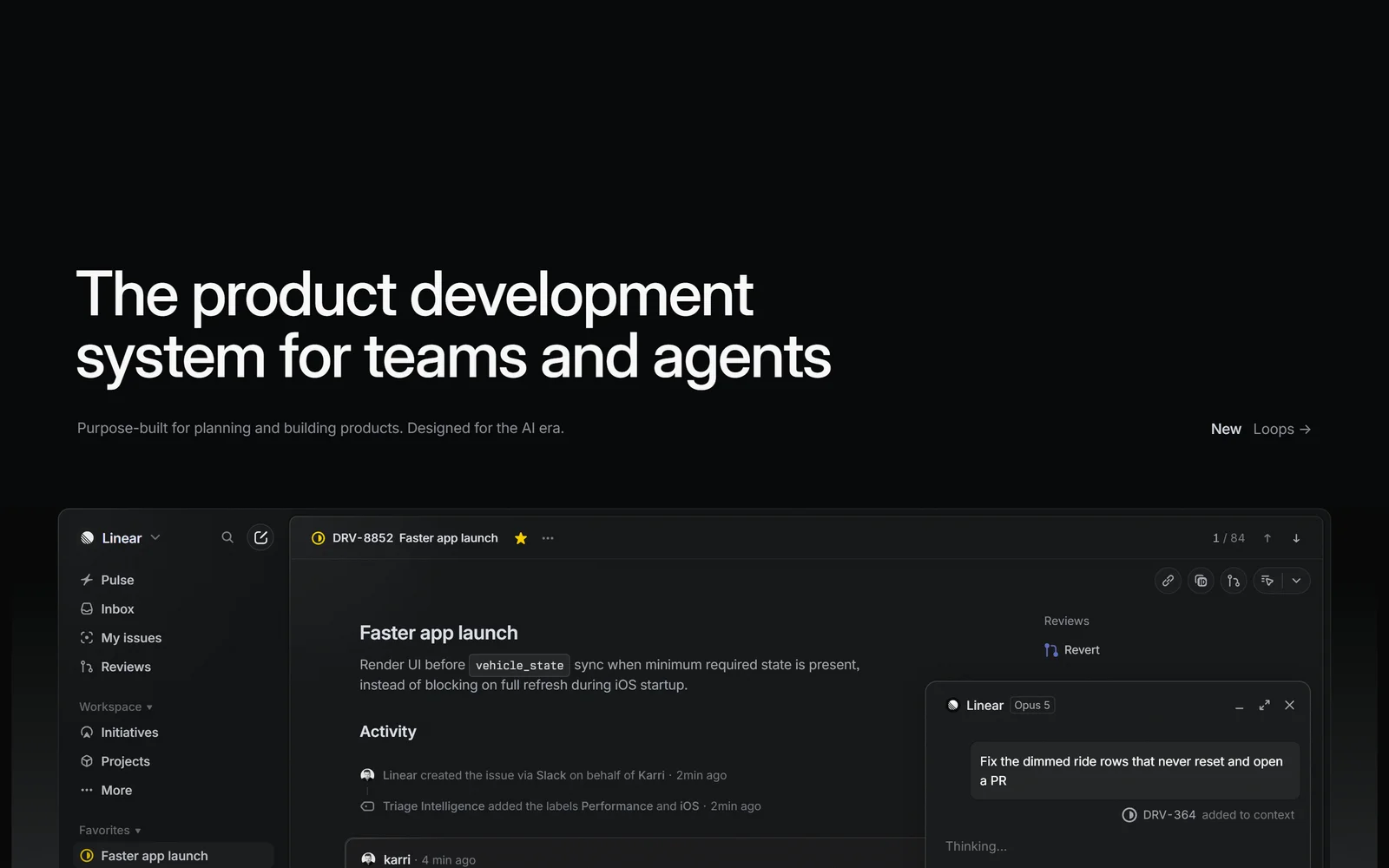
Linear’s homepage, captured 17 September 2026. It is the only platform here that publishes an auditable AI rate card instead of a credit bundle.
1. Why Project Management Buyers Get Burned (In Their Own Words)
You pay for seats you never asked for, and the minimum is set before you arrive. monday.com’s pricing page states plainly that “Plans start from 3 users.” Buyers notice. Trustpilot reviewer Simon (28 Jan 2026, 2 stars) writes: “You can only purchase 3 seats as a minimum, which for a solo business is pointless. Why price quoted is PER SEAT, not the total price.” On Asana’s Trustpilot page, read 17 September 2026, a reviewer writes: “Except that’s PER SEAT, for an annual subscription paid upfront, and it’s a minimum of 2 seats, and they default you to 5 at signup unless you go in to a separate edit window to change it.” And Asana reviewer CHIM (28 Apr 2026) reports simply: “I got billed for unused seats - it is only me”.
Guests quietly become billable members. Notion reviewer Amber (11 May 2026, 1 star) describes her own mis-click, not a platform fault: “I shared a document with family members on Notion and accidentally added them as Members instead of Guests.” And then: “I only found out when I was charged over $100.” ClickUp reviewer Bianca Astralaga (10 June 2026, 1 star) writes: “I unknowingly added my other emails as guests (which I should not have been charged for given the tier I was paying for)”. Linear does not have this problem for a blunter reason: its own documentation states that guest accounts “are billed as regular members”.
You are billed for AI whether you use it or not. monday.com reviewer Eliott James (19 June 2026, a measured 3-star review) writes: “They are now requiring clients to buy expensive AI bundles, there’s no option not to have them. After speaking to their sales team, it is noted that portions of their client base don’t want it but have to pay for it anyway.” ClickUp reviewer “Rod the reviewer” (12 May 2026, 1 star) alleges: “Despite not having access to or using AI for over three months, we were charged £7 per user/month for the service (over 20 users). We are effectively being forced to pay for a tool we couldn’t even use.” ClickUp has not responded publicly to that review.
The feature you built your process around sits one tier up. monday.com reviewer FRocha (15 Dec 2025, 1 star, headlined “Bait and switch”) writes: “Immediately after payment, key features were removed and I was prompted to upgrade to the much more expensive Pro Plan to regain them.” Reviewer “S C” (1 July 2026) puts it as advice: “Don’t waste your time setting up all your projects unless you plan to purchase the highest level (Enterprise) right away.” On Asana, reviewer Omar M. G’easa (12 May 2026) characterises a free-tier change as “Suddenly limiting free workspaces to basically 2 users after many of us built workflows around the old system feels like a bait-and-switch.”
Renewals go through before anyone notices. monday.com reviewer Zack Gl (16 Dec 2025, headlined “Watch for auto-renew scam…”) writes: “Service auto-renews with no email notification. By the time I noticed the payment had gone through, I was not able to get a refund because I was out of the 30-day window.” Notion reviewer Klaudio Kërmaj (2 July 2026) writes: “I was charged €406.98 for an annual renewal with no clear advance reminder before the charge.” ClickUp reviewer Jacob (GB, approximately 14 Sep 2026) describes the exit path: “when you try and cancel your subscription you literally get a million “are you sure”… “pause instead”… its actually ridicolous… just let me cancel my plan.” [sic]
The tool slows down at exactly the size you grow into. Notion Capterra reviewer Mohammad A. (13 July 2026): “The application faces clear challenges in terms of performance and speed; when dealing with large databases or heavy pages cluttered with elements, slow response times and data loading issues arise.” monday.com Capterra reviewer Lochlan D (30 Apr 2026): “Performance is sluggish even on top-of-the-range hardware and fast internet — boards take a few seconds to load every time, simple or complex.” ClickUp Capterra reviewer Estrella A., Software Engineer (25 Aug 2026): “Occasional UI latency when loading large sprint boards. Search performance can slow down significantly when querying deeply nested task hierarchies.”
Support gets thinner as the invoice gets larger. monday.com reviewer EJL42 (5 Sep 2026): “Customer service and tech support is SHOCKING even on Enterprise- they basically ask you to fix everything yourself and firefight you telling you what you’re doing wrong rather than doing anything about obvious platform bugs.” Notion reviewer Sam Bryan-Merrett (approximately 14 Sep 2026), headlined “Support is next to non-existent on their business accounts”: “No live chat support and it takes 1-3 days per email response.” Asana reviewer Jorge Ledezma (27 May 2026) reports contacting support “only to receive generic, automated responses confirming receipt rather than any meaningful help”.
Linear is absent from this section deliberately. It has 10 Trustpilot reviews in total, five of them five-star. There is not enough public buyer evidence to make a pain-point claim about it either way, and we will not manufacture one.
2. How We Ranked Them
Seven criteria, weighted: capability depth (2x), value for money (1.5x), billing fairness (1.5x), trust and security (1x), ease of getting started (1x), free tier (0.75x), support and docs (0.75x).
Value for money measures what a 10-seat and a 50-seat team actually pays per year at the tier where the product is usable, not at the headline price. Capability depth covers views, automation volume, API ceilings, reporting and agent tooling. Ease of getting started asks whether an operations lead can configure it without an engineer. Free tier rewards a free plan you could genuinely run a small team on. Trust and security counts only third-party-audited certifications, and separates audits from self-assessments and from compliance postures. Support and docs weighs published documentation quality against observable support evidence. Billing fairness covers proration symmetry, refunds, renewal notice, guest billing and whether AI metering is auditable.
Every price, plan limit, certification and rating in this article was read on 17 September 2026 from the vendor’s own pages or the named review platform, and each figure is cited to its source.
One methodology disclosure that matters more than any score here. These same five products rate 1.5 to 2.7 out of 5 on Trustpilot and 4.5 to 4.7 out of 5 on Capterra. Trustpilot for B2B SaaS skews heavily toward billing complaints and the samples are small (Asana 314, Notion 432, Linear 10) next to Capterra’s (Asana 13,684, monday.com 6,111, ClickUp 4,630, Notion 2,815). Every ClickUp quote used above came from a Trustpilot view filtered to 1- and 2-star reviews. Read the quotes as evidence of failure modes that exist, not as the average experience. Separately: Trustpilot states on Asana’s page that Asana “hasn’t replied to negative reviews”, and we found no vendor replies on the cited ClickUp, monday.com or Notion reviews. Linear did reply publicly to criticism. Non-response is an observable fact, not an admission.
3. Linear: the cleanest AI bill in the category, on the narrowest platform
Linear does not bill AI agents as seats, and publishes agentic compute at provider rates with no markup.
Linear’s homepage hero reads “The product development system for teams and agents”, with the subheadline “Purpose-built for planning and building products. Designed for the AI era.” (linear.app, read 17 Sep 2026). That is marketing language, and Linear’s supporting copy goes further — it calls the product “A new species of product tool.” Attribute those words to Linear. What is verifiable is narrower and more interesting: Linear is an issue tracker and product-planning system combining issues, cycles, projects and initiatives in one opinionated workflow, extended so AI agents participate as workspace members.
The reason Linear takes the top slot is its AI cost model, at a moment when every rival bundles AI opaquely. Linear’s documentation states verbatim that “Agents are not counted as billable seats in Linear.” The Agent platform, Linear Agent and MCP access are included on the $0 Free plan, per the pricing comparison table. Agentic compute draws from a prepaid workspace balance at “provider-published rates, with no markup, and sandbox runtime at $0.25 per 20-minute block”. Loops are billed per run, and Linear states “Typical runs without a coding session cost $0.07–$0.20.” That is an auditable rate card, not a credit bundle whose exchange rate the vendor sets. The caveats are real: credits expire 12 months after purchase, the minimum top-up is $10 ($50 for auto-reload), credit cards are the only accepted payment method for credits, and the only documented grant is the one-off 11 June 2026 promotion of $20 multiplied by unsuspended users, extended through 31 December per the 14 September changelog. No plan carries a documented recurring monthly allowance.
Pricing is annual-only on the public page: Free $0 (unlimited members, 2 teams, 250 issues), Basic $10/user/month billed yearly, Business $16/user/month billed yearly, Enterprise custom and annual-only. Ten seats on Basic is $1,200 a year; 50 seats is $6,000. Business takes that to $1,920 and $9,600. Monthly billing exists — the billing docs state “For billing frequency, we offer either monthly or yearly options.” — but Linear publishes no monthly per-seat figure anywhere public, so no monthly number can be quoted honestly. No free trial is advertised on the pricing page or in the billing documentation; the billing docs instead suggest starting monthly if you are unsure about a year.
Now the criterion that stopped it scoring higher: billing fairness, specifically for anyone who is not purely an engineer. Guests exist only on Business, and Linear’s roles documentation states verbatim that “Guest accounts are only available on Business and Enterprise plans, and are billed as regular members.” Adding one contractor costs a full $16 seat. Linear Insights, the only built-in analytics layer, is Business-only, so there is no reporting below $16. Linear Asks, Triage Intelligence, Code Intelligence and the Zendesk and Intercom integrations sit on the same tier. And there is no way back: “We do not provide refunds for cancellations mid-subscription”, with the Terms adding that “Payment obligations are non-cancelable and, except as expressly stated in this Agreement, non-refundable.” On monthly plans, adding a user mid-month is not charged until the following month, and removing one produces no credit.
Security is solid but must be described precisely. ISO/IEC 27001:2022 is a completed certification and can be stated as such. SOC 2 Type II is an ongoing audit programme — Linear’s own wording is that it “undergoes regular Service Organization Controls audits (SOC 2 Type II)”, with reports gated behind a Trust Center and no published audit period or firm. Data at rest is AES-256, in transit TLS 1.2, with an EU or US region chosen at workspace creation. Audit logs retain “important workspace events over the last 3 months”. Linear states “Linear does not train on customer’s data.” Observed uptime June–September 2026 ran 99.83% to 100% across regions, per linearstatus.com — observed, not contractual.
Developer sentiment is polarised. Hacker News user ngrilly: “Linear is simply incredibly better compared to Jira.” User nilirl, on the same platform: “Am I the only that doesn’t “get” Linear? Even if speed is the killer feature, isn’t an issue tracker a relatively low-frequency application for a dev?” User mrbombastic is blunter: “Jira is fine and devs just grow to hate issue trackers because they hate that part of the job. Watch for another one to come and go when people get sick of linear.”
The Good (Pros)
The Bad (Cons)
#1 · Cleanest AI bill
AI agents are not billable seats
Agent platform, Linear Agent and MCP access included on the free plan; compute billed at provider rates with no markup. Guests are billed as full members.
Visit Linear
4. ClickUp: the most capability per dollar, and the most caveats per feature
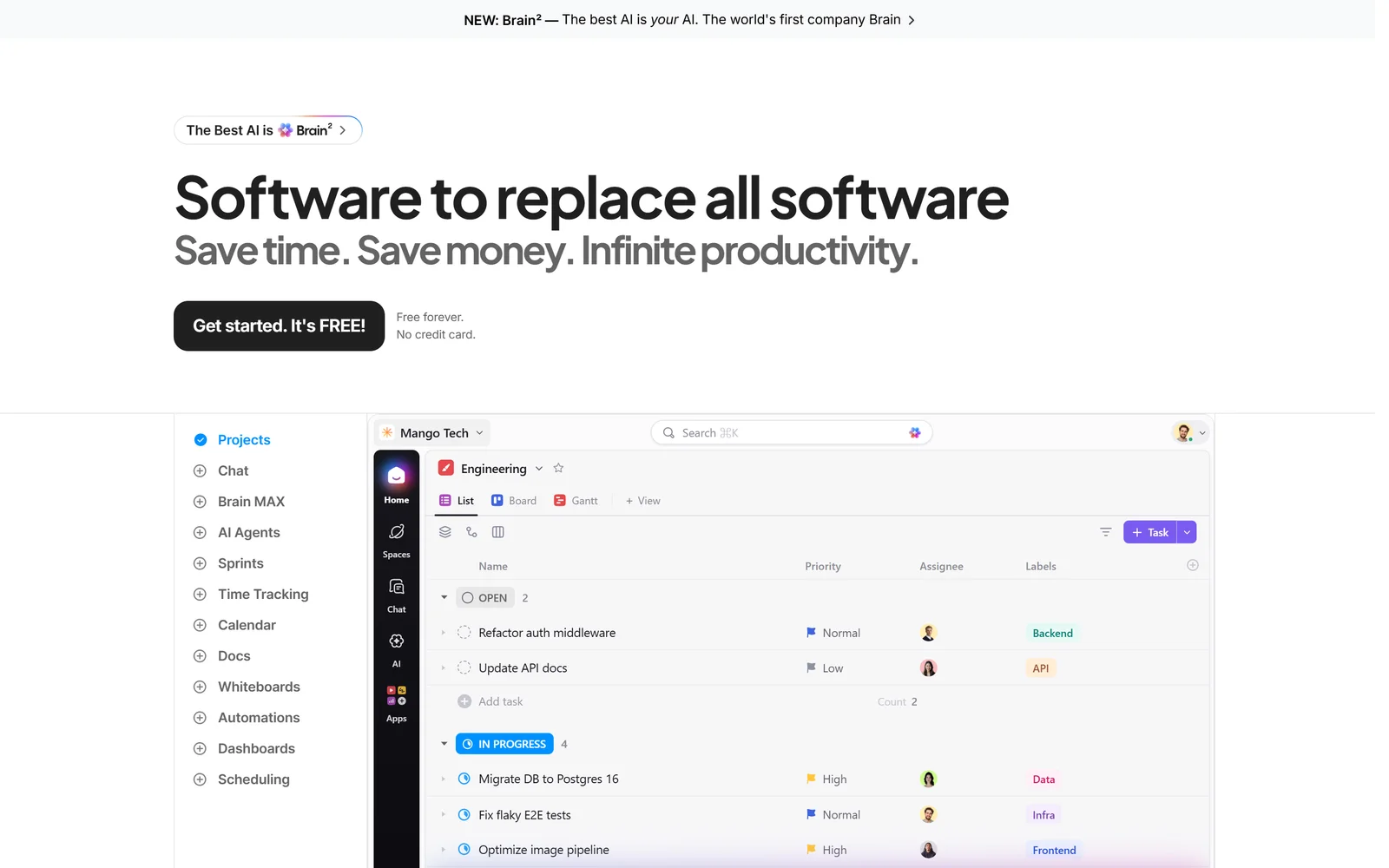
ClickUp gives more per dollar than anything else here, and attaches more caveats per feature.
ClickUp’s H1 reads “Software to replace all software” — its words, not ours. The substance behind it is genuinely dense at the price. Free Forever gives unlimited tasks and unlimited members, constrained by 60MB storage and one form. Unlimited at $7/user/month billed yearly ($10 monthly) adds unlimited storage, unlimited integrations, unlimited Gantt charts, native time tracking, goals and portfolio management, guests with permission control, resource management and chat. Ten seats on Unlimited is $840 a year; 50 seats is $4,200. Business at $12 yearly ($19 monthly) is $1,440 and $7,200 respectively.
The AI layer is an add-on, not a bundle. Brain AI is $9 per user/month with 1,500 AI Super Credits, and Everything AI is $28 per user/month with 5,000 credits, both yearly-billed rates. A Business seat with the top AI tier is $12 + $28 = $40 per user/month — $24,000 a year for 50 people. ClickUp’s own credit table is unusually candid: AI Fields cost 10 credits per use, image generation 100, and Autopilot or Super Agents 100–300. At the top of that range, 1,500 credits funds roughly five complex agent runs per seat per month. Credits are $0.001 each and, per ClickUp, “automatically renew and do not roll over into the next month.” Building a Super Agent is free; only execution consumes credits, and Brain² conversations are stated to be unlimited on paid plans without touching credits.
Two ceilings deserve more attention than ClickUp’s pricing page gives them. The first is automations. ClickUp’s help documentation — not the pricing page — states Free gets 5 active automations and 100 actions per month, Unlimited 500 active and 1,000 actions, Business unlimited active and 5,000 actions. When you exceed the monthly allowance, “your Workspace’s Automations are paused for that month.” That is a hard stop, and the “grace period” language in ClickUp’s Super Fair Billing Policy applies to AI Credits, not automation actions. The second is the API: 100 requests per minute per token on Free, Unlimited and the $12 Business tier, rising to 1,000 only on the legacy Business Plus and 10,000 on Enterprise. For a 200-person workspace running two-way sync, that is a real constraint.
Reliability is the weakest part of the record. On ClickUp’s own public feedback board, the request titled “SLOWNESS” carries 1.1k votes and was marked Completed on 29 March 2024 — and customers kept posting on it afterwards. Steve Soltz, 5 April 2025: “This should not be marked as complete. For me, the slowness issue did not really even START until 3.0, so I’d say is continuing to get worse and worse.” Anna Dairopoulos, 18 June 2025: “ClickUp is incredibly slow; this issue has prevented certain teams in our business from adopting (and even abandoning) the software, opting for Google Sheets over ClickUp as a preference.” Mobile shows the same split: 4.7/5 from 9.7K ratings on iOS against 4.0/5 from 21.3K reviews on Google Play, with two independent login-loop reports in September 2026. Google Play reviewer Ry H (5 Sep 2026): “app is stuck in some form of a login loop bug or error. deleting and redownloading does not fix the issue.” Against that, reviewer Aymane Mansouri (14 July 2026): “Simply the best project management app in the world. Nothing comes close.”
Billing has one documented contradiction buyers should resolve in writing. The pricing FAQ says “You’re free to cancel at anytime!” The Terms of Service require notice “at least thirty days prior to your Services renewal date”. Both are current. ClickUp does offer a 30-day money-back guarantee matched verbatim in the Terms, standard liability is capped at $100, and upgrades apply to the whole workspace — you cannot upgrade a subset of your team. On security, ClickUp claims SOC 1/2/3 and ISO 27001, 27017, 27018, 27701, plus ISO 42001 for AI management systems; none of the reports or certificates are published, and the page directs readers to email sales for them.
The Good (Pros)
The Bad (Cons)
#2 · Most per dollar
Unlimited storage, integrations and Gantt at $7 a seat
Unlimited tasks and members free, then multi-model AI (Claude, GPT, Gemini) under one $9 add-on. Automations pause at 1,000 actions a month on Unlimited.
Visit ClickUp
5. monday.com: four products on one data model, priced two tiers above the headline
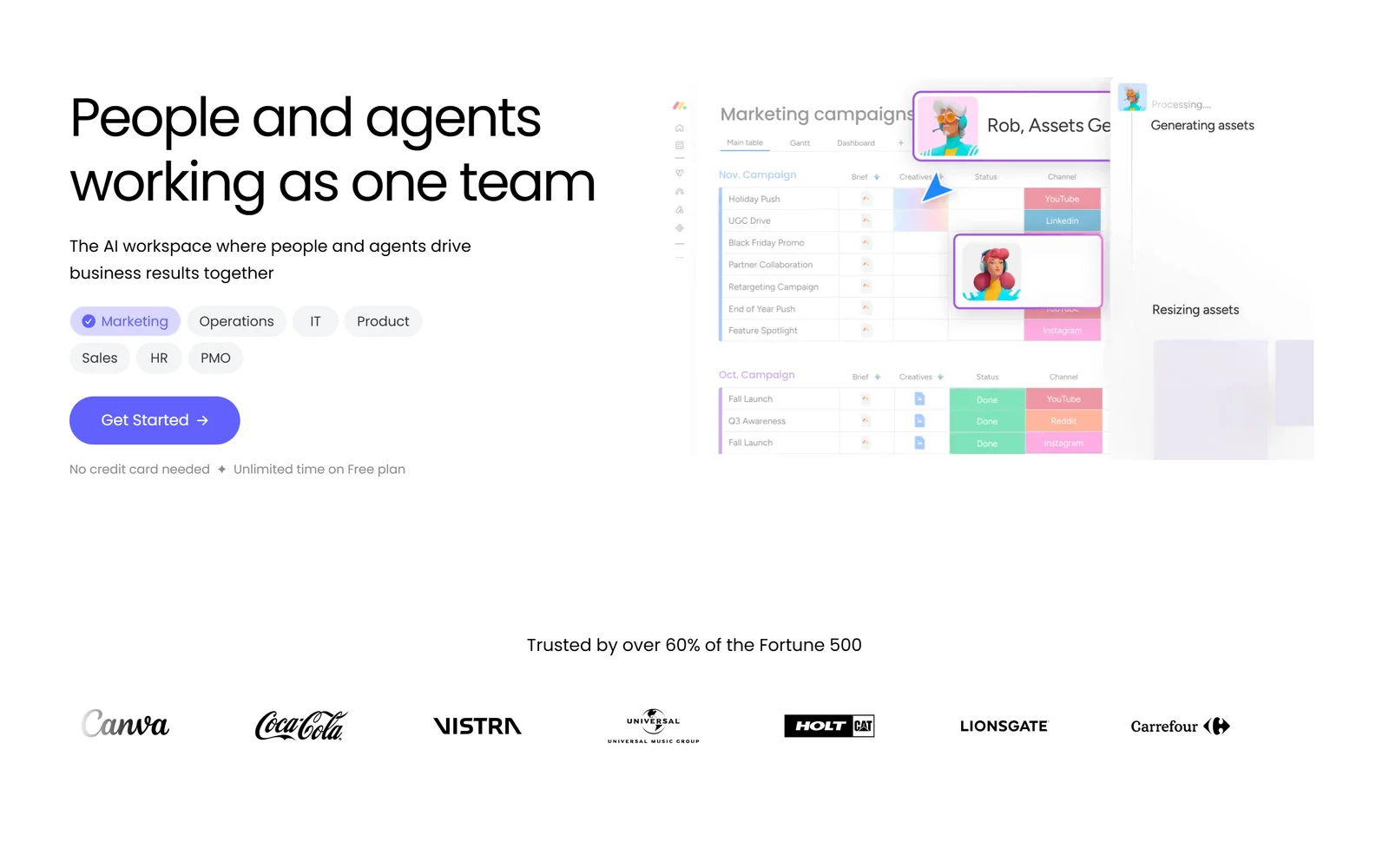
monday.com runs projects, CRM, dev and service on one configurable data model, with a 3-seat minimum.
monday.com’s homepage reads “People and agents working as one team” — its phrasing. Structurally it is the broadest offer here: four separately priced first-party products on one shared board-and-column data model (work management, CRM, dev, service), a vendor-claimed “850+ integrations and apps” that explicitly mixes native connectors with marketplace apps, a GraphQL-only API with 21 documented webhook event types, and a July 2026 MCP block that lets third-party agents read and act on the same boards. An operations manager can configure all of it without an engineer. That is the case for monday.com, and it is a strong one.
The case against is the gap between the advertised price and the operating price. Work management runs Basic $9, Standard $12, Pro $19 per seat per month on annual billing, with a “Yearly SAVE 18%” toggle. One correction worth making, because it is widely misreported: the struck-through $140 and $220 figures shown at 10 seats are not higher list seat rates. The page’s own breakdown reads “$12 x 10 seats = $120 / 2,000 credits = $20 / Special monthly discount = -$20 / Total = $120”. The seat rates are real; the promotion waives the AI credit charge, which monday.com prices at $0.01 per credit. That offer carries no published expiry, so assume the charge can return.
The tier cliff is the problem. Basic at $9 has no Gantt, no calendar view, no guest access and no API at all. Standard unlocks those but allows only 250 automation actions and 250 integration actions per month against Pro’s 25,000 — a 100x jump for a $7/seat step. Private boards and docs are Pro-only, which matters for HR, finance and legal work. API calls run 1,000/day on Free, Basic and Standard, 10,000 on Pro, 25,000 on Enterprise. Realistically, an operations team lands on Pro: $2,280 a year for 10 seats, $11,400 for 50. Add the 3-user minimum, full-year upfront payment, no debit cards accepted, and a 30-day refund that the Terms of Service restrict to “the Initial Purchase and does not apply to any additional or subsequent purchases, upgrades, modification or renewals” — so a renewing customer has no refund window at all, and annual cancellation requires 30 days’ notice.
monday.com’s AI privacy language is the strongest in this comparison: “monday.com does not use Customer Data and/or Content to train artificial intelligence models and does not allow others to do so”, holding regardless of admin opt-out, with AI interaction-monitoring data capped at 60 days. Certifications are broad — SOC 1/2/3 reports, ISO 27001:2022, 27018, 27017, 27032, 27701, CSA STAR and TX-RAMP. TX-RAMP is the Texas state programme, not FedRAMP; monday.com claims no FedRAMP authorisation. Data residency spans the US, Germany and Australia but is assigned by the location of the first user who created the account, not chosen — confirm before signup, because it is fixed then.
One risk signal belongs in any procurement file: on 22 July 2026 monday.com laid off roughly 630 employees, about 20% of headcount, expecting $45–55 million in restructuring charges, per TechCrunch. Weigh that against support expectations, given EJL42’s Enterprise-tier complaint quoted above.
The Good (Pros)
The Bad (Cons)
#3 · Widest single platform
Four products on one data model
Work management, CRM, dev and service, plus a GraphQL API and a 2026 MCP block. The usable tier is two above the $9 headline, and there is a 3-seat minimum.
Visit monday.com
6. Notion: one surface for docs and tasks, with AI locked to the top two tiers
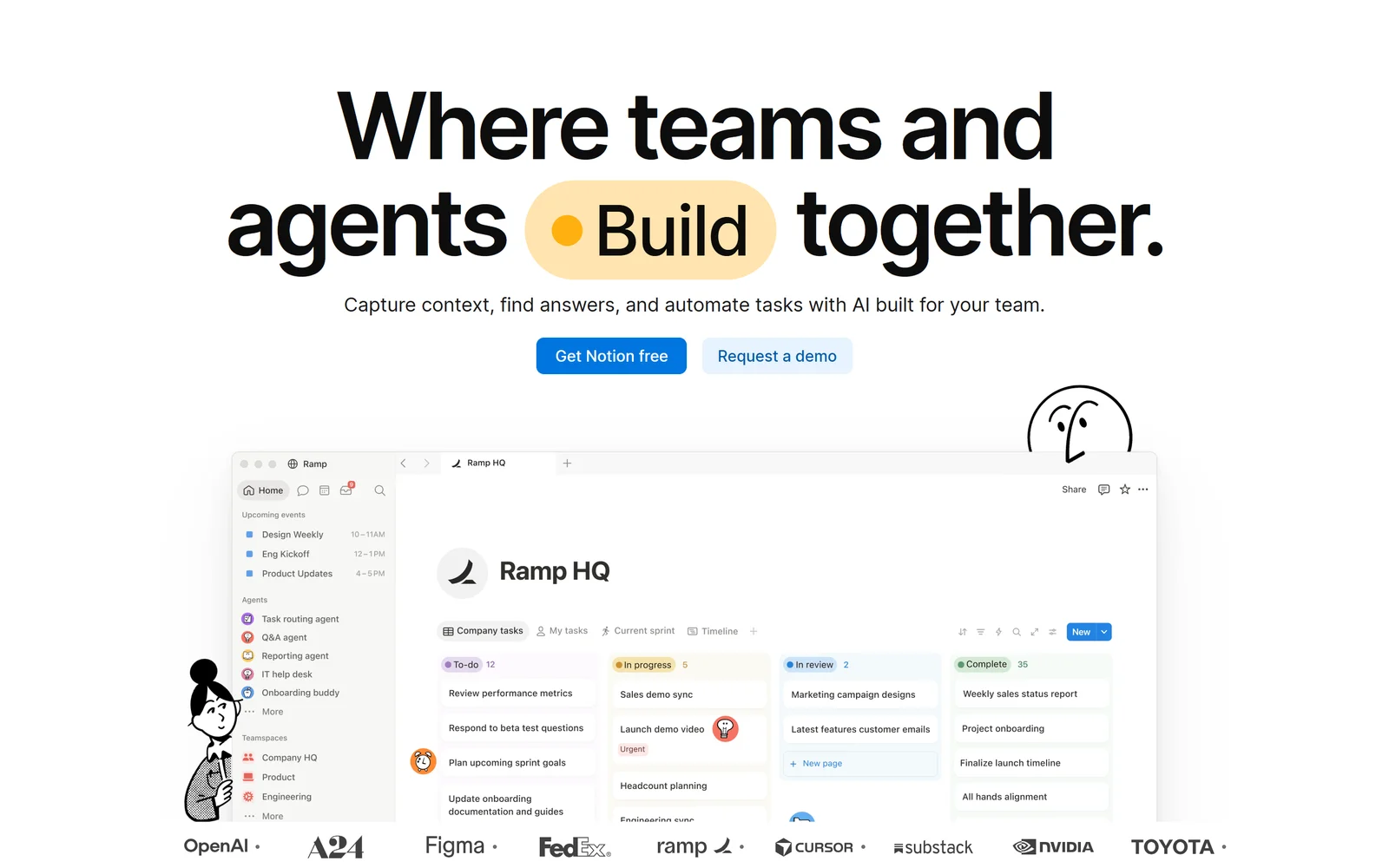
In Notion the task row and the document are the same object, which no rival in this comparison can say.
Notion ranks fourth despite high capability, and the criterion that pushed it down is billing fairness, with value for money close behind. The evidence is Notion’s own help centre: “Notion AI is only available on Business and Enterprise Plans.” A team on Plus at $10 per member/month that wants the AI Notion markets on its homepage — “Where teams and agents Think together.” — must move to $20, doubling the seat cost, and then buy credits on top at $10 per 1,000 for monthly plans and $13 per 1,000 for annual plans. The annual customer pays 30% more per credit. Notion’s own pricing page lists Custom Agents as “Free to try, then $10 per 1,000 monthly Notion credits”, which does not match the $13 annual figure in its help centre. That is an inconsistency in the vendor’s published pricing, not ours.
The genuine differentiator is architectural. Notion’s documentation confirms that “Databases in Notion are collections of pages” — every task row is a full document, so the spec and the ticket are the same object rather than two records joined across an integration. Custom Agents sit on that combined surface with scoped permissions (Full Access, Can Edit, Can View and Interact) set by the agent’s creator, running on schedules or on triggers including page creation, property updates, AI Meeting Notes completion and Slack events. No other platform here gives agents a knowledge base and a tracker as one object.
Costs, plainly: Plus is $1,200 a year at 10 members and $6,000 at 50; Business is $2,400 and $12,000. notion.com/pricing shows only $10 and $20 with a “Save up to 20% with yearly” toggle and no monthly figures. Notion’s own Apple App Store listing prices Plus Monthly at $11.99 and Business Monthly at $23.99, and since $119.99/12 = $10.00, the web figures are the annual rates — but attribute the monthly numbers to the App Store listing, which is authoritative for Apple billing only. Teams “may be eligible to try the Business Plan for 30 days”. Seat billing is asymmetric and Notion says so: “We prorate charges for added members”, but “No proration for removals.” Refunds are discretionary and time-boxed to three days after a monthly invoice or 30 days after an annual one, and consumed credits are not refundable.
Scale is the other weakness, and Notion admits it: “When a database contains more than 1,000 items, new pages may appear in the middle of the collection instead of at the end.” That is the same threshold its Capterra reviewers describe as the slowdown point, including Mohammad A.’s quote above and Rakhi V. (27 Mar 2026): “The biggest downside for me is that Notion can start to feel slow and cluttered as pages get heavier (lots of embeds, large tables, or long docs), which makes everyday navigation less smooth.”
Security is the strongest paper record in this comparison: SOC 2 Type 2, ISO 27001, ISO 27701, ISO 27017, ISO 27018 and BSI C5 as achieved certifications, HIPAA supported under a signed BAA, and an explicit commitment that “Our AI Subprocessors are prohibited from using Customer Data to train models.” Data residency across four regions is Enterprise-only and free, with admitted carve-outs for Notion Calendar, Notion Mail and Beta Services. Ratings diverge sharply: 4.7/5 from 2,815 Capterra reviews and 4.8/5 from 90,000 App Store ratings, against 2.3/5 from 432 Trustpilot reviews with 43% one-star. One further note for completeness: a Hacker News thread with 183 points discussed a prompt-injection risk class in Notion 3.0’s agent tooling. That is security research about a category of risk in agent systems, not a confirmed breach of Notion customer data.
The Good (Pros)
The Bad (Cons)
#4 · Docs and tasks as one object
Every task row is a full document
Custom Agents get scoped, teammate-style permissions over docs and projects together. Notion AI needs Business, doubling the seat price, plus metered credits on top.
Visit Notion
7. Asana: serious governance, rationed AI
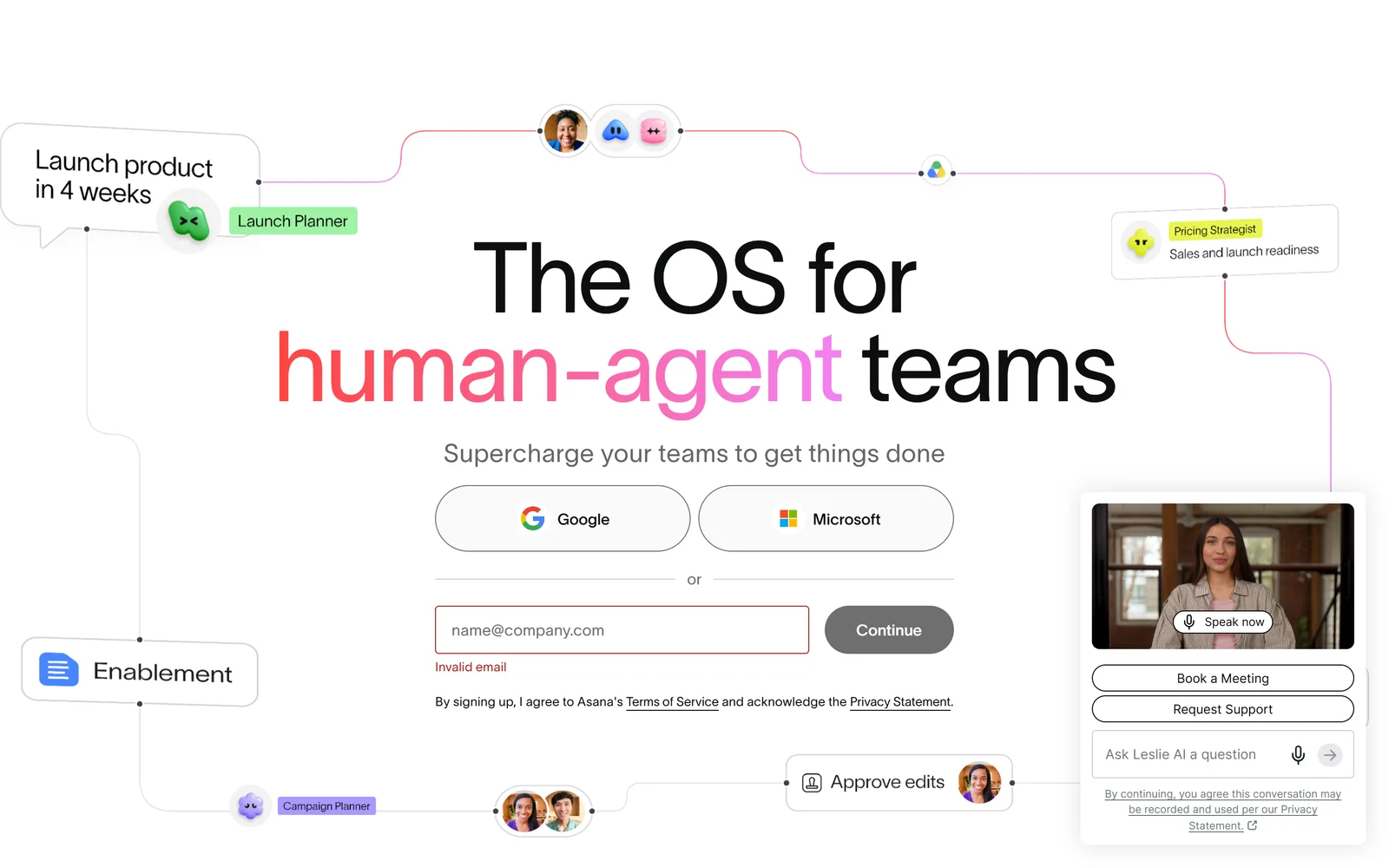
Asana has the strongest audited security posture here, and the most tightly rationed AI allowance.
Asana is the clearest case in this set of a capable product held down by one criterion: value for money, specifically on AI. Its pricing page states that Starter and Advanced each include “5 requests per user per month, up to 50 requests per account”. Read that twice. A 40-person Advanced team does not get 200 AI requests a month; it gets 50 in total for the whole account. Enterprise raises the account ceiling to 250. Beyond that, extra requests cost $0.50 each in prepaid packs or $0.60 on pay-as-you-go. AI Studio credits are allocated per billing account rather than per seat (50K on Starter, 75K on Advanced, 200K on Enterprise) and are metered by “the volume of data, including query, input, and output data, processed through the large language model” — which means per-run cost cannot be forecast before you run it. Unused credits “are forfeited, with no refunds or credits and cannot be carried over”, against a policy that states “We do not offer refunds.”
The seat prices compound it. Starter is $10.99 per user/month billed annually or $13.49 monthly; Advanced is $24.99 annually or $30.49 monthly. Advanced is where portfolios, goals, resource management, approvals and proofing, time tracking and scaled security live — and at 10 seats that is $2,998.80 a year, at 50 seats $14,994. Starter is $1,318.80 and $6,594. The free Personal plan was listed at 2 users on 17 September 2026, with no AI request allowance at all, which is what Omar M. G’easa’s “bait-and-switch” complaint above refers to. Asana publishes no trial length on its pricing page or FAQ, and no minimum seat count, though reviewers report otherwise: Reg Beresford (17 May 2026) writes that the page “shows $12.95 pcm subscription but in reality there is nothing to tell you its for a minimum number of seats, and the cost is $60-80 plus” — his estimate, not Asana’s published pricing.
What Asana does better than anyone here is governance. Its trust page lists SOC 2 Type 2, SOC 3 and ISO/IEC 27001:2022, 27017:2015, 27018:2019 and 27701:2019 as third-party-audited. CSA STAR Level 1 is there too, and Asana itself calls it a self-assessment, so treat it as one. GDPR, HIPAA, GLBA, FERPA and APPI are compliance postures backed by contractual terms, not certifications. ISO 42001, FedRAMP, PCI DSS and TISAX simply do not appear. Its product-specific terms state that “Asana does not use or permit third-party AI partners to use Customer Data to train generative artificial intelligence models used to provide Asana AI”, and it names those partners: OpenAI, Anthropic, AWS and Google. The admin console shows live AI consumption with alerts at 65%, 85% and 100%, plus an admin-set spending cap on on-demand billing. Nobody else in this comparison combines a named-partner training commitment with a hard spending cap.
Two things temper the picture. Asana’s FY2026 10-K reports dollar-based net retention of 97% for Core customers and 96% for customers spending $100,000 or more — both below 100%, meaning the installed base is contracting net of expansion — alongside a $189.0 million net loss (narrowed from $255.5 million) and 1,767 employees. And the API is generous where ClickUp’s is not: 1,500 requests per minute on paid accounts, 150 on free, with search separately capped at 60. Ratings: 4.5/5 from 13,684 Capterra reviews, the largest sample here; 4.7/5 from about 16,000 App Store ratings; and 1.5/5 from 314 Trustpilot reviews, the lowest in the set. One App Store reviewer, in a review titled “Love Asana, but not iOS”: “I really find myself avoiding using it on my iPhone because it’s just a really clunky UI.”
The Good (Pros)
The Bad (Cons)
#5 · Strongest governance
SOC 2 Type 2, SOC 3 and five ISO certifications
A written commitment that neither Asana nor OpenAI, Anthropic, AWS or Google train on your data, plus live AI spend alerts. Starter and Advanced give 5 AI requests per user a month.
Visit Asana
Scored Comparison Chart
The chart below shows why the top two finish within 0.06 of each other despite being opposite products. Linear wins on billing fairness and trust while scoring narrowly on capability — it does not pretend to run marketing, HR or support intake. ClickUp inverts that: it scores highest on capability depth and free tier, and loses ground on billing fairness and support, where the automation hard-pause, the 100 req/min API ceiling through Business and the unresolved slowness ticket all bite. Under a weighting that gives capability 2x and billing fairness 1.5x, those two profiles nearly cancel out.
The lower three are more interesting for what dragged them down than for where they placed. monday.com scores well on capability and compliance, and loses on value for money: the automation cliff between Standard’s 250 actions and Pro’s 25,000 means the honest entry price is $19 per seat, not $9. Notion scores highest of any platform on trust and security, and is pulled to fourth by billing fairness — AI gated to Business and above, annual credits at $13 per 1,000 against $10 monthly, no proration on removals, and a three-day refund window. Asana’s stack is arguably the most enterprise-ready here, and it finishes last because value for money is weighted 1.5x and 50 AI requests per account, forfeited credits and a no-refunds policy are hard to score any other way.
Read the bars as relative, not absolute. Every one of these products will run a 50-person team’s work. The spread is about what you pay to find that out and what it costs to change your mind.
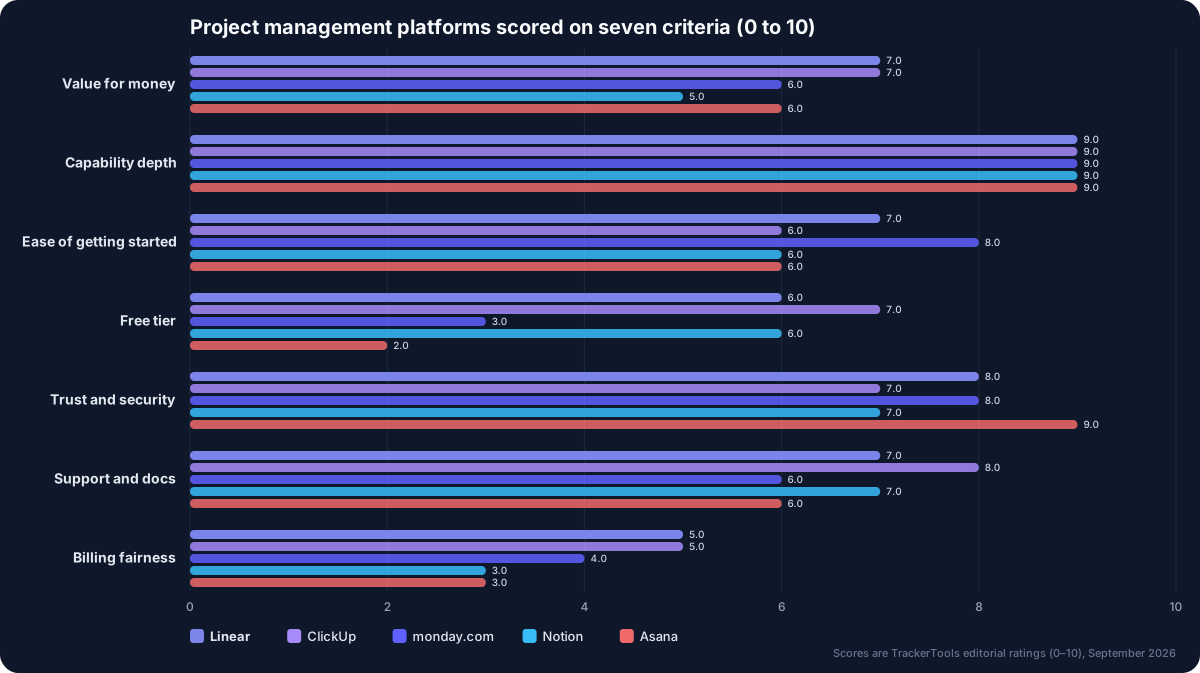
Seven criteria, five platforms. Capability is a near tie at 9; the separation comes from billing fairness, where nobody clears 5.
Pros and Cons Matrix: Who Solves Which Pain Point
| Pain point | Linear | ClickUp | monday.com | Notion | Asana |
|---|---|---|---|---|---|
| No seat minimum | ✓ No minimum stated | ✓ No minimum stated | ✗ 3-user minimum | ✓ No minimum stated | ⚠ Reviewers report a floor |
| Guests not billed as seats | ✗ Billed as members | ⚠ Conversion charges reported | ⚠ Guests from Standard only | ✓ Unlimited paid-tier guests | ✓ Unlimited free guests |
| AI cost you can audit | ✓ Published rate card | ✓ Credit rates published | ⚠ $0.01/credit, waived for now | ⚠ $10 vs $13 inconsistency | ⚠ Metered by data volume |
| Core features not tier-gated | ⚠ Analytics at $16 | ⚠ Webhooks at Business | ✗ Gantt, API at Standard | ✗ AI at Business only | ⚠ Portfolios at Advanced |
| Refunds and renewal fairness | ✗ No mid-term refunds | ⚠ 30 days, FAQ vs ToS clash | ✗ Renewals excluded | ⚠ 3-day monthly window | ✗ “We do not offer refunds” |
| Holds up at scale | ✓ 99.83–100% observed | ⚠ 1.1k-vote slowness ticket | ⚠ Sluggish board loads | ✗ Admitted 1,000-item defect | ✓ 1,500 req/min API |
| Support evidence | ⚠ No published SLA | ⚠ Shutoff complaints | ✗ Enterprise complaints | ⚠ 1–3 day email replies | ⚠ Automated replies reported |
Pricing at a Glance
| Platform | Free tier | Cheapest paid | Top published tier | Trial | Refunds | Rating (read 17 Sep 2026) |
|---|---|---|---|---|---|---|
| Linear | $0, 2 teams, 250-issue hard cap | $10/user/mo, annual (no monthly price published) | Business $16/user/mo; Enterprise custom | None advertised | None mid-subscription | 4.83/5, 2,099 App Store ratings |
| ClickUp | $0, unlimited tasks and members, 60MB | $7/user/mo yearly, $10 monthly | Business $12/$19; Enterprise custom | Free plan, no time limit | 30-day money-back guarantee | 4.6/5, 4,630 Capterra reviews |
| monday.com | $0, 2 seats, 3 boards | $9/user/mo yearly (Basic, no API) | Pro $19/user/mo; Enterprise custom | 14-day Pro trial | 30 days, first purchase only | 4.6/5, 6,111 Capterra reviews |
| Notion | $0, 10 guests, 5MB uploads | $10/member/mo annual ($11.99 monthly per App Store) | Business $20/member/mo; Enterprise custom | 30-day Business trial (eligibility applies) | 3 days monthly, 30 days annual | 4.7/5, 2,815 Capterra reviews |
| Asana | $0, 2 users, no AI allowance | $10.99/user/mo annual, $13.49 monthly | Advanced $24.99/$30.49; Enterprise+ custom | No length published | ”We do not offer refunds” | 4.5/5, 13,684 Capterra reviews |
Trustpilot scores for the same products on the same date: ClickUp 4.2/5 (692 reviews), Linear 2.7/5 (10 reviews — too small to be meaningful), Notion 2.3/5 (432), monday.com 2.2/5 (3,431, and its own star distribution does not reconcile with that score), Asana 1.5/5 (314). Re-check all figures before you sign anything.
Which One Should You Actually Pick?
Pick Linear if your workspace is mostly engineers and you want AI cost you can audit. Issues, cycles, projects and initiatives in one opinionated flow, agents that do not consume seats, MCP and the Agent platform on the free plan, and token billing at provider rates with no markup. The caveat: the moment a designer, contractor or support lead needs in, you are on Business at $16 with guests “billed as regular members”, and there are no refunds if you reconsider.
Pick ClickUp if you want the most function per dollar and can live with rough edges. Unlimited storage, Gantt, time tracking, goals and resource management at $7 per seat billed yearly is the best raw value here. The caveat: budget for the automation ceiling (1,000 actions a month on Unlimited, then a hard pause), the 100 req/min API through Business, and an Android app at 4.0 stars across 21.3K reviews.
Pick monday.com if you need projects, CRM, dev and IT tickets configured by ops staff, not engineers. Four products on one data model, an MCP block for third-party agents, and the strongest AI no-training language in this comparison. The caveat: price it at Pro ($19/seat, $11,400 a year for 50) rather than the $9 headline, and note the ToS restricts that 30-day refund to your first purchase.
Pick Notion if your specs and your tickets should be the same object. Every database row is a full page, Custom Agents get scoped permissions over that surface, and the certification stack is the deepest here. The caveat: Notion’s own help centre says AI is Business and Enterprise only, so plan on $20 per member plus credits, and expect friction above 1,000 items per database.
Pick Asana if procurement and security review drive the decision. Audited SOC 2 Type 2, SOC 3 and four ISO/IEC certifications, named AI partners under a written no-training term, and a live AI spend dashboard with a hard cap. The caveat: the AI itself is rationed at 50 requests per account per month on Starter and Advanced, extra requests are $0.50–$0.60, and unused credits are forfeited.
Final Verdict
Linear takes first place at 7.15 on a narrow, honest proposition: it does one job, it charges a published rate for AI compute rather than a credit exchange rate it sets, and it does not bill you for the agents. In a category where four of five vendors invented their own AI currency in the past eighteen months, “provider-published rates, with no markup” is worth more than a longer feature list. ClickUp at 7.09 is effectively tied and wins outright on breadth and free-tier generosity; if your team is not engineering-shaped, it is the more practical buy, provided you go in knowing that automations hard-pause and the API does not open up until Enterprise.
The bottom three are not bad products. monday.com at 6.56 is the most configurable platform here and the most misleadingly priced — the working tier is $19, not $9, and the refund does not cover your renewal. Notion at 6.21 has the best architecture in the set and the least defensible AI packaging: gating the feature it leads with on the homepage to the $20 tier, then charging annual customers 30% more per credit than monthly ones, is the single clearest billing-fairness failure we found. Asana at 6.18 is last despite the strongest compliance record, because 50 AI requests per account per month, forfeited credits and “We do not offer refunds” are exactly what a 1.5x value-for-money weighting punishes.
One last thing to carry into the decision. The failure modes in this article are billing failures, not software failures. Nobody complained that the tasks disappeared. They complained about seats they did not choose, guests who became members, AI they could not switch off, renewals that arrived unannounced, and cancellations that took a fight. Whichever of these you pick, get the guest-billing rule, the AI metering unit and the cancellation notice period confirmed in writing before the card goes in.
Pick Linear if: your workspace is predominantly engineers, you want agents participating in the tracker without consuming seats, and you value an auditable AI rate card over breadth. Budget $16 per seat if you need guests, analytics or support-desk intake.
Think twice if: you need to bring contractors, designers or support leads into the workspace cheaply, you want reporting below $16 per seat, or you need the option to change your mind mid-term — Linear’s billing docs state plainly, “We do not provide refunds for cancellations mid-subscription.”
Disclosure: TrackerTools has no affiliate relationship with any product in this comparison, and the links above are plain nofollow links. Every price, seat rule, AI allowance, certification and quotation was verified against the vendors’ own pricing pages, help centres, trust pages, terms of service, G2, Capterra and Trustpilot on 17 September 2026. Annual-billing prices are labelled as such, and per-team costs are arithmetic from each vendor’s own published seat price.

