Most people who decide to learn to code in 2026 do not fail because programming is hard. They fail in week two, when the app they downloaded runs out of free lessons, locks them out for five hours after three wrong answers, or quietly bills them $79.99 for a trial they thought they had cancelled. The pattern is so consistent that Reddit’s r/learnprogramming has a name for the result: you finish every exercise and still cannot build a calculator.
So this comparison is not about which app has the prettiest lesson screen. It is about the five things that actually decide whether you are still coding in month three: how much you can do for free, whether you are typing real code or tapping tiles, whether the habit mechanics help you or hold you hostage, whether the app works on a phone and a laptop, and whether the company will refund you when it goes wrong.
We evaluated Codecademy, Coddy, Mimo, Sololearn and Codédex — the five platforms most often recommended to beginners in 2026 — against those criteria, re-checking every price, app-store rating and quoted review on 16 September 2026. Codecademy takes the top spot for depth. Coddy takes second for being the only one where the free tier is genuinely the whole product.
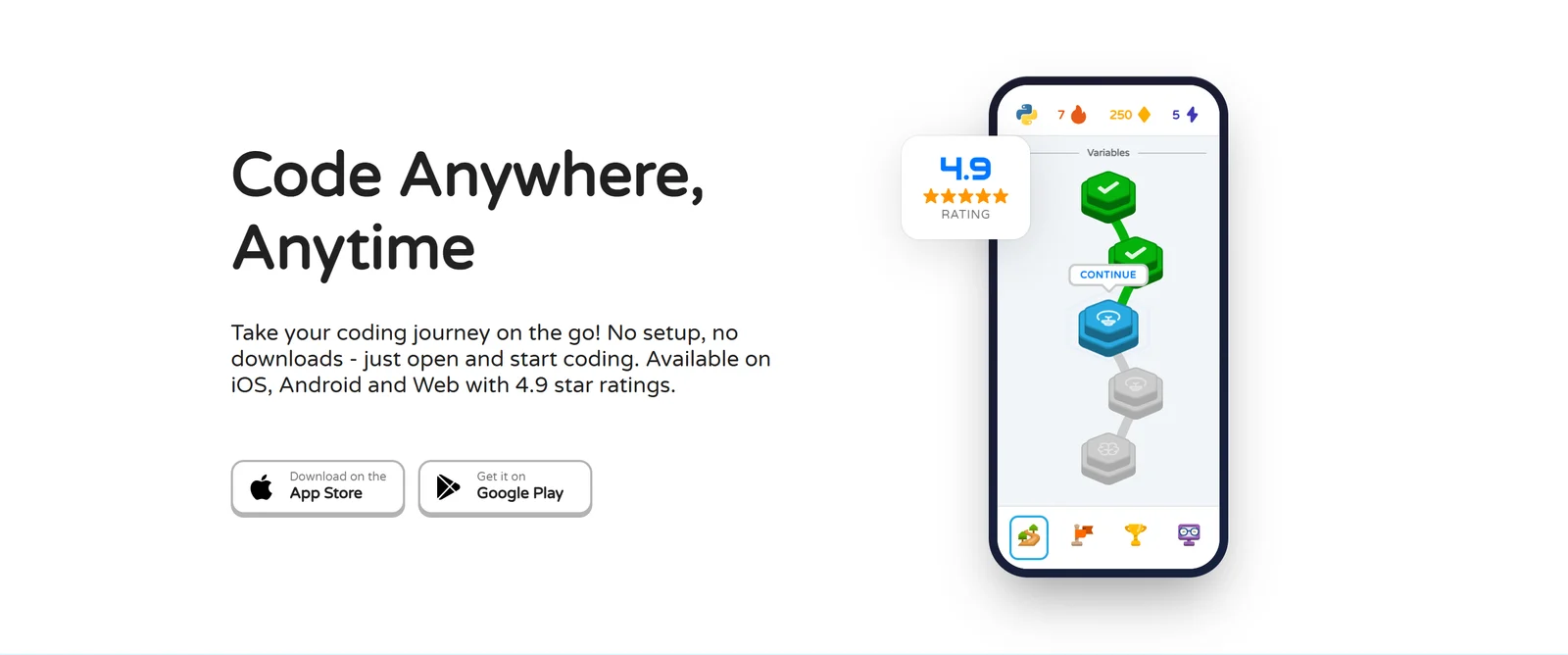
Coddy’s mobile lesson path — every one of its 125 courses is free to finish, which is rarer than it sounds.
1. Why People Quit Coding Apps (In Their Own Words)
Before ranking anything, it is worth being precise about what goes wrong, because the five apps fail in different places. These are the recurring complaints across app-store reviews, Trustpilot and Reddit, quoted verbatim.
The paywall arrives before the learning does. A Sololearn App Store reviewer: “I hadn’t even gotten through the third Javascript lesson yet before I got an alert saying that I’d run out of free practice.” A Mimo subscriber on r/learnprogramming, after paying for Pro: “by the time you reach your third project suddenly you cannot do it in the app anymore and need to open on browser. And what do you know Mimo on web browser is only for MAX subscribers.”
Lives and hearts punish beginners for being beginners. From Sololearn’s own community forum, in a thread titled “Hearts for learning are realy useless”: “You literally cant learn if you fail 3 times. It’s dumb.” Another App Store reviewer: “The idea that someone new to programming can only make 3 mistakes and will then have to wait 5 hours to continue learning unless they upgrade is absurd.”
Tapping is not coding. A Hacker News commenter in August 2026 described the well-known trap: “‘tutorial hell’ where when learning to program you could understand all the code from tutorials, but when it came time to actually create your own solutions for stuff you got stuck.” A learner who finished all of Mimo’s courses put it more bluntly: “I have just finished all their courses, including the practices and ‘projects’. But no, I am not ready in any possible sense lol.”
Phones are a bad place to write software. From Hacker News: “The thought of coding on a phone is terrifying, unless you’re one of those people who is super good at manipulating text on a phone.” Mimo’s most-upvoted Google Play complaint, with 224 helpful votes: “The cursor will often jump to the top of the page while typing… Editing text is probably the worst part of the app.”
Billing is where trust breaks. Codecademy, Trustpilot, 11 September 2026: “Do not sign your kids up for this… you will forever be billed. I have canceled multiple times and they continue to bill me yearly.” Sololearn, Trustpilot, September 2026: “Didn’t realise I was subscribed and Sololearn took $79.99.”
Certificates are worth less than you hope. A top-1% r/learnprogramming commenter: “Most of the ‘course certificates’ you get from online courses are basically ‘attendance certs’ that only show that you have sat through the course, but don’t tell anything about your actual skills.”
Keep these six in mind. Every ranking below is scored against them.
2. How We Ranked the Five Platforms
Each platform was scored from 0 to 10 on seven criteria, weighted toward what keeps a beginner learning rather than what looks good in a screenshot:
- Free tier generosity — can you finish a real course without paying, and what limits you?
- Depth and career paths — is there enough content to go from zero to employable, or only to “Hello World”?
- Real code practice — do you type and run real code in a real environment, or tap pre-written tiles?
- Gamification and habit — do streaks, XP and leagues build a habit, or do hearts and timers block you?
- Mobile experience — native apps, offline mode, and whether the phone is a first-class place to learn.
- Value for money — what the cheapest useful plan actually costs per month.
- Billing and refunds — trial terms, cancellation friction and refund policy, cross-checked against Trustpilot.
Every price is the platform’s own published price on 16 September 2026, annual billing shown as the per-month equivalent. App-store figures are the US storefronts on the same date. Where a company’s own numbers disagree with each other — and three of the five have that problem — we say so.
3. Codecademy: The Deepest Curriculum, With Strings Attached
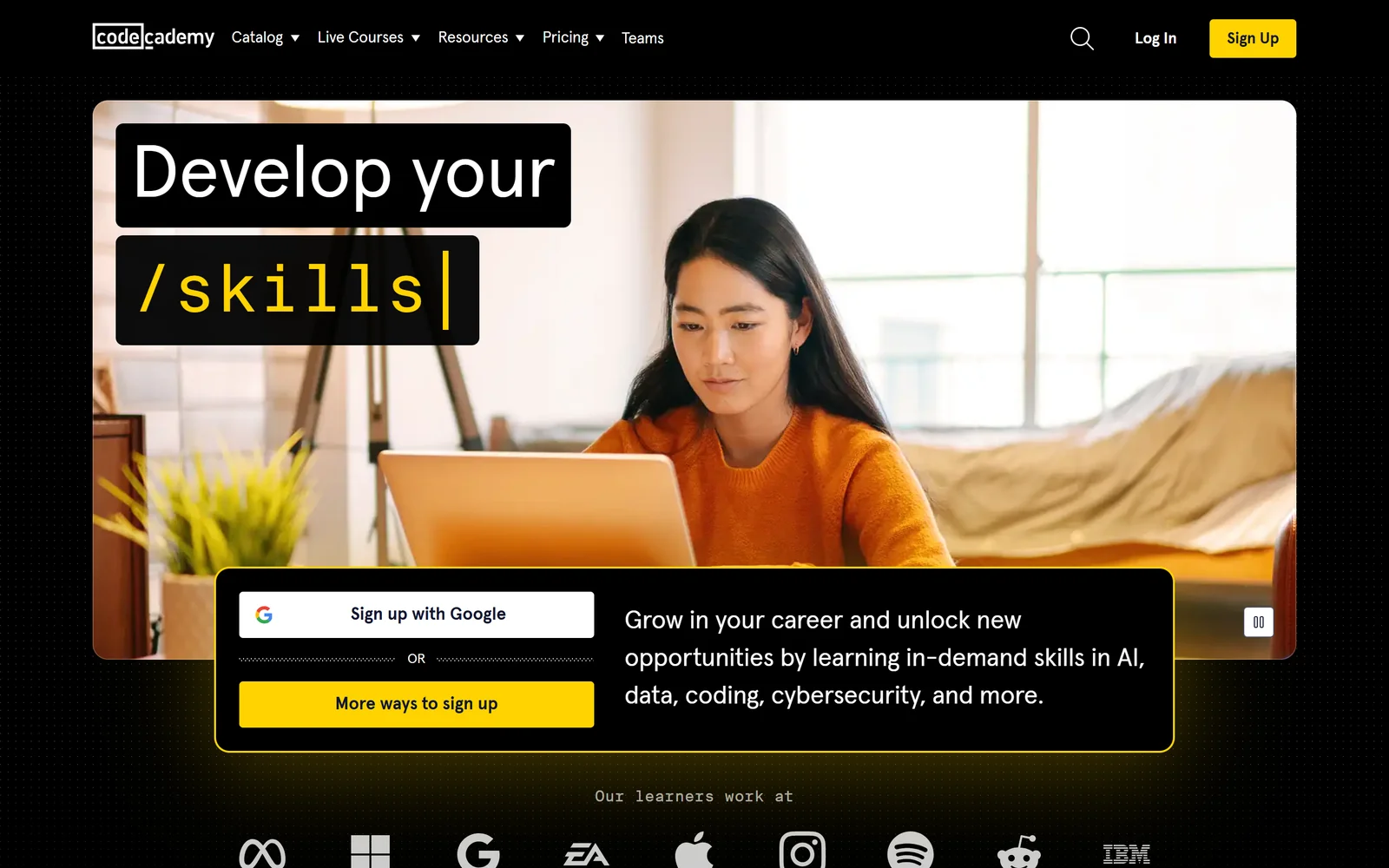
Codecademy’s homepage. Founded in 2011 and owned by Skillsoft since 2022, it is the oldest and largest platform in this comparison.
Codecademy earns first place on the single criterion the others cannot match: depth. Its catalog lists 845 items across 15 languages, with 14 career paths ranging from about 10 hours (UX Designer) to about 150 hours (Full-Stack Engineer, 51 courses). Lessons run in a real in-browser editor with autocomplete, checkpoints, and a “Create a Gist” button that pushes your code to GitHub. The AI Learning Assistant, powered by GPT-4o since July 2024, answers unlimited questions on paid plans. If your goal is a job rather than a habit, this is the curriculum that actually gets there.
The strings are real, though. The free Basic plan unlocks lessons only in courses labelled “Free course”; quizzes, projects, practice, paths and certificates all require Plus ($11.99/month billed annually, $14.99 monthly) or Pro ($15.99/month annually, $19.99 monthly). The 7-day trial requires a card and charges on day seven. And the refund policy is a single sentence: “We do not grant refunds, prorated or full, for subscriptions.” That policy is the reason Codecademy carries a 2.5 “Poor” TrustScore from 1,476 reviews — by far the lowest here — while its app-store ratings (4.8 from 38K on iOS, 4.6 from 40.1K on Google Play) stay strong. People like the product and resent the billing.
Two more things to know. Codecademy Go, the mobile app, is officially a “supplemental tool” for flashcards and review — the company recommends “the vast majority of your learning be completed online.” And gamification is light: weekly targets, streaks, five badge types and Skill XP, with no hearts, leagues or timers. For some learners that restraint is a feature.
The Good (Pros)
The Bad (Cons)
#1 · Deepest curriculum
Go job-ready with 14 career paths and a real IDE
845 courses · 7-day trial (card required) · Plus from $11.99/mo · no refunds, so set a reminder to cancel.
Visit Codecademy
4. Coddy: The Free Tier That Is Actually the Whole Product
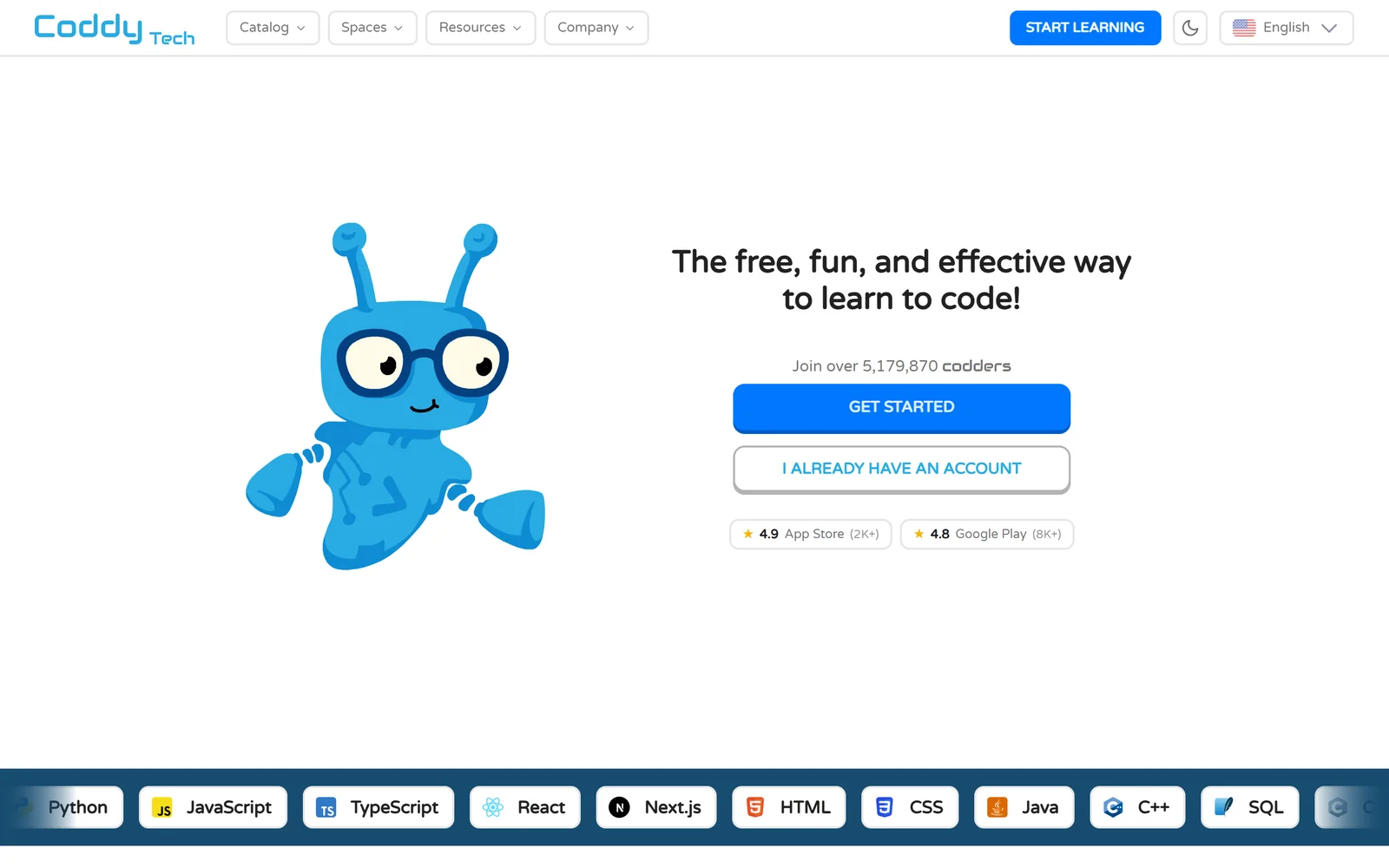
Coddy’s homepage on 16 September 2026. The live counter read 5,179,870 users; the 4.9 and 4.8 store badges are Coddy’s own and run slightly above the live storefront figures.
Coddy is second because it answers the first pain point on the list better than anyone. Its FAQ is unambiguous: every one of its 125 interactive courses is free to complete, and “Every course on Coddy awards a free certificate of completion” with a unique ID and a public verification URL. Codecademy paywalls projects, Mimo paywalls everything past the intro, Codédex paywalls Python from chapter three. Coddy paywalls nothing — it limits your daily energy instead, and sells the removal of that limit.
The second reason is that you write real code. Coddy runs your submissions server-side against test cases — its Python playground alone ships Python 3.11 with the standard library, NumPy, pandas, requests and pytest, in an editor built on the same engine as VS Code. Its language list is also the widest here: the homepage catalog runs to 28 entries, from Python and JavaScript through Rust, Lua, Luau, Swift, Verilog and Assembly to Git, Docker, Excel and AI prompting. A Reddit r/lua user called it “really the only interactive coding learning platform that has Lua” — a niche, but a real one.
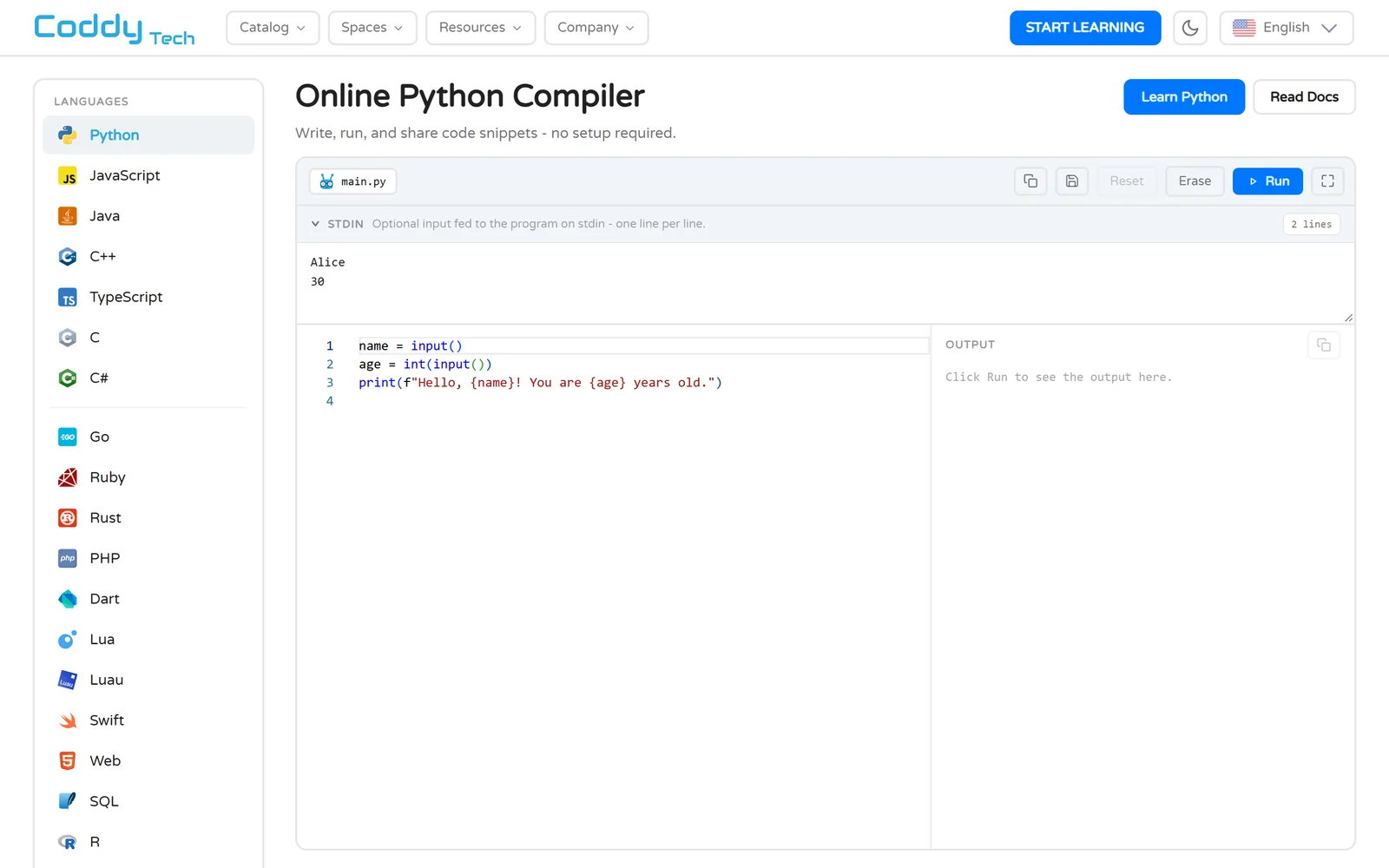
Coddy’s free playground runs real code in a server-side sandbox — no sign-up required.
The gamification is the most complete in the group and, importantly, it is built around a daily habit rather than punishment. There are streaks with freeze days, XP, badges, eight named leagues from Novice to Elite, personalised daily challenges and an AI tutor named Bugsy that “reads your code and your error, explains, and hints. Never the answer.” Native iOS and Android apps sync progress and cache lessons for offline use — something Mimo does not offer at all.
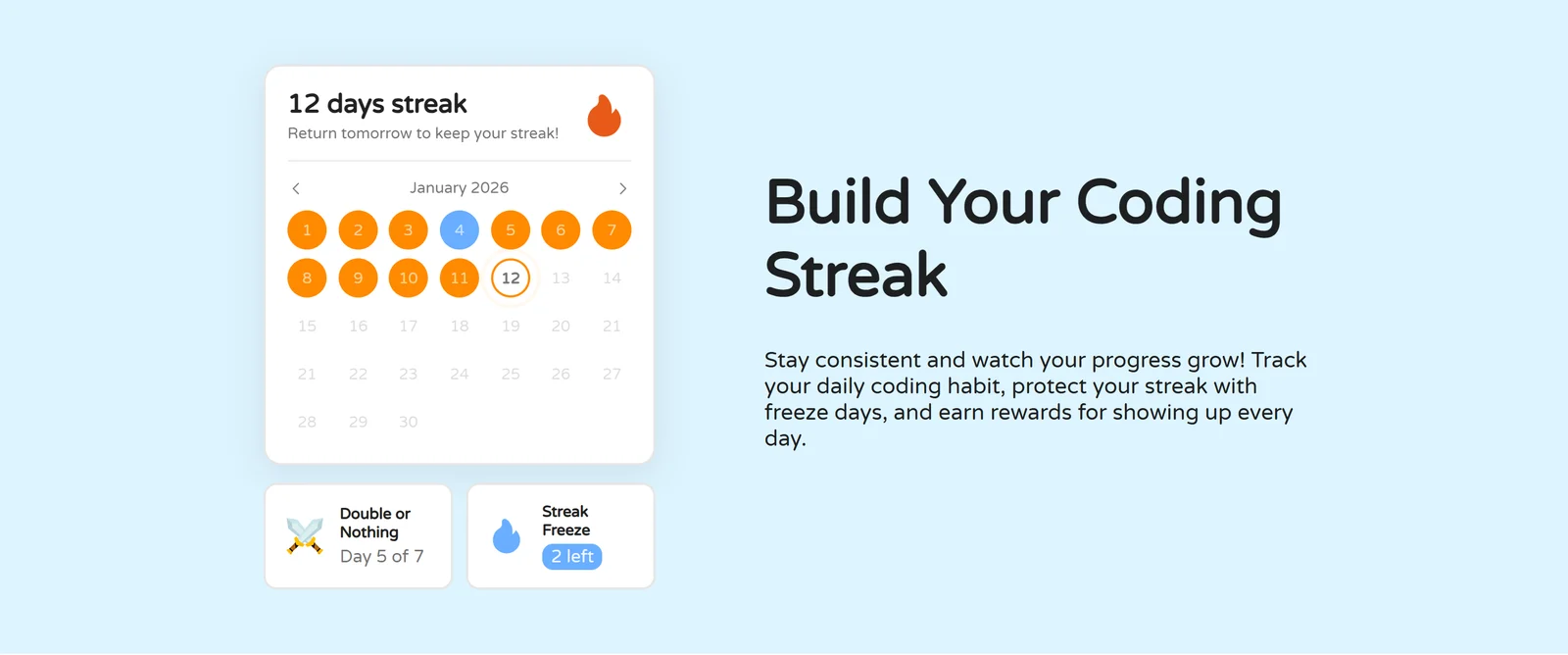
Streaks with freeze days and a Double-or-Nothing challenge. The mechanics reward showing up rather than blocking you for mistakes.
Now the honest part. The energy limit is the complaint that dominates Coddy’s otherwise excellent 4.7 TrustScore from 4,033 reviews. One three-star review: “The whole ‘energy thing’ is really annoying, as we get only a limited amount per day. This limits my learning to about only 20 minutes.” Coddy’s public reply acknowledged it: “The energy limit is a common concern, and many learners feel the same way. Expanding what is free so you can learn more each day is something we are working on.” Free accounts also see ads, and one App Store reviewer found them “very disruptive full page time gated ads.” Quality control draws fire too — a February 2026 r/learnprogramming thread complained of “non-loading lessons to timeouts and very… very slow validation”, and a commenter suspected much of the material was AI-written. Coddy is a 2022 startup that raised $10 million in user-acquisition financing in May 2026; it is growing faster than its QA.
Pricing is where Coddy pulls ahead again. Plus removes the energy limit and ads for $9.99/month or $79.88/year ($6.65/month). Pro adds unlimited AI assistance, an advanced model, solution analysis and premium challenges for $14.99/month or $119.88/year ($9.99/month). A Lifetime plan is $399.99 once. Refunds are available within 14 days if you have not used the service; cancellation is one click, though one Reddit user reported three “pause instead?” pop-ups before it went through. Note that iOS in-app prices run about $5/month higher than the web — subscribe on the website.
The Good (Pros)
The Bad (Cons)
#2 · Best free tier · Our pick
Start coding free — all 125 courses, no card needed
Real code against real tests, offline iOS and Android apps, streaks with freeze days. Plus from $6.65/mo if you want unlimited energy.
Visit Coddy.Tech
5. Mimo: The Best Phone Experience, Behind the Steepest Paywall
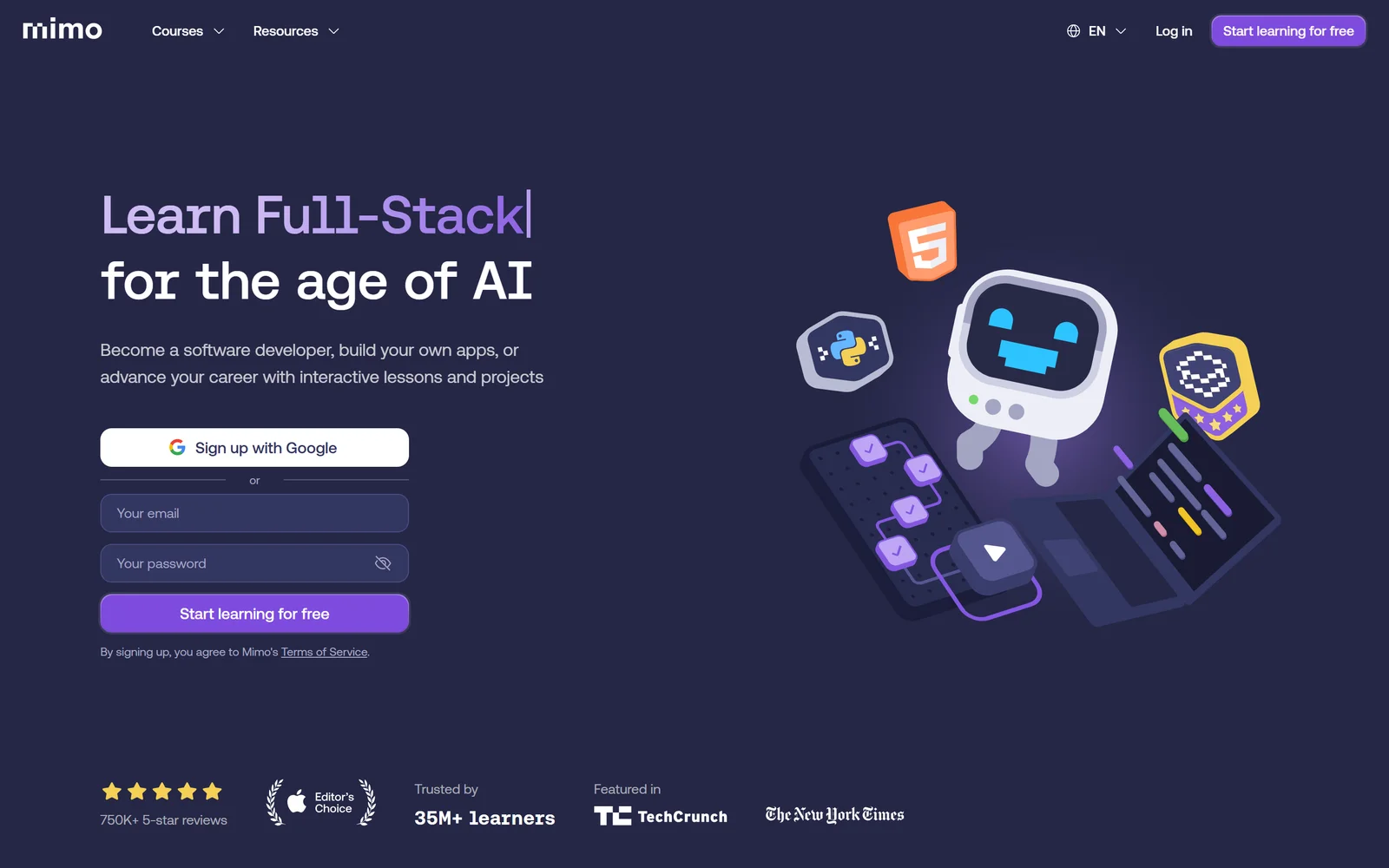
Mimo, from Vienna’s Mimo GmbH, is the most-downloaded app in this group: 10M+ on Google Play with 732K reviews.
Mimo — short for “micro-moments” — is the app that made five-minute coding lessons mainstream, and it remains the most polished mobile experience here. It holds 4.8 from 110K ratings on iOS and 4.7 from 732K on Google Play with an Editors’ Choice badge, claims 35M+ learners, and structures its content into four career paths (Full-Stack, Front-End, Back-End, Python Developer) with guided portfolio projects and professional certificates. If you learn on a train and nowhere else, Mimo’s interface is the one designed for you.
The problem is what “free” and “Pro” mean. Basic gives you the intro section of each course and two keys per day — a key is needed to start a chapter — which one Google Play reviewer with 60 helpful votes called “terribly inaccessible, bordering on predatorily greedy.” Then the structure most people miss: Mimo Pro ($14.99/month, or $9.99/month billed annually) works only in the mobile app. Guided projects beyond the first section must be done on the web, and the web requires Max at $39.99/month or $24.99/month annually. Mimo states this plainly on its own site — “Only Max includes web access” — but plenty of Pro buyers only discover it when a project locks. The Trustpilot review titled “Once you buy the PRO plan…the project remains unavailable!…so they offer you the MAX plan” is representative.
Mimo also lacks offline mode, and its lessons lean on tap-to-fill and multiple choice more than free typing — which is exactly why its phone experience is so smooth, and exactly why learners who finish it report not being able to build anything. The 7-day trial is annual-only with a card up front, and Trustpilot carries recent one-star complaints about renewals and a refused €149.99 refund.
The Good (Pros)
The Bad (Cons)
#3 · Best on mobile
Learn in five-minute lessons on your phone
35M+ learners · Apple Editor’s Choice · 7-day trial on annual plans · remember: Pro is mobile-only, web needs Max.
Visit Mimo
6. Sololearn: The Biggest Community and the Cheapest Pro — If You Can Live With Hearts
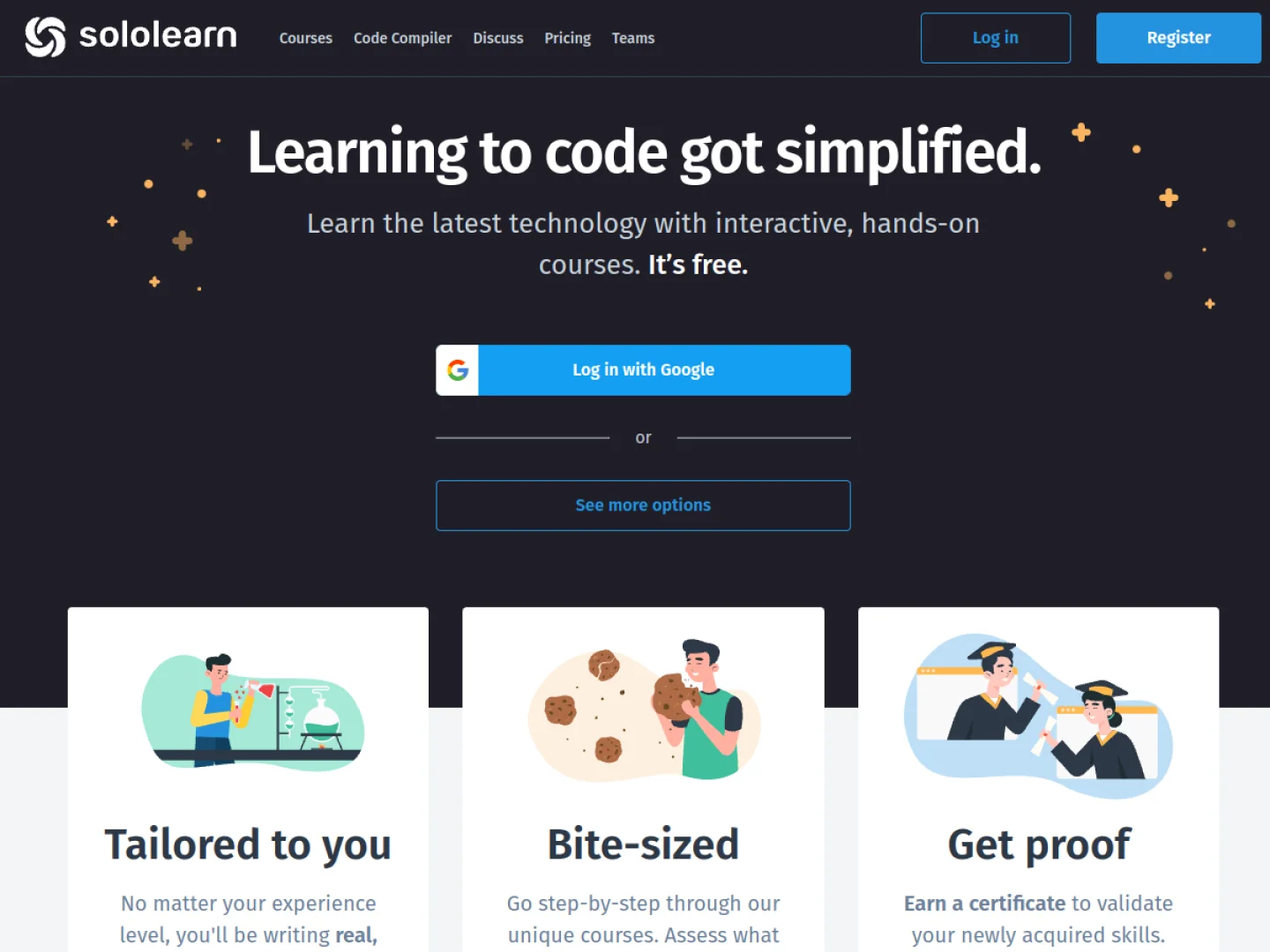
Sololearn’s live counter passed 65 million registrations in September 2026 — the largest learner base in the group.
Sololearn has been teaching people to code since 2014 and has the community to show for it — about 65 million registered learners, comment threads under every lesson, and 4.8 from 82K iOS ratings. Its Basic plan is “Forever — not a trial” and includes all course content on web and mobile plus free certificates, and its PRO plan is the cheapest paid tier here at $69.99/year ($5.83/month) or $12.99 month-to-month, with a 14-day trial. The AI mentor Kodie, powered by OpenAI, is reserved for MAX at $119.88/year ($9.99/month).
So why fourth? Hearts. Free users get five, lose one per wrong quiz answer, and each takes five hours to refill. For a beginner — someone who will get things wrong by definition — that is the mechanic learners hate most. Sololearn’s own forum thread on it is titled “Hearts for learning are realy useless” and its most recent version, from September 2025, opens: “It limits our learning who can’t afford to pay for Pro and max.”
The second issue is depth. Lessons are marketed as solving “coding challenges by swiping and tapping”, and the catalog of 48 courses is now weighted toward AI and generative-technology titles — 24 of the 48 — many of which push the paid tiers. A four-star Trustpilot reviewer summarised it fairly: “Sololearn is just THE BEST for beginners but when I needed more challenging projects and practical learning I miss that in sololearn.” A Google Play reviewer with 126 helpful votes praised “a much more polished Duolingo-like experience” while noting “a LOT of grammatical, syntaxical, and logical errors.” The 3.6 TrustScore from 304 reviews reflects billing disputes more than the product.
The Good (Pros)
The Bad (Cons)
#4 · Biggest community
All course content free, forever
About 65M learners and comment threads under every lesson · PRO from $5.83/mo removes the hearts.
Visit Sololearn
7. Codédex: The Most Fun You Can Have Learning Python — On a Laptop Only
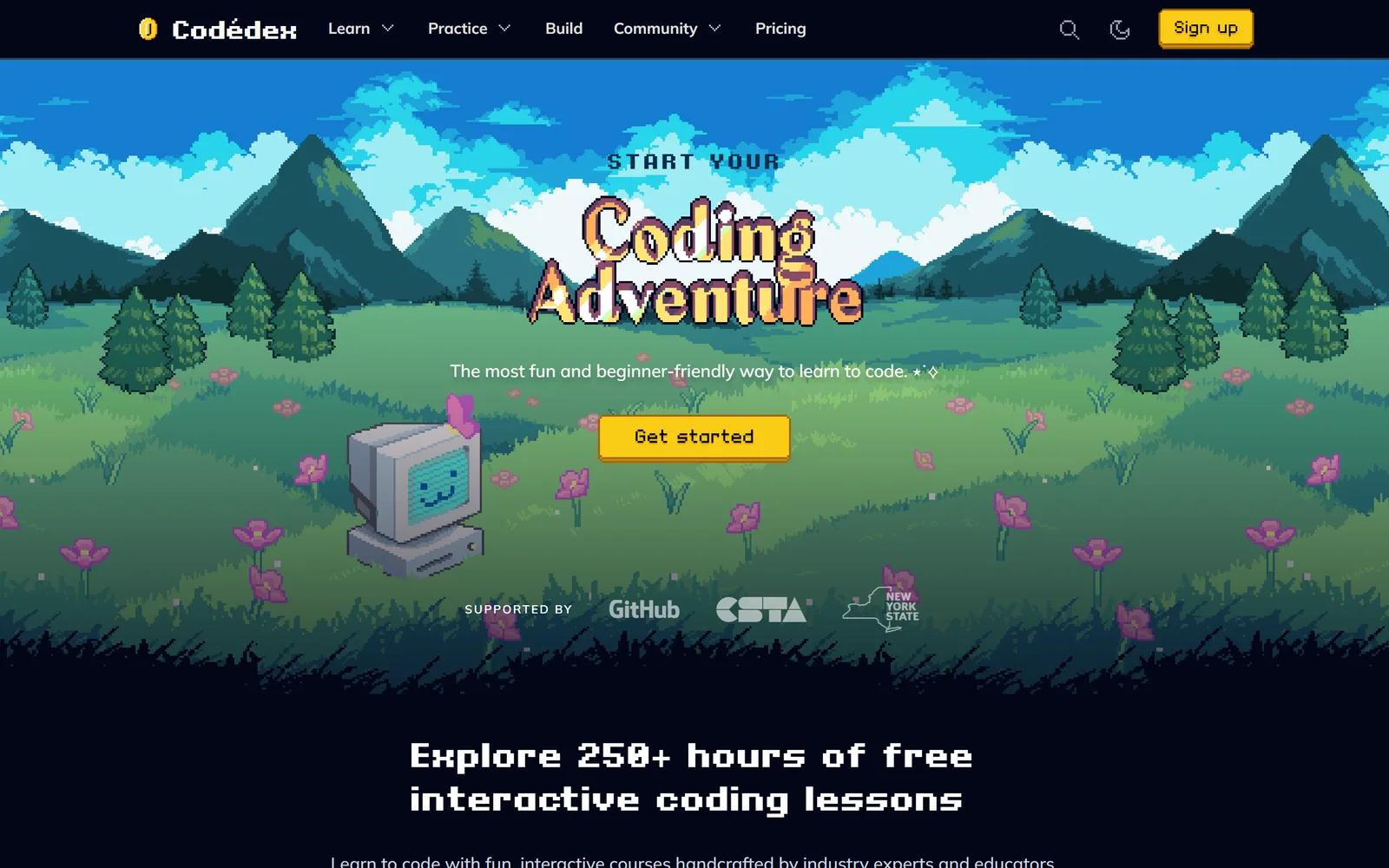
Codédex, pronounced like Pokédex, from Brooklyn’s Niteowl, Inc. — 2 million users and, per the company, profitable in 2026.
Codédex is the platform people describe with the word “serotonin”. It wraps a genuinely good curriculum — 25 courses, six Learning Journeys, real code execution with automated evaluation for Python, JavaScript, C++, Java, C#, SQL and more — in an RPG: pixel-art characters with 33,600 combinations, chapter badges, five ranks from Bronze to Diamond, cutscenes, and the #30NitesOfCode challenge where you raise a virtual pet by coding once a day for 30 days. It also does something none of the other four do: Builds hosts your multi-file projects at your own codedex.me subdomain with live preview, and Club members get human mentor reviews of their projects plus 24/7 mentor help. A Trustpilot reviewer: “I’ve learned so much in these past 3 months than what’ve learned in college.”
Fifth place comes down to three hard limits. There is no mobile app — not on iOS, not on Google Play, only the responsive website — so it fails the mobile criterion outright. The free Explorer tier is thin: in the flagship Python course only Chapters 1–2, ten of 43 exercises, are free, with everything from Chapter 3 onward, both projects and the certificate marked Club. And the terms are the strictest here: no free trial, a 3-day money-back window with “no exceptions”, and on cancellation “you lose access to all paid content, even courses you completed.” A one-star Trustpilot review called the refund rule a scam; the company replied citing the three-day policy.
Club costs $9.99/month billed yearly (about $119.88/year) or $19.99 monthly, and verified students get six free months through the GitHub Student Developer Pack. Reviews are small in number but glowing — 4.7 from 69 on Trustpilot, 5.0 from 35 on Product Hunt — and the community is, by most accounts, the best of the five.
The Good (Pros)
The Bad (Cons)
#5 · Most fun
Start your coding adventure — on a laptop
Pixel-art RPG, real editor, human mentor reviews on Club · $9.99/mo annual · six months free for students via GitHub.
Visit Codédex
8. Scored Comparison Chart
The chart below plots every platform on the seven criteria. Bars are TrackerTools editorial scores from 0 to 10, derived from the verified facts above; Coddy is highlighted in blue.
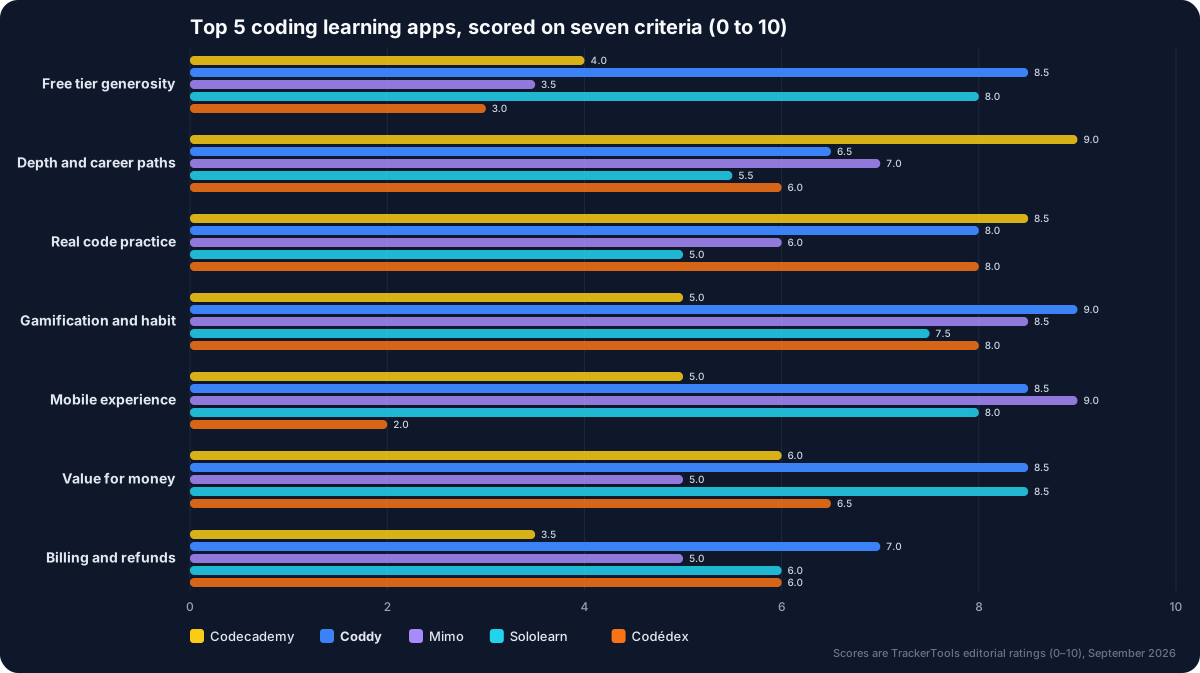
Seven criteria, five platforms. Codecademy wins depth; Coddy wins free tier, gamification and value; Mimo wins mobile; nobody wins billing.
Three things jump out. No platform scores above 7 on billing — every one of the five has a documented pattern of renewal or refund complaints, and Codecademy’s stated no-refund policy puts it last. Coddy is the only platform with no score below 6.5, which is the practical case for ranking it second: it has no disqualifying weakness. And Codecademy’s profile is the inverse of Mimo’s — the deepest content with the weakest phone app, versus the best phone app with the shallowest free content.
9. Pros and Cons Matrix: Who Solves Which Pain Point
This matrix maps the six complaints from section 1 to what each platform actually does about them. A check means the platform addresses the problem on its free or cheapest paid plan; a cross means it is a documented source of that complaint.
| Learner pain point | Codecademy | Coddy | Mimo | Sololearn | Codédex |
|---|---|---|---|---|---|
| Can I finish a full course free? | ✗ Lessons only | ✓ All 125 courses | ✗ Intro sections | ✓ All content | ✗ 2 chapters |
| Will lives or hearts lock me out? | ✓ None | ⚠ Daily energy | ✗ 2 keys/day | ✗ 5 hearts, 5h refill | ✓ None |
| Am I typing real code? | ✓ Real IDE | ✓ Sandbox + tests | ✗ Mostly tap-to-fill | ✗ Swipe and tap | ✓ Real editor |
| Is there a path to a job? | ✓ 14 career paths | ⚠ Journeys, no career paths | ✓ 4 career paths | ⚠ 5 basic paths | ⚠ 6 journeys |
| Does it work on my phone? | ⚠ Review-only app | ✓ Native + offline | ✓ Native, no offline | ✓ Native | ✗ No app |
| Can I get my money back? | ✗ Never | ✓ 14 days if unused | ⚠ 14-day EU right; disputes | ⚠ Store-dependent | ✗ 3 days only |
| Are certificates free? | ✗ Paid plans | ✓ Free, verifiable | ✗ Pro and Max | ✓ Free | ✗ Club only |
Read across a row and the trade-offs become concrete. If your fear is the paywall, only Coddy and Sololearn let you finish everything free — and Sololearn’s hearts turn that free access into a waiting game. If your fear is tutorial hell, Codecademy, Coddy and Codédex make you type; Mimo and Sololearn largely do not. If your fear is billing, Coddy’s 14-day unused-refund rule is the only policy here that is both written down and reasonable.
10. Pricing at a Glance
| Plan / Metric | Codecademy | Coddy | Mimo | Sololearn | Codédex |
|---|---|---|---|---|---|
| Free tier | Lessons in free-labelled courses | All courses and certificates; daily energy limit; ads | Intro sections; 2 keys/day; ads | All course content and certificates; 5 hearts | First 2 chapters; limited AI |
| Cheapest paid, annual | Plus $11.99/mo ($143.88/yr) | Plus $6.65/mo ($79.88/yr) | Pro $9.99/mo (mobile only) | PRO $5.83/mo ($69.99/yr) | Club $9.99/mo (~$119.88/yr) |
| Cheapest paid, monthly | Plus $14.99 | Plus $9.99 | Pro $14.99 | PRO $12.99 | Club $19.99 |
| Top tier, annual | Pro $15.99/mo | Pro $9.99/mo or Lifetime $399.99 once | Max $24.99/mo (web access) | MAX $9.99/mo (Kodie AI) | Club is the only tier |
| Free trial | 7 days, card required | None (free is the product) | 7 days, annual only | 14 days on PRO annual | None |
| Refunds | None | 14 days if unused | 14-day EU revocation; store rules | Store rules; no proration | 3 days, no exceptions |
| Trustpilot (16 Sep 2026) | 2.5 from 1,476 | 4.7 from 4,033 | 4.5 from 867 | 3.6 from 304 | 4.7 from 69 |
Two cautions on the numbers. Coddy’s pricing page requires a login and frequently shows promotional discounts, so the list prices above are its published base rates; its iOS in-app prices run higher, so buy on the web. Codédex and Mimo localise prices by country, and Sololearn adds local tax at checkout.
11. Which App Should You Actually Use?
If you want a job and can afford $12–16 a month: Codecademy. Nothing else here has career paths measured in hundreds of hours, professional certification exams and an editor that pushes to GitHub. Set a calendar reminder to cancel — there are no refunds.
If you want to build a daily habit without paying, and actually type code: Coddy. It is the only platform where free means every course and every certificate, the practice is real code against real tests, and the apps work offline. Expect the energy limit to cap free sessions at 10–20 minutes; if that is not enough, $6.65 a month removes it, which is the cheapest useful upgrade in this comparison.
If you only ever learn on your phone: Mimo, with eyes open. Buy Pro knowing it is mobile-only, and do not expect to do the projects without Max.
If you want free depth of community and can tolerate hearts: Sololearn. Its comment threads are the best free tutoring here, and $5.83 a month removes the hearts.
If you learn on a laptop, have a student email, and want mentors: Codédex. Six free months through GitHub Student Developer Pack is the best deal on this page — just do not cancel expecting a refund.
And for everyone: the r/learnprogramming advice that appears under every one of these apps is right. “Use them to build the habit, but switch to building your own small projects as soon as you know the basics!” The app that gets you to that point fastest is the one worth paying for.
12. Final Verdict
Codecademy is the best coding learning platform of 2026 for anyone whose goal is employment, on the strength of a curriculum no bite-sized app can match — provided you accept a thin free tier and a no-refund policy that earns it the worst trust score in the group.
Coddy is the best coding app of 2026 for the far larger group of people who want to learn to code without a $200-a-year commitment: the only platform here whose free tier is the whole product, with real code execution, offline mobile apps, the widest language list and the highest user rating of the five. It is not yet the most polished, and its energy limit will nudge you toward the $6.65-a-month Plus plan. But it is the one we would put on a beginner’s phone first.
You can start on the official Coddy website without a card, and finish a course before deciding whether it deserves any money at all.
Disclosure: This article contains an affiliate link to Coddy. If you subscribe through it, TrackerTools may earn a commission at no additional cost to you. Links to Codecademy, Mimo, Sololearn and Codédex are not affiliated. Every price, rating and quotation was re-verified against the platforms’ own pages, app-store listings, Trustpilot and the original Reddit, Hacker News and forum posts on 16 September 2026.

