
OpusClip Review 2026: AI Clipping, Credits and What It Really Costs
What one credit buys, why the price on the page depends on your country, and what happens to the credits and the money you do not use.
OpusClip takes a long video — a podcast, a webinar, a livestream — and gives back short vertical clips with captions, reframed around the speaker and ready to post. Its homepage calls it the “#1 AI VIDEO EDITOR AND CLIPPING TOOL” and says it is “Used by 20M+ creators and businesses”.
The product is easy to understand. The billing needs a second look. Everything is paid for in credits, and a tooltip on the pricing page puts the rate at “1 credit = 1 minute of video processing”. The price next to those credits depends on the country you visit from: the page we read showed Starter at $12 and Pro at $23 a month, with $15 and $29 struck through. Credits expire. And the Terms say OpusClip “will not refund any fees that you have already paid”.
This review covers who runs OpusClip, what each plan actually includes, how credits are spent and how many clips they buy, every price we could find (three country tiers, packs and yearly billing), the trial, refund and contract terms, what happens to your footage and data, what users say on Trustpilot and the App Store, and six alternatives. We did not buy a plan: everything here was read on OpusClip’s own pages, its help centre, its Terms of Service and Privacy Policy, Trustpilot, Apple’s App Store and competitors’ pricing pages on November 11, 2026. Prices were read from Vietnam.
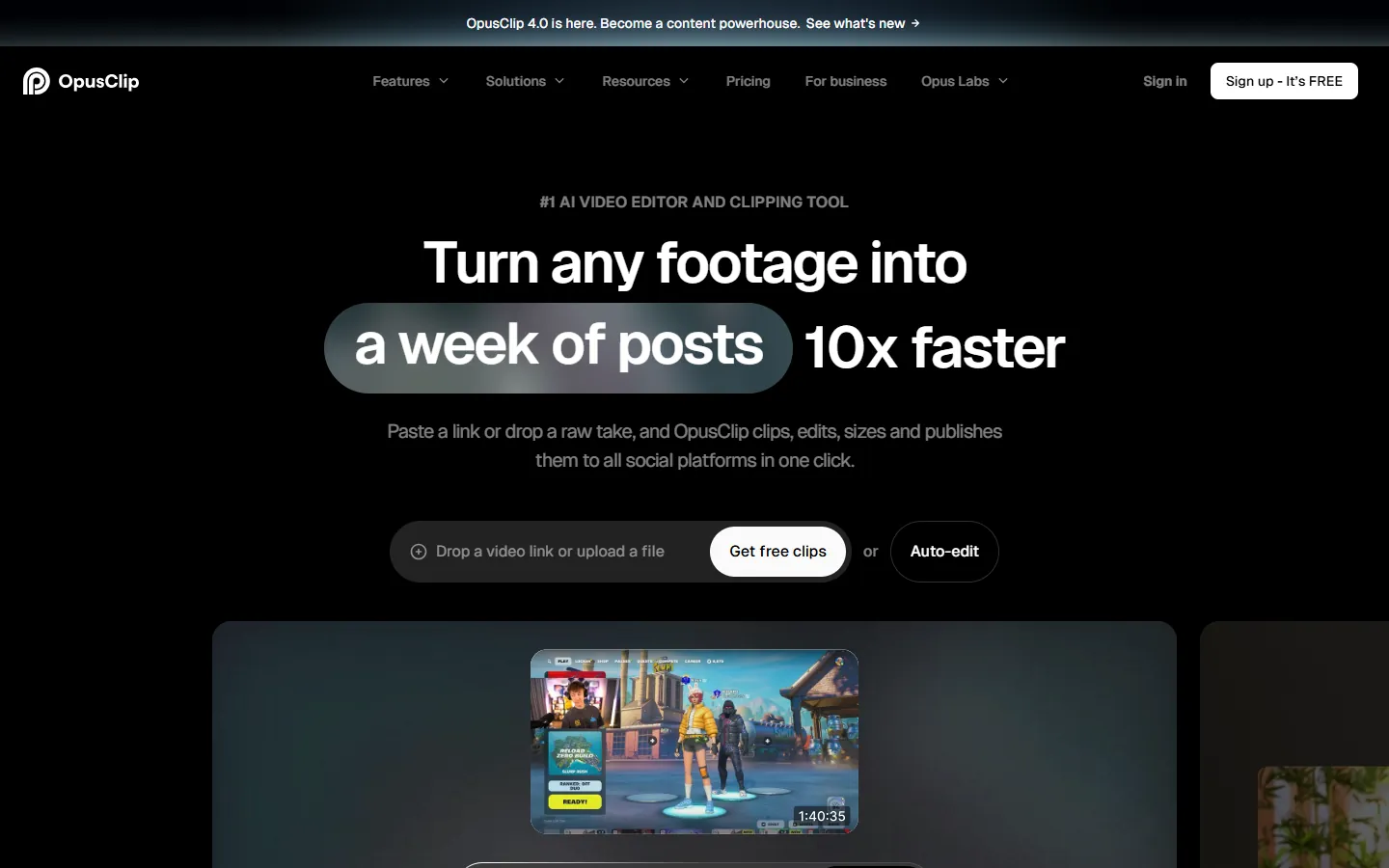
OpusClip’s homepage on November 11, 2026: the “#1 AI video editor and clipping tool” label above the upload box, and the OpusClip 4.0 banner.
1. What Is OpusClip — and Who Is Behind It
The product. OpusClip’s own explainer puts it in one sentence: “OpusClip is an AI video editor that turns long videos and raw footage into ready-to-post clips and videos.” The page describes four steps — Analyze, Curate, Edit, Share. The AI reads the whole recording, splits it into chapters, picks the parts worth clipping, adds animated captions, reframes the picture around the speaker and hands back clips to post. It backs the method with its own testing: “Our internal evaluations show that the new AI Curation produces 63% more sharable clips and is 57% less likely to create incoherent content compared to the current version.” That is OpusClip comparing its new model with its old one, not an independent benchmark.
On November 2, 2026 the company announced OpusClip 4.0, which pushes the product from clip extraction toward full editing. Its “Auto-edit” mode is described this way: “Drop in raw footage or paste a link, then switch on speech cleanup, captions, B-roll and more. What comes back is a finished video.” The same post adds saved editing setups called Recipes, Viral Hook templates, Motion Graphics, and a plugin for editing from ChatGPT or Claude.
The company. The Terms of Service name the operator: “The entity providing the Services is Opusclip Inc., a corporation operating under the laws of Delaware”, located in Mountain View, California. The About page lists four offices — Mountain View (marked as headquarters), San Francisco, Vancouver (a Burnaby address) and Los Angeles (a West Hollywood address). The 4.0 announcement is signed by Young Zhao, “the co-founder and CEO of OpusClip”.
The money. On March 11, 2025 OpusClip wrote on its blog that it “has secured new funding from SoftBank Vision Fund 2”. Business Insider reported the same day that the round was $20 million at a $215 million valuation, named DCM Ventures, AIGrant and Millennium New Horizons as existing investors, and added: “This brings the startup’s total funding to $50 million.” We read that article in its AOL republication.
The numbers it publishes. The About page counts “20M+” creators and businesses, “440M+” clips created and “160B+” total views from clips posted by users, with a footnote reading “As of September, 2026”. The business page still showed older counters on the same day — 19M+, 420M+ and 153B+ — with no date. These are the company’s own figures; we could not verify any of them.
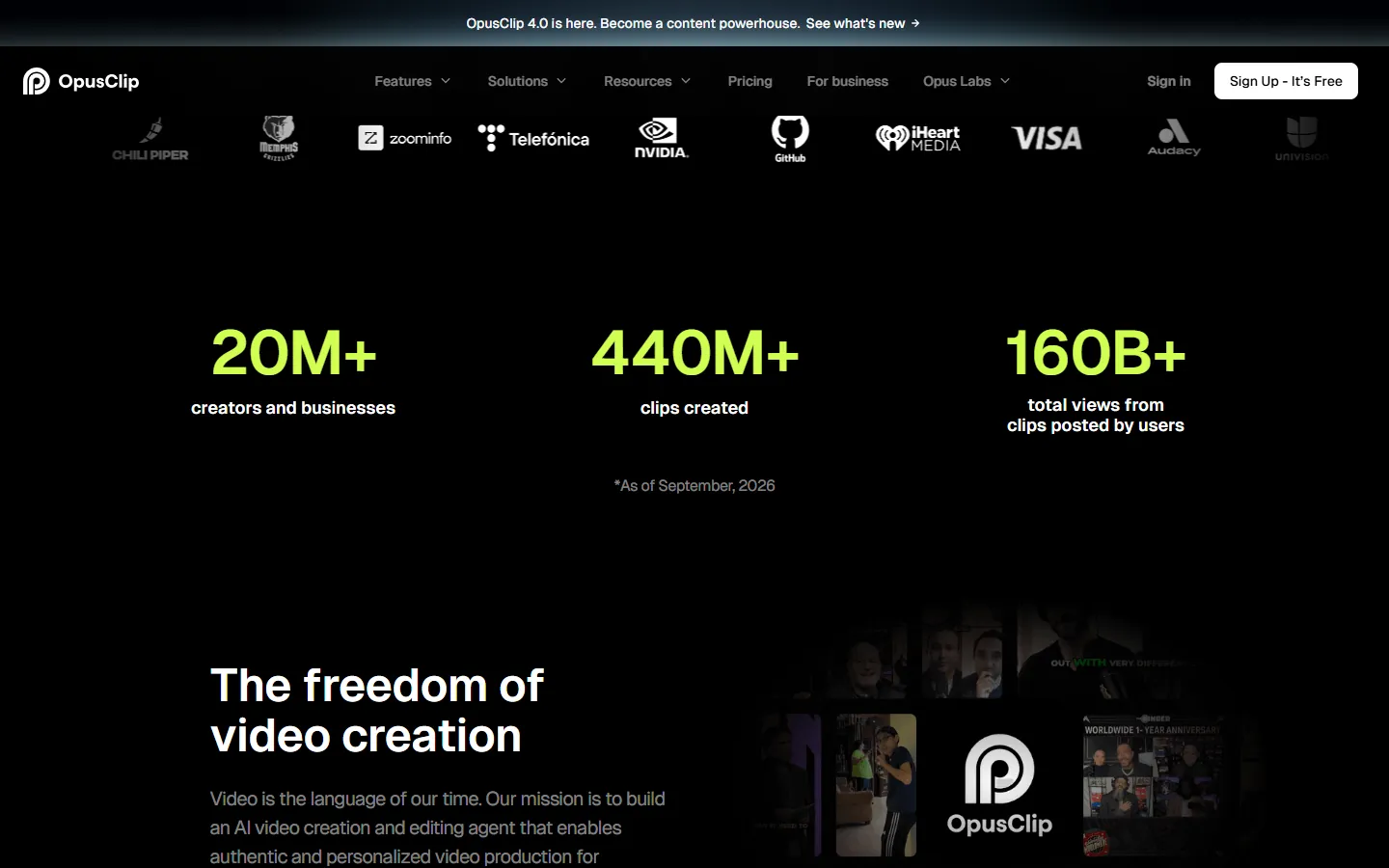
OpusClip’s About page on November 11, 2026: the counters the company publishes about itself, dated September 2026.
| Fact | What we found | Where it is stated |
|---|---|---|
| Legal entity | Opusclip Inc., a Delaware corporation | Terms of Service, effective November 17, 2025 |
| Offices | Mountain View (headquarters), San Francisco, Vancouver, Los Angeles | About page |
| Chief executive | Young Zhao, co-founder | OpusClip blog, November 2, 2026 |
| Funding | $20 million from SoftBank Vision Fund 2 at a $215 million valuation; $50 million in total | Business Insider, March 11, 2025 |
| Users claimed | 20M+ creators and businesses; 440M+ clips created | About page, “As of September, 2026” |
| Current release | OpusClip 4.0 | Announced November 2, 2026 |
| Hosting | Google Cloud servers in the United States | Privacy Policy, effective November 17, 2025 |
2. Who OpusClip Is For — and Who It Is Not For
It fits you if:
- You record long talking video every week — a podcast, a webinar, a coaching call, a livestream — and want several short clips out of each recording without opening an editor.
- Your volume fits the credits: 150 minutes of source video a month on Starter, 300 minutes per pack on Pro. A weekly one-hour show uses about 260 credits a month.
- You want captions and vertical reframing done for you in English, German, Spanish, French or Portuguese. The help centre lists 20 more languages and marks every one of them as beta.
- You are a team of two to four that wants a shared workspace, brand templates and a scheduler: Pro gives 2 seats per pack and 4 at most.
- You want to test before paying: the free plan gives 60 credits every month, and new users get a 7-day trial of Pro.
Look elsewhere if:
- Your videos are in Arabic, Hebrew, Persian or Kurdish. The help centre is plain about it: “Unfortunately, we do not support any languages that read right to left, including Hebrew, Kurdish, Arabic or Persian.”
- You clip in bursts, with quiet months in between. Monthly credits expire after 60 days and a yearly plan’s credits after 12 months, so what you do not use is lost.
- You need a refund if it does not work out. The Terms rule out refunds of fees already paid, and the help centre says a subscription cannot be paused.
- You need more than four seats without talking to sales. Above that is the Business plan, with custom pricing.
- Your footage has little speech. The help centre says “Videos need at least 30 spoken words to be processed.”, and the free plan clips by spoken words only.
- Your footage is confidential. For individual accounts the help centre says it may “use your data to improve our AI models and enhance the quality of our services”; only enterprise customers are told their data is not used for training.
- You want to clip YouTube videos from a channel you do not own by pasting the link. OpusClip “requires users to verify their YouTube video ownership before submission”; for a client’s channel the help centre points to another upload method or to inviting the channel owner into your workspace.
3. What You Actually Get: Clipping, Captions, Editing and Publishing by Plan
The pricing page carries a “Compare all plans” table of more than 70 rows. It is the most precise description of the product that OpusClip publishes, and it shows how much of what the marketing pages advertise sits on Pro.
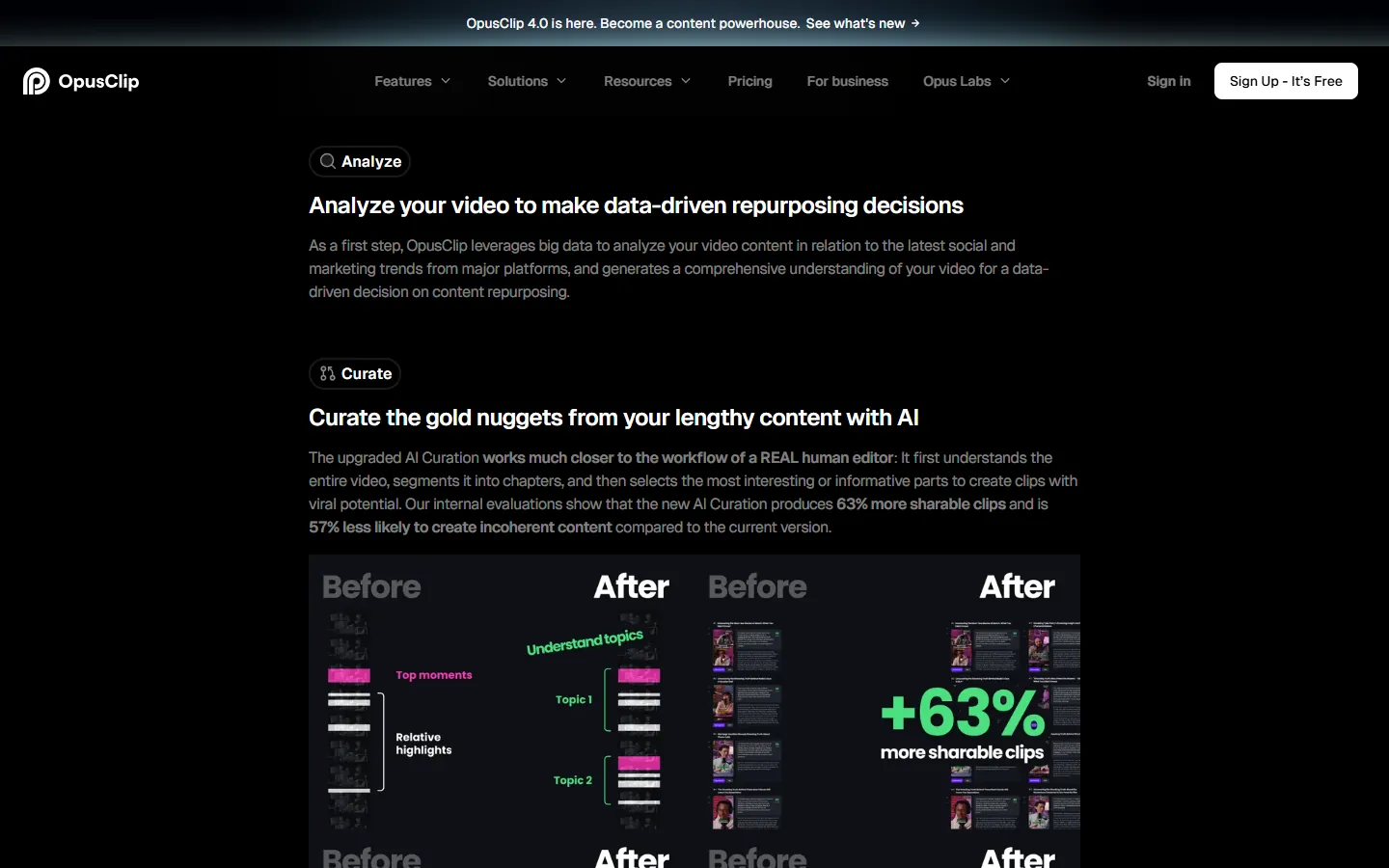
The Analyze and Curate steps on OpusClip’s explainer page, with the company’s own “63% more sharable clips” figure.
Clipping. The model is called ClipAnything. The homepage sells it hard: “ClipAnything is the only AI clipping model that turns any genre — vlogs, gaming, sports, interviews, explainer videos — into viral clips in 1 click.” The plan table narrows that. Free is listed with “Clipping by spoken words” only. Clipping by visual objects, by sound and by emotion starts at Starter, and so does the Virality Score. “Topics search” and “Prompt to clip” — telling the AI what to look for — are listed on Pro and Business only. Clip lengths from under a minute up to 15 minutes can be chosen on every plan.
The Virality Score runs from 0 to 99, “with higher scores suggesting a greater chance of engagement and shares on social media”. It is a prediction by OpusClip’s own model, built on four criteria the help centre names as Hook, Flow, Value and Trend. Treat it as a sorting aid, not a forecast of views.
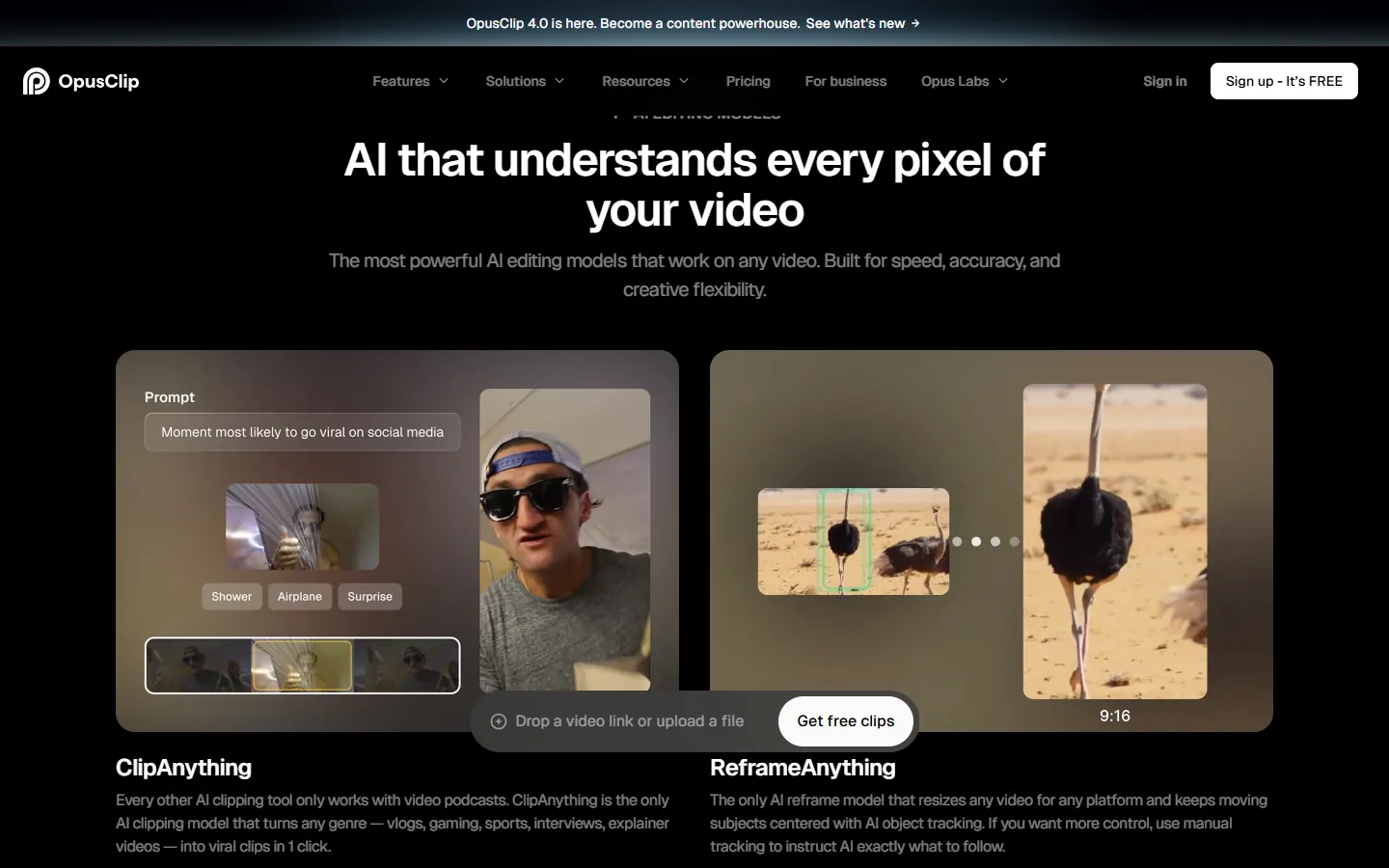
ClipAnything and ReframeAnything as presented on the homepage. The plan table lists prompt-based clipping and moving object tracking on Pro and Business only.
Captions and reframing. The captions page claims “99% Transcription accuracy” and “20+ Languages supported”. The help centre is more careful: it lists 25 languages, of which only English, German, Spanish, French and Portuguese carry no beta mark, and warns that in the others “You may encounter some inaccurate emojis or highlighted keywords.” Animated caption templates and auto reframe are on every plan. Free and Starter export in 9:16 only; 1:1 and 16:9 need Pro. The homepage says ReframeAnything “keeps moving subjects centered with AI object tracking”, and the plan table lists “Moving object tracking” on Pro and Business only.
Editing. The free plan card says “No editing”: you take the clips as they come. Starter opens text and timeline editing, pause and filler removal, text overlays, AI upscaling, 20 AI voice-overs a day, and three AI image and three stock B-roll clips a month. Pro raises B-roll to 50 AI image clips a day with unlimited stock and adds AI video B-roll, speech enhancement 10 times a day, bad-take removal, eye contact correction, music, transitions, sound effects, intro and outro cards, up to two custom fonts, bulk export, and export to Adobe Premiere Pro and DaVinci Resolve. Dubbing is Pro too: the help centre says it works in 25 languages with a clone of your own voice and prices it at 10 credits a minute.
Publishing. The free plan has no posting: you download. Starter posts to YouTube Shorts, TikTok and Instagram Reels. Pro adds Facebook Page, LinkedIn, X, Pinterest, Threads and Bluesky — nine platforms, with Snap marked “coming soon” — plus the scheduler, several profiles per platform and six social account connections per pack. Two details from the help centre matter here: “Posting to X also uses credits, at a rate of 3 credits per post.”, and the posting limits include 15 TikTok posts a day.
Automation. The video editing API, the scheduler API, the MCP connector and Zapier are listed from Pro up. The Pro card words it as “Limited API Access”, the help centre calls API access on Pro a beta, and Zapier on Pro is capped at 300 credits a month.
The rows that decide most purchases, as the table showed them on November 11, 2026 (“Not listed” is a dash in OpusClip’s table):
| What | Free | Starter | Pro | Business |
|---|---|---|---|---|
| Credits a month | 60 | 150 | 300 per pack | Custom |
| Watermark | Yes | No | No | No |
| MP4 export | 3-day limit, up to 1080p | 30-day limit | No limit | No limit |
| AI clipping | Spoken words only | Words, visual objects, sound, emotion | Same, plus topic search and prompt to clip | Same as Pro |
| Virality Score | Not listed | Yes | Yes | Yes |
| Aspect ratios | 9:16 | 9:16 | 9:16, 1:1, 16:9 | 9:16, 1:1, 16:9 |
| Editor | ”No editing” | Text and timeline editing | Adds bad-take removal, eye contact, music | Same as Pro |
| B-roll | Not listed | 3 AI image and 3 stock clips a month | 50 AI image clips a day, unlimited stock | Same as Pro |
| Posting | Not listed | YouTube Shorts, TikTok, Instagram Reels | Nine platforms | Nine platforms |
| Scheduler | Not listed | Not listed | Yes | Yes |
| Team seats | Not listed | Not listed | 2 per pack, up to 4 | Unlimited |
| Media storage | Expires after 3 days | Expires after 29 days | 100GB fixed storage | Unlimited |
| Local upload | Up to 10GB per video | Up to 10GB per video | Up to 30GB per video | Up to 30GB per video |
| API, MCP and Zapier | Not listed | Not listed | Yes; Zapier up to 300 credits a month | Yes |
| Support | Discord, AI chat | Discord, AI chat | Adds Intercom live chat | Priority, dedicated Slack channel |
What is missing or unclear. Four things did not line up on the pages we read:
- 4K. A help article gives Pro 4K export and reserves 4K scheduling and posting for Enterprise, adding that “4K export is not upscaling—it only activates when your source video is genuinely 4K (3840 × 2160).” The pricing table has a single row, “4K schedule and download”, ticked for Business only. Ask support before you buy Pro for 4K downloads.
- Languages. The homepage says “other 20 more languages”, the captions page “20+ Languages supported”, the help centre “over 25 languages” with 20 of them in beta. Count on five.
- Caption accuracy. The captions page says 99%. The help article on the Android app says “97%+ accuracy”. Neither figure comes with a method.
- The mobile apps. The iPhone app has no Google Drive import, bulk export, export for Premiere Pro or DaVinci Resolve, B-roll or time-based scheduling, per the help centre. The Android app, launched in June 2026, is listed for eight countries, in English only, with no editor, posting or scheduling. OpusClip is a web product first.
4. Credits, Clip Counts and Speed: What One Credit Buys
The unit. The help centre states the rule in one line: “Currently, processing clips will cost 1 credit per minute of the original video imported.” You pay for the minutes you feed in, not for the clips that come out. A video under one minute costs one credit, and partial minutes are rounded down: “a 4.5-minute video would be calculated as 4 minutes”. A “Processing timeframe” slider lets you process only part of a recording, which is the simplest way to save credits.
Credits also pay for things other than clipping:
- Posting to X costs 3 credits per clip, per X account.
- Dubbing costs 10 credits a minute.
- Upscaling shows a base cost on the button (the help article’s example is 23 credits), and 4K upscaling adds 11 credits per 10-second block. The help article lists upscaling from Pro up; the pricing table ticks it from Starter.
- Zapier runs draw on the same balance, up to 300 credits a month on Pro.
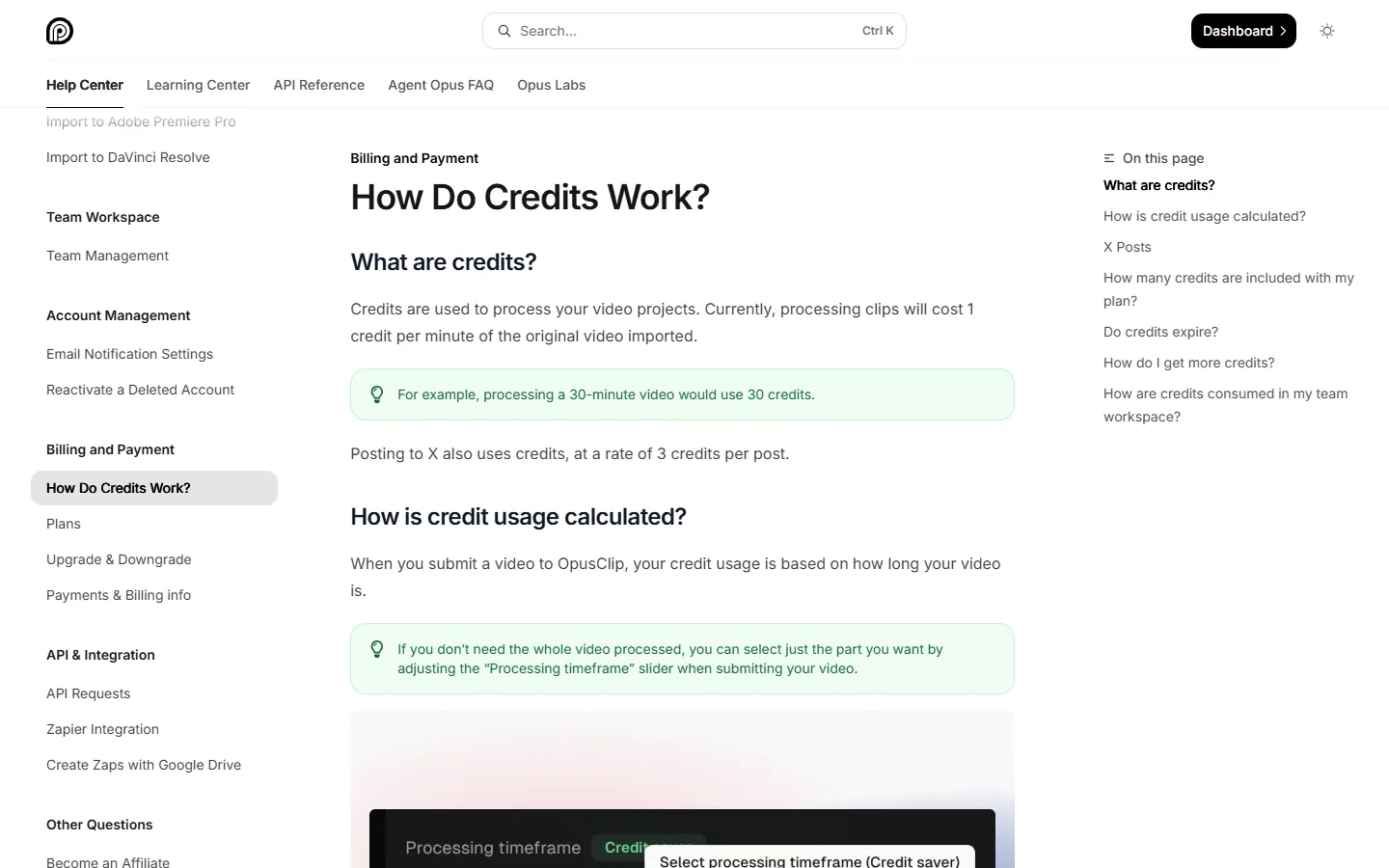
The help centre’s credit rule on November 11, 2026: one credit per minute of source video, and three credits for each post to X.
How many clips. OpusClip gives two different answers. A tooltip on the pricing page says: “For an hour long video, we generate 15 clips for you on average.” The help centre publishes ranges by length:
| Source video length | Clips, per the help centre |
|---|---|
| 0 to 3 minutes | 1 to 2 |
| 3 to 10 minutes | 3 to 14 |
| 10 to 30 minutes | 5 to 21 |
| 30 to 60 minutes | 23 to 32 |
| 60 to 120 minutes | 32 to 42 |
| Over 120 minutes | 42 to 55 |
Fifteen clips an hour and 23 to 32 clips for a 30-to-60-minute video cannot both be the norm. Neither number is a promise, and the count says nothing about how many clips are worth posting. Plan on the lower figure.
Speed. The captions page advertises a “5min” wait time. For clipping, the help centre says processing with ClipAnything is “typically taking around 20-40 minutes” and that it “may be longer as many creators are using the service right now”. The plan table ranks speed by tier: “Regular speed” on Free, “Faster than Free and Trial” on Starter, “Faster than Starter” on Pro, and a dedicated queue on Business. No figure is attached to any of them.
What gets credits back. Three cases, all from the help centre:
- A project that fails or takes more than 90 minutes: “Credits will be automatically reimbursed to your account.”
- A project a Pro user is unhappy with, if no clip has been downloaded: it can be refunded from the project menu “up to 14 days after the initial upload”. Trial users are excluded.
- An X post that fails or a scheduled X post you delete: the credits are returned.
Deleting a project does not return its credits.
Limits worth knowing.
- Length and size. Videos up to 10 hours; local files up to 10GB, or 30GB on Pro and Business.
- Frame rate. For local uploads the help centre says “Videos with non-integer frame rates are not currently supported.” and suggests uploading to YouTube first as a workaround. 29.97 frames per second is one such rate.
- Speech. “Videos need at least 30 spoken words to be processed.”
- Sources. The free plan imports from a local file or YouTube. Starter adds Google Drive, Vimeo, Zoom, Rumble and StreamYard. Pro adds public MP4 links and a longer list that includes Dropbox, Twitch, Loom and Riverside.
- Resolution. A 1080p source cropped to 9:16 is 608 by 1080 pixels, which OpusClip says it upsamples to 1080 by 1920.
5. OpusClip Pricing 2026 — Three Country Tiers, Packs and the Yearly Maths
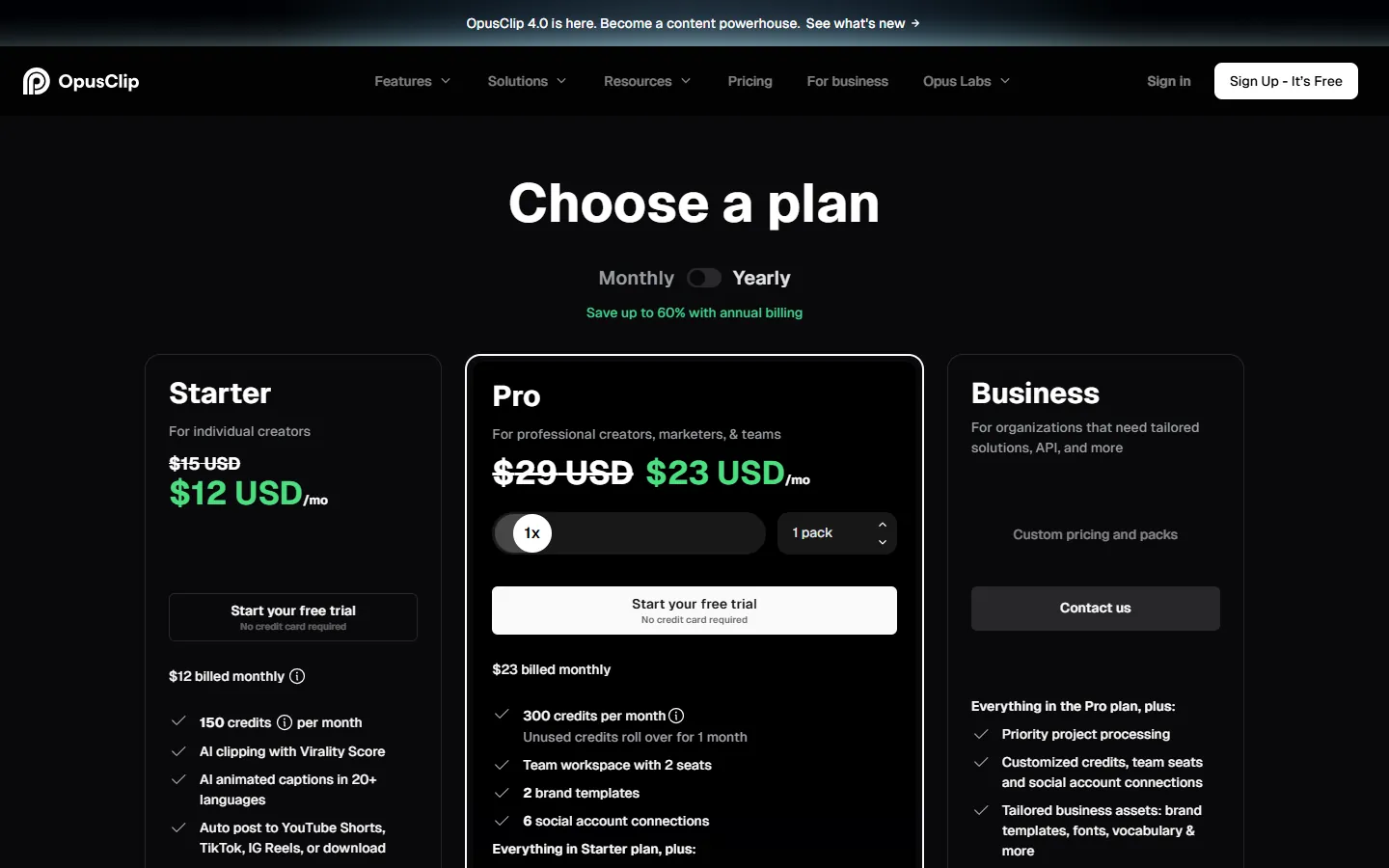
OpusClip’s pricing page on monthly billing, read from Vietnam on 11 November 2026. The struck prices are the list prices; what you are shown depends on your country.
OpusClip sells credits, not exports or seats. Every plan is a monthly allowance of credits, one credit buys one minute of source video, and Pro is bought in packs of 300. Three things move the real price away from the number on the card: the country you open the page from, the billing cycle, and what happens to the credits you do not use.
The four plans
This is the page as it was shown to us in Vietnam.
| Plan | Price shown to us | Credits | Billing | Main limits |
|---|---|---|---|---|
| Free | $0 | 60 a month | None | Watermark, no editor, clips cannot be exported after 3 days |
| Starter | $12 a month, beside a struck $15 | 150 a month | Monthly only | No team seats, 9:16 only, posting to three destinations |
| Pro | $23 a month per pack, beside a struck $29; or $138 a year | 300 a month per pack, or 3,600 for a year | Monthly or yearly | 2 seats per pack and 4 at most; some features cost extra credits |
| Business | Custom | Custom | Contract | Custom pricing and packs |
Starter has no yearly option. With the switch on Yearly the card reads “Starter plan only available in monthly”, and the help centre agrees: “The Pro Plan is our only plan that is offered on a monthly or yearly cycle.” The free plan is described as “Free forever”, with the catch printed on the card: “After 3 days, the clips will no longer be exportable”.
Three country tiers
The price is not the same for everyone. The pricing page reads the country of your IP address and sorts you into one of three tiers. A comment in the page’s own code calls these “Per-geo-tier prices from the pricing matrix” and adds: “Every discount is measured off the global list price.”
| Tier | Where | Starter, monthly | Pro, monthly per pack | Pro, yearly per pack |
|---|---|---|---|---|
| 1 | United States, Canada, Australia and 36 European countries and territories, the United Kingdom, Germany, France and Spain included | $15 | $29 | $174 a year, or $14.50 a month |
| 2 | Everywhere else, Vietnam included | $12 | $23 | $138 a year, or $11.50 a month |
| 3 | Brazil, Mexico and India | $9 | $19 | $114 a year, or $9.50 a month |
We saw only the tier 2 row rendered on the page. The other two rows come from the page’s code, and two things support the tier 1 row: the struck $15 and $29 on our own cards, and Apple’s US App Store, which lists the in-app purchases “Starter” at $15.00, “Pro Monthly 1 Pack” at $29.00 and “Pro Yearly 1 Pack” at $174.99.
What this means in practice:
- Check the page from where you will pay. A reader in London or Toronto should expect $29 for Pro, not the $23 quoted in this review’s tables.
- The struck price is not a sale that ends. For tier 2 and tier 3 visitors the $29 is simply the list price of another region. We found no end date for the lower price, and no promise that it stays.
- We stopped before checkout. We cannot say what a card issued in one country is charged when the page is opened in another, or what tax is added. The pricing page does not mention tax; the help centre says OpusClip “does not directly bill European Union (EU) customers for Value-Added Tax (VAT) on the invoice” and tells customers who are subject to EU VAT to use the reverse charge mechanism.
”Save up to 60%” — against which price?
The pricing page opens on the Yearly setting, and the switch reads “Save up to 60% with annual billing”. On that setting our Pro card showed a struck $29 beside $11.50 a month, billed as $138 a year.
$11.50 is 60.3% below $29. But $29 is not what we would pay monthly: our monthly price is $23, and against $23 the yearly plan saves exactly 50%. The help centre uses the plainer figure — “Yearly plans offer credits at a 50% discount compared to monthly plans.” The same holds in the other tiers: $14.50 against $29 and $9.50 against $19 are both half. The page’s code sets the badge by tier: 50% in tier 1, 60% in tier 2 and 67% in tier 3.
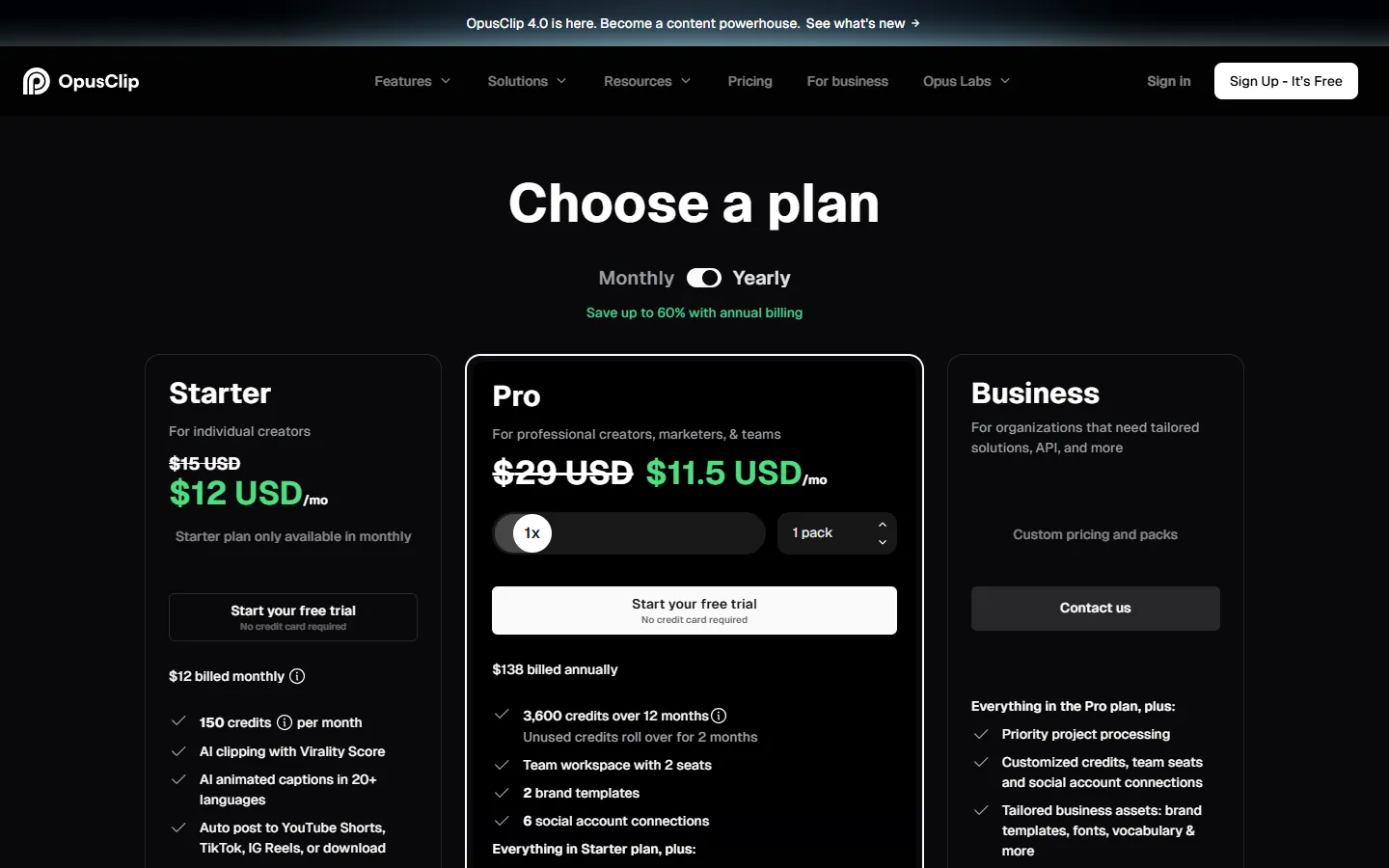
The same page on yearly billing, 11 November 2026. The 60% is measured against the struck $29, not against the $23 we were quoted monthly.
A yearly pack costs the same as six monthly payments. It wins if you would otherwise stay subscribed for more than six months, and it loses if you stop clipping in month four, because nothing is refunded (see section 6).
Packs
Pro is priced per pack, and the price is linear. We clicked through every option:
- Monthly: one to five packs. In our tier that is $23, $46, $69, $92 and $115 a month for 300 to 1,500 credits. The selector then says “Get more on yearly”.
- Yearly: one to fifteen packs at $138 each, up to $2,070 a year for 54,000 credits. After that the selector says “Contact us for more credits”.
- No volume discount. Fifteen packs cost exactly fifteen times one pack.
- Seats stop at four. One pack carries 2 seats, 2 brand templates and 6 social account connections. Two packs carry 4, 4 and 12, and the card showed the same three numbers at every size above that. The help centre confirms the cap: “Up to 4 users max per Team Workspace.” It also says: “You still can’t buy extra seats on their own.”
- Adding a pack restarts the clock. The help centre says the upgrade “starts a new billing cycle immediately, and you’ll be charged for the full amount of the new plan”. Removing one waits: “All downgrades happen at the end of the current billing cycle”.
- The iPhone app sells one pack only, according to the help centre, and its purchases go through Apple.
What happens to unused credits
This is where the pricing card and the help centre part ways.
- Monthly plans agree. The card says “Unused credits roll over for 1 month”; the help centre says “your credits expire in 60 days, so they roll over for one additional month”.
- Yearly plans do not. The card says “3,600 credits over 12 months” and “Unused credits roll over for 2 months”. The help centre says: “You’ll receive the full year’s worth of credits immediately upon purchase, and they will expire after 12 months.” We could not reconcile the two. Treat 12 months as the limit unless support confirms the extra two in writing.
- It has cost real users. On Trustpilot, Audrey-Nathalie Meigs (CA, 5 stars, October 2026) wrote: “When my annual subscription renewed, I was very disappointed to discover that nearly 3,000 unused credits had expired.” The same review says support “offered to restore half of my expired credits as a goodwill gesture.”
- After you cancel, two help articles disagree. One says “any remaining credits will expire at their original expiration date, even if that is after your billing cycle ends”. Another says “the remaining credits will expire at the end of your current billing cycle”. Plan for the stricter one.
- A top-up is a second purchase of your plan. The Pro card lists “On-demand credit top-ups”. The help centre describes the Add More Credits button this way: “This lets you repurchase your current plan and receive additional credits instantly.” We found no separate price per credit, and another help article says “you cannot buy only extra minutes or just extra seats for your team”.
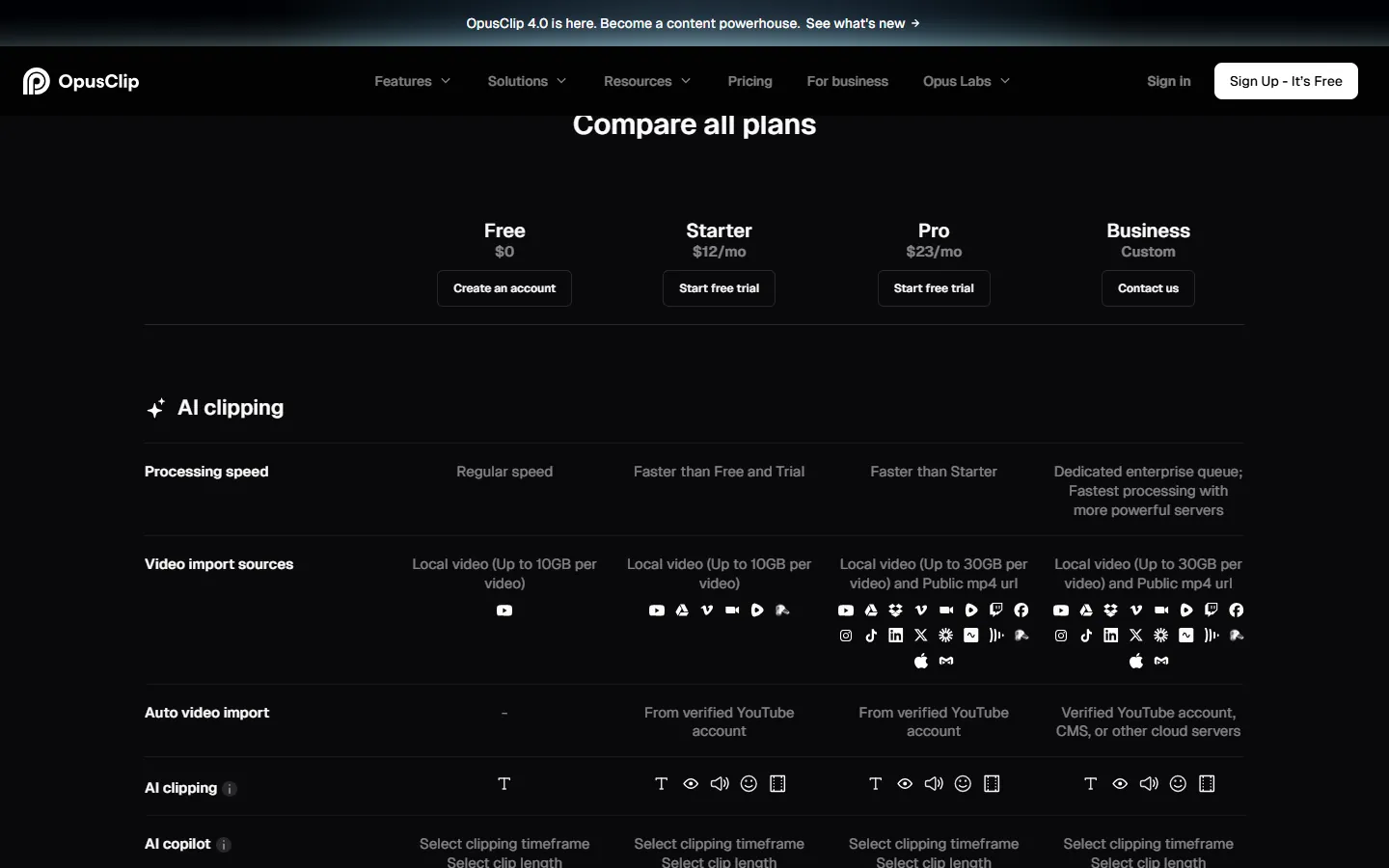
The top of the “Compare all plans” table, 11 November 2026. It quotes monthly prices and runs to more than 70 rows.
Example baskets
These are our own sums from the prices above. A weekly show is counted as 4.33 episodes a month, and every figure assumes you process the whole video; the Processing timeframe slider described in section 4 can lower it.
| Workload | Credits a month | Plan that fits | Tier 2, as shown to us | Tier 1 list |
|---|---|---|---|---|
| Three 20-minute videos a month | 60 | Free | $0, with a watermark | $0, with a watermark |
| Five 30-minute videos a month | 150 | Starter | $12 a month | $15 a month |
| One 60-minute podcast a week | About 260 | Pro, 1 pack | $23 a month or $138 a year | $29 a month or $174 a year |
| Two 60-minute episodes a week | About 520 | Pro, 2 packs | $46 a month or $276 a year | $58 a month or $348 a year |
| A two-hour stream every day | About 3,600 | Pro yearly, 12 packs | $1,656 a year | $2,088 a year |
| A team of three or four, any volume | 600 included | Pro, 2 packs at least | $46 a month or $276 a year | $58 a month or $348 a year |
The daily streamer has no monthly option: the monthly selector stops at five packs, or 1,500 credits. The team row is set by seats, not by video: the third and fourth seat only exist on two packs.
What an hour of source video costs. Divide the price by the credits and multiply by 60:
| Plan | Tier 1 | Tier 2 | Tier 3 |
|---|---|---|---|
| Starter, monthly | $6.00 | $4.80 | $3.60 |
| Pro, monthly | $5.80 | $4.60 | $3.80 |
| Pro, yearly | $2.90 | $2.30 | $1.90 |
Two things follow. Moving from Starter to Pro on monthly billing barely changes the price of a minute — Pro buys features and seats, not cheaper credits. And the yearly figures are only true if you use every credit before it expires. Use half of a yearly pack and your real cost per hour is the monthly one, paid twelve months in advance.
What our link does
The button below goes through our affiliate link. OpusClip’s affiliate page says partners “Earn 25% recurring commission through the first year of each new subscriber that you refer.” So if you subscribe after clicking, TrackerTools is paid a share of what you pay during your first year. The link carries a referral parameter and nothing else that we know of: neither the affiliate page nor the pricing page promises a discount, extra credits or a longer trial to a buyer who arrives through a partner. One public offer was visible on the day we read the site — the OpusClip 4.0 announcement ends with “Get 40% off your first month of Pro (monthly plan).” — and it is not tied to our link; we did not test it. We did not open the link ourselves — we never test affiliate or referral links — so we cannot tell you what the page looks like after the click.
Free plan with 60 credits a month · 7-day Pro trial · no refunds
Run one real episode on the free trial before you pay for a year
Start monthly. Move to yearly only when you know how many credits a month you actually use.
See OpusClip pricing
6. Trial, Refunds, Cancelling and the Contract
The trial. New accounts get seven days of Pro. The homepage FAQ says: “If you are a new user, you get a 7-day free trial of our Pro plan, no credit card required.” The help centre adds a condition — no card is needed “If you are in one of the countries we serve at full capacity” — and does not say what happens elsewhere. When the week ends nothing is charged: “A Free Trial Pro Account will automatically convert to a Free Forever Account after 7 days.” A support page puts the allowance at “90 free minutes for new users”.
The trial is not the full Pro plan. A help article lists 17 Pro features that trial users do not get. The ones that matter most:
- “Videos exported during the trial will include the OpusClip watermark”
- “Trial users cannot post directly to social media or schedule video posts”
- “Trial users cannot download multiple video files in bulk”
- “Trial users cannot create team or access team relevant workspace features”
- “Trial users cannot download or post videos in 4K”
- “Trial users cannot reprocess a video to get a credit refund if they are not satisfied with the results”
So the trial lets you judge the clipping, the captions and the editor. It does not let you test the publishing workflow you would be paying for. The help centre does say the watermark comes off trial projects once you upgrade.
Refunds. There is no money-back window. The Terms of Service, effective November 17, 2025, say: “Paid Services cannot be terminated before the end of the period for which you have already paid, and except as expressly provided in this agreement, OPUSCLIP will not refund any fees that you have already paid.” Cancelling early does not earn a partial refund either: “you will not be eligible for a prorated refund of any portion of the subscription fee paid for the then-current subscription period”. What OpusClip does give back is credits, in the cases listed in section 4. Purchases made inside the iPhone app are billed by Apple, and the help centre sends refund requests for them to Apple.
Cancelling. The path is Subscription, then Manage plan, Cancel subscription and Continue to cancel. The help centre says “Any changes will take effect at the start of the next billing cycle.” What you lose when the cycle ends:
- Projects. The help centre’s article on cancelling warns that after three days “your projects won’t be accessible anymore”. Moving down to Free or Starter also removes saved projects and uploaded assets from cloud storage at once.
- Your team. “As the owner, you can still access everything, but all your members will lose access to your workspace.”
- Credits. On one of two conflicting timetables (section 5).
There is no pause: “Unfortunately, at this time we do not offer the choice to pause your subscription.” You cannot delete the account while a subscription is active. And check which login you subscribed with before you cancel. OpusClip has a help article for people who are “being charged for a OpusClip Pro or Starter Plan yet your account shows as Free”; its explanation is a second account under another email address.
Downgrading. Three rules that are easy to trip over:
- Pro monthly to Starter works from the subscription page and applies at the end of the cycle.
- Pro yearly to Starter does not. The help centre’s instruction is “please first cancel your plan, and then resubscribe under a Starter plan”.
- Moving to Free is blocked while you hold 30 minutes of credits or more. Below that it is allowed and immediate, and paid features go at once.
The contract. These are the clauses of the Terms of Service that decide what happens when something goes wrong. The quotes are from the version effective November 17, 2025, read on November 11, 2026.
| Clause | What it says | What it means for you |
|---|---|---|
| Refunds | ”OPUSCLIP will not refund any fees that you have already paid” | Cancelling stops the next charge. It does not return the current one, monthly or yearly. |
| Renewal | Subscriptions renew for the same term “at the then-current non-promotional rate” | A discounted first month renews at the full price. The price can also differ from the one you first paid. |
| Trials | ”You must stop using a Paid Services before the end of the trial period in order to avoid being charged for that Paid Services.” | The web trial we describe asks for no card. If a trial of yours does ask for one, set a reminder. |
| Changes | ”These changes may affect all users, some users or even an individual user.” | Features can be added, moved between plans or removed during a paid term. |
| Termination | OpusClip may end your access “at any time, for any reason, in our sole discretion, and without notice” | Keep your own copies of finished clips. Do not use the workspace as an archive. |
| Suspected fraud | From the help centre: “we reserve the right to suspend your account and forfeit any existing credits” | A payment flagged by OpusClip or Stripe can cost you the credits you hold. |
| Your videos | ”This is a license only – your ownership in User Submissions is not affected.” The licences are “royalty-free, perpetual, sublicensable, irrevocable, and worldwide” | You keep ownership. The licence you grant is perpetual and irrevocable on paper; section 7 covers what it is used for. |
| Liability | Lost profits, lost data and other indirect losses are excluded; everything else is capped at the greater of $100 or what you paid in the twelve months before the claim | A client lost over a failed render is the kind of indirect loss the Terms exclude. For the rest, the most you can recover is a year of fees, or $100 if that is more. |
| Disputes | ”binding arbitration in San Francisco County, California” under JAMS rules, with a waiver of class actions | You cannot join a class action. Small claims court stays open to you. |
| Arbitration costs | ”OpusClip will pay all arbitration fees for claims less than seventy-five thousand ($75,000) dollars.” | A consumer-friendly term: a small claim does not cost you arbitration fees. |
| Opting out | Written notice by post, “postmarked within thirty (30) days of first accepting this Agreement” | If you want the right to go to court, send the letter in your first month. |
| Age | ”You must be at least 16 years old to use the Services” unless a parent or guardian enables it | Relevant to school and youth channels. |
Two of these deserve a plain reading. The no-refund clause covers yearly plans too, so the 50% yearly saving is a bet that you will keep clipping for twelve months and use the credits before they expire. And the renewal clause is the reason to read any first-month offer as a one-off: what renews is the standard rate on the day of renewal.
7. Is OpusClip Safe? Your Videos, AI Training, SOC 2 and Reliability
Where your videos live. The Privacy Policy, effective November 17, 2025, says: “OpusClip runs on secure Google Cloud servers located in the United States.” For personal data arriving from Europe, the company states that it complies with the EU-U.S. Data Privacy Framework, the UK Extension and the Swiss-U.S. Data Privacy Framework, and that it is subject to the enforcement powers of the U.S. Federal Trade Commission. We did not look up its entry in the framework’s public list. Subscription payments are processed by Stripe, according to the help centre.
Who owns your videos. You do. The Terms say of the licence you grant: “This is a license only – your ownership in User Submissions is not affected.” The help centre repeats it: “Any content owned by the user remains under the ownership of the user after being uploaded to OpusClip.” For a video kept private in your own account, the extra right to display and distribute it is limited to “the sole purpose of making that Personal User Submission accessible to you and providing the Services necessary to do so”. Two details are less comfortable:
- The licence does not end. It is “royalty-free, perpetual, sublicensable, irrevocable, and worldwide”, and the Terms warn that after you delete your account “it may not be possible to completely delete that content” from the company’s records.
- Public sharing and feedback are treated differently. A submission you share publicly on the service, or a suggestion you send to the company, becomes a “Public User Submission”, with a wider licence that reaches OpusClip’s own business.
Is your footage used to train AI? On an individual account, it may be. The help centre says that for individual, non-enterprise users the company may “use your data to improve our AI models and enhance the quality of our services”, and adds: “any data used for training is carefully selected and stripped of personally identifiable information”. Enterprise customers are told their data is not used for training, and that “Data usage terms for enterprise clients are governed by contract.” Four things to know:
- The help article describes no opt-out for individual accounts. For “more control over your data” it sends you to the sales team.
- The Privacy Policy offers one opt-out, for one region. Under the heading “Opt-Out & Right to Object to AI Research and Development” it says: “If you are based in the European Union or European Economic Area, you are free to opt out of any use of your personal data for our AI research and model-development activities.” The request goes by e-mail. We found no equivalent wording for users anywhere else.
- Neither the Terms of Service nor the Privacy Policy contains the word “train”. The plain statement that data from individual accounts may be used to improve AI models sits in a help article, a page that can be edited at any time.
- The article does not explain how personally identifiable information is stripped from footage of a person speaking.
If you clip client interviews, internal meetings or anything under a confidentiality agreement, settle this in writing before you upload.
SOC 2: claimed, but we could not see the report. OpusClip’s own pages do not agree with each other:
- The API page says: “Enterprise-grade security with SOC 2 Type II compliance.”
- The “Compare all plans” table has a row reading “SOC II Type 2 compliant”, ticked for all four plans, Free included.
- The help centre article on the question still says OpusClip “is in the process of getting certified for SOC 2 compliance by an independent third-party auditor”, with results due in its Trust Center “in November 2024”.
- The Trust Center address, trust.opus.pro, sent our request on 11 November 2026 to a Secureframe page that read “404: This page could not be found.” The Privacy Policy still says of the company’s security procedures: “You can review them via Trust Portal.”
The help article is most likely just out of date. Even so, we cannot point you to a public report, so ask OpusClip for the SOC 2 report itself if an employer or a client needs evidence.
Advertising and your data rights. The Privacy Policy lists advertising partners among the third parties it works with and names interest-based advertising as one of its purposes. It says some of these disclosures may count as a “sale” of personal data under the laws that apply to you, and that residents of some US states can opt out; after an opt-out, “we will not ask you to reauthorize the sale of your Personal Data for at least 12 months”. It adds: “To our knowledge, we do not sell or share the Personal Data of minors under 18 years of age.” Two more lines are worth knowing:
- Retention has no fixed period. Data is kept “for as long as necessary to provide you with our Services or to perform our business or commercial purposes”.
- Security is not guaranteed. The policy carries the usual warning: “we cannot guarantee that the collection, transmission and storage of data will always be secure”.
Age and deleting your account. The Terms set the minimum age at 16. You can delete your account yourself from the profile page, with one catch from the help centre: “Please ensure you do not have an active subscription currently tied to the account or else it will prevent the team from deleting the account.” Cancel first, then delete.
Reliability. We did not run the product, so we have no uptime figures of our own. We found no uptime commitment or service-level wording on the pricing page, in the Terms of Service or in the help articles we read. What the written rules and the reviews do show:
- OpusClip is not an archive. Free projects cannot be exported after three days, the plan table gives Starter media 29 days, and leaving Pro removes saved projects and uploaded assets from cloud storage at once (section 6). Leopold (NL, 1 star, July 2026) met that rule the hard way: “My handed in projects were deleted after me not continuing my pro feature”.
- Edits have been lost. Vanessa (FR, 1 star, August 24, 2026), under the title “Lost my entire video - save don’t works”, wrote of support: “they were completely unable to retrieve the correct version from their project history”.
- Output is not always usable. Luke (US, 1 star, November 2026) wrote that “the clips were unusable due to audio issues”, and EM Meyer (US, 4 stars, November 7, 2026), who likes the editor, still notes: “Occasionally, there are glitches.”
- Processing takes time. The help centre’s own figure for ClipAnything is 20 to 40 minutes, and longer at busy hours (section 4).
Keep your original files, and download every clip you care about on the day you make it.
8. What OpusClip Users Say: Trustpilot, the App Store and the Sites We Could Not Read
| Source | Rating | Reviews | Note |
|---|---|---|---|
| Trustpilot | 4.0, “Great” | 521 | 63% five-star, 20% one-star; 377 reviews in the last 12 months; profile claimed January 2024; “Replied to 100% of negative reviews” |
| Apple App Store, US | 4.9 out of 5 | 9.3K ratings | iPhone only; in-app purchases; ranked #71 in Photo & Video when we read it |
| G2 | Not read | Not read | The page refused our request |
| Product Hunt | Not read | Not read | The page refused our request |
| Capterra | Not read | Not read | The page refused our request |
All figures were read on 11 November 2026. One line on the Trustpilot profile matters for the score: “This company invites their customers to review, whether positive or negative”. Invited reviews usually lean positive, so read the 63% with that in mind.
Trustpilot: the praise is about speed of work, and about support that fixed a bill.
- Karen Luniw (CA, 5 stars, November 4, 2026): “OpusClip makes it extraordinarily easy to create and edit great clips for socials.”
- Adeel Mustafa (GB, 5 stars, November 5, 2026): “helps you post to 11-12 platforms instead of one at the click of a button” — the plan table lists nine for Pro, with Snap marked as coming soon.
- EM Meyer (US, 4 stars, November 7, 2026), under the title “Overall, one of the best editing interfaces.”: “Customer service can be slow to respond, as so many online services are now.”
- Martin Buček (CZ, 5 stars, October 29, 2026), under the title “Super fast help and refund”: “I accidentally created a duplicate account on the Opus platform, which resulted in an extra charge.”
- Audrey-Nathalie Meigs (CA, 5 stars, October 2026), after nearly 3,000 yearly credits expired at renewal: support “offered to restore half of my expired credits as a goodwill gesture.”
Two of those five-star reviews begin with a billing or credits problem. They show a support team that can bend the written rules — a refund, credits restored — when it answers.
Trustpilot: the complaints are about money and silence. One review in five carries one star. The one-star reviews we read are dated July to November 2026, and they fall into three groups.
Charges, cancelling and refunds:
- Jordan Moyer (MX, 1 star, September 26, 2026), under the title “16 emails to cancel and they’re still…”: “they’ve tried to charge my card 6 more times”
- Zali G (US, 1 star, September 19, 2026), under the title “I cancelled my account”: “they keep charging me”
- Nayara Cortês de Lemos (BR, 1 star, July 28, 2026): “I cancelled the subscription exactly 15 minutes after the renewal occurred”
- Angelos Panagiotopoulos (SE, 1 star, September 5, 2026), under the title “Full of bugs”: “20 days to review a refund”
- Carlos Scandiffio (FR, 1 star, July 1, 2026): “I paid for the PRO version but it was never credited.”
Support that does not answer:
- Oscar T (HU, 1 star, October 3, 2026): “I’ve been left on unread for 4 days”
- Ruben Elio (NL, 1 star, September 10, 2026), under the title “Uploaded fails constantly”: “customer service chat didnt reply”
- Luke (US, 1 star, November 2026): “their service team never responded or assisted me in the matter”
- Peter Yi (US, 1 star, July 4, 2026), in the title: “Support is non existing!”
Accounts and teams:
- Mig (US, 1 star, August 25, 2026), after the admin of the account left their position: “There doesn’t seem to be any way to change our account admin”. The help centre agrees. Its team article says of transferring ownership: “Not supported in the current version.”
How to read these. They are the reviewers’ own accounts and we could not verify any of them. Several do line up with the written rules: the no-refund clause and the second-account explanation for surprise charges (section 6), storage that is wiped when a plan ends (section 7), and a workspace that cannot change owner. Put the workspace under a shared company address, not a personal one.
The company does answer in public. Trustpilot shows “Replied to 100% of negative reviews” and “Typically replies within 24 hours”. The reply to Jordan Moyer, dated September 28, 2026, begins: “Hi Jordan, Thank you for your review and we apologize for the negative experience.” A reply on Trustpilot is not a closed ticket, and we cannot see how these cases ended.
The App Store tells a happier story. Apple’s US store showed 4.9 out of 5 from 9.3K ratings on 11 November 2026, for an iPhone-only app that requires iOS 16.0 or later. OpusClip’s own mobile page is behind on the count: it still says “4.9 out of 5 (1.9K ratings)”. The complaints that do appear there sound familiar. One review shown on the store page is titled “Lame. Doesn’t fit phone screen. Charged without knowing. No accountability from OpusClip.”
What we could not read. G2, Product Hunt and Capterra each refused our request, and we did not go around the block. We quote no rating from them. Reddit and YouTube comments are not covered in this review.
9. OpusClip Alternatives: Vizard, Klap, Submagic, Descript, quso.ai and Riverside
Every price below was read on the vendor’s own pricing page on 11 November 2026, from Vietnam and without logging in. Prices may change with your country, as OpusClip’s do. We did not test any of these tools; this is a comparison of what each one sells and how it counts.
| Tool | Paid from | What you buy | Free plan or trial | Worth knowing |
|---|---|---|---|---|
| OpusClip | Starter $15 a month at list ($12 shown to us); Pro $29 a month, or $174 a year at list ($23 and $138 shown to us) | Credits: 1 a minute of source video; 150 a month on Starter, 300 a pack on Pro | Free plan with 60 credits a month and a watermark; 7-day Pro trial, no card | No refunds; a yearly pack’s credits arrive at once; 4 seats at most on Pro |
| Vizard | Creator $29 struck beside $14.50 a month on yearly billing, “$174 billed yearly”; Business $39 beside $19.50 | Credits: “1 credit = 1 minute of video”; the table lists monthly credits “From 600” on Creator and Business | Free plan with 60 credits a month, 720p export and 3-day storage | 4K export and 100 GB on Creator; 6 social accounts on Creator, 20 on Business; team seats on Business at ”+ $5/mo/seat” |
| Klap | Basic $29 month to month, or $174 a year ($14.50 a month); Pro $79 or $474 a year; Pro+ $189 or $1,134 a year | Clips, not minutes: 100, 300 or 1,000 a month; source videos up to 3 hours | One video free with no card; downloading and posting need a paid plan | A published refund policy: on a yearly plan, “you get a full refund in your first month” |
| Submagic | Starter $12 a member a month, billed yearly; Pro $23; Business $41 | Credits per member: 45, 120 or 300 a month; Starter ”= 15 videos or 5 Magic Clips” | The page says “No credit card required.” | A captions-first editor; the page caps “video duration” at 2, 5 or 30 minutes by plan |
| Descript | Hobbyist $16 a person a month, shown beside $24; Creator $24 beside $35 | Media hours and AI credits: 10 hours and 400 credits on Hobbyist, 30 hours and 800 on Creator | Free plan with 60 media minutes a month | A full text-based editor; clipping is one tool among many |
| quso.ai | Lite “$29/mo”, with “$348 billed annually” printed beneath; Essential $39; Growth $49 | Credits: 100, 300 or 600 a month | Free plan with 75 credits a month, 720p and a watermark | The page greets users “Coming from Vidyo.ai?”; scheduling to 7 platforms starts on Essential; “Tax may be added at checkout.” |
| Riverside | Pro $29 a month, or $24 on yearly billing; Grow $39 or $34 | A recording studio first: up to 4K recording, text-based editing, “Magic clips & show notes" | "Start 14-day free trial”; a Free plan at $0, with 720p video and a watermark, appears in the page’s code but was not shown in the view we read | Social scheduling is listed on Grow, not on Pro |
Two reading notes. On Descript’s page the saving reads “Saving up to 35% over monthly plan”, so we take the lower figure as the annual-billing price and the higher one as monthly. On quso.ai’s page the annual figure is exactly twelve times the monthly one, so we could not see a yearly discount.
Where OpusClip wins: first, on the cost of getting started. It has a free plan that refills with 60 credits every month and a seven-day Pro trial without a card, while Klap’s free video stops before the download. Starter, at $15 a month at list with no yearly commitment, is the lowest month-to-month paid price we could confirm in this table: Klap, quso.ai and Riverside all start at $29 month to month, and $29 is the price Vizard strikes through beside its yearly rate. Second, on reach. Pro posts to nine platforms, against the five Klap names and the seven quso.ai advertises from Essential. Third, on country pricing, if you live outside the list-price markets: the same plans cost $12 and $23 where we read them, and $9 and $19 in Brazil, Mexico and India.
Where it loses:
- Credits per dollar, against Vizard. Both count one credit per minute of video, and both charge $174 a year at list. Vizard’s Creator plan lists monthly credits “From 600”, with 4K export and 100 GB of storage; OpusClip’s yearly pack holds 3,600 credits for the year, which is 300 a month. Even at the $138 we were shown, OpusClip works out at about 3.8 cents a credit and Vizard at about 2.4.
- Refunds, against Klap. Klap prints a refund policy on its pricing page, with a full refund in the first month of a yearly plan. OpusClip’s Terms refund nothing.
- Long recordings with few good moments. Klap counts the clips it generates, not the length of the source, and accepts videos of up to three hours. OpusClip charges every minute you feed it: a three-hour stream is 180 credits, more than half of a 300-credit pack, however few clips are worth posting.
- Teams of more than four. OpusClip Pro stops at four seats; beyond that is the Business plan, with custom pricing. Vizard’s Business plan prints its price for extra team members: $5 a month a seat.
- Everything before the clip. Riverside records the episode and Descript edits it; OpusClip starts once the long video already exists.
10. OpusClip Pros and Cons
Pros
- A real free plan and a trial without a card: 60 credits every month, plus seven days of Pro for new users, with no card asked in the countries OpusClip serves at full capacity
- One simple unit: one credit per minute of source video, however many clips come out
- Credits come back when the product fails: projects that fail or take more than 90 minutes are reimbursed automatically, and Pro users can refund a project within 14 days if no clip was downloaded
- A wide import list on Pro: YouTube, Google Drive, Vimeo, Zoom, Twitch, Riverside, Loom, Dropbox, StreamYard and public .mp4 links, with videos up to 10 hours long; the free plan imports from a local file or YouTube only
- It hands work on instead of locking it in: export to Adobe Premiere Pro and DaVinci Resolve, an API, a Zapier integration and an MCP connector, all listed from Pro
- Lower prices outside the list-price markets: $12 and $23 a month where we read the page, $9 and $19 in Brazil, Mexico and India, against $15 and $29 at list
- A company that answers in public: Trustpilot 4.0 from 521 reviews with “Replied to 100% of negative reviews”, and arbitration terms under which OpusClip pays the fees for claims under $75,000
Cons
- Credits expire: monthly credits after 60 days, and a yearly pack’s 3,600 credits arrive at once and expire after 12 months
- No refunds and no pause: fees already paid are not refunded, a subscription cannot be paused, and renewals run “at the then-current non-promotional rate”
- The yearly badge flatters: “Save up to 60%” is measured against the $29 list price; against the monthly price on the same page the saving is 50%, and a yearly pack pays off only after six months of real use
- Four seats at most below Business: seats come only inside packs, and a workspace cannot change owner
- The free plan and the trial are fenced in: a watermark, three days to export, no editor on Free, and no posting, scheduling or bulk download during the trial
- OpusClip’s own pages disagree: on credits after you cancel, on yearly rollover, on top-ups, on 4K, on language counts and on SOC 2
- Your footage may be used to improve its AI models on an individual account; the only opt-out we found in writing is for people based in the EU or EEA, and the content licence in the Terms is perpetual and irrevocable
- One Trustpilot review in five is one-star: the recent ones describe charges after cancelling, slow refunds and support that does not answer
11. Frequently Asked Questions
What is OpusClip?
In its own words, 'OpusClip is an AI video editor that turns long videos and raw footage into ready-to-post clips and videos.' You give it a long recording or a link, and it picks the moments worth clipping, reframes them, adds captions and can post the results to social platforms. It is run by Opusclip Inc., a Delaware corporation located in Mountain View, California, and its co-founder and CEO is Young Zhao. Version 4.0 was announced on November 2, 2026.
How much does OpusClip cost in 2026?
There are four plans. Free gives 60 credits a month. Starter is $15 a month at list for 150 credits and is sold monthly only. Pro is $29 a month for a pack of 300 credits, or $174 a year for 3,600. Business is custom. The price depends on your country: from Vietnam we were shown $12 for Starter, $23 for Pro and $138 for the yearly pack, and the page's code lists $9 and $19 for Brazil, Mexico and India. Check the pricing page from the country you will pay in.
How do OpusClip credits work?
One credit pays for one minute of source video. The help centre says 'processing clips will cost 1 credit per minute of the original video imported', so a 40-minute podcast costs 40 credits however many clips come out. Credits also pay for extras: posting to X costs 3 credits per clip, dubbing costs 10 credits a minute and upscaling has its own charge. You can process only part of a recording to save credits.
Do OpusClip credits expire?
Yes. On monthly plans the help centre says 'your credits expire in 60 days, so they roll over for one additional month'. On a yearly pack all 3,600 credits arrive at once, and the help centre says 'they will expire after 12 months', while the pricing card says 'Unused credits roll over for 2 months'. We could not reconcile the two, so treat 12 months as the limit. One Trustpilot reviewer wrote that 'nearly 3,000 unused credits had expired' when an annual plan renewed.
Is OpusClip free, and does the free plan add a watermark?
There is a free plan that refills with 60 credits every month, and it does add a watermark. It is also limited in other ways: clips can be exported for three days only, at up to 1080p and in 9:16; the plan card says 'No editing'; and the AI clips on spoken words only. It is enough to judge the clip selection and the captions, not to run a channel.
How does the OpusClip free trial work?
New users get seven days of Pro. The homepage FAQ says 'no credit card required'; the help centre limits that to 'the countries we serve at full capacity' and does not say what happens elsewhere. After seven days the account converts to the free plan and nothing is charged. The trial is not the full Pro plan: exports carry the watermark, and trial users cannot post or schedule, download in bulk, export in 4K or create a team.
Can I get a refund from OpusClip?
Not in money, under the written rules. The Terms of Service say OpusClip 'will not refund any fees that you have already paid', and cancelling early earns no prorated refund. What comes back is credits: a project that fails or takes more than 90 minutes is reimbursed automatically, and a Pro user can refund a project within 14 days of upload if no clip was downloaded. One Trustpilot reviewer reports a refund granted by support; do not count on it. Purchases made in the iPhone app are billed by Apple.
How do I cancel OpusClip, and what happens to my projects?
Go to Subscription, then Manage plan, Cancel subscription and Continue to cancel. The change takes effect at the start of the next billing cycle. After that, the help centre's article on cancelling warns, projects stop being accessible after three days, and team members lose access to the workspace. There is no pause option, and the account cannot be deleted while a subscription is active. Download every clip you want before the cycle ends.
Does OpusClip use my videos to train AI?
On an individual account it may. A help centre article says OpusClip may 'use your data to improve our AI models and enhance the quality of our services', and that such data is 'carefully selected and stripped of personally identifiable information'. The help article describes no opt-out for individual accounts; for enterprise clients it says data usage terms 'are governed by contract'. The Privacy Policy lets people based in the European Union or European Economic Area opt out by e-mail of any use of their personal data for 'AI research and model-development activities'; we found no equivalent wording for users elsewhere. If your footage is confidential, settle this in writing first.
Is OpusClip legit and safe to use?
It is a real, funded company with a working product: Opusclip Inc. is named in the Terms, Business Insider reported $50 million in total funding in March 2025, Trustpilot shows 4.0 from 521 reviews and the US App Store 4.9 from 9.3K ratings. The risks are in the details. Credits expire, nothing is refunded in money, and one Trustpilot review in five is one-star. OpusClip's pages claim SOC 2 Type II compliance, but the Trust Center link sent us to a 404 page on 11 November 2026, so ask for the report itself.
Which languages and social platforms does OpusClip support?
For captions, count on five languages: English, German, Spanish, French and Portuguese. The help centre lists 20 more and marks each one as beta, and it says right-to-left languages such as Arabic, Hebrew, Persian and Kurdish are not supported. For posting, Starter covers YouTube Shorts, TikTok and Instagram Reels. Pro adds Facebook Page, LinkedIn, X, Pinterest, Threads and Bluesky, which makes nine, and each post to X costs 3 credits.
How long does OpusClip take to process a video?
The help centre says clipping is 'typically taking around 20-40 minutes' and can be longer at busy times. Paid plans are described as faster than Free, with no figure attached. If a project takes more than 90 minutes, the credits are returned automatically. Videos can be up to 10 hours long, and local files up to 10GB, or 30GB on Pro and Business. We did not run the product, so we have no timings of our own.
OpusClip vs Vizard vs Klap: which is cheaper?
It depends on what you clip. At list price OpusClip Pro, Vizard Creator and Klap Basic all cost $174 a year. For that, OpusClip gives 3,600 credits for the year, which is 300 minutes of source video a month; Vizard lists monthly credits 'From 600' on the same one-credit-per-minute rule; and Klap gives 100 clips a month whatever the length of the source, up to three hours. Month to month, OpusClip Starter at $15 is the cheapest entry, since Klap starts at $29 and $29 is the price Vizard strikes through beside its yearly rate. Prices were read on 11 November 2026.
Does the link in this review give a discount?
No. The link carries a referral tag from OpusClip's affiliate programme, whose page says partners 'Earn 25% recurring commission through the first year of each new subscriber that you refer.' and promises nothing to the buyer. Nothing on that page or on the pricing page says the link changes your price. We did not open the link ourselves, because we never test affiliate or referral links. On 11 November 2026 the OpusClip 4.0 announcement offered 'Get 40% off your first month of Pro (monthly plan).'; that offer is not tied to our link and we did not test it.
12. Final Verdict: Is OpusClip Worth It in 2026?
For a creator or a small team that records long, speech-led video every week — podcasts, interviews, webinars — and wants captioned vertical clips without opening a timeline, OpusClip is worth trying, and the free plan and the trial make trying it cost nothing. One credit a minute is easy to budget. Starter, at $15 a month at list, carries no yearly commitment. Pro posts to nine platforms and hands projects on to Premiere Pro, DaVinci Resolve, an API and Zapier. And credits come back when a job fails.
The reasons to hesitate are just as concrete. Credits expire: after 60 days on monthly billing, and after 12 months for a yearly pack’s 3,600, per the help centre. Money is not refunded, and there is no pause. The “Save up to 60%” badge shown in our price tier is measured against the $29 list price, not the $23 we would pay monthly. Pro stops at four seats, and a workspace cannot change owner. On an individual account your footage may be used to improve OpusClip’s AI models; the only opt-out we found in writing is for people based in the EU or EEA. The content licence in the Terms does not end. The Terms exclude lost profits and other indirect losses, and cap everything else at a year of fees, or $100 if that is more. The SOC 2 claim could not be checked, because the Trust Center link led to a 404 page. And one Trustpilot review in five is one-star, the recent ones about charges after cancelling, slow refunds and support that did not answer.
Use it the smart way. Start on the free plan with a recording of your own, and judge the clip selection before the captions. Use the trial for the editor, knowing that it does not let you post or schedule. If you pay, pay monthly first: Starter if 9:16 and three platforms are enough, one Pro pack if you need the scheduler, other aspect ratios or a second seat. Buy a yearly pack only after several months in which you used close to 300 credits, because it costs the same as six monthly payments and nothing comes back. Set the processing timeframe before each job. Download every clip on the day you make it, and keep your originals. For a team, open the workspace under a shared company address, and note which login holds the subscription. Cancel the plan before you delete the account, and keep the confirmation.
Choose something else if you want more minutes for the same money (Vizard), a refund window on a yearly plan or pricing by clip instead of by minute (Klap), captions on short videos you have already cut (Submagic), a recording studio or a full text-based editor before the clipping starts (Riverside or Descript), or a published price for extra seats (Vizard’s Business plan). If your real need is to plan, schedule and measure posts across networks, not to cut them, that is the job of a scheduler such as Metricool, which we reviewed on 3 November 2026. And if it is the script that holds you back, not the edit, see Subscribr.
Disclosure: This review is an independent assessment by TrackerTools and contains an OpusClip affiliate link. If you subscribe through it, OpusClip’s affiliate programme pays us a commission during your first year; nothing on OpusClip’s affiliate page or pricing page says the link changes your price or gives you a discount. We did not create an account, buy a plan, run the product or open the affiliate link. All factual claims were checked on 11 November 2026 against OpusClip’s homepage, pricing page (monthly and yearly views, read from Vietnam, with the other country tiers taken from the page’s own code), feature, API, mobile, About, business and affiliate pages, blog, Terms of Service, Privacy Policy and help centre; against Trustpilot, whose quotes carry the dates they were posted; against Apple’s US App Store listing; against a Business Insider article of 11 March 2025, read in its AOL republication; and against each competitor’s own pricing page. User, clip and view counts, transcription accuracy and clips-per-video figures are the company’s claims; we could not verify them independently. G2, Product Hunt and Capterra refused our requests, the SOC 2 report could not be seen because the Trust Center link led to a 404 page, the accounts given by Trustpilot reviewers could not be verified, and the prices for country tiers 1 and 3 were not seen rendered on the page. Metricool and Subscribr were not re-read for this review; what we say about them rests on our own earlier reviews.