Hushmail Review 2026: HIPAA-Compliant Email and Forms for Therapists
Real prices per account, the refund rule that excludes trials, where the encryption really happens — and the 2007 court order.
A therapist’s inbox is a compliance problem. Intake forms, insurance cards, a client’s “can we move Thursday?” with a diagnosis in the subject line — all of it is protected health information, and none of it belongs in a free Gmail account. Hushmail has sold the fix to small practices since the late 2000s: an email account that encrypts with one switch, a form builder that collects the paperwork, an e-signature for the consent, a signed Business Associate Agreement, and a Canadian company that has been doing encrypted email since May 1999.
In 2026 the product has three faces. Hushmail for Healthcare is the core — Basic, Essentials and Growth plans priced per account, with the BAA, an archive and the iPhone app on every tier. Small Business, Law and Personal sell the same mailbox without the healthcare paperwork. And a new line, Hushmail for Professionals, lets a practice keep Gmail or Outlook and bolt on secure conversations and forms for $14.99 a month. Under all of them sits the same architecture: OpenPGP encryption applied on Hushmail’s servers, recipients who open messages through a secure web page, and a 2007 court case that still defines what “encrypted” means here.
This review explains what Hushmail does on 5 November 2026, what every plan costs per account under monthly, yearly and two-year billing in USD and CAD, which features need Growth, how the trial, the 60-day guarantee and cancellation really work, what the Terms and the 2019 privacy policy say about court orders and your data, where the encryption happens and why it matters, how the iPhone app rates, what users praise and complain about, and how Hushmail compares with Paubox, Proton Mail, Google Workspace, Microsoft 365, Virtru, LuxSci, Jotform, IntakeQ, SimplePractice and others.
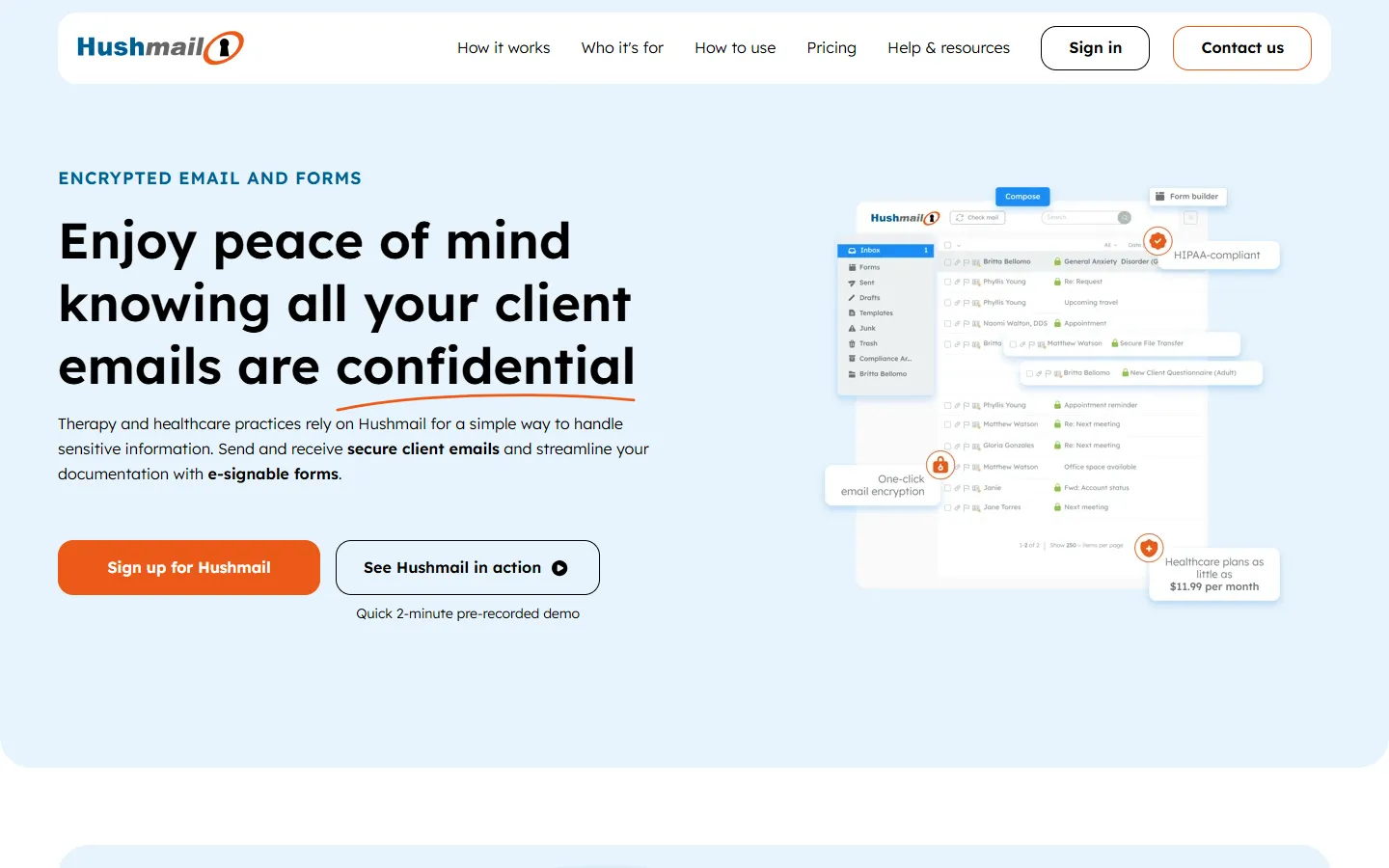
hushmail.com on 5 November 2026. The pitch is therapists first: encrypted client email, e-signable forms and a HIPAA badge, from $11.99 a month.
1. What Is Hushmail — and Who Is Behind It
Hushmail’s own description is short: “secure email, forms and e-signatures” for people who handle confidential information. In practice it is a hosted mailbox with OpenPGP encryption built in, a web page where outside recipients read and answer encrypted mail, a form builder called Hush Secure Forms, an e-signature feature, a template library, an automatic compliance archive and an iPhone app, sold in five lines that differ mostly in paperwork and price. The pricing page lists its compliance claims in one row: HIPAA; the Canadian provincial health-privacy laws (PHIPA, HIPA, HIA); PIPEDA and Quebec’s Law 25; GDPR; CCPA; a signed Business Associate Agreement (BAA) for US healthcare customers; and an Information Manager Agreement (IMA), including the Alberta form, for Canadian ones.
The company. The privacy policy says Hushmail’s servers are “operated by Hush Communications Canada Inc., a wholly owned subsidiary of Hush Communications Corporation, a private Delaware, USA company”, with the Chief Privacy Officer at Suite 588–580 Hornby Street, Vancouver, and user data stored in Vancouver and Calgary. The history is longer and stranger than the about page lets on. Hush Communications was founded in 1998 in Texas by Cliff Baltzley (the HUSHMAIL trademark was filed in December 1998) and launched Hushmail in May 1999; in May 2000 it moved its operations to Dublin to escape US encryption-export rules, with 15 staff and plans for 100; in February 2001 it hired Phil Zimmermann, the creator of PGP, as Chief Cryptographer, had 55 employees in five offices, and shipped HushMail 2.0 with OpenPGP that July. The headquarters later moved to Vancouver, where Brian Smith had been since the 1999 launch (the Dublin-era CEO dates his tenure to 2000–2002); Ben Cutler has been CEO since 2001 and Brian Smith CTO since 2002, Steve Youngman, VP Finance and Legal, joined in 2000 and co-reviews the compliance blog, and Toby Vander Steen, Head of Product, joined the Dublin office the same year. The about page calls the company “a profitable, privately held Delaware corporation”, discloses no investor, acquisition or headcount, and introduces fifteen people by name — a better guide to its size than the data brokers that list 254 or 256 employees. The BBB profile (read directly) shows an A+ rating, accreditation since February 2011, two complaints in three years — a refused $49.98 refund in April 2025 and a lockout in February 2025, both answered — and none in the last twelve months.
Scale. The homepage says “47,000+ healthcare professionals trust Hushmail with their most sensitive client and patient communications”, the therapy landing page “Join over 47,000 healthcare and therapy professionals using Hushmail”, the about page “tens of thousands of customers” in healthcare, finance, non-profit and law, and the company-overview page “thousands”. All are the company’s figures. The audience has narrowed deliberately: the 2019-era Hushmail still marketed itself to privacy-minded individuals and free accounts; today’s site is built around US and Canadian behavioural-health practices, the blog is co-reviewed by a HIPAA consultant, and the form templates are intake forms and PHQ questionnaires.
The 2025–2026 direction. The product-updates page lists Send Later (April 2025), four more PHQ questionnaires (June 2025), e-signable forms that clients can request from your website (July 2025), an Insurance Information template (January 2026), a booking-link field for Jane, Owl Practice, SimplePractice, TherapyNotes, TherapyAppointment and Sessions (March 2026), form autosave with drafts kept 30 days (August 2026), a Client Referral Form (September 2026) and reusable message templates in Secure Messaging (October 2026). The bigger change is Hushmail for Professionals, marked NEW across the site and first seen on the Terms page in early August 2026 (a 28 August 2026 blog post calls it “our new Secure Messaging and Forms plan”): secure conversations and forms for practices that keep their existing email. The healthcare focus itself is not new — the blog was addressing “Hushmail for Healthcare customers” and building a Hush Secure Forms template directory in September 2018, promised e-signatures in July 2019 and announced body charts and e-signatures on the Growth plans and on Essentials plans with five or more forms in March 2021. The iPhone app, meanwhile, has shipped nineteen updates since January 2025, fourteen of them described only as “minor bug fixes and ongoing maintenance”; the exceptions are email flagging (June 2025), improved search (January 2026) and named fixes for message loading, search freezing, photo permissions and video attachments.
2. Who Hushmail Is For — and Who It Is Not For
It fits you if:
- You are a solo therapist, counsellor or psychologist who needs HIPAA-compliant email with a BAA, intake forms and consent e-signatures, and does not want to pay for an EHR to get them
- You run a group practice of two to ten clinicians and want one bill, shared templates, a compliance archive and an admin who can require two-step verification
- You are a Canadian practitioner who needs client email stored in Canada under an IMA, PIPEDA, PHIPA or Law 25
- You are a law firm, accountant or consultant who wants one-click encrypted email on your own domain with a 60-day money-back guarantee
- You want to keep Gmail or Outlook and add secure conversations, forms and a BAA through Hushmail for Professionals
Look elsewhere if:
- You want end-to-end encryption where the provider cannot read your mail even under a court order — Hushmail’s webmail decrypts your key on its servers (section 7)
- You or your clients are on Android and need an app — there is none; Android gets IMAP or the mobile website
- You need more than one signer per form, multi-party contracts or a real e-signature workflow — Hushmail allows one signer per form
- You expect a calendar, file storage, video or a client portal — Hushmail is email, forms and messaging, nothing else
- You want 24/7 support or a vendor with a SOC 2 or HITRUST report to hand your compliance officer
3. Hushmail Encrypted Email: How It Works, Where It Works and Where It Doesn’t
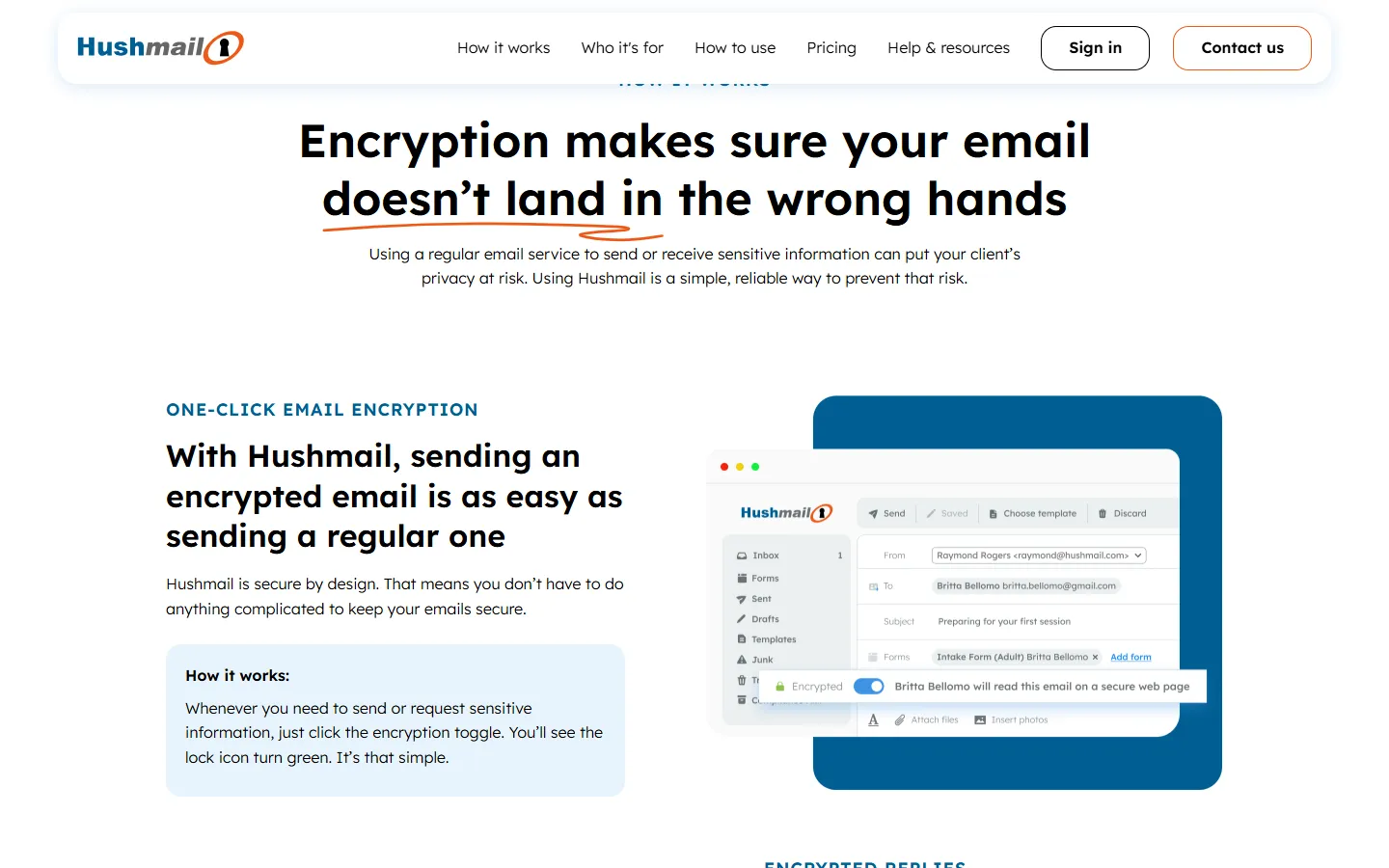
The Encrypted switch is the whole user interface. To another Hushmail address it is on automatically; to anyone else the recipient reads the message on a secure page.
Sending. In webmail or the iPhone app you compose as usual and leave the Encrypted switch on; the lock turns green. Between Hushmail accounts — including everyone in your practice’s domain — the message is OpenPGP-encrypted automatically with each recipient’s key, and the body and attachments stay encrypted on disk. To an outside address, Hushmail stores the encrypted message on its servers and sends the recipient a notification with a link. The first time, the recipient opens it with a Google, Microsoft or Apple sign-in or by creating a password; you can attach an optional security question to that first message if the content is sensitive. From then on they read on a secure page, reply encrypted, and can compose new encrypted messages to you — nothing to install, no keys to manage. The older “question and answer” pickup described in Hushmail’s 2017 white paper has been replaced by this sign-in flow, which is what makes the service usable with clients who have never heard of PGP.
Receiving. Unencrypted mail from the outside world arrives as plain email and, per the privacy policy, “will be stored on the Hush servers unencrypted”; only messages that arrive or are sent encrypted are stored encrypted. Message headers — sender, recipient, subject, attachment names — are never encrypted in storage, and the privacy policy says Hushmail logs them along with URLs in unencrypted bodies. Spam and virus filtering happens on the server; the Terms require mailing-list consent, and a help-centre article caps sending at 2,000 emails per 24 hours (each recipient of a message counts as one email sent), with tighter limits in a new account’s first month. An email, in or out, may not exceed 50 MB in total, and a single attachment 20 MB.
Email apps. Hushmail supports IMAP, POP and SMTP (imap/pop/smtp.hushmail.com) and has setup guides for Outlook 365 on Windows and Mac, Apple Mail, Thunderbird, iPhone and Android. This is where the convenience breaks down: mail sent from a third-party app “will be sent as non-encrypted, unless the recipient is a Hushmail customer or has previously set a password for receiving encrypted email.” A domain administrator can change that in Hushtools with a single “Send with encryption” setting that encrypts everything leaving every app, or Customer Care can enable a subject-line keyword (Hushmail suggests “secure”) that encrypts an individual message. Neither is on by default, and neither is mentioned on the pricing page. With two-step verification on, apps need a 20-character security code appended to your password rather than the password itself.
Addresses, aliases, domains. New accounts choose an address on hushmail.com, hush.com, therapyemail.com or therapysecure.com; hush.ai, hushmail.me, mac.hush.com and the alias domain nym.hush.com also exist. Aliases are unlimited on every plan and remain reserved to you even after deletion. A custom domain is included on all business lines (not Personal): you add two MX records plus SPF, DKIM and DMARC, or sign a consent form and Hushmail’s Customer Care does it. All mailboxes on a domain must move together — you cannot put one clinician on Hushmail and leave the rest on Google — so many practices use a subdomain. Administrators manage users, forwarding, catch-all addresses, allow and block lists and a second admin from Hushtools; adding an account “may upgrade your plan, which could increase your costs”.
Archive, 2SV and the iPhone app. Every sent and received message is copied to a compliance archive — a separate archive@yourdomain account on a custom domain, or a Compliance Archive folder on a Hushmail domain — which does not count as a user or against storage; Hushmail does not say how long the archive is kept or whether users can delete from it. Two-step verification is time-based and available on every plan: codes by SMS, by email to an alternate address, or from an authenticator app, with a backup code at setup; on Growth an admin can enforce it for the whole domain. Hushmail for iPhone (released July 2016, version 1.74 on 30 October 2026) syncs with webmail, supports Face ID and Touch ID, multiple accounts and aliases, and — unlike webmail — encrypts on the device. It is rated 1.9 from 111 US ratings; of the 29 reviews posted since 2024, 21 are one-star, the newest (30 October 2026) complains that the Google, Microsoft and Apple sign-in that works in Safari does not work in the app, others report messages that never load, an older (March 2023) review says the app “will not send a message if you switch to another app”, and several say they gave up and used Outlook with the same account instead. The listing notes that the app requires an active Healthcare, Small Business or Law account or a “Hushmail Premium” account — Premium being the name Hushmail’s own terms still use for the Personal plan. There is no Android app; Hushmail’s help centre points Android users to IMAP or POP in the stock mail app, and a Trustpilot reviewer in September 2026 complained that “the website is not suited for phone screens”.
Storage. Basic accounts get 10 GB, Essentials 15 GB and Growth 35 GB (Hushmail’s own comparison table shows 15 GB on one Growth row and 35 GB on the others); Personal is 15 GB. Archived copies do not count against the quota; extra storage can be bought per user at a price Hushmail does not publish.
4. Hush Secure Forms, E-Signatures, Templates and the New Secure Messaging
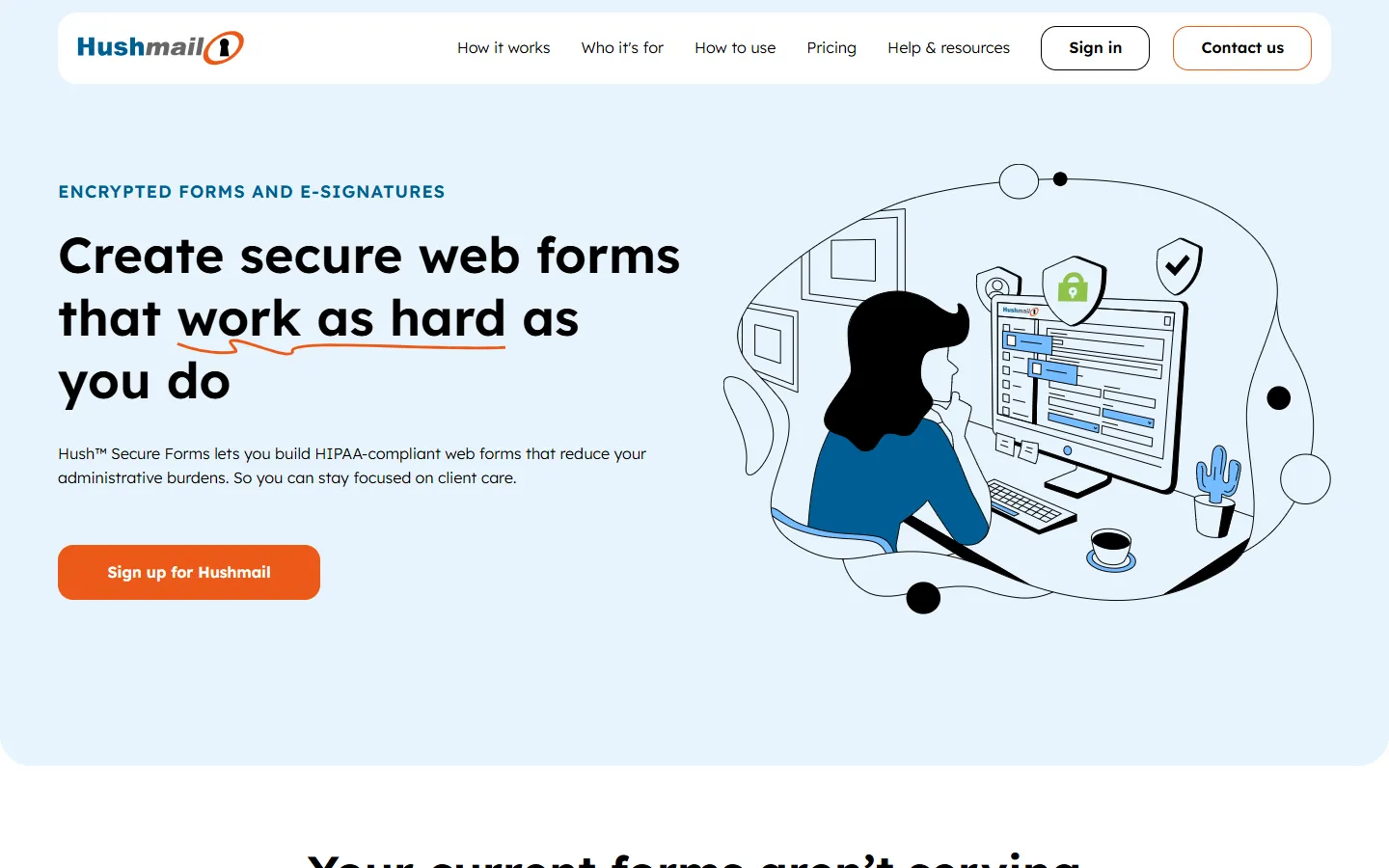
Forms are the reason most therapists choose Hushmail over a plain encrypted mailbox: intake, consent, assessments and insurance, delivered to the inbox as encrypted submissions with a PDF.
The builder. Hush Secure Forms is a drag-and-drop editor with 15-plus field types — text, dropdowns, checkbox lists, dates, file upload (up to 75 MB and 20 files per submission), e-signature and body charts — plus conditional visibility, calculated questionnaires that score a PHQ-9 or GAD-7 automatically, unlimited pages, a “smart” subject line that labels submissions, and sharing with colleagues in the same account. Submissions arrive in your inbox as encrypted mail with the same TLS and OpenPGP protection as email, each with a PDF copy that practices upload to their EHR. Since August 2026 a client who leaves a form half-finished can come back to it for 30 days. Forms are embedded with a code snippet (Hushmail says it has confirmed embedding works on Squarespace and Weebly, while “Customers have reported issues embedding secure web forms on GoDaddy, Wordpress, and Wix”), published as a link on a Psychology Today or Google Business profile, or attached to an outgoing email.
What each plan allows. Basic has no forms at all. Essentials includes 3 forms for one or two accounts, rising with the account count (5 forms at three to five accounts, 10 at ten); Growth includes 25 for one or two accounts, 50 at three to six, 75 at seven to fifteen, 100 at sixteen to twenty-five and unlimited from 26 accounts. For one or two accounts, body charts, e-signatures and the ability for clients to request an e-signable form from your website are Growth-only; from three accounts the Essentials cards add e-signatures on every business line — the rule Hushmail’s March 2021 post described as “Healthcare Essential plans with five forms or more”. If you would rather not build, Customer Care converts your existing PDF or paper forms for $25 each with a dedicated rep.
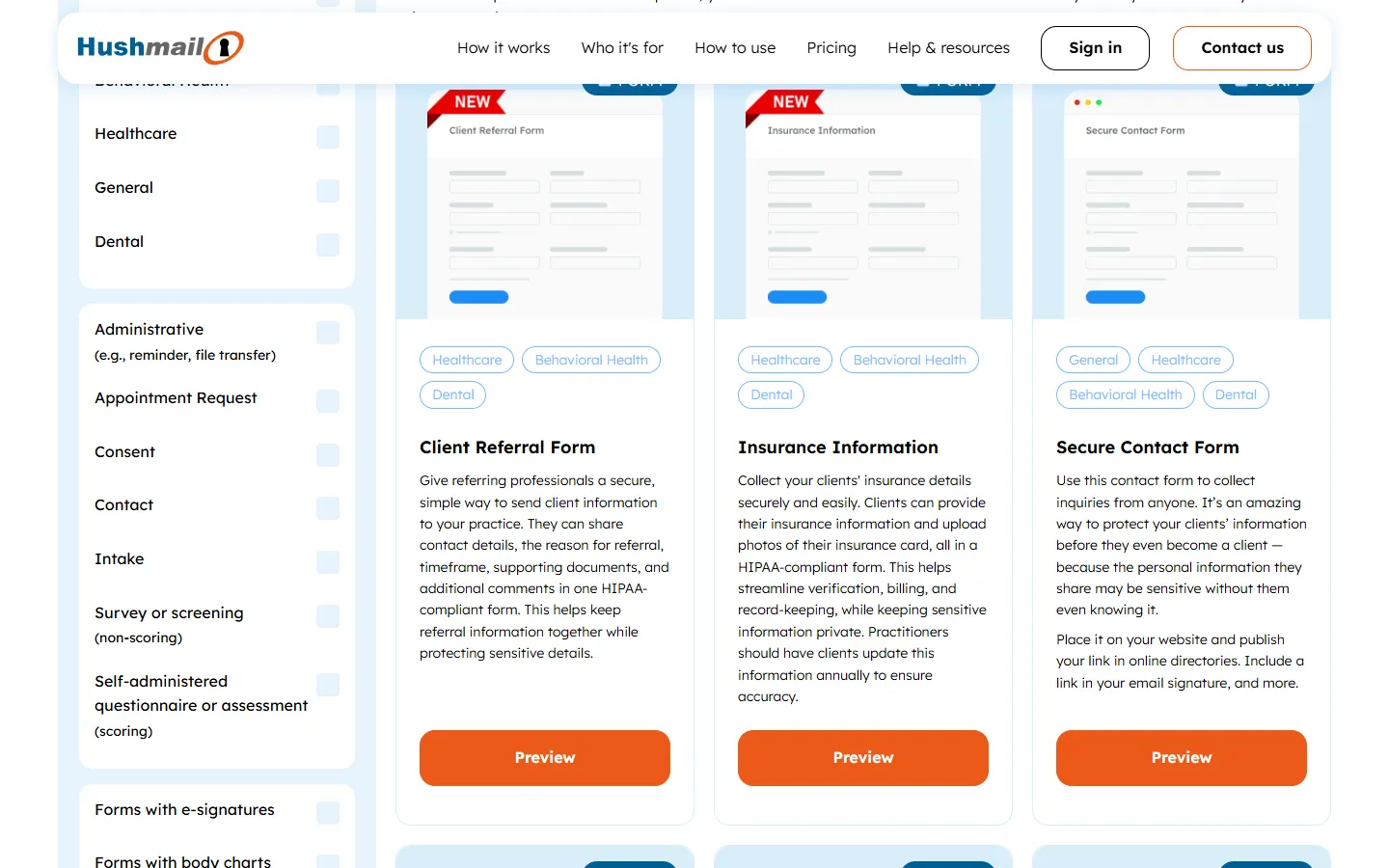
39 templates: 29 forms (8 intake, 13 scored assessments, appointment, referral, insurance, contact, Good Faith Estimate) and 10 emails.
Templates. The library holds 29 form templates — eight intake forms (general adult and child, therapy adult and child, dental, massage, chiropractic, physical therapy), thirteen scored assessments (GAD-7, PHQ-9, PHQ-A, PHQ-15, PHQ-SADS, PHQ-4, PCL-5, DASS, DASS-21, AUDIT and the SCARED family), two appointment requests, the Client Referral Form, Insurance Information, a Secure Contact Form, the Good Faith Estimate, a Secure File Transfer form and a Client Experience Survey — and 10 email templates from a welcome message to a telehealth consent. Templates and email scheduling need Essentials or above; Basic cannot use them.
E-signatures. On Growth — and on Essentials from three accounts — a form can carry an e-signature field that Hushmail says complies with ESIGN and UETA, signed on desktop or mobile, with a timestamped record of when the form was sent, viewed and signed, tracked in a Forms folder with Complete, Waiting and Cancelled states. Two limits matter: one signer per form, and e-signable forms are never embedded directly — a visitor enters their email address and receives a private copy to sign, and encryption cannot be switched off for a form that requires a signature. The Growth gate applies only to one- and two-account plans: from three accounts the Essentials card on every business line adds e-signatures (“Single-party e-signatures” on Law) and the Growth card drops the line. Hushmail’s comparison table does not keep up with its cards — the Healthcare table switches Essentials to Yes on the e-signature rows from three accounts, while the Small Business and Law tables leave them at No.
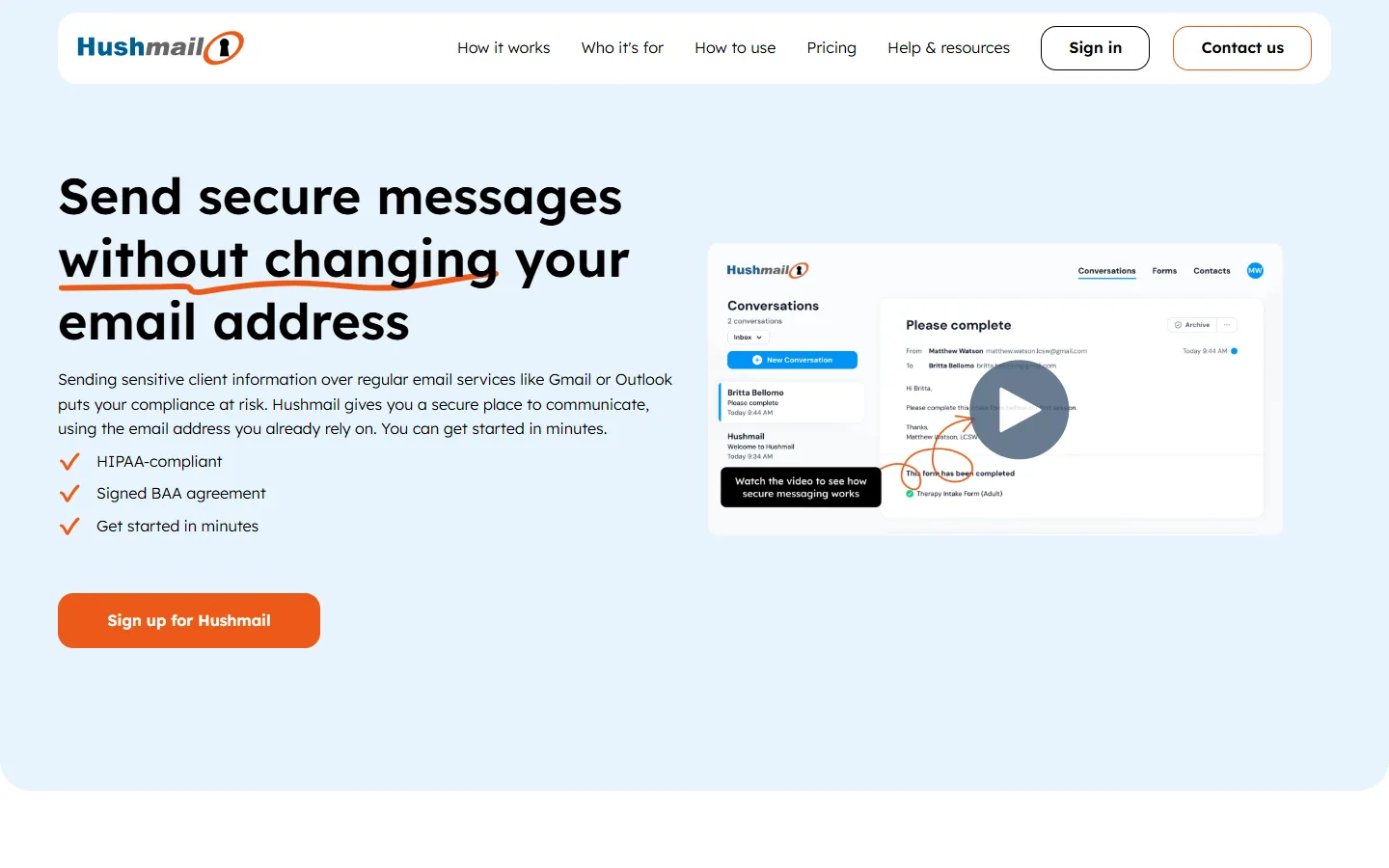
Hushmail for Professionals: keep Gmail or Outlook, open encrypted conversations with anyone, send forms for e-signature — $14.99 a month.
Secure Messaging (Hushmail for Professionals). The newest line answers the objection Paubox and others have used against Hushmail for years — that you must move your whole email. You keep your current address; Hushmail becomes a separate secure space where you start chat-style encrypted conversations with any email address (clients, outside practitioners, insurers, billers), who open them with a Google, Microsoft or Apple sign-in; send up to 25 HIPAA-compliant forms with e-signatures; put a secure contact form on your website; save message templates with attachments and forms (October 2026); and receive an ordinary email notification whenever something arrives. A BAA is included, the trial is 14 days, and the price is $14.99 a month billed monthly, shown on the pricing page against a struck-through $17.99 — there is no yearly option. For a practice that already pays for Google Workspace with a BAA, this is the cheapest way to add client-facing encryption and intake forms without migrating.
Integrations. A forms-sending API (POST to secure.hushmail.com/api/v1/forms/instances with a Bearer key, documented July 2026) exists but is “available to approved integration partners”, who must ask Customer Care for a key. There is no Zapier, no EHR sync and no calendar; the booking-link field (March 2026) simply links to Jane, Owl Practice, SimplePractice, TherapyNotes, TherapyAppointment or Sessions.
5. Hushmail Pricing 2026 — Healthcare, Small Business, Law, Personal and Professionals
We read the pricing page on 5 November 2026 in every line, with the Monthly, Yearly and Every 2 Years toggles and the account slider from one to 25 accounts, and extracted the full price table Hushmail embeds in the page, which also carries the Canadian-dollar prices Canadian customers are charged. Yearly billing is “1 month free” (eleven months’ price), two-year billing “3 months free” (21 months). All business lines price per account, with tier breaks at 1, 2, 3–5, 6, 7–10, 11–15, 16–20, 21–25, 26–35, 36–50, 51–75 and 76 accounts; the slider stops at 76.
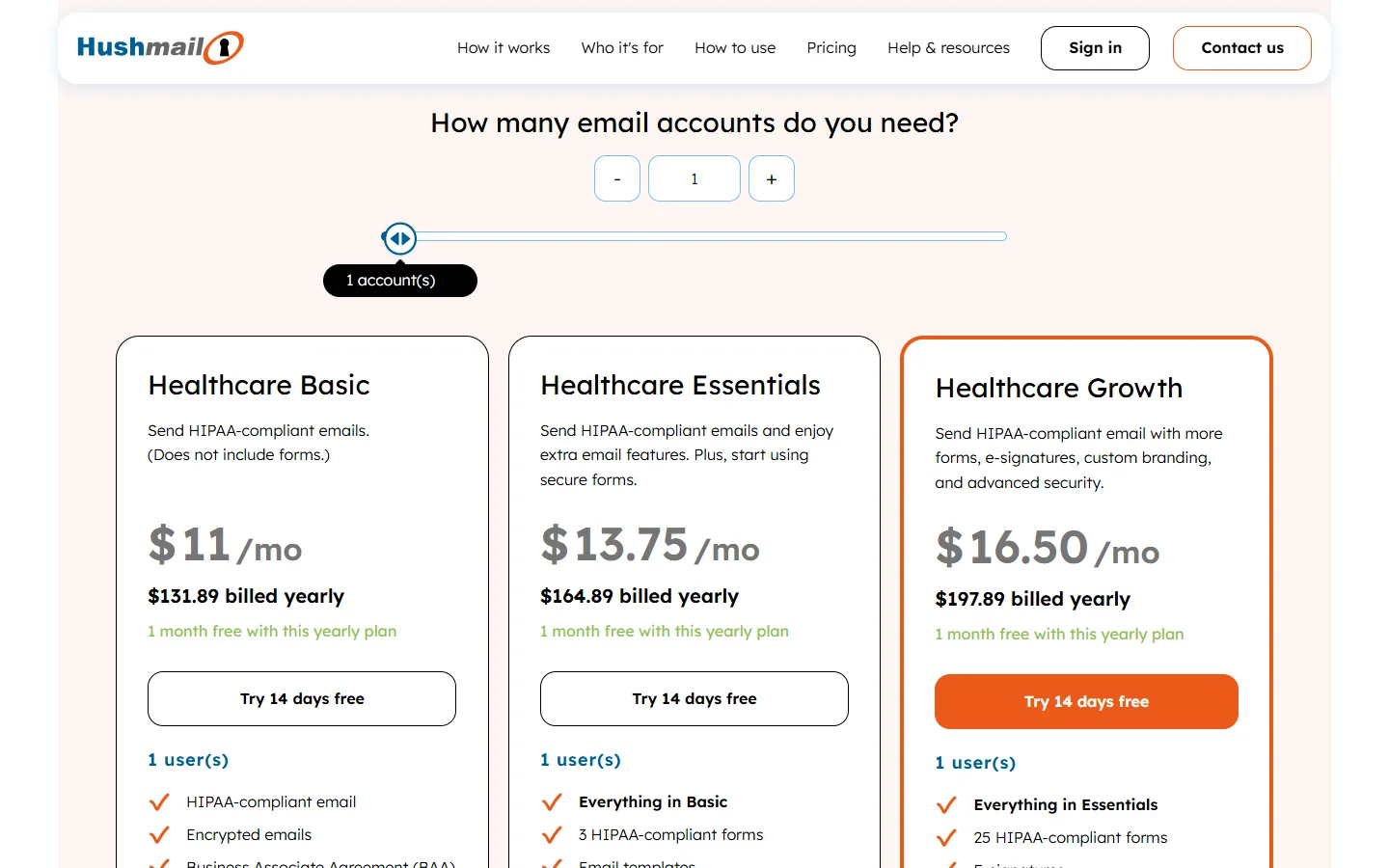
The yearly view for one account. Growth is the highlighted plan; Basic disappears from the page as soon as you ask for three accounts.
Hushmail for Healthcare — one account
| Plan | Monthly | Yearly (per month / billed) | Two years (per month / billed) | CAD monthly | Storage | Forms | What you get |
|---|---|---|---|---|---|---|---|
| Healthcare Basic | $11.99 | $11 / $131.89 | $10.50 / $251.79 | C$16.99 | 10 GB | None | HIPAA-compliant encrypted email, BAA or IMA, compliance archive, two-step verification, custom domain, unlimited aliases, iPhone app, IMAP, email support and scheduled call-backs; only sold for one or two accounts |
| Healthcare Essentials | $14.99 | $13.75 / $164.89 | $13.12 / $314.79 | C$20.99 | 15 GB | 3 | Everything in Basic plus Hush Secure Forms (3 forms, templates, calculated questionnaires, conditional fields, PDF submissions, unlimited pages, sharing), email templates and scheduled sending |
| Healthcare Growth | $17.99 | $16.50 / $197.89 | $15.75 / $377.79 | C$24.99 | 35 GB | 25 | Everything in Essentials plus e-signatures (ESIGN/UETA, one signer, activity record), body charts, client-requested e-sign forms, the branding package, the security package (US/Canada login lock, enforced two-step verification), priority email support |
Healthcare — more accounts (monthly billing; yearly in brackets)
| Accounts | Basic | Essentials (forms included) | Growth (forms included) |
|---|---|---|---|
| 1 | $11.99 ($131.89) | $14.99 (3) ($164.89) | $17.99 (25) ($197.89) |
| 2 | $16.99 ($186.89) | $19.99 (3) ($219.89) | $23.99 (25) ($263.89) |
| 3 to 5 | not offered | $24.99 (5) ($274.89) | $29.99 (50) ($329.89) |
| 6 | not offered | $29.99 (6) ($329.89) | $35.99 (50) ($395.89) |
| 7 to 10 | not offered | $49.99 (10) ($549.89) | $59.99 (75) ($659.89) |
| 11 to 15 | not offered | $74.99 (15) ($824.89) | $89.99 (75) ($989.89) |
| 16 to 20 | not offered | $99.99 (20) ($1,099.89) | $119.99 (100) ($1,319.89) |
| 21 to 25 | not offered | $124.99 (25) ($1,374.89) | $149.99 (100) ($1,649.89) |
The second account on Basic costs $5 and the second on Growth $6, but from the third account the per-account price drops sharply: a five-clinician practice pays $24.99 a month with forms and e-signatures or $29.99 for 50 forms, branding and the security package — $5 or $6 per clinician — which is what the therapy landing page means by “If you’re running a group practice, get a plan for as little as $24.99 per month with 5 email accounts, or $49.99 with 10”. Canadian practices pay C$34.99 for five Essentials accounts and C$69.99 for ten. Every Healthcare plan carries a 14-day free trial; the 60-day money-back guarantee is not shown on these cards, and section 6 explains why.
Small Business and Law
Both lines share one price grid and the Healthcare feature set minus HIPAA, the BAA, the IMA, the provincial health-law claims and body charts (which Hushmail’s comparison tables mark as not included on any Small Business or Law tier, Growth included) — and both replace the trial with a 60-day money-back guarantee. Per account on monthly billing: Basic $10.79, Essentials $13.49, Growth $16.99; billed yearly $9.90 ($118.69), $12.37 ($148.39) and $15.58 ($186.89); billed every two years $9.45 ($226.59), $11.81 ($283.29) and $14.87 ($356.79). Two accounts are $15.29, $17.99 and $21.99; three to five accounts $22.49 (Essentials) or $26.99 (Growth); ten accounts $44.99 or $53.99. In Canadian dollars the one-account prices are C$14.99, C$18.99 and C$23.99. Law Essentials adds direct phone support and, from three accounts, lists “Single-party e-signatures” where the other lines say “E-signatures”; the Law landing page promises “support for the claim of privilege”. Both lines keep the email archive but drop the BAA and IMA, so a healthcare practice should not use them: the FAQ says a healthcare or behavioral health practice needs “Hushmail for Healthcare — even if you’re a solo practitioner”. Its explicit account-switching warning is aimed at Personal Use, which lacks the archive, the BAA and the IMA, and where Hushmail “reserve[s] the right to switch anyone not using the account for personal usage to our Hushmail for Healthcare plan”.
Personal Use
Personal Basic is $59.99 a year ($5 a month, yearly billing only) or $139 every three years (“Save $40”), with 15 GB, unlimited aliases, the iPhone app, webmail, IMAP and POP, live-chat support and the 60-day guarantee; in Canada C$84.99 and C$194.99. A Personal + NordVPN bundle adds $35 a year ($94.99 in total, C$133.99) for NordVPN on up to ten devices with anti-malware and Nord’s 24/7 support. Personal accounts cannot use a custom domain, have no forms or archive, and are, in the FAQ’s words, “not designed for healthcare or behavioral health practices.” There is no free plan: the Terms of Service for free accounts are still online, but no sign-up for one exists, and the legacy free accounts described in 2019 reviews had 25 MB.
Hushmail for Professionals
$14.99 a month, billed monthly, with $17.99 displayed as the regular price it is discounted from; a 14-day trial; secure conversations with anyone; up to 25 HIPAA-compliant forms with e-signatures; a secure website contact form; message templates; and a signed BAA. The pricing page shows one price, with no yearly rate and no multi-user price.
Add-ons and services
| Add-on | Price | Notes |
|---|---|---|
| Done-for-you form building | $25 per form | Customer Care rebuilds your PDF or paper forms; a dedicated rep oversees the build |
| Email migration tool | $10 per account | Guided import of your old mailbox; manual drag-and-drop through Outlook, Apple Mail or Thunderbird is free |
| Extra storage | ”per user”, price on request | Not published; ask in chat |
| NordVPN bundle | $35 a year | Personal line only |
| Custom domain setup | Included | DNS changes done for you after a consent form |
| Switching plans or billing | Free | Monthly to yearly or two-year at any time through Customer Care; “ability to switch between plans” on every tier |
What a practice really costs
A solo therapist who wants intake forms pays $164.89 a year on Essentials billed yearly; add e-signed consents and it is $197.89. A five-clinician group on Growth is $329.89 a year — $66 per clinician — with 50 forms shared. Those are low numbers for this category: Paubox, Virtru and the EHRs in section 9 start higher per seat. What the sticker does not include is the $25 a form if you cannot build them yourself, the $10 an account migration, the Growth upgrade that every branding request — and every signature on a one- or two-account plan — requires, and the time your clients spend creating a Hushmail password the first time you email them.
Price history
Hushmail does not publish price changes, so dated reviews and complaints are the record. In November 2019 the Personal (then “Premium”) plan was $49.98 a year with 10 GB and the business plan $5.99 per user a month. A March 2021 Hushmail blog post placed body charts and e-signatures “on all our Healthcare Growth plans and our Healthcare Essential plans with five forms or more” — so the Basic, Essentials and Growth names are at least five years old, and what has moved since is what each tier includes. In April 2023 a Trustpilot reviewer complained that “the monthly rates increased and the ability to have e-forms was moved to a higher rate plan” just after she joined, and Hushmail’s reply pointed her to a “lock-in offer” — the only dated marker of a business price rise we found. In August 2024 a competitor’s comparison quoted Healthcare at $11.99 for one account (extra accounts $5 and extra forms $3 a month), $24.99 for five with five forms and e-signatures (extra accounts or forms $5 a month), and a $47.99 custom tier for ten. A review updated on 4 February 2026 still listed Personal at $49.98 with 10 GB; on 5 November 2026 it is $59.99 with 15 GB — a 20% rise — and a BBB complaint from April 2025 seeking a $49.98 refund says Hushmail “changed my subscription plan”, shifting the features the customer had used since 2011 to “a higher tier paid subscription plan”. The one-account Healthcare entry price has held at $11.99 since at least 2024, while e-signatures are Growth-only for one or two accounts and included on Essentials from three — the split the March 2021 post described. If a review you read quotes “Starter, Recommended and Custom”, “$5.99 per user” or “$49.98”, it predates the current page.
What our link does
Hushmail runs two programmes on ReferralRock. The referral programme gives the person who signs up through a customer’s link “a full month of Hushmail free” and the referrer a $20 credit once the new account has paid and stayed active for 30 days. The affiliate programme gives the new customer a 28-day trial instead of 14 and the affiliate a one-time 20% of the first year’s plan value once the referred person has been a paying Hushmail for Healthcare customer for 60 days. The link in this review is one of those ReferralRock links; it does not raise your price. We did not open it ourselves — we never test affiliate or referral links — so we cannot say which of the two offers you will see.
14-day trial · BAA included · from $11.99 an account
Try Hushmail for Healthcare on one real client before you move your practice
Send one encrypted intake email, watch how the client opens it, and send a PHQ-9 from the template library. Decide on Essentials or Growth from the forms and signatures you actually use — and remember that a trial sign-up gives up the 60-day money-back guarantee, so cancel before day 14 if it is not for you.
Try Hushmail free
6. Hushmail Free Trial, Refunds, Cancelling and the Contract
The trial. Healthcare and Professionals plans start with 14 days free; Small Business, Law and Personal have no trial. Hushmail’s affiliate programme can stretch the trial to 28 days. Sign-up asks for a business name because the BAA or IMA is generated from it, and the privacy policy says “Trial accounts are deactivated after two weeks if not converted to a paid subscription.” We did not sign up, so we cannot say whether the trial asks for a card; a reader comment on a 2019 review said it did.
The guarantee. The Cancellation and Refund Policy offers a refund only if you cancel within 60 days of your initial paid purchase, and only on conditions that exclude most healthcare customers: “Subscriptions that include a free trial period are not eligible for the Money-Back Guarantee”, nor are renewals, upgrades or later purchases; it can be used once; and it is not automatic — you cancel first, then ask Customer Care, and “Hushmail will then determine eligibility for the Money-Back Guarantee refund.” Outside it, “Payments are non-refundable and Hushmail does not provide pro-rated refunds for unused portions of a subscription.” The Personal Use terms still contain an older rule — a refund “minus a $10 service charge” if you cancel within 24 hours of upgrading and never signed in — which contradicts the 60-day policy and shows how long some pages have gone without review. The guarantee is real when it applies: a two-star Trustpilot reviewer in June 2026 accused Hushmail of twisting it, and the company replied the same day that “We made an error when handling your refund request, and we have since corrected it” and that the refund had been processed under the 60-day guarantee. It is also enforced when it does not: the April 2025 BBB complaint about a $49.98 annual plan was refused as outside the window.
Cancelling and renewal. Cancel from the billing page (immediate) or by submitting the account-closure form (up to two business days, and you owe anything that falls due in between); the account stays active to the end of the paid period. Subscriptions auto-renew monthly, yearly, every two years or every three years; a failed payment may be retried “multiple times until the payment is successful, the subscription is canceled, or we deem the payment uncollectible.” Deleting an account removes the account and its mail at that time but “will not delete records of your activities”; business accounts may be deleted “three weeks after cancellation”, and accounts deactivated for non-payment “will have their user accounts deleted approximately six months from the date of deactivation”; backups keep data about three weeks longer.
The Terms. They are three documents — Free, Personal (Premium) and Business — and they are thin. None of the three states a governing law or court, a last-updated date, a liability cap beyond “Hush will not be held responsible for any and all damages whatsoever as a result of the loss of use, data or profits”, an arbitration clause or a class-action waiver; the only remedy offered is that “The sole remedy is for users to discontinue their use of Hushmail and its related Web sites.” The business Terms open with “Hushmail may, at its sole discretion, immediately terminate service without cause or notice”, add that Hush “has no obligation to store or forward the contents of your account”, provide the service “strictly on an ‘as is’ basis” without guaranteeing it “will be uninterrupted or error-free”, make you “solely responsible for any and all information that passes through the Hushmail servers” and liable to indemnify Hush for third-party claims “including reasonable legal fees”, let Hush change the terms by posting them (“Continued use of the Service after any such changes shall constitute your consent”) with no notice period for price changes, and disclaim the one feature a therapist will rely on in a dispute: “Hush does not accept any responsibility or liability for or in connection with the use of the electronic signature feature.” The BAA (a PDF dated August 2024, per search results; the link was dead when we tried it) and the Canadian IMA are separate documents signed at sign-up, and the business Terms never mention HIPAA, the BAA, renewal, refunds, British Columbia or court orders. For a product sold on compliance, that is a thinner contract than any competitor in section 9 offers.
7. Is Hushmail Safe? Security, Privacy and the 2007 Court Order
Where the encryption happens. Hushmail’s 2017 white paper and its Security Analysis help page (updated 13 April 2026) are unusually candid. Keys are generated on the server: RSA 2048-bit by default, the private key stored in an OpenPGP message encrypted with AES-256 under your passphrase, the passphrase stretched with 2²⁰ iterations and stored only as a hash. When you sign in to webmail, the private key is, in the page’s own words, “decrypted and used on server for decrypting and signing messages (for the duration of your session)”; message bodies are briefly visible to the server after they arrive over TLS and before OpenPGP is applied; headers are never encrypted. The page’s own threat model says webmail is “not protected” if an attacker fully controls the server during access or sign-up. Only Hushmail for iPhone does client-side OpenPGP, hashing the passphrase on the device so it never reaches the server. TLS with forward secrecy covers everything in transit, HSTS is enabled on the websites and the iPhone app adds certificate pinning; two-step verification, rate limiting, an application firewall and spam and virus filtering sit around it. This is a reasonable design for a service whose selling point is that recipients need no software — but it is not end-to-end encryption, and Hushmail is careful never to call it that.
The 2007 case. In November 2007 Wired reported that Hushmail had handed US drug-enforcement agents 12 CDs of email from three accounts in a steroid-trafficking case (United States v. Stumbo), after a British Columbia court order obtained through a mutual legal assistance treaty, and that the mail was readable. Hushmail’s CTO explained that the non-Java webmail did its cryptography on the server and could therefore be made to capture a passphrase, that the Java applet version could in principle be compromised by serving a modified applet, and that Hush only acts on court orders from the Supreme Court of British Columbia targeting specific accounts. Smith said at the time, as quoted by The Register and Wired, that in the non-Java configuration “private key and passphrase operations are performed on the server-side”, that Hushmail is useful against general surveillance and hackers but “definitely not suitable for protecting your data if you are engaging in illegal activity that could result in a Canadian court order”, and that “To date, we have not challenged a court order in court.” Twelve days later Hushmail rewrote the “Limitations of Hushmail” section of its security page to say that “there is no guarantee that we will not be compelled, under a court order issued by the Supreme Court of British Columbia, Canada, to treat a user named in a court order differently, and compromise that user’s privacy”, promising only that “under normal circumstances, we would have no access to that data”; the older boast that not even a Hushmail employee could read your encrypted email, still on the About page in October 2007, was gone by 18 November. Nineteen years later the architecture is the same and so is the policy: the privacy policy (last updated 13 February 2019) says Hush will disclose data on receipt of “an order enforceable under the laws of British Columbia, Canada” for a specific account, that the disclosure “may include data in an unencrypted format”, that “we may be required to store a passphrase for an account identified in an order enforceable in British Columbia, Canada” — the capture mechanism, written into the policy — that Hush “will not disclose to any user the existence, or nonexistence, of any order”, that it may disclose without an order where someone’s safety is “in imminent danger”, and that it reports child-exploitation material under Canadian law. There is no transparency report and no warrant canary. For a US therapy practice this is a different risk from the one HIPAA worries about — a BAA covers business associates, not subpoenas — but anyone choosing Hushmail for protection against the state should read the “Disclosure of personal information and account data” section of the privacy policy first.
Where your data lives. On Hushmail’s own servers in Vancouver and Calgary, operated by Hush Communications Canada Inc.; the pricing page’s compliance row claims HIPAA, PHIPA, PIPEDA, Law 25, GDPR and CCPA, and Canadian customers get an IMA. Hushmail’s 2017 white paper says the company is “fully SOC 2 compliant at an organizational level” and that penetration testing is “conducted and documented”, but there is no SOC 2, ISO 27001, HITRUST or penetration-test attestation published anywhere on the site, no trust centre and no sub-processor list; the privacy policy names categories of third parties (payment processing, anti-fraud, a help system, sales and marketing tools, a DDoS-mitigation service) but no companies. The policy also says Hush does not use third-party advertising on its site and does not analyse mail for advertising; the App Store privacy label, by contrast, declares analytics identifiers, location, email content and photos as data linked to you. We found no report of Hushmail’s servers being breached; the one security incident on record is from April 2005, when someone talked Network Solutions into changing hushmail.com’s name servers and the site pointed elsewhere for four hours. Availability is a different story: Trustpilot reviewers logged outages on 23–24 December 2024 and 8 January 2025, and a help article sends you to hushmailstatus.com — an UptimeRobot page that on 5 November 2026 showed nothing in the previous week except a maintenance window planned for 13 November.
What Hush keeps. IP addresses, browser data, sign-in times, sender and recipient addresses, subjects, attachment file names and URLs in unencrypted bodies; activity records for about 18 months, some statistics longer; your card number is not stored. Your IP address is stripped from outgoing mail. Free and trial accounts that lapse are deactivated and deleted about 12 months later.
Passphrases. “We do not store your passphrase… we are unable to recover a forgotten passphrase.” A help article updated in December 2025 adds that “The security features of Hushmail prevent our staff from having access to your password” — true in the ordinary course, and the court-order clause above is the exception. Because the private key is encrypted with it, a lost passphrase means lost encrypted mail. Hushmail staff cannot reset it either — the same article says it “can’t recover or reset your password if you have lost it”; only the domain administrator of a Business or Healthcare account on a custom domain can reset a user’s password, and only if password recovery was enabled beforehand (a February 2026 help article calls it “not a retroactive solution”) — and reviewers on G2 and Trustpilot describe losing the mail that was behind the old one — “IF your password is lost or hacked you loose everything” (July 2026). Turn on two-step verification, keep the backup code, and use the archive.
8. What Hushmail Users Say: Trustpilot, Capterra, G2, the App Store and BBB
| Source | Rating | Reviews | Note |
|---|---|---|---|
| Trustpilot | 4.4 | 662 reviews | 52 in the last 12 months; 67% five-star, 17% four-star, 6% one-star; most five-star reviews are invited and most one-star reviews unprompted; profile claimed in February 2020 on a paid plan; Hushmail replies to about 60% of negative reviews, typically within 24 hours |
| Capterra / GetApp / Software Advice | 4.4 | 32 reviews | Ease of use 4.6, customer service 4.1, value 4.4; 91% positive sentiment; 78% would recommend; listing updated 13 March 2026, newest reviews September 2025, most from 2019–2021 (search snippets — the pages block automated reading) |
| G2 | 3.7 | 4 reviews | Too few for G2 to publish insights; one reviewer: “If you need to have your passphrase reset, you lose 100% of the data in your account” |
| Apple App Store (US) | 1.9 | 111 ratings | Version 1.74 on 30 October 2026; of the 29 reviews posted since 2024, 21 are one-star — messages that never load, sign-in that fails, sends that fail when you switch apps |
| BBB | A+ | Accredited since 2011 | Hushmail.com / Hush Communications Canada Inc., Suite 588–580 Hornby Street, Vancouver; two complaints in three years (a refused $49.98 refund, April 2025; a lockout, February 2025), none in the last year |
| Google Play | — | — | No Hushmail app exists for Android |
What people praise. Three things, consistently. The support: “They get back to me within 24 hours (often even within 8 hours) with personalized assistance” (Trustpilot, 3 November 2025); “Everbody at Hushmail that I have worked with… has been professional, courteous, friendly, knowledgeable, and effective” (September 2026, after a guided migration); “The 1-1 onboarding is outstanding and rare” (summer 2026); “Both Steph and Nick were patient and knowledgeable” (5 September 2026) — reviewers name the staff, which is rare. The setup: “Its been a seamless transition from gmail to hushmail” (21 July 2026); “they figure out the domain stuff for you” (4 September 2025). The forms and the peace of mind: “Simple interface and great secure forms that are easy to create and edit” (9 October 2026); “I love the Form Templates, easy to send assessment forms for my therapy practice!” (9 June 2026); “Love the massage therapy templates” (1 April 2026); “Hushmail is the best PHI compliant email available” (a six-year user, 21 June 2026); “There are no hidden fees” (15 May 2025). Capterra reviewers say the same in fewer words: reasonably priced, HIPAA-compliant with an individual BAA, encrypted web forms, superb support.
What people criticise. Six themes run through the 2025 and 2026 reviews, and the one-star ones are almost all about money or access, not encryption:
- Billing, renewals and price. “I was a long time customer until they increased the price manyfold, its now 60$ a year at minimum” — a Personal user who says he spent a year trying to cancel while “they keep charging my bank account anyway” (4 September 2026, no reply from Hushmail); “I regret paying the annual fee rather than monthly” after a Black Friday deal for new customers appeared days later (27 January 2026); “I just think it’s expensive!… These features are not available unless I pay more” (16 October 2025, to which Hushmail replied that it would “continue to evolve our plans and pricing”); a Capterra and BBB reviewer charged $49.98 “without my authorization” on a dormant free account (June 2024). The auto-renewal clause and the 60-day rule in section 6 are what these reviewers met.
- Lockouts and lost mail. “IF your password is lost or hacked you loose everything… You cannot reset, they wont help you” (10 July 2026); “there is no way to change my password because they won’t allow you to do a password reset” (15 October 2025 — Hushmail replied that accounts bought through the Brighter Vision reseller must reset through the reseller); the February 2025 BBB complaint of a lockout with “Called customer service 8 times no return call”; even a five-star reviewer notes “the inability to set a new passcode in case I forgot it” (6 February 2026).
- Mobile and mail apps. “they have no app and the website is not suited for phone screens” (September 2026, a long-time customer); “it does not work well with IOS mail app… there does not appear to be any MS Outlook integration” (6 March 2026); “Does not aways send emails from iPhone mail or the Hush mail app” for a year (28 May 2025); the 1.9-star App Store listing; Capterra’s recurring “An Android app version is a MUST”.
- Clients who cannot open the mail. “I cannot send encrypted mail because those who receive them find it too complicated to open them” (29 September 2025); “I commonly get respondents tell me they can’t open the email” (23 July 2025); patients “led to believe they have to pay for and set up an account just to read an email” (13 March 2025). Hushmail’s replies call the first encrypted email “a bit of a learning curve” and offer a patient guide; the Google-sign-in flow in section 3 is its answer.
- Reaching a human. “there’s no number to call for help if you are an account holder… And currently the live chat isn’t operating” (11 July 2025 — Hushmail promised to make it “easier for existing customers to reach our team”); a missed onboarding call with no number to ring back (24 July 2025); “I got passed back and forth” between agents (30 April 2026). Support is email and scheduled call-backs on Pacific weekdays, plus live chat on the Law Basic and Personal Basic pricing cards; only Law Essentials lists direct phone support on the pricing page, although the Healthcare landing page claims “Support via email and phone on every plan”.
- An old webmail. No conversation threading (“on our roadmap”, Hushmail, June 2025), no built-in spell checker (rely on the browser, August 2025), no colour labels, unreliable search and sync delays (February 2026), drafts that do not save (May 2026), hour-long inbound delays (October 2025), outages in December 2024 and January 2025, the $25 a form charge (“I had to pay $25 to one of your staff for a form”, December 2025), e-signatures that cannot be sent by text message (April 2026), and “daily emails from the Hushmail team pestering for upgrades” (May 2025).
A note on the numbers. Trustpilot’s 4.4 is built on invited reviews written soon after onboarding, and the company’s quick replies lift it; the unprompted one-star reviews are the better guide to what goes wrong a year in. Capterra, GetApp, Software Advice and G2 could only be read through search snippets, so treat those counts as approximate; the BBB profile, the App Store review feed and Trustpilot were read directly. In the one r/therapists thread we found that names Hushmail (February 2025), four commenters use it and recommend it, but Google Workspace and Proton Mail drew more votes. Many 2026 “reviews” of Hushmail are written by competitors — Paubox’s blog runs a “why therapists are moving away from Hushmail” post — or quote plans that no longer exist.
9. Hushmail Alternatives: Paubox, Proton Mail, Google Workspace and More
Prices are from each vendor’s own pricing page as read on 5 November 2026 unless marked otherwise, and checked a second time by an independent reader. The unit matters more than the headline: Hushmail and the EHRs charge per user or per practitioner; Paubox, Virtru and LuxSci start at a block of five seats; Google and Microsoft per user with the encryption often in a higher tier; Jotform per account with HIPAA locked to Gold and Enterprise.
| Tool | Paid from | Free plan or trial | Unit | BAA | Encrypted to a Gmail or Outlook recipient | Forms and e-signatures | The catch |
|---|---|---|---|---|---|---|---|
| Hushmail | $11.99/mo; $11 billed yearly (Healthcare Basic, 1 account); forms from $14.99 | 14-day trial (Healthcare, Professionals); 60-day guarantee on Small Business, Law and Personal | Per account, tiers at 1, 2, 3–5, 6, 7–10 accounts | Included on every Healthcare plan | Secure page; Google, Microsoft or Apple sign-in or a password; encrypted replies | 3 forms (Essentials) to 25 (Growth); one signer; 29 templates | Keys decrypted on the server; no Android app; e-signatures need Growth on one- or two-account plans |
| Paubox | $32/mo billed yearly, $42 monthly (Email Suite Standard, 1–5 senders); Paubox Mailbox $20/mo billed yearly | 14-day trial, card charged at the end | 5-sender minimum, then per sender | Included on every plan | Delivered straight into the inbox over TLS, no portal (web view only if the recipient’s server lacks TLS) | Paubox Forms free with every paid plan, e-signatures, 13 templates | 5-sender minimum; needs Google Workspace or Microsoft 365, or an @pauboxmail.com address |
| Proton Mail | $3.99/mo billed yearly ($47.88), about $4.99 monthly (Mail Plus); Mail Essentials $6.99/user billed yearly | Free plan, 1 GB | Per account; business per user | On request by email, offered “to all Proton users” | Password-protected message opened by link; expires after 28 days, limited replies | None | No forms or e-signatures; the client needs the password from you another way |
| Google Workspace | $7/user/mo on a 1-year commitment, $8.40 flexible (Business Starter; new customers pay $3.50 for the first 12 months, first 20 users); Standard $14 for eSignature ($8.40 in year one on the same offer) | 14-day trial | Per user | Accepted in the Admin console, no fee | Confidential mode only (a link, not encryption); S/MIME and client-side encryption need the Enterprise tiers | Google Forms; eSignature on Standard and above | No encrypted email to outsiders on any Business tier |
| Microsoft 365 | $7/user/mo billed yearly (Business Basic, from 1 July 2026); Premium $22 billed yearly, about $26.40 monthly | 1-month trial | Per user | In the Product Terms by default | Purview Message Encryption portal (Google, Yahoo or Microsoft sign-in or a one-time code) — Premium only | Microsoft Forms; e-signature $2 per request | Encryption to outsiders needs the $22 Premium tier plus admin setup |
| Virtru | $119/mo billed annually, includes 5 users (Starter) | None, demo only | 5-user bundle, annual only | Included on Starter | Secure Reader: Google sign-in or a one-time code, no password | None (Secure Share file upload on Business) | $1,428 a year minimum, no monthly billing, no trial, no forms |
| LuxSci | $50/mo for up to 5 users (Secure Gateway), $70 for 10 | None | Blocks of users, monthly only | Included on all plans | TLS when the recipient supports it, otherwise a password portal; PGP or S/MIME for recipients with keys | Secure Forms (price not published); no e-signatures | An overlay for Workspace or Microsoft 365, no single-seat price, no yearly discount |
| MailHippo | $4.95/user/mo on the pricing page ($5.95 monthly or $59 a year on the sign-up page) | 30-day trial, no card | Per user; 5,000 messages a month on Basic | Included on every plan, the 30-day trial too | Notification with a link, read in MailHippo’s web portal | FormHippo from $8.95/user/mo and HippoSign, sold separately | A pickup portal on top of your mail, with forms and signatures as extra subscriptions |
| Tuta | €3/mo billed yearly (Revolutionary); Essential €6/user/mo billed yearly | Free plan, 1 GB | Per account or per user, EUR | Not offered | Password shared out of band, opened by link | None | No BAA at any price; EUR billing |
| Mailfence | €2.50/mo billed yearly (Base); Entry €3.50 with a custom domain | Free plan, 1 GB | Per account, EUR; Base and Entry yearly, Pro half-yearly, Ultra monthly | Not offered | Password-encrypted message on a web page | None | No BAA, no forms, monthly billing only on the €29 Ultra plan |
| Zoho Mail | $1/user/mo billed yearly (Mail Lite); Premium $4 for S/MIME | Free for up to 5 users | Per user, yearly only | On request from Zoho’s legal team (legal@zohocorp.com) | S/MIME with certificates you buy, only to recipients who also use S/MIME; or a SecurePass link opened with a one-time code emailed to the recipient (plan coverage not stated) | Zoho Forms and Zoho Sign sold separately | Cheap mailbox, but nothing turnkey for HIPAA email to a client on Gmail |
| Jotform | $34/mo billed yearly, $39 monthly (Bronze); HIPAA only on Gold at $99 billed yearly or $129 monthly (approximate, site unreadable) | Free Starter, 5 forms; no trial of paid plans | Per account, one user | Gold and Enterprise only | None — a form platform; PHI is stripped from its emails | 100 forms and 1,000 signed documents a month on Gold | No email at all; HIPAA costs $99 a month for one user; sharing PHI with staff needs Enterprise |
| IntakeQ / PracticeQ | $54.90/mo (Forms Only), $29.90 capped at 10 submissions; PracticeQ $84.90 for portal messaging, or $59.90 capped at 25 appointments and 25 submissions a month | 14-day trial, no card | Per practice plus $10–30 per extra practitioner, monthly only | Included | Link plus an access code for documents; portal messaging on PracticeQ | Unlimited templates, client and provider e-signatures | Not an email service; secure messaging needs a PracticeQ tier ($59.90 low-volume or $84.90); no annual discount |
| SimplePractice | $49/mo (Starter), $79 Essential with Secure Messaging, $99 Plus; monthly only | 30-day trial, no card | Per practitioner | Included, trial too | Client Portal only (the client gets a login link by email) | Paperless intake and consent with signatures | Four to seven times Hushmail’s price; messaging is not in Starter |
| Spruce Health | $24/user/mo, monthly only | 14-day trial, no card | Per user | Included on trials and paid plans | None by email; app-to-app secure messaging, so the patient installs the Spruce app | Fixed clinical questionnaires (PHQ-9, GAD-7); no custom forms or e-signatures | Phone, text, fax, video and chat for a practice; email is a side channel and only app-to-app messaging is encrypted |
Where Hushmail wins: for one clinician who needs encrypted email, a BAA, forms and signatures in a single mailbox, nothing in the table is cheaper or simpler; the one bundle that undercuts Hushmail Growth on all four — MailHippo’s FormHippo at $8.95 a user, with a BAA, five forms, e-signatures and MailHippo messaging — is a pickup portal bolted onto the mail you already have, not a mailbox. Paubox’s Standard plan costs $32 a month for five seats you may not need, Virtru starts at $1,428 a year, LuxSci at $50 a month, SimplePractice at $79 for messaging, Jotform at $99 for HIPAA forms; Google and Microsoft give you a BAA for $7 (Google halves that for a new customer’s first year) but no encryption to a client on Gmail unless you pay for Google’s Enterprise tiers or the $22 Microsoft tier. And Hushmail, Paubox, Virtru, Microsoft’s Purview portal and MailHippo let a client read and reply without a password you have to hand them separately; Proton Mail, Tuta and Mailfence all make you share one another way.
Where it loses: if you already pay for Google Workspace or Microsoft 365, Paubox ($32 for five senders, forms included, nothing for the recipient to click) or Virtru keep your inbox and add the encryption; Proton Mail is cheaper and genuinely end-to-end, will sign a BAA on request even on Mail Plus, and has Android apps, though it has no forms; MailHippo is $5 a user if all you need is a BAA-covered pickup portal; and a practice that wants scheduling, notes, billing and a client portal in one place should look at SimplePractice or IntakeQ and accept the price. Tuta, Mailfence and Zoho are fine encrypted mailboxes for a business, but none of them should carry a US therapy practice’s client mail: Tuta and Mailfence offer no BAA, and Zoho’s BAA is an email to its legal department with S/MIME you set up yourself.
10. Hushmail Pros and Cons
Where Hushmail is genuinely strong
- The cheapest complete HIPAA email: BAA, archive, custom domain, 2SV, aliases and an app for $11.99 an account, $11 billed yearly
- Recipients need nothing: a Google, Microsoft or Apple sign-in or a password, and they can reply encrypted
- Forms built for therapists: 29 templates, 13 scored assessments, body charts, conditional logic, PDFs for the EHR, $25 done-for-you builds
- Group pricing that falls fast: five accounts with forms for $24.99 a month, ten for $49.99
- Secure Messaging for practices that keep Gmail or Outlook, $14.99 with a BAA
- Honest documentation: a white paper and a security-analysis page that say exactly where the keys are
- Support people like: one-to-one onboarding, call-backs, and replies to negative reviews within a day
- Canadian data residency, an IMA and 27 years in business
Where Hushmail falls short
- Not end-to-end: keys live on the server during your session; a BC court order can yield plaintext and did in 2007
- Stale paperwork: privacy policy from February 2019, Terms with no governing law, no liability cap and no date, no SOC 2 or HITRUST
- A guarantee most customers cannot use: trial sign-ups, renewals and upgrades are excluded, no pro-rata, refunds at Hushmail’s discretion
- Mobile is weak: a 1.9-star iPhone app, no Android app, unencrypted sending from IMAP apps by default
- Growth gates the essentials for solo practices: e-signatures, body charts, branding, country lock and enforced 2SV cost $17.99 an account, unless you buy three or more accounts, when Essentials includes the signatures
- One signer per form, no calendar, no file storage, no portal, no Zapier, an API for approved partners only
- Lost passphrase, lost mail, and support only on Pacific weekdays
- Prices and tier contents moved without any public record, so most reviews are wrong about what you will pay
11. Frequently Asked Questions
What is Hushmail?
Hushmail is an encrypted email service from Hush Communications, a privately held Delaware corporation operated from Vancouver, Canada, that launched in May 1999. Today it sells HIPAA-compliant email, secure web forms and e-signatures to therapists, counsellors and other small healthcare practices as Hushmail for Healthcare (with a signed Business Associate Agreement, or an Information Manager Agreement in Canada), the same mailbox without the healthcare paperwork as Hushmail for Small Business and Hushmail for Law, a $59.99-a-year Personal plan, and Hushmail for Professionals, a secure-messaging and forms service that works alongside Gmail or Outlook. Messages are encrypted with OpenPGP on Hushmail's servers, outside recipients read and reply through a secure web page, and data is stored in Vancouver and Calgary.
How much does Hushmail cost in 2026?
On 5 November 2026 Hushmail for Healthcare cost, per account on monthly billing, $11.99 for Basic, $14.99 for Essentials and $17.99 for Growth; billed yearly that is $11, $13.75 and $16.50 a month ($131.89, $164.89 and $197.89 a year), and billed every two years $10.50, $13.12 and $15.75 ($251.79, $314.79 and $377.79). Two accounts cost $16.99, $19.99 or $23.99 a month; three to five accounts $24.99 on Essentials or $29.99 on Growth; seven to ten accounts $49.99 or $59.99. Basic is only sold for one or two accounts. Canadian customers pay C$16.99, C$20.99 or C$24.99 a month for one account. Small Business and Law cost $10.79, $13.49 and $16.99 per account; Personal is $59.99 a year or $139 for three years; Hushmail for Professionals is $14.99 a month billed monthly.
Is Hushmail HIPAA compliant, and do I get a BAA?
Hushmail says every Healthcare plan, including the $11.99 Basic, is HIPAA compliant and comes with a signed Business Associate Agreement for US customers; Canadian customers receive an Information Manager Agreement instead. Small Business, Law and Personal plans do not include a BAA or IMA and should not be used for client health information; the FAQ warns that a Personal Use account not used for personal purposes may be switched to the Healthcare plan. HIPAA compliance is the vendor's own claim: Hushmail publishes no SOC 2, HITRUST or ISO 27001 report, and the BAA itself is signed at sign-up rather than published on the site.
Is Hushmail end-to-end encrypted?
Not in webmail. Hushmail's own security analysis explains that keys are generated on its servers and that, when you sign in, the web server decrypts your private key and holds it for the length of the session; message bodies are visible to the server for a moment before OpenPGP encryption is applied, and headers are never encrypted. That design is what lets recipients read mail with only a Google, Microsoft or Apple sign-in, and it is also why a British Columbia court order can compel readable email, as happened in 2007. Only the Hushmail for iPhone app encrypts on the device. All connections use TLS with forward secrecy, the websites enforce HSTS, the iPhone app adds certificate pinning, and two-step verification is available on every plan.
How do clients read an encrypted Hushmail message if they use Gmail?
They receive a normal email telling them a secure message is waiting, with a link. The first time, they open it by signing in with a Google, Microsoft or Apple account or by creating a password (you can add an optional security question to that first message). After that they read the message on a secure web page, reply encrypted and can even start new encrypted messages to you, with nothing to install. Email between two Hushmail accounts — for example everyone in your practice — is encrypted automatically.
Does Hushmail have an Android app?
No. Hushmail has an iPhone app (version 1.74, released 30 October 2026, rated 1.9 from 111 US ratings) and no Android app at all. Android users set up Hushmail in a mail app over IMAP or POP, or use the mobile website. Mail sent from any third-party mail app is unencrypted to outside recipients by default unless a domain administrator turns on the 'send with encryption' setting in Hushtools or Customer Care enables subject-line keyword encryption.
Does Hushmail offer refunds?
Only under a 60-day money-back guarantee that applies to your first paid purchase, and only if that subscription did not start with a free trial — which excludes most Healthcare and Professionals customers, since those plans start with 14 days free. Renewals, upgrades and later purchases are excluded, the guarantee can be used once, it is not automatic (cancel first, then ask Customer Care, which decides eligibility), and there are no pro-rated refunds at any other time. Subscriptions auto-renew monthly, yearly, every two years or every three years; cancel from the billing page before the renewal date and the account stays active until the period ends.
How many forms and e-signatures do I get?
Basic has no forms. Essentials includes 3 forms for one or two accounts, 5 for three to five, 10 for ten and so on; Growth includes 25 for one or two accounts, 50 for three to six, 75 for seven to fifteen, 100 for sixteen to twenty-five and unlimited from 26 accounts. E-signatures are Growth-only for one or two accounts and included on Essentials from three accounts; they are ESIGN and UETA compliant according to Hushmail, limited to one signer per form, and recorded with a timestamped activity log; a form that requires a signature cannot be embedded directly — the client enters an email address and receives a private copy. Hushmail for Professionals includes 25 forms with e-signatures. Customer Care will build any form from your PDF for $25.
Where is my data stored and what does Hushmail keep?
On Hushmail's own servers in Vancouver and Calgary, Canada, operated by Hush Communications Canada Inc. Encrypted messages are stored encrypted; messages that arrive or are sent unencrypted are stored unencrypted. Hushmail logs IP addresses, sign-in times, sender and recipient addresses, subjects, attachment names and URLs in unencrypted bodies, keeps activity records for about 18 months, strips your IP address from outgoing mail, and does not store your passphrase or your card number. Its privacy policy, last updated on 13 February 2019, says it will disclose account data — possibly unencrypted — under an order enforceable in British Columbia for a specific account, and will not tell you whether such an order exists.
What is Hushmail for Professionals (Secure Messaging)?
A newer product for practices that want to keep their existing Gmail, Outlook or other email. For $14.99 a month billed monthly (shown against a $17.99 list price) with a 14-day trial, you get a separate secure space where you start encrypted, chat-style conversations with any email address, send up to 25 HIPAA-compliant forms for e-signature, put a secure contact form on your website, save reusable message templates and get a signed BAA. Recipients open conversations with a Google, Microsoft or Apple sign-in; you receive an ordinary email notification when something arrives.
Is Hushmail safe?
For what HIPAA asks of a small practice, yes — with one design limit you should understand. Every connection uses TLS with forward secrecy, the websites enforce HSTS, stored encrypted messages stay OpenPGP-encrypted, two-step verification is available on every plan and can be enforced on Growth, the iPhone app adds certificate pinning, and the data sits on Hushmail's own servers in Vancouver and Calgary under a signed BAA. The limit is that webmail is not end-to-end encrypted: keys are generated on Hushmail's servers, your private key is decrypted there for the length of each session, headers are never encrypted, and a British Columbia court order can compel readable email, as one did in 2007. Add a privacy policy last updated in February 2019, no SOC 2, HITRUST or ISO 27001 report, and a passphrase that cannot be recovered if you lose it, and Hushmail is a HIPAA-compliant service rather than a privacy tool.
Hushmail vs Paubox: which is better for a therapy practice?
They solve the problem from opposite ends. Hushmail is a mailbox: $11.99 to $17.99 per account, a BAA on every Healthcare plan, forms from $14.99 (Essentials) and e-signatures from $17.99 (Growth, or Essentials from three accounts), and encrypted mail that outside recipients open on a secure page with a Google, Microsoft or Apple sign-in. Paubox is mainly an encryption layer for the Google Workspace or Microsoft 365 account you already pay for, though it also sells its own @pauboxmail.com mailbox at $20 a month billed yearly: Email Suite Standard costs $32 a month billed yearly ($42 monthly) for a minimum of five senders, the BAA is included on every plan, Paubox Forms with e-signatures come free, and encrypted mail lands straight in the recipient's inbox over TLS with nothing to click (a web view only when the recipient's server lacks TLS). A solo clinician, or a practice that wants one bill and no Google or Microsoft subscription, pays less on Hushmail (Paubox's own mailbox starts at $20 a month, above any Hushmail tier); a group already on Workspace or 365, or one whose clients struggle with secure-message portals, usually ends up on Paubox.
Does Hushmail have a free plan or a free trial?
The 2026 pricing page lists no free plan — the cheapest way in is Personal at $59.99 a year — although the Terms still carry a section for older free accounts. Hushmail for Healthcare and Hushmail for Professionals start with a 14-day free trial; Small Business, Law and Personal have no trial but carry a 60-day money-back guarantee on a first purchase. The two are mutually exclusive: a subscription that began with the trial is not eligible for the guarantee. A referral or affiliate link may extend the trial to 28 days or add a free month, but it never lowers the price.
What does Hushmail cost for a group practice of five therapists?
On monthly billing, five accounts cost $24.99 a month on Essentials or $29.99 on Growth for the whole practice; Basic is only sold for one or two accounts. From three accounts Essentials includes e-signatures as well as forms (5 forms at three to five accounts), so a small group needs Growth mainly for a bigger forms quota (50 instead of 5), body charts, client-requested e-sign forms, branding, the sign-in country lock, enforced two-step verification, 35 GB per account or priority email support. Seven to ten accounts cost $49.99 or $59.99 a month; yearly billing gives one month free and two-year billing three months free.
Does the link in this review give a discount?
It may give you a free month or a longer trial, not a lower price. Hushmail runs its referral programme (a full month free for you, a $20 bill credit for the referrer after 30 days) and its affiliate programme (a 28-day trial instead of 14, and a one-time 20% commission for the affiliate once you have been a paying Hushmail for Healthcare customer for 60 days) through the same ReferralRock platform, and the link in this review is one of those links. We did not open it ourselves, so we cannot say which offer it shows; it never raises the price.
12. Final Verdict: Is Hushmail Worth It in 2026?
For a solo therapist or a small group practice in the US or Canada that needs HIPAA-compliant email, intake forms and consent signatures without buying an EHR, Hushmail for Healthcare is the best value we found — $11.99 an account, $14.99 with forms, $17.99 with e-signatures, $24.99 for five clinicians with forms and e-signatures, a BAA on every tier and recipients who can read and reply with a Google sign-in. The template library is the real product: 29 forms including the scored PHQ-9, GAD-7 and PCL-5, delivered as encrypted submissions with a PDF for the chart. The new Professionals line extends the same thing to practices that will not leave Gmail. The support is the kind reviewers write thank-you notes about.
The reasons to hesitate are structural, not cosmetic. Hushmail’s webmail is encrypted on the server, which means Hushmail — and a British Columbia court — can read it; that is fine for HIPAA and wrong for anyone who wants end-to-end privacy. The privacy policy is from 2019 and the Terms name no law, no cap and no date. The 60-day guarantee excludes everyone who started with the trial. The iPhone app is poor, there is no Android app, and mail from Outlook is not encrypted to outsiders unless an admin changes a setting nobody tells you about. And prices and tier contents change without a changelog, so you will find wrong numbers everywhere, including in Hushmail’s own marketing.
Use it the smart way. Start the 14-day trial on Essentials with one real client and one real form. Decide whether you need branding or the security package — or, on one or two accounts, signatures and body charts — if so, Growth is $3 an account more. Pay monthly for the first cycle, then switch to yearly through Customer Care once the practice is settled; two-year billing is a 12.5% saving on a product whose contract lets it change at will. Turn on two-step verification and keep the backup code. If you use Outlook or Apple Mail, ask Customer Care to turn on domain-wide encryption on day one. And do not put a healthcare practice on the Small Business plan to save $1.20 — the BAA is the point.
Choose something else if you need true end-to-end encryption (Proton Mail or Tuta, without the HIPAA forms), an encryption layer on the Google Workspace or Microsoft 365 you already pay for (Paubox or Virtru), a practice-management system with a client portal and messaging (SimplePractice or IntakeQ), more than one signer per document (Jotform or a dedicated e-signature tool), or an Android app.
Disclosure: This review is an independent assessment by TrackerTools and contains a Hushmail referral link. If you sign up through it, Hushmail’s referral or affiliate programme pays us a credit or commission; the link does not change your price and may give you a free month or a 28-day trial. All factual claims were checked against hushmail.com’s pricing page (every line, the Monthly, Yearly and Every 2 Years toggles, the account slider and the embedded USD and CAD price table), the Healthcare, Small Business, Law, Personal, Secure Messaging, therapy and Canadian landing pages, the FAQ, the template library, the product-updates page, the about and company-overview pages, the partners page, the Terms of Service (Free, Personal and Business), the privacy policy (13 February 2019), the Cancellation and Refund Policy, the 2017 ‘Authentication and Encryption Design’ and ‘Security Philosophy’ white papers, help-centre articles on security analysis, passphrases and private keys, two-step verification, sending encrypted email, encryption options, subject-line encryption, archiving, branding, country restrictions, attachment and sending limits, aliases, migration, custom domains, forms, e-signatures, embedding and the API, the Apple App Store listing and its public review feed, the BBB profile, hushmailstatus.com, Wikipedia, The Register, Michael Geist and the metzdowd cryptography list on the 2007 case, the Irish Times on the Dublin years, Hushmail’s blog archive on the 2018–2021 healthcare pivot, Trustpilot (seven pages plus the one- and two-star filters), Capterra, GetApp, Software Advice and G2 through search snippets (those pages block automated reading), and each competitor’s own pricing page, read and then re-read by an independent checker, as of 5 November 2026. Customer counts and compliance claims are Hushmail’s own; we could not verify them independently.